
MOSISO Laptop Case
4.7Editor score
Foam and fleece cushioning
Large front accessory pocket
Slim zipper-top construction
A laptop sleeve for Dell XPS 13 should protect a slim, premium notebook without turning it into a bulky object. The most useful options combine accurate dimensions, soft cushioning, durable outer material, secure closures, and enough room for cables or small accessories. Fit should always take priority over appearance.
This guide compares ten sleeves using the supplied compatibility information, dimensions, construction details, protection features, storage options, and customer ratings. It covers tailored and universal designs for several XPS 13 generations, along with sleeves that work with other 13-inch notebooks. The list includes budget, mid-range, and premium choices.
Each review explains where a sleeve stands out, where its design compromises become apparent, and which users may prefer it. The top picks provide quick recommendations for shoppers seeking value, a well-rounded choice, or stronger construction. Product availability and prices can change, so confirm the current listing and fit before purchasing.
4.7Editor score

4.7Editor score

4.8Editor score
As an Amazon Associate we earn from qualifying purchases.
The comparison below highlights each sleeve's fit approach, protection, exterior material, and practical extras. It also shows the product rating and helps separate universal designs from sleeves tailored specifically to the Dell XPS 13.


The MOSISO Laptop Case is a straightforward and affordable sleeve for a 13.3-inch notebook, with a 4.7 customer rating. Its strongest qualities are the layered interior protection, roomy front pocket, and slim profile. The case is designed to carry a laptop by itself while remaining easy to place inside a larger bag.
We may earn a commission when you buy through this link, at no additional cost to you.
Protection comes from polyester foam padding and a fluffy fleece lining. Together, these materials are intended to absorb bumps, soften shocks, and reduce the chance of accidental scratches reaching the laptop. A smooth top zipper provides access without requiring the bag to be turned upside down, while the front pocket can organize a mouse, earphones, pens, or small notepads.
The trade-off is that this is a universal 13.3-inch sleeve rather than a precision-cut case for every XPS generation. The supplied dimensions are generous, which helps with compatibility but may leave slightly more empty space than a tailored option. The product information also does not describe the exterior as water-resistant, so it should not be treated as a sealed travel case.
This is a strong choice for students, commuters, and office workers who want useful storage and soft cushioning without a complex design. Buy it if you want a lightweight, uncomplicated sleeve and your specific XPS 13 dimensions fall safely within its stated internal size. It is the most practical value-oriented option in this guide.
The foam and fleece combination provides useful everyday cushioning without requiring a rigid shell. It is particularly appropriate for laptops that normally travel in a backpack, car, or office bag rather than undergoing repeated harsh impacts.
A separate front pocket keeps small essentials accessible without forcing them into the laptop compartment. Because the main body remains slim, the case can still slide into another bag without adding much width.
We may earn a commission when you buy through this link, at no additional cost to you.
The tomtoc 360 Protective Laptop Sleeve earns a 4.8 rating and stands out for its emphasis on impact protection and material quality. It combines CornerArmor technology, high-resilience edges, dense soft padding, and a tailored profile. That combination makes it a compelling premium option for frequent travelers.
We may earn a commission when you buy through this link, at no additional cost to you.
The exterior uses premium spill-resistant recycled fabric, while the soft lining helps protect the laptop's finish. YKK zippers add a sense of durability at the main opening, and the stated construction passed a military-standard drop test according to the supplied product information. The front pocket adds room for a charger, cable, mouse, or backup drive, while a small strap provides a place for an AirTag or keys.
The main concern is model-specific fit. Its listed internal dimensions are 11.97 by 8.46 by 0.61 inches, so buyers should compare those measurements with their XPS 13 before ordering. The product supports a broad range of 13-inch Dell, HP, ASUS, Acer, Lenovo, and Microsoft devices, but its protection-focused materials and construction may be more than a minimal sleeve requires.
The tomtoc is best for commuters, business travelers, and anyone who regularly moves between a protected case and a bag. Choose it when zipper durability, edge reinforcement, and a more refined exterior matter more than a perfectly customized XPS profile. Its rating, warranty, and layered protective design make it the strongest premium recommendation here.
CornerArmor construction and resilient perimeter edges target the areas most likely to encounter an impact first. Dense padding adds another layer between the notebook and the outer shell.
YKK zipper hardware supports repeated opening and closing, while the spill-resistant recycled fabric helps limit damage from light moisture. A separate pocket keeps travel accessories together.
We may earn a commission when you buy through this link, at no additional cost to you.
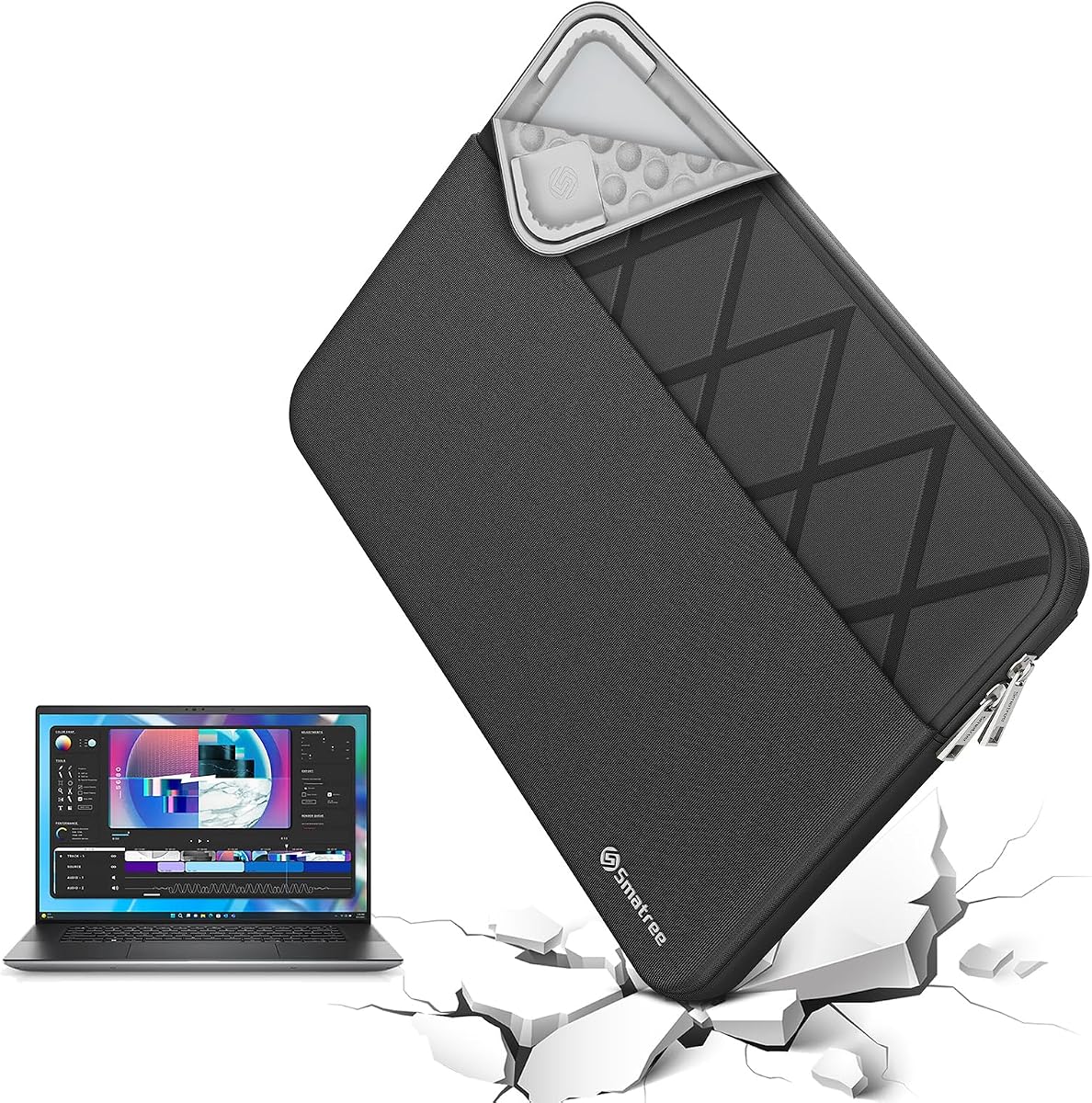
The Smatree Laptop Sleeve for 13-inch Dell XPS 13 is the most directly tailored recommendation in the guide, carrying a 4.7 rating. Its model E402 design is explicitly made for the XPS 13, XPS 13 2-in-1, XPS 13 Plus, XPS 13 9345, and XPS 13 DX13260. That explicit compatibility makes it easier to assess than a broad universal sleeve.
We may earn a commission when you buy through this link, at no additional cost to you.
The patented Super-Corner structure protects vulnerable corners without making the enclosure excessively bulky. A 300D polyester exterior resists splashes and light moisture, and the included accessory pouch can hold a charger, cable, USB drive, or another small essential. The integrated luggage strap makes the sleeve more convenient to carry alongside a larger bag.
Its internal dimensions are 12.09 by 8.35 by 0.79 inches. As with any tailored case, owners should verify the exact dimensions and configuration of their machine, particularly when using a detachable 2-in-1 or a different XPS generation. The accessory pouch also creates a little more bulk than a completely minimalist sleeve, although the main laptop section remains streamlined.
This Smatree is the strongest all-around choice for buyers who know their XPS model and value a close fit. It combines focused model support, structured protection, water resistance, and accessory organization without becoming excessively large. It works especially well for daily commuting and travel where a dedicated laptop compartment would be inconvenient.
Rather than relying on one broad size category, the listing identifies several supported XPS 13 configurations. This makes it easier for owners of current and recent models to determine whether the sleeve matches their notebook.
The main compartment protects the laptop, while the accessory pouch provides a home for cables and small electronics. An integrated luggage strap adds carrying convenience without requiring a bulky handle.
We may earn a commission when you buy through this link, at no additional cost to you.
The Dell Professional Sleeve 13 is a practical, office-oriented option with a 4.6 rating. Its most attractive feature for many users is the front organizer panel, which keeps everyday items separate from the laptop. The heather-gray exterior gives it a professional appearance suitable for work, meetings, and school.
We may earn a commission when you buy through this link, at no additional cost to you.
Handles make the sleeve easy to grab, while easy-grip zipper pulls improve access to small contents. The stated weather-resistant exterior helps protect against water during everyday travel, and the sleeve is designed to carry laptops up to 13 inches. Its size specification is 310 by 214.5 by 23 millimeters, giving shoppers a concrete reference for checking compatibility.
Unlike the Smatree choices, this product is not described as precisely tailored to specific XPS 13 generations. The broad size statement and manufacturer-oriented presentation mean buyers should compare the actual laptop measurements with the stated maximum. It also appears more focused on organization and handling than on advanced impact-absorbing corner construction.
This sleeve is a good match for an office worker who wants one compartment for a laptop and another for stationery, cables, or personal items. Choose it when professional appearance, accessible organization, and lightweight handles matter most. It is less compelling for buyers seeking a hard shell or a model-specific enclosure.
The front organizer panel separates pens, wallet, and other frequently used objects from the laptop. This avoids rummaging through the main compartment during meetings or commutes.
Integrated handles give users an easy alternative to slipping the sleeve into a backpack. The lightweight design supports convenient movement between a car, office, and meeting room.
We may earn a commission when you buy through this link, at no additional cost to you.
The Dell Premier Sleeve 13 is designed with Dell XPS laptops in mind and offers a polished alternative to more utilitarian cases. Its 4.2 rating is the lowest among the ten products here, but the underlying product description supports several worthwhile benefits: a contemporary appearance, soft lining, durable materials, and a slim shape.
We may earn a commission when you buy through this link, at no additional cost to you.
The sleeve is intended to guard a notebook from scratches, dust, and minor bumps. Its soft interior provides cushioning and helps prevent the laptop's finish from contacting the outer shell. The slim profile means it can be placed inside a backpack, briefcase, or messenger bag without taking up much room.
The product listing is less detailed about impact engineering than the Smatree and tomtoc options. It does not highlight reinforced corners, a hard outer shell, or a specific internal dimension for the Dell Premier Sleeve 13. There is also no dedicated front pocket or accessory pouch identified in the supplied information, making it more suitable for users who carry accessories elsewhere.
This case is best for buyers who prioritize a professional appearance and a simple, lightweight profile. It may appeal especially to Dell users who want the visual coherence of an official-brand accessory. Confirm the dimensions and closure arrangement before ordering, particularly if your workflow depends on organizing small items inside the sleeve.
The sleek exterior is designed to look appropriate in professional settings and coordinate with the restrained appearance of the XPS line. It avoids the visual bulk of a hard protective case.
The inner lining cushions the laptop and helps keep its surface away from dust and the outer material. That is useful for routine transport where large drops are not the main concern.
We may earn a commission when you buy through this link, at no additional cost to you.
The Waterproof Canvas Laptop Sleeve combines broad compatibility with practical storage, earning a 4.6 rating. It is not a dedicated XPS case, but its dimensions and listed devices include Dell XPS 13 9310, 9305, and 9300 models, along with numerous other 13-inch notebooks.
We may earn a commission when you buy through this link, at no additional cost to you.
Water-resistant canvas is the defining exterior feature, helping obstruct water and vapor during light rain or splashes. The soft, anti-static lining is intended to absorb impacts and reduce scratch damage. A roomy front pocket can hold a mouse, earphones, pens, a phone, or notepads, while the side handle offers a convenient hand-carry option.
The fit requires more attention than a model-specific sleeve. The listed internal dimensions are 13.58 by 9.45 by 0.79 inches, but the product information advises measuring the laptop and allowing clearance in both length and width. The long title lists many supported devices, so buyers should use the dimensions rather than assume every similarly sized notebook fits comfortably.
This sleeve is well suited to students, frequent travelers, and users who want more than a minimalist cover. It works especially well when accessories need a separate home and the sleeve will occasionally be carried by hand. Verify the measurement guidance before purchase to ensure room for the XPS 13's exact body and any attached accessories.
Water-resistant canvas helps protect the contents during light splashes and damp travel conditions. It should still be kept away from prolonged exposure to standing water.
The side handle gives users a quick way to carry the sleeve without a larger bag. At the same time, its slim profile allows it to slide into a backpack, briefcase, or messenger bag.
We may earn a commission when you buy through this link, at no additional cost to you.
The 13 Inch Laptop Sleeve with Stand offers more versatility than a conventional sleeve, with a 4.3 rating. Its defining feature is a 3-in-1 design: the case can carry a laptop, unfold into a stand, and provide a portable mouse-pad surface. That makes it especially useful for travelers who work in temporary spaces.
We may earn a commission when you buy through this link, at no additional cost to you.
The exterior is made from synthetic leather with a soft microfiber interior. The lining helps protect against scratches, stains, and dirt, while the leather surface is described as easy to clean. A magnetic closure keeps the laptop inside, and two adjustable stand angles allow users to select a more comfortable viewing and typing position.
Compatibility is more limited than the broad universal sleeves in this guide. The listing specifically names the Dell XPS 13 9340 among supported devices, so owners of other XPS generations should confirm dimensions and closure behavior before buying. The magnetic closure and foldable structure also make the sleeve less minimalist than a simple zippered case.
This product is a good fit for frequent travelers, students, and remote workers who value adaptability. Choose it if you often watch videos, type from a temporary workspace, or want a mouse surface without carrying separate accessories. For pure laptop protection, a more conventional sleeve may be easier to use every day.
Two selectable stand angles can improve screen positioning and provide airflow beneath the laptop. The adjustability makes the design more useful than a fixed sleeve that only stores a device.
The foldable flap can serve as a portable mouse pad, reducing the number of accessories needed for temporary workspaces. The resulting structure is still portable, although less minimal than a standard case.
We may earn a commission when you buy through this link, at no additional cost to you.
The Smatree MS23T is the most rigid option in this roundup, combining a hard sleeve with upgraded shock-resistant padding. It has a 4.6 rating and supports 13.3-inch Dell XPS 13 2-in-1 and 13.4-inch XPS 13, XPS 13 Plus, 9345, and DX13260 models.
We may earn a commission when you buy through this link, at no additional cost to you.
The hard exterior is designed to resist accidental collisions, while the padded interior helps protect against impacts and scratches when the case is placed in a backpack or suitcase. Its 260G nylon Lycra exterior obstructs water effectively and is washable, adding practical value for users concerned about marks or grime.
The principal disadvantage is bulk. At a stated weight of 428 grams, this is the heaviest product listed, and its external dimensions are considerably greater than its internal measurements. It is therefore less convenient when the goal is to minimize weight inside a slim briefcase or backpack.
The MS23T is best for users who place their laptop in crowded luggage, travel frequently, or want a rigid barrier around the device. Choose it when drop and collision protection take priority over low weight. It is also a sensible alternative for the same recent XPS 13 models covered by Smatree's other tailored sleeves.
The hard shell provides a physical barrier against knocks that a purely flexible sleeve cannot replicate. It is particularly useful when the laptop shares a suitcase with other equipment.
The nylon Lycra exterior can be washed when dirty and resists splashes during routine travel. These qualities make the case easier to maintain over time.
We may earn a commission when you buy through this link, at no additional cost to you.
The Smatree Elite Laptop Sleeve combines the E402 fit with a more substantial outer profile and integrated travel features. Its 4.6 rating reflects a balanced offering for users who want a tailored design without choosing a fully rigid case.
We may earn a commission when you buy through this link, at no additional cost to you.
Super-Corner impact protection is designed to absorb accidental bumps around vulnerable areas, and 300D polyester provides resistance to splashes and light moisture. The internal measurements are 12.09 by 8.35 by 0.79 inches, while the larger external profile creates room for a structured protective design. An included accessory pouch holds cables, chargers, mouse, and USB drives.
Compatibility is extensive, covering several Dell XPS 13, XPS 13 Plus, XPS 13 9345, XPS 13 DX13260, and XPS 13 2-in-1 configurations. It also supports Dell Latitude 7320, several Lenovo and Microsoft models, and other major laptop brands. The many supported names require care: buyers should check the product description and identify the exact model rather than relying only on screen size.
This sleeve suits users who want a tailored look, a defined accessory pouch, and a luggage strap for travel. It is a good middle ground between the thinner E402 option and the hard MS23T case. Choose it when a refined exterior and organized accessories matter more than minimum weight or maximum compactness.
The Elite range offers many model-specific sizes, allowing buyers to find a closer fit than a generic 13-inch sleeve. Clear model verification remains essential because several similarly named devices are supported.
The accessory pouch separates cables and small electronics from the laptop compartment, while the luggage strap supports convenient handling between bags and destinations.
We may earn a commission when you buy through this link, at no additional cost to you.
The Smatree Laptop Sleeve for 13.4-inch Dell XPS 13 and XPS 13 Plus closes the guide with a strong 4.8 rating. It uses the same E402 internal measurements as other tailored Smatree options but presents a compatibility list centered on several 13- and 13.4-inch Dell models.
We may earn a commission when you buy through this link, at no additional cost to you.
Its Super-Corner structure is intended to protect against drops and bumps without excessive bulk. The 300D polyester exterior resists water and light moisture, while a separate accessory bag provides storage for a charger, cables, mouse, and USB drives. An integrated luggage strap adds convenience for travel.
Because the internal size is 12.09 by 8.35 by 0.79 inches, buyers should check their exact XPS configuration before ordering. The listing supports the 13-inch XPS 13 2-in-1, Dell Latitude 7320 Detachable, XPS 13 Plus, XPS 13 9345, XPS 13, and XPS 13 DX13260. It also mentions certain Microsoft Surface Pro models, but Dell XPS users can focus on the directly listed configurations.
This sleeve is an excellent option for buyers who have identified one of the supported Dell models and want a close fit with a high rating. Its protection, water resistance, accessory storage, and travel strap make it more versatile than a basic sleeve. It is especially compelling for owners of the 13.4-inch XPS 13 Plus or 9345.
The supported list gives owners of several Dell models a more relevant starting point than a generic size label. Checking the exact model helps avoid the uncertainty associated with universal sleeves.
Super-Corner reinforcement adds protection around vulnerable areas while retaining a sleeve format that is easier to pack than a hard-shell case. Water resistance adds another layer of practical confidence.
We may earn a commission when you buy through this link, at no additional cost to you.
Choosing the right Dell XPS 13 sleeve requires balancing model fit, impact protection, weight, material, closure security, and accessory storage. Use the exact laptop dimensions and the intended travel environment to narrow the options before comparing appearance.
Dell has used several XPS 13 form factors, including traditional clamshell models, 2-in-1 configurations, XPS 13 Plus systems, the 9345, and the DX13260. Screen size alone does not guarantee a fit because the chassis width, depth, thickness, and port arrangement can differ. Look for a listing that explicitly names the model or provides internal dimensions that comfortably exceed the laptop's official measurements.
A close fit reduces movement inside the sleeve, while excessive tightness can make insertion difficult or press against ports. Check the full width and depth rather than relying on a diagonal screen measurement.
Compare the laptop's length, width, and thickness with the case's internal dimensions. Leave enough clearance for the zipper or magnetic flap, and check whether a detachable keyboard, kickstand, or other accessory changes the required space. Some manufacturers provide a specific fit allowance, while others ask buyers to measure the device themselves.
Measure first, then order. The listed dimensions make this step straightforward and prevent an otherwise suitable protection level from becoming a sizing mistake.
Soft sleeves with foam and fleece are sufficient for routine office and school use, especially when the laptop remains inside a larger bag. A structured or hard case offers stronger resistance to impacts, drops, and crushing pressure. Reinforced corner technology can provide a useful middle ground by adding protection around common impact points without the weight of a rigid shell.
Match the construction to the trip. Daily commuting favors lightweight cushioning, while checked luggage and crowded backpacks justify stronger edge or shell protection.
A water-resistant outer material can protect the laptop from light rain, accidental splashes, and damp travel environments. This is different from a waterproof seal and should not be treated as protection against immersion or prolonged water exposure. Canvas, nylon Lycra, and polyester are common among the featured sleeves, with specific resistance varying by model.
For weather-prone commutes, choose the most clearly water-resistant option and keep the opening closed during wet conditions. For complete moisture protection, consider a separate hard case with a sealing gasket.
The XPS 13 is designed to be portable, so a case that adds substantial width or weight can undermine that benefit. Soft and thin sleeves usually disappear into a backpack or briefcase more easily, while hard cases and models with accessory pouches take more space. Review both the external dimensions and the stated weight where available.
The best travel sleeve remains compact enough for your normal bag while still providing the protection and organization you need.
A smooth zipper is convenient for frequent access, while a magnetic closure can allow quicker one-handed operation. Premium zipper components may improve durability, but the closure type matters less than whether it holds the laptop securely without interfering with ports. Synthetic leather and flexible openings can also feel tight during the first use and gradually loosen.
Choose a closure that is easy to operate with one hand and that keeps the device from sliding out when the bag is moved.
A front pocket, organizer panel, or separate accessory pouch can prevent small cables, pens, mice, and chargers from scratching the laptop. Extra storage is useful for a standalone carry, but it adds bulk. Multifunctional designs may also function as a stand or mouse pad, which can be valuable for remote work and travel.
Choose extra storage only when you will actually use it. A simple sleeve can be easier to manage if accessories are carried separately.
Consider where the laptop spends most of its time. A slim sleeve works well in an office bag, a water-resistant option suits outdoor commuting, and a hard case is useful for buses, trains, and checked luggage. A professional appearance may matter for client meetings, while a stand and mouse-pad surface may be more useful during study sessions and temporary workspaces.
Prioritize the features used most often. A design that supports your normal routine is likely to be more satisfying than one that adds rarely used features.
Before using a new sleeve, measure the laptop and compare it with the stated internal dimensions. Open the closure fully, inspect the lining, and identify whether any divider or accessory pouch could press against ports. Place the XPS 13 in the main compartment with the lid closed, then zip or fasten the sleeve without forcing the fabric.
Use the front pocket for items that are small and unlikely to damage the laptop. Keep liquids in a separate sealed container, and avoid placing keys, pens with exposed tips, or hard adapters directly against the laptop. When carrying the sleeve inside another bag, position it so the laptop's edges do not press against buckles, straps, or other rigid objects.
Clean according to the material instructions. Wipe compatible surfaces gently with a soft damp cloth, avoid abrasive cleaners, and let the sleeve dry fully before storing the laptop inside. Check the zipper, seams, corner reinforcements, and lining periodically. If a case becomes wet, remove the laptop, air-dry both components, and avoid using high heat on synthetic materials.
It may fit, but the advertised screen size is not enough to confirm compatibility. Compare the sleeve's internal length, width, and thickness with the exact dimensions of the XPS 13 configuration, including any detachable keyboard or stand. A model-specific listing is preferable when available because similar Dell models can have different chassis sizes.
The Smatree Laptop Sleeve for 13.4-inch Dell XPS 13 and XPS 13 Plus explicitly lists 13.4-inch XPS 13, XPS 13 Plus, XPS 13 9345, and XPS 13 DX13260 compatibility. It also lists the 13-inch XPS 13 2-in-1. Confirm the exact model in the current product description because Dell updates can share similar screen sizes.
A hard case generally offers stronger protection from crushing, collisions, and impacts during travel. A padded soft sleeve is lighter, thinner, and often more convenient for office or school use. The better choice depends on how the laptop is carried and whether minimizing extra weight is more important than rigid protection.
Water-resistant materials are designed primarily to resist splashes, light rain, and brief exposure to moisture. They are not generally waterproof and should not be submerged or left holding water around the zipper. For severe weather, use a hard case with a properly sealed gasket and keep the laptop in a protected bag.
A multifunctional sleeve is useful if you regularly type or watch video outside a permanent desk. The included foldable stand can provide two viewing angles, and the flap may serve as a mouse-pad surface. If you only transport the laptop, a simpler sleeve is lighter, easier to close, and takes up less room.
Measure the laptop's length, width, and thickness, then compare all three with the case's internal dimensions. Depth matters because the XPS 13 is thin, while length and width determine whether the chassis fits without crowding the closure. Also check whether a 2-in-1 model includes a detachable keyboard that needs additional room.
It depends on the accessory sizes and whether the sleeve is used as a standalone laptop carrier. Larger mice, power adapters, and several cable bundles need more space than a small mouse and short charging lead. A dedicated accessory pouch is useful for preventing hardware from scratching the laptop during transport.
Yes, if its internal measurements fit the device and the closure can be closed without forcing it. Universal sleeves are often more adaptable to future laptops, but tailored cases usually manage movement and corner protection more precisely. Always check the measurements, thickness allowance, and supported model list before ordering.
The MOSISO Laptop Case is the value-focused recommendation, combining foam and fleece cushioning with a roomy front pocket. The Smatree E402 sleeve is the most balanced overall choice because it pairs tailored XPS compatibility with reinforced corners, water resistance, and accessory organization. For premium construction, the tomtoc 360 sleeve stands out through CornerArmor protection, spill-resistant fabric, and YKK zippers.
Before buying, confirm the exact XPS 13 model and compare the laptop's official dimensions with the case's internal measurements. Prioritize a secure closure, suitable impact protection, and a profile that works with your normal bag. Extra storage, a stand, or a hard shell should support your routine rather than add unnecessary bulk.
Ratings and product details offer a useful starting point, but availability, fit information, and prices can change. Check the current listing, model compatibility notes, and customer feedback before making a final purchase, especially when selecting between products with nearly identical dimensions.
