
40ft Active USB A to B Cable
4.7Editor score
40-foot active cable reach
USB 2.0 data transfer
Gold-plated reinforced plugs
Explore the best Long USB Cable options for charging, data transfer, printing, and extended device reach, comparing key features, compatibility, lengths, and
A long USB cable can make charging, printing, syncing, and device connections far more convenient when a nearby outlet or computer port is inconvenient. The best options balance reach, connector type, supported speed, charging performance, and durability while avoiding features that do not suit your device.
This guide compares ten long USB cables spanning USB-A to USB-A, USB-A to USB-C, USB-A to USB-B, and Micro USB connections. We examined length, transfer capabilities, charging support, connector design, compatibility notes, and practical limitations to identify the strongest option for each use case.
Each pick highlights a different way to gain usable distance, from extending a printer or desktop peripheral to charging a phone across a room. Ratings reflect the supplied customer feedback, availability and pricing can change, and readers should confirm current device compatibility before purchasing.
4.7Editor score

4.7Editor score

4.7Editor score
The comparison below organizes all ten cables by connector type, reach, core performance, and best-fit use, making it easier to narrow the field before choosing a model.



The USB to USB Cable 20FT is a 4.7-rated USB 3.0 Type A male-to-male cable designed primarily for data transfer. It stands out as the most versatile overall option because it combines substantial reach, a maximum stated transfer rate of 5Gbps, and compatibility with numerous hard drives, hubs, monitors, cameras, and other USB-A peripherals.
We may earn a commission when you buy through this link, at no additional cost to you.
Its construction receives considerable attention. A nylon braided jacket protects the inner wiring, reinforced strain-relief joints address vulnerable connection points, and multiple shielding layers support stable signal transmission. Gold-plated connectors and an anodized aluminum shell add corrosion resistance and improve the connector's long-term durability.
The most important limitation is also clearly stated: this is not a charging cable. It is designed for devices with compatible USB-A ports and should not be chosen for a USB-C phone, tablet, or laptop. Its male-to-male configuration is useful for linking two Type A devices, but it cannot serve as a standard USB-A charging lead.
This cable is a strong recommendation for a home office, media center, or desktop setup where a peripheral is too far from the computer. Buyers seeking a versatile USB 3.0 data connection will find its combination of length, transfer capability, and physical reinforcement particularly compelling.
The stated 5Gbps transfer rate is suitable for external storage and other bandwidth-oriented USB 3.0 tasks. A direct connection and compatible devices are still necessary to achieve the best results.
Braiding, reinforced joints, shielding, and gold-plated contacts address the most common causes of cable failure. The cable is built for repeated handling and extended placement around a desk or entertainment system.
We may earn a commission when you buy through this link, at no additional cost to you.
The CLEEFUN Long USB C Cable is a 4.6-rated 20-foot USB-A to USB-C cable built for situations where a device needs to remain connected across a room. Its stated use cases include charging and operating a phone from a sofa or bed, making it especially appealing for homes where wall outlets are inconveniently placed.
We may earn a commission when you buy through this link, at no additional cost to you.
Unlike many basic long charging leads, this model combines QC 2.0 and QC 3.0 fast-charging support with data transfer up to 480Mbps. A built-in 56K pull-up resistor and metal connections are intended to improve conductivity and stability, while the 20-foot length makes simultaneous charging and use more practical.
The heavy-duty nylon braid is advertised with a bend lifespan of more than 20,000 bends, and aluminum connector housings help resist daily wear. The tradeoff is that its data speed remains below the 5Gbps available from some competing long cables. At this length, buyers who prioritize charging flexibility will likely find the balance more useful than maximum transfer throughput.
Choose this cable for charging a compatible USB-C smartphone or tablet from a USB-A wall adapter while continuing to use the device at a distance. It is a particularly good fit for living rooms and bedrooms, provided the charger and connected device support the relevant fast-charging standard.
The 20-foot length supports charging and continued use from a couch, bed, or desk across a room. That freedom is the cable's defining benefit and the central reason to favor it over a shorter USB-C lead.
The cable supports both charging and synchronization at up to 480Mbps. It is useful for routine file transfers, though it is not the choice for high-speed external storage workflows.
We may earn a commission when you buy through this link, at no additional cost to you.
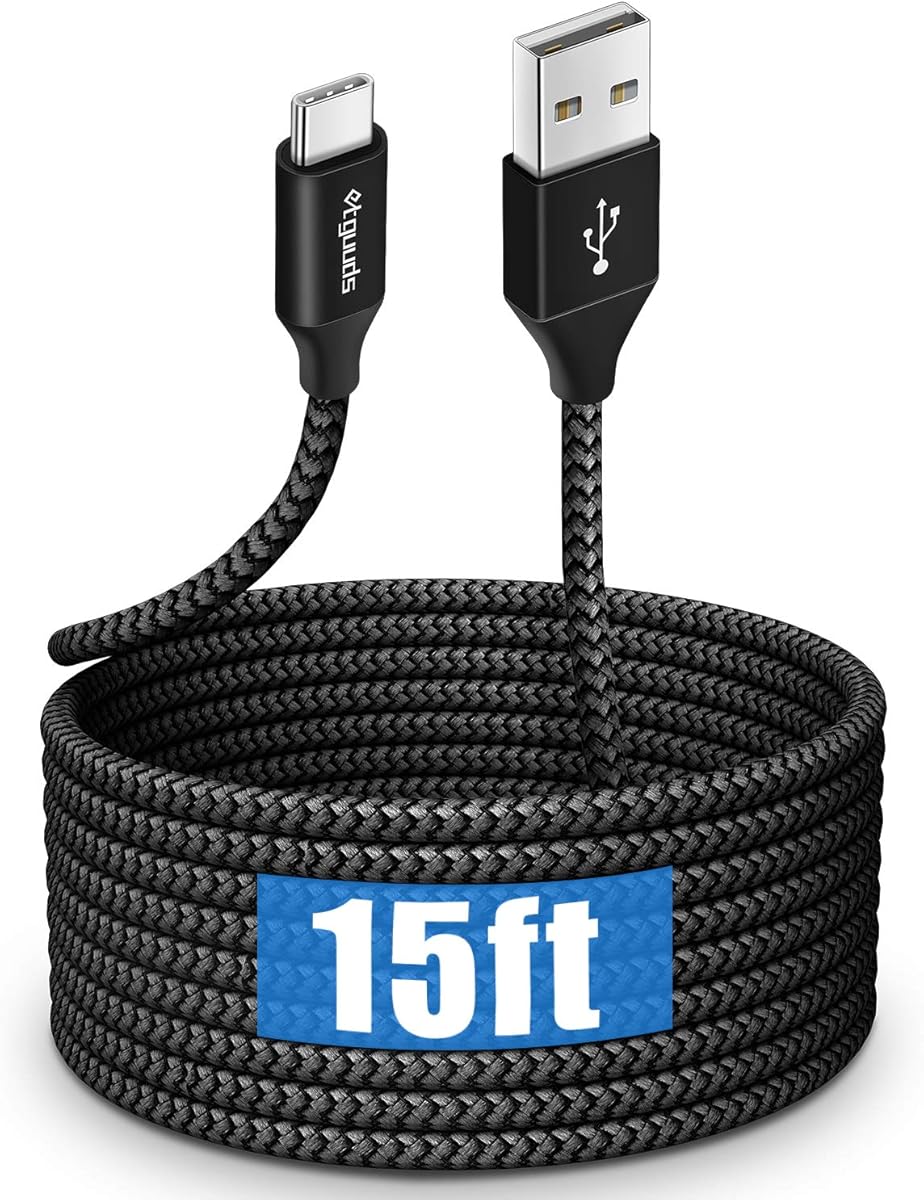
The etguuds Long USB C Cable is a 4.6-rated USB-A to USB-C cable offering a practical balance of reach, charging, and synchronization. Its 15-foot length gives a phone or tablet more freedom than a conventional desk cable without introducing the largest footprint in this guide.
We may earn a commission when you buy through this link, at no additional cost to you.
The cable supports charging up to 3A and data transfer up to 480Mbps. A 56K resistor is included to support conductivity and charging stability. These specifications make it appropriate for everyday phone and tablet charging, routine synchronization, and use with compatible USB-A wall adapters.
Its nylon braid is advertised to withstand more than 20,000 bends while reducing tangling, a valuable feature for a cable likely to be moved around furniture or carried in a bag. It does not offer video output or the newest high-speed data standard, so users seeking advanced media or storage performance should look elsewhere.
This is a versatile recommendation for anyone who wants a long USB-C lead for daily charging without necessarily needing the maximum 20 or 40 feet of reach. The broad stated compatibility with popular Samsung, Google, Motorola, LG, and USB-C iPhone models strengthens its everyday appeal.
Fifteen feet is long enough to reach across many beds, sofas, and desks while remaining easier to manage than a 20- or 40-foot cable. It suits users who want flexibility without excessive slack.
Three-amp charging and 480Mbps synchronization cover common everyday tasks. The included resistor and braided jacket support dependable everyday use.
We may earn a commission when you buy through this link, at no additional cost to you.
The 40ft Active USB A to B Cable is a 4.7-rated, unusually long printer and peripheral cable. It earns the premium recommendation by tackling the most demanding distance in the guide while using an active design intended to maintain a stable USB 2.0 connection.
We may earn a commission when you buy through this link, at no additional cost to you.
At 40 feet, it is suited to printers, scanners, all-in-one devices, fax machines, electronic keyboards, and other USB Type B equipment located far from a computer. Multiple shielding layers support stable data transmission at up to 480Mbps, and the gold-plated plugs and reinforced joints are designed to withstand frequent use.
The crucial compatibility detail is that this is a USB 2.0 Type B cable, not a USB 3.0 Type B cable. It should not be purchased for a device that specifically requires the faster, differently shaped USB 3.0 interface. Its active construction also makes it a more specialized choice than a simple passive printer lead.
For a home office where the printer sits in another room or at the opposite side of a large desk, this cable offers an elegant answer. It is also suitable for other compatible USB-B devices, but confirming the connector shape and generation before ordering is essential.
The active signal design is the key reason to consider this model for long-distance use. Layered shielding helps preserve data stability where an unamplified cable may be less dependable.
The USB-A to USB-B configuration works with many traditional printers and scanners and connects directly to a Mac or PC. Check the port on the device because USB 3.0 Type B equipment requires a different cable.
We may earn a commission when you buy through this link, at no additional cost to you.
The USB C Cable 10 ft is a 4.6-rated USB-A to USB-C lead that focuses on useful extension without the management burden of a much longer cable. It is a practical choice for desks, sofas, and bedside setups where roughly ten feet of reach is sufficient.
We may earn a commission when you buy through this link, at no additional cost to you.
The cable supports charging up to 3A and data transfer up to 480Mbps, covering common charging and synchronization needs. Its soft but sturdy nylon braid is designed for regular use, while the ten-foot length makes the lead easier to coil, store, and route than 15- or 20-foot alternatives.
Two restrictions are important. It works with USB-A chargers rather than a USB-C wall adapter, and it cannot carry a video signal. Consequently, it is better suited to charging phones and tablets or transferring files than connecting a display through DisplayPort Alternate Mode.
This model is recommended for users who want more freedom than a three-foot cable but do not need room-spanning reach. It can also serve as a convenient second cable for travel or a separate workspace without creating unnecessary excess slack.
Ten feet gives a device enough freedom to reach from a desk or nightstand while remaining easy to manage. It is a sensible middle ground for smaller rooms and uncluttered workspaces.
The USB-A input works with the broad selection of conventional wall adapters. Three-amp charging support covers many modern phones and tablets, subject to the capabilities of the attached charger and device.
We may earn a commission when you buy through this link, at no additional cost to you.
The Extra Long USB C Cable is a 4.5-rated two-pack of 15-foot USB-A to USB-C cables. Its defining advantage is simple: it supplies two long cables, allowing one to remain in the bedroom and the other in a living room, office, or travel bag.
We may earn a commission when you buy through this link, at no additional cost to you.
Each cable supports fast charging and high-speed data transfer, while the thickened core and flexible outer sheath are designed for repeated bending. Reinforced connectors are intended to resist loosening, and the product description cites multiple safety protections against overcharging, overvoltage, and overheating.
The product description states compatibility with numerous iPhone 15, 16, and 17-series models, Samsung Galaxy devices, iPad Pro, MacBook, Nintendo Switch, power banks, earphones, and other USB-C accessories. Its transfer-speed language is less precise than that of several competitors, however, so buyers with strict performance requirements should verify the published specification before ordering.
This pack is especially attractive to households that want a ready cable in more than one location. It is a solid choice for flexible daily charging, but the lower 4.5 rating and broad rather than quantified transfer claims make it less compelling for specialized high-speed workflows.
The two-pack reduces the need to unplug and carry one cable between rooms. It is particularly useful for homes, offices, or travel arrangements where separate charging stations are common.
The USB-C output works across a broad range of listed phones, tablets, laptops, consoles, and accessories. Buyers should still verify that the device accepts USB-A charging and that the included protection features align with their needs.
We may earn a commission when you buy through this link, at no additional cost to you.
The VCZHS Tech USB 3.0 Extension Cable is a 4.6-rated 20-foot USB-A male-to-female extension. It is designed to move a USB connection away from a computer, making it well suited to a wall-mounted television, media center, remote desk, conference room, or security-camera location.
We may earn a commission when you buy through this link, at no additional cost to you.
Heavy-duty 22AWG power wire, gold-plated connectors, reinforced joints, and triple-layer shielding distinguish it from a basic extension lead. The stated transfer rate is 5Gbps under USB 3.0, with backward compatibility for USB 2.0 and USB 1.1 devices. It can serve printers, scanners, webcams, keyboards, mice, hubs, flash drives, and external hard drives.
The product information includes several meaningful exclusions. It is not recommended for VR headsets, high-speed SSDs, or rapid charging, and users should connect it directly to a computer rather than cascade it through hubs. It is also not intended for direct burial without conduit, despite its indoor and outdoor rating.
This is a strong recommendation for extending ordinary USB peripherals across a home or office. It offers more signal capability than a USB 2.0 extension, but demanding storage and charging applications should follow the stated limitations and choose a purpose-built cable instead.
The male-to-female design extends an existing computer port rather than linking two devices directly. That makes it convenient for relocating peripherals without changing the rest of the setup.
Twenty-two-AWG power wiring, reinforced connectors, and layered shielding support installations where the cable may span a room or run along a wall. Proper routing remains important, especially outdoors.
We may earn a commission when you buy through this link, at no additional cost to you.
The Amazon Basics USB-A to USB-B is a 4.7-rated 16-foot cable that delivers a straightforward solution for printers and other USB-B peripherals. Its uncomplicated design makes it a sensible value choice for anyone who mainly needs a reliable connection to a computer.
We may earn a commission when you buy through this link, at no additional cost to you.
Gold-plated connectors are designed to resist corrosion and support a stable signal. The USB 2.0 interface suits printers, external hard drives, cameras, mice, and keyboards, provided each device has the appropriate USB-B port. Its black jacket and familiar form make it suitable for office and home-computer setups.
The principal drawback is speed: this is a USB 2.0 cable, not a USB 3.0 model. It therefore cannot take advantage of a faster USB 3.0 Type B connection. It also has no active signal amplification, so buyers seeking a 40-foot reach should look at the more specialized active cable in this guide.
For a printer located several feet from a computer, this is a compelling recommendation because it combines a generous length with a 4.7 rating and a simple connection. It is also a dependable choice for external storage and other compatible USB-B accessories.
The cable's core purpose is a dependable connection between a computer and a USB-B peripheral. Gold-plated contacts support consistent performance without adding unnecessary specialized features.
Sixteen feet is long enough for many desk and room arrangements. The cable is easier to manage than a 20- or 40-foot lead while offering substantially more reach than a basic desktop cable.
We may earn a commission when you buy through this link, at no additional cost to you.
The USB C Cable 20ft Extra Long is a 4.2-rated cable that combines a USB 3.2 Gen 1 chip with a 20-foot length. It is aimed at users who need both extended reach and faster data transfer than ordinary USB 2.0-style USB-C cables provide.
We may earn a commission when you buy through this link, at no additional cost to you.
The stated 5Gbps transfer capability makes it relevant for portable SSDs, large media files, and other data-intensive tasks. Its double braided jacket, aluminum alloy components, strain-relief testing, and reinforced ports are intended to withstand regular bending and use.
Charging is supported up to 18W, but the description appropriately notes that actual power can decrease because of resistance in a cable of this length. The 4.2 rating is also lower than those of most alternatives in the guide, making it prudent for buyers to consider user feedback carefully before choosing.
Choose this cable when high-speed data is the priority and the devices involved support USB 3.2 Gen 1. It is less attractive for maximum charging performance, but its balance of transfer speed, 20-foot reach, and broad compatibility is unusually capable for a long lead.
The built-in USB 3.2 Gen 1 chip supports transfer speeds up to 5Gbps. Actual performance depends on the connected devices, cable routing, and the possibility that speed may decrease over the full 20-foot length.
The theoretical charging limit is 18W, with reduced real-world output possible because of cable resistance. Users with high charging demands should account for that limitation.
We may earn a commission when you buy through this link, at no additional cost to you.
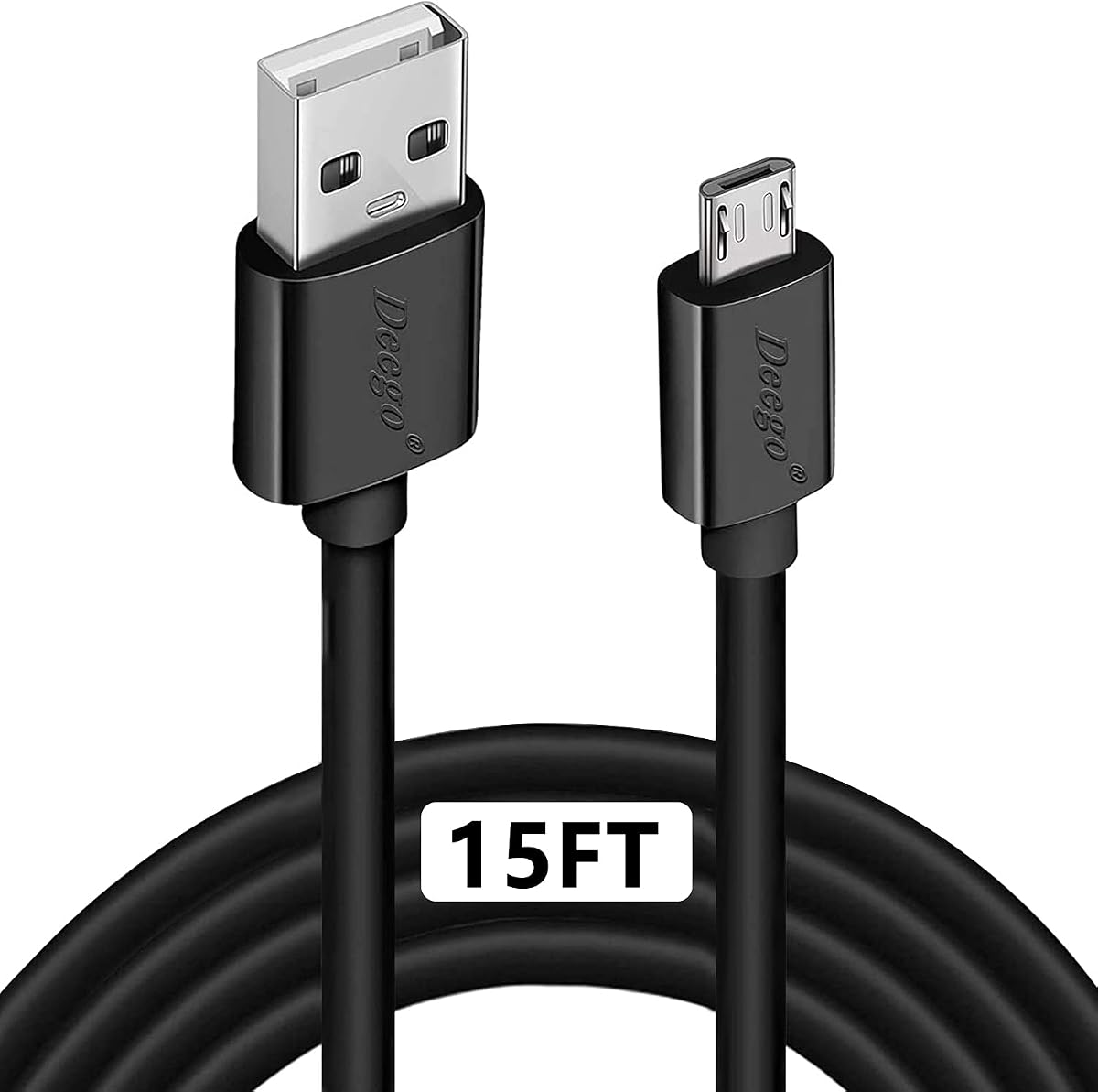
The DEEGO Micro USB Cable is a 4.6-rated 15-foot cable for devices that still require Micro USB. It is especially relevant to older Android phones, selected tablets, Bluetooth speakers, GPS units, e-readers, cameras, and PS4 controllers rather than current USB-C equipment.
We may earn a commission when you buy through this link, at no additional cost to you.
It supports charging up to 2.4A and data transfer up to 480Mbps through a backward-compatible USB 2.0 connection. A tested bend lifespan of more than 10,000 bends, stainless-steel connector heads, and a flexible PVC jacket are designed for regular use and easier routing around furniture.
The largest limitation is generational. Micro USB is not interchangeable with USB-C, so this cable cannot be used with newer iPhone models, modern Android phones that use USB-C, or USB-C tablets and laptops. Its 480Mbps transfer rate also limits it to standard USB 2.0 tasks.
This is the right recommendation for someone maintaining older hardware or needing a dependable replacement controller and charger lead. If all of your devices use USB-C, one of the USB-A to USB-C options in this guide will provide a better long-term match.
The Micro USB connector remains common in legacy controllers, speakers, GPS devices, and older Android accessories. A 2.4-amp charging rate and simultaneous synchronization cover their basic needs.
Fifteen feet reaches wall outlets, car chargers, or furniture placed away from a device. The flexible PVC jacket and reinforced connector heads help the cable remain manageable and secure.
We may earn a commission when you buy through this link, at no additional cost to you.
The most useful long cable is defined by the connection you need, the distance you need, and the performance your devices can actually support. Connector type and purpose should be narrowed before comparing length, charging, or data-speed claims.
Start with the ports on both ends of the devices you intend to connect. USB-A to USB-A supports direct links between compatible Type A devices, USB-A to USB-C is common for charging modern phones and tablets, USB-A to USB-B serves many printers and legacy peripherals, and Micro USB remains relevant for older equipment. USB-C is physically and electrically different from USB-A and Micro USB, so a cable cannot be made universal simply by choosing a longer length.
Choose the exact connector required by your device rather than relying on visual similarity. The same caution applies to USB 2.0 and USB 3.0 Type B printer connections, which use different standards and should not be confused.
Measure the actual route rather than estimating by room size. A ten-foot cable may be perfect for a desk, a 15-foot cable may work across a bed or sofa, and a 20- or 40-foot lead may be necessary for a remote printer, wall-mounted display, or security camera. Very long cables can be awkward to coil and may require more careful routing, but they provide the greatest freedom.
Choose the shortest length that comfortably reaches the intended connection. Extra slack is useful when a device moves, yet excessive length can create snag points and make a setup harder to tidy.
A cable optimized for charging may not support high-speed data, while a data cable may not provide the charging behavior you expect. USB-A to USB-A options in this guide are explicitly described as data cables and are not charging leads. Printer cables focus on reliable USB-B connectivity, while USB-C models vary considerably in transfer rate and charging output.
Decide whether the primary need is phone charging, file synchronization, external storage, printer operation, or peripheral extension. This prevents paying for a feature the cable will not use and helps you avoid a connection that lacks the necessary function.
Charging speed depends on the cable, charger, device, and protocol, not cable length alone. Several products in this guide support USB-A power input, with stated charging levels ranging from 2.4 amps to 3 amps. The 20-foot high-speed USB-C cable supports 18W, and its description warns that actual power can decline over the full length because of resistance.
Check the charger and connected device before choosing a cable. A physically long lead can support fast charging only if the entire power path and device can handle the intended rate.
The listed options divide into standard 480Mbps connections and a smaller group capable of 5Gbps transfer. The latter is more relevant for external storage and large media files, while 480Mbps remains suitable for printers, controllers, routine synchronization, and many accessories. Performance also depends on whether both connected devices support the same USB generation.
Do not treat the maximum cable rating as a guarantee of real-world speed. Device limitations, cable length, signal quality, and the presence of USB 2.0 components can all reduce performance.
Long cables experience bending, pulling, and repositioning at their connectors, making strain relief especially important. Braided nylon, reinforced joints, metal connector housings, and gold-plated contacts appear throughout the guide. A PVC jacket is also used in the Micro USB option, with flexibility and a tested bend lifespan as its stated benefits.
Look for construction that addresses both the cable body and the point where the connector enters it. A braid can improve abrasion resistance, while reinforced connectors help prevent a common failure mode in long leads.
Not every long cable maintains signal equally well. The 40-foot printer model uses an active design specifically to support reliable USB 2.0 transfer over an unusually long distance. Other options rely on braided construction, shielding, or upgraded internal components. Extension cables also need a direct connection to a computer rather than an unnecessary cascade through hubs.
Consider whether the distance is demanding enough to require active signal support. For shorter runs, a straightforward cable may be easier to manage and less specialized.
Long-cable descriptions often contain essential warnings that should not be overlooked. Some products cannot output video, some are unsuitable for rapid charging, and one USB 3.0 extension is not recommended for high-speed SSDs. The 40-foot printer cable supports USB 2.0 Type B rather than USB 3.0, while the Micro USB model cannot serve newer USB-C devices.
Review the exclusions before ordering, particularly if the cable will be used with a display, laptop, fast external drive, or other specialized peripheral. These details often matter more than a small difference in stated length.
Inspect both connectors before connecting the cable, and confirm that the connector shape, USB generation, and device port match. Plug the device end into the powered or connected equipment first when appropriate, then attach the other end. For charging, use a compatible power adapter rather than assuming every USB-A port can supply the advertised current.
Route the cable away from sharp edges, hot surfaces, moving chair wheels, and doors that could pinch it. When a cable stretches across a walkway, secure it along the wall or under a suitable cable cover. For very long runs, test the complete connection before leaving a printer or security camera in service, and avoid unnecessary hub cascades.
Unplug the cable by holding the connector housing rather than pulling on the cable itself. Coil it loosely for storage, keeping the bends broad rather than creating tight loops. If a connector becomes loose, the jacket cracks, or performance becomes unstable, discontinue use and replace the cable rather than attempting to repair a damaged electrical component.
Not always. Longer conductors have more resistance, which can reduce delivered power, particularly at higher charging levels. The charger, device, and charging protocol also determine the final rate. Some long cables in this guide compensate with active components, while others explicitly state that reduced power is normal at full length.
It can, particularly when the cable is not designed for long-distance signal integrity. The 20-foot USB 3.0 options state transfer rates up to 5Gbps, while the 40-foot active printer cable uses an active design to support stable USB 2.0 performance. Actual speed still depends on both connected devices and installation conditions.
No, because the USB-A end requires a USB-A power source, such as a compatible wall adapter. The product descriptions for the USB-A to USB-C options explicitly refer to this type of charging arrangement. A USB-C charger requires a cable with matching connectors on both ends.
Only if the printer includes a USB 2.0 Type B port and you are not trying to use USB 3.0 features. A USB 3.0 Type B port has a different physical interface and requires a matching USB 3.0 Type B cable. Check the port marking and the printer documentation before ordering.
Ten to 15 feet usually provides enough reach for many beds and nearby outlets while remaining easier to manage than a 20- or 40-foot cable. Measure from the device's resting position to the charger and add a small amount of slack. Longer leads can be useful when the charger is across the room or hidden behind furniture.
Only when the cable, source device, display, and adapter all support the required video mode. The 10-foot USB-A to USB-C product explicitly cannot output video, and being USB-C alone does not guarantee video capability. For display use, check the specifications of every component and choose a cable designed for the required standard.
Braided jackets generally improve resistance to abrasion and can make a cable easier to manage. Many products in this guide also add reinforced connectors, metal housings, or tested bend ratings. Construction quality matters throughout the cable, so inspect the connectors and strain relief as well as the outer jacket.
Usually not. Long USB cables still come in specific connector configurations, including USB-A to USB-A, USB-A to USB-C, USB-A to USB-B, and USB-A to Micro USB. Choose the cable for your most important device, and remember that USB 2.0 and USB 3.0 versions may use connectors that look similar but are not interchangeable.
The USB to USB Cable 20FT is the strongest all-around recommendation for high-speed peripheral connections, while the 40ft Active USB A to B Cable stands out for maximum reach and dedicated printer use. The Amazon Basics USB-A to USB-B offers a simpler, highly rated option for conventional USB-B devices.
For USB-C users, the choice depends on priorities: CLEEFUN provides 20-foot room-spanning reach, etguuds balances length with everyday charging, the two-pack supports multiple locations, and the 20-foot high-speed model emphasizes 5Gbps data transfer. Legacy Micro USB equipment is best served by the DEEGO cable.
Before purchasing, verify the connector shape, USB generation, charging requirements, and any stated exclusions. Current prices and availability can change, so checking the latest listing details and recent customer feedback is an important final step.