
SilverStone RM44
4.3Editor score
Up to 360mm radiator support
Eight expansion slots
Extended motherboard compatibility
Rackmount 4U design
A server chassis for gaming must balance the durability, expandability, and airflow expected of rack equipment with the practical needs of a powerful gaming computer. The best examples offer room for modern motherboards, multiple graphics cards or storage devices, effective cooling, and convenient connections.
This guide compares ten rackmount and tower-style enclosures using the specifications supplied for each model. It examines motherboard support, graphics-card clearance, expansion slots, drive bays, cooling options, front connectivity, and physical design rather than assuming that every large server case suits a gaming build.
Each selection highlights a different reason to consider it, from a budget 4U enclosure to premium liquid-cooling support and expansive NAS storage. Product ratings and specifications can change, component availability varies, and current prices should always be checked before making a purchase.
4.3Editor score
4.4Editor score
4.0Editor score
As an Amazon Associate we earn from qualifying purchases.
The comparison covers rackmount and mid-tower server-oriented cases, highlighting the hardware space, cooling provisions, storage capacity, expansion options, and connectivity that matter most when assembling a gaming system.




The SilverStone RM44 is a premium 4U rackmount chassis built for demanding configurations that combine gaming performance with server-class expandability. It carries a 4.3 rating, and its defining attraction is support for a radiator up to 360mm alongside extended SSI-EEB and Extended ATX motherboards.
We may earn a commission when you buy through this link, at no additional cost to you.
Cooling headroom makes this enclosure particularly useful for a high-power gaming system, a compact workstation, or a server that also handles demanding compute tasks. Eight PCIe and PCI expansion slots provide considerably more room than most conventional gaming cases, while sliding rail mounting holes are intended to simplify installation into a compatible rack.
The trade-off is format and complexity. A 4U rack chassis needs a suitable rack or enclosure, and buyers must confirm rail, motherboard, power-supply, and component dimensions before assembly. It also offers less flexibility in placement than a tower, making the RM44 more purposeful than universal for everyday gaming setups.
This is the strongest recommendation for buyers who want genuine rackmount construction, extensive expansion, and premium liquid-cooling capability. It is less suitable for someone who only needs a conventional gaming tower and has no plan to use a rack.
Support for a 360mm liquid cooler gives the RM44 an advantage in systems that must dissipate substantial heat from a powerful CPU or other internal hardware. The larger radiator option can complement the chassis's roomy server-oriented layout.
Eight expansion slots make the case attractive for multi-GPU, networking, storage-controller, or other add-in-card plans. Extended motherboard support adds flexibility, although buyers should still confirm the physical dimensions of every selected component.
We may earn a commission when you buy through this link, at no additional cost to you.
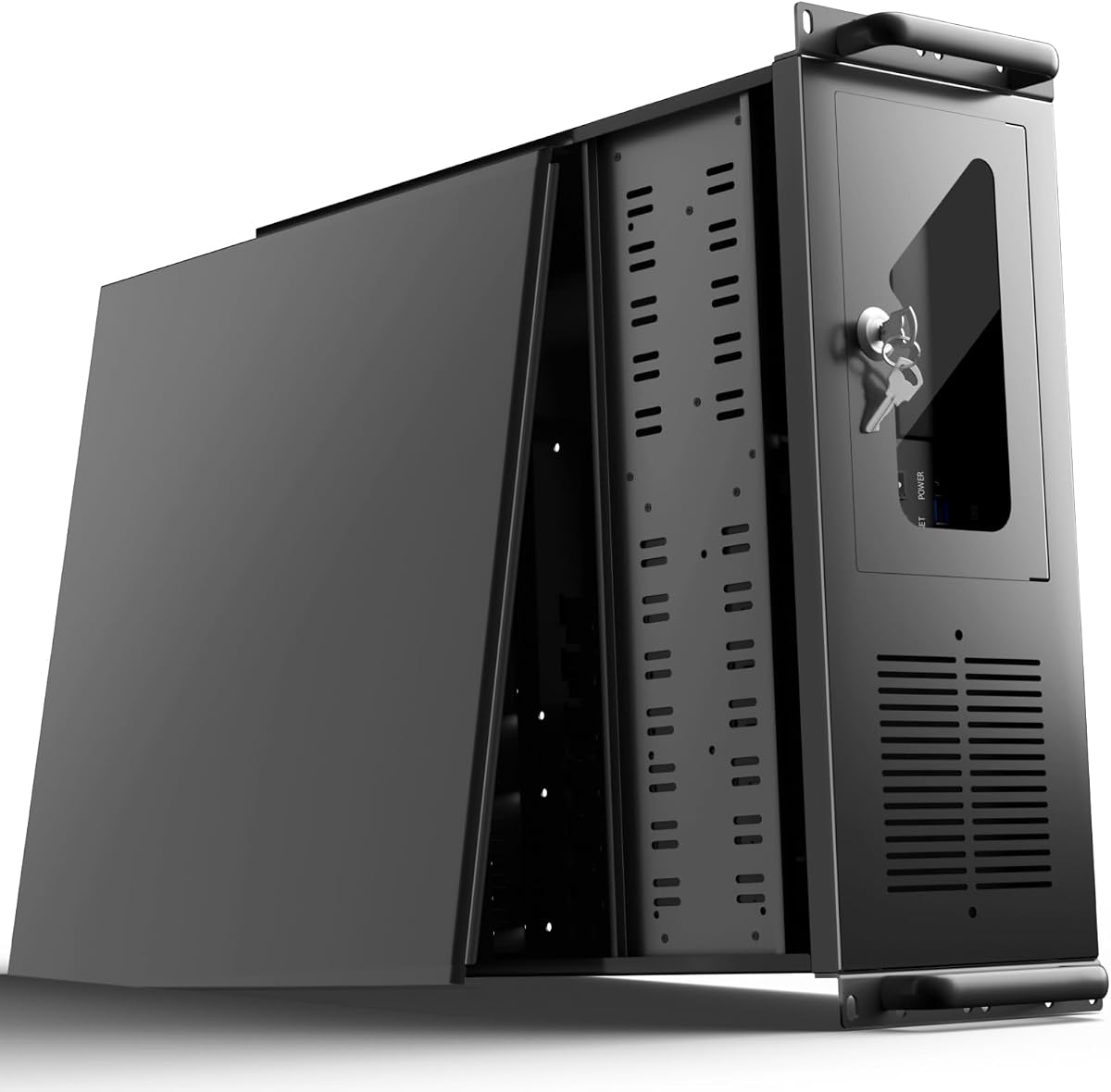
The UTLGAMENG 4U Server Case is the budget-oriented option in this guide, combining a 4.0 rating with room for 12 dedicated hard-drive bays and seven PCI slots. It targets builders who want server-style storage and expansion without moving to the most specialized premium enclosure.
We may earn a commission when you buy through this link, at no additional cost to you.
The most appealing feature is storage capacity. Twelve dedicated bays can accommodate a large collection of hard drives for game libraries, media, backups, or virtual-machine data. Compatibility with ATX, Micro-ATX, and Mini-ITX motherboards gives the chassis more flexibility than the drive-bay count alone might suggest.
Its graphics-card allowance is important: cards up to 230mm fit in the standard configuration, while removing the hard-drive bay extends that allowance to 330mm. CPU coolers can reach 125mm, or 153mm when the specified bracket is removed. The case supports standard ATX power supplies and includes front USB 3.0 ports, LEDs, a key lock, and a dust filter.
It is best for a gaming-and-storage build where drive capacity matters more than a large radiator. For a compact, high-end gaming PC or a heavily liquid-cooled workstation, a more specialized chassis may be a better fit.
Twelve dedicated bays make this chassis practical for users who accumulate games, media files, and archives. A mix of drives can also support a larger system, provided each device matches the case's mounting requirements.
Graphics-card space reaches 230mm normally and 330mm after the hard-drive bay is removed. That trade-off lets a builder prioritize either maximum storage or a longer card, but not necessarily both at the same time.
We may earn a commission when you buy through this link, at no additional cost to you.
RackChoice's 3U chassis carries a 4.4 rating and offers a useful middle ground between tower cases and deeper 4U racks. It supports ATX, Micro-ATX, and Mini-ITX motherboards, eight expansion slots, and either three preinstalled 120mm fans or a 360mm liquid-cooling radiator.
We may earn a commission when you buy through this link, at no additional cost to you.
The compact 3U form factor is especially relevant for users with limited rack depth who still want a server-style enclosure. Sliding rails are compatible with 20-inch or 26-inch universal rack selections, while SFX and SFX-L power supplies help control depth. The supplied fans make an air-cooled build straightforward.
Its limitations are significant for some gaming hardware. The GPU maximum height is 115mm, which is more restrictive than many conventional gaming cases. Storage consists of two internal 3.5-inch and one internal 2.5-inch bay, so the listing recommends M.2, NVMe, and PCIe-based storage. With an AIO, supported card length also falls slightly.
Choose the RackChoice when rack depth, liquid-cooling support, and expansion slots are priorities. It is less appropriate for a build using a thick, high-end graphics card or one requiring many conventional hard-drive bays.
The 3U format reduces rack depth compared with many 4U choices. That makes the chassis more accommodating in compact racks while preserving eight expansion slots for add-in hardware.
Buyers can use the three included 120mm fans or install a 360mm radiator. The preinstalled fans must be removed for the liquid-cooling arrangement, and that choice can affect available graphics-card clearance.
We may earn a commission when you buy through this link, at no additional cost to you.
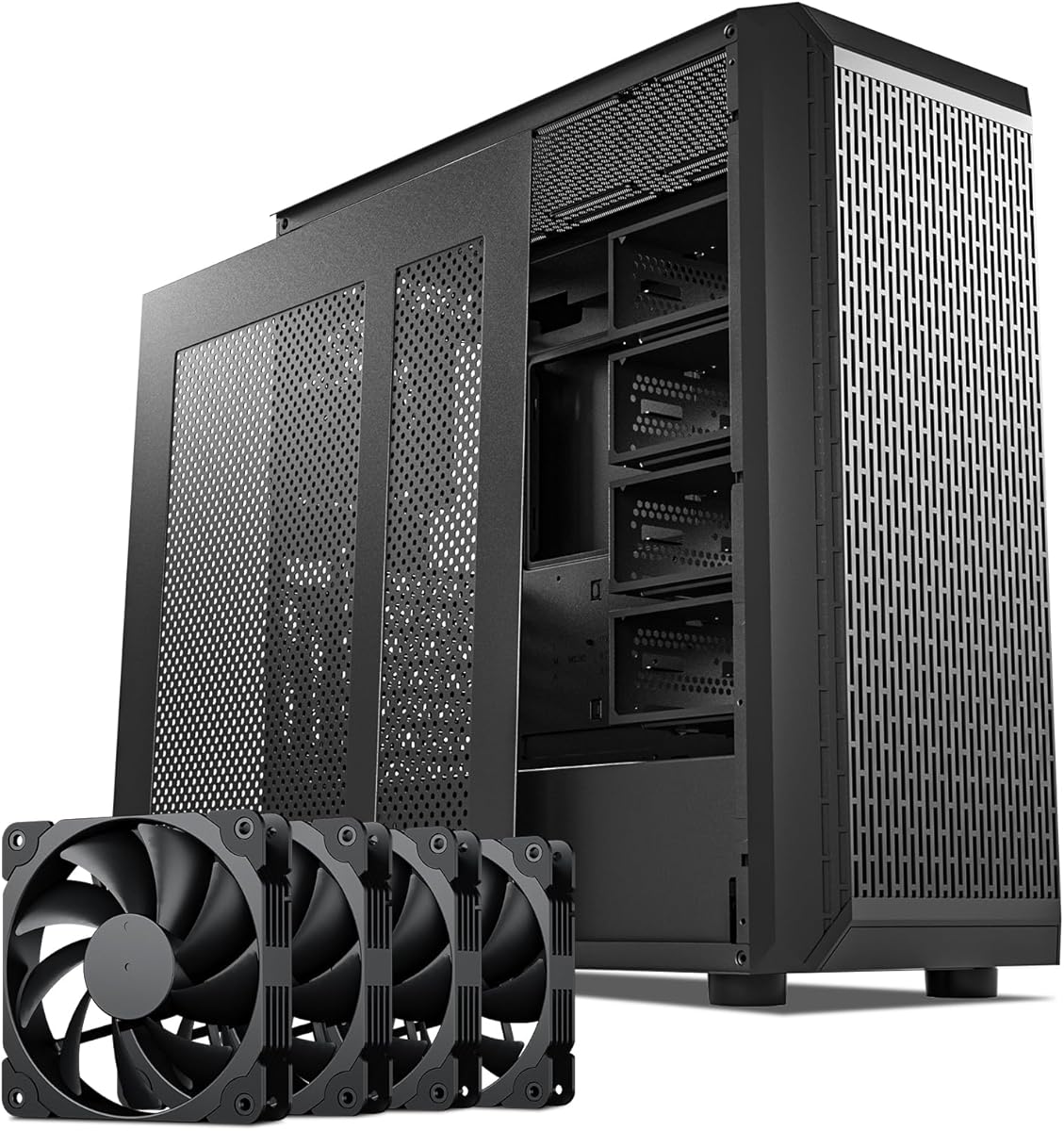
The Rosewill Helium NAS Max is a mid-tower enclosure that blurs the line between a gaming case and a high-capacity NAS chassis. It has a 4.0 rating, supports ATX motherboards, accommodates up to 11 3.5-inch hard drives, and includes four 140mm PWM fans.
We may earn a commission when you buy through this link, at no additional cost to you.
Its mesh front panel and large fans form the core of its cooling proposition. Rather than advertising liquid-cooler compatibility, it prioritizes strong airflow through a tower that can carry a substantial amount of storage. That makes it appealing to gamers who want a local game library, media server, backup system, and everyday workstation in one enclosure.
BTF motherboard compatibility and a front USB 3.2 Type-C port add modern conveniences, while the black finish suits a home office, media room, or professional workspace. The tradeoff is that this is primarily an ATX NAS enclosure rather than a conventional gaming chassis, and the supplied information does not state 360mm radiator support.
It is a sensible choice for a storage-oriented gaming build or a home server that doubles as a gaming machine. Buyers planning a large liquid-cooling loop should verify radiator clearance independently rather than assuming the air-cooling specification extends to AIO hardware.
Four 140mm PWM fans can move a substantial volume of air through the mesh front and throughout the enclosure. This configuration is useful when the system contains several hard drives that need steady airflow.
Support for 11 3.5-inch hard drives makes the Helium NAS Max valuable for large media collections, local archives, and backup storage. Users should still plan a careful cable and airflow strategy when filling every bay.
We may earn a commission when you buy through this link, at no additional cost to you.
The DARKROCK Classico is the most balanced all-round option in this guide. Its 4.4 rating, support for as many as 13 hard drives, four 120mm fans, 360mm radiator compatibility, and vertical graphics mounting create a particularly useful combination for a gaming system that also needs serious storage.
We may earn a commission when you buy through this link, at no additional cost to you.
Vertical GPU mounting allows the graphics card to be displayed in the case and helps prevent sag. At the same time, mesh front and side panels encourage airflow through the chassis, while radiator support gives users a clear path to a high-end liquid-cooled processor. The case is designed as an ATX NAS enclosure rather than a rack unit, so it should fit more readily into a home or office environment.
The tradeoff is that thirteen-drive support makes this a substantial storage-oriented chassis, and buyers may not need all of that capacity for a pure gaming build. It is also not a 4U or 3U rackmount product, so users specifically shopping for server racks should choose one of the rack-oriented alternatives.
For a gamer who wants local storage, strong air movement, modern graphics presentation, and optional liquid cooling, the Classico is especially compelling. Its combination of features makes it a practical editor's choice.
Thirteen hard-drive positions let the owner retain a large local collection of games, media, and project files. That capacity also creates opportunities for game-server services, local backups, and virtualized storage.
Four 120mm fans and support for a 360mm radiator provide two distinct cooling paths. The enclosure can serve a high-power gaming build while remaining more approachable for home use than a full server rack.
We may earn a commission when you buy through this link, at no additional cost to you.
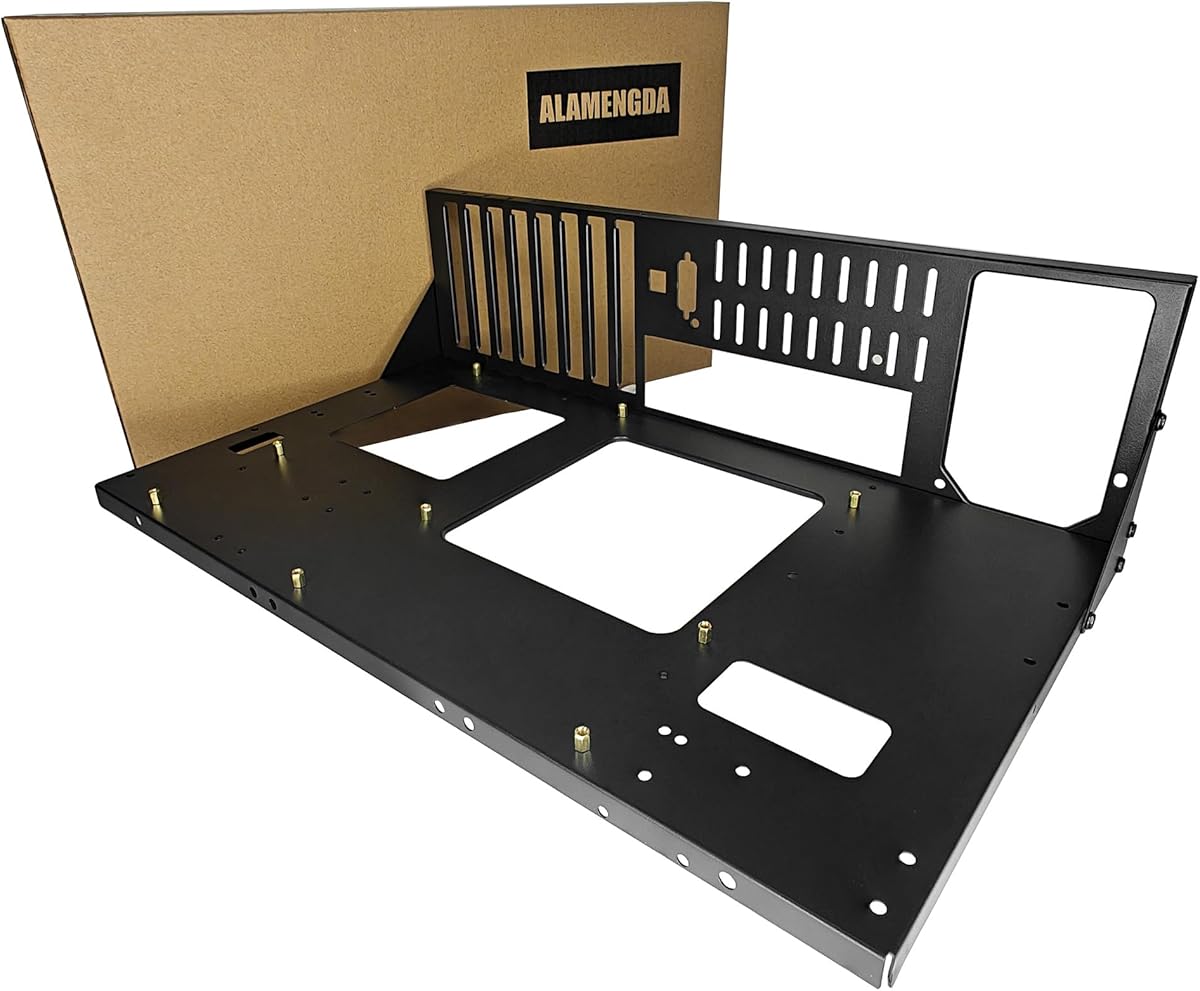
The AL01 Open Frame is a practical hardware workbench rather than a conventional enclosed chassis. It has a 4.4 rating, uses 0.8mm SPCC steel with reinforced edges, and supports ATX, Micro-ATX, and ITX motherboards within a 305 by 245mm area.
We may earn a commission when you buy through this link, at no additional cost to you.
Its defining advantage is unrestricted graphics-card installation. Cards are not constrained by the enclosure's length and width, making the frame useful for multi-GPU testing, unusual graphics hardware, and overclocking setups. Standard ATX power supplies are supported, and reserved cable-routing holes help keep wiring organized.
Open-air construction delivers a different cooling proposition from a closed server case. There is no panel blocking a direct flow of air across the components, which is valuable during diagnostics, burn-in work, and repeated hardware configuration. The trade-off is limited physical protection from accidental contact, dust, and spills.
This is a good fit for a builder experimenting with components, frequently changing graphics cards, or maintaining a system. It is not the strongest recommendation for a polished, permanently installed gaming PC where a closed case, dust filtering, and a tidy exterior matter more.
Exposed components are easy to inspect, install, and reconnect. That accessibility can shorten troubleshooting and upgrade work compared with working inside a fully enclosed enclosure.
Graphics-card length and width are not restricted by the frame. This gives unusual GPU designs more room than a standard tower, although the open layout still requires careful support and cable management.
We may earn a commission when you buy through this link, at no additional cost to you.
The SilverStone FLP03W stands out with a 4.7 rating, the highest among the ten products listed. Its retro-inspired exterior gives the server-chassis category a different character, while the hardware remains relevant to a modern gaming build through 360mm radiator support and generous graphics-card clearance.
We may earn a commission when you buy through this link, at no additional cost to you.
Cooling can be configured with a 360mm radiator or 180mm fans, and a dedicated turbo button enables an instant full-speed cooling mode. Storage options include 5.25-inch, 3.5-inch, and 2.5-inch devices. Graphics cards can reach 413mm in length, giving builders far more freedom than many compact micro-ATX cases.
The front panel includes one USB Type-C connection, two USB 3.0 ports, and separate audio and microphone jacks. The main limitation is motherboard format: it is a micro-ATX case, so a full-size ATX board will not fit. Buyers should also decide whether the retro-inspired styling suits their gaming space.
This is the recommendation for a builder who values strong clearance, flexible cooling, and a distinctive design over full ATX expansion. It may also appeal to users creating a retro-themed or compact gaming workstation.
Support for cards up to 413mm makes the FLP03W suitable for large modern GPUs and roomy custom configurations. That is a meaningful advantage over compact cases with tighter length limits.
The integrated turbo button switches the enclosure into full-speed cooling mode on demand. It provides a simple way to increase airflow during demanding games or other thermally intensive work.
We may earn a commission when you buy through this link, at no additional cost to you.
The Rosewill RSV-L4620 is a modern 4U rackmount chassis with a 4.3 rating. It supports E-ATX and SSI-EEB motherboards, multi-GPU configurations, and a 360mm AIO liquid cooler, making it a credible option for a powerful gaming server or compute-oriented workstation.
We may earn a commission when you buy through this link, at no additional cost to you.
Three preinstalled 120mm PWM fans establish the baseline airflow, while direct 360mm radiator support provides a path to stronger CPU cooling. The storage layout is more selective than that of a conventional NAS tower: up to two 3.5-inch hard drives and four 2.5-inch SSDs can be accommodated, favoring a mix of high-capacity and fast storage.
A front USB 3.2 Gen Type-C port supports transfer speeds up to 10Gbps, which is valuable for moving large game installations, media, and project files. The trade-off is that fewer conventional hard-drive bays than some 4U rivals means the enclosure is better suited to a balanced modern build than bulk hard-drive storage.
Choose this model for E-ATX, liquid cooling, fast front connectivity, and a professional rack format. It is especially appropriate for users who want a shared gaming-and-compute server rather than a purely domestic tower.
The 10Gbps USB Type-C connection can reduce waiting time when moving substantial files. It is a practical feature for users handling large game libraries, high-resolution media, and virtual-machine data.
Two 3.5-inch hard-drive positions and four 2.5-inch SSD positions support a useful mix of bulk storage and fast access. The result fits modern gaming systems better than a design built exclusively around legacy hard-drive bays.
We may earn a commission when you buy through this link, at no additional cost to you.
The Rosewill RSV-R4100U is a 4U storage server chassis rated 4.0. Its seven internal 3.5-inch hard-drive bays, two 5.25-inch device positions, seven PCI expansion slots, and support for ATX and CEB motherboards make it a strong option for a game server or media-focused home server.
We may earn a commission when you buy through this link, at no additional cost to you.
Cooling is handled by one front 120mm PWM fan and two rear 80mm PWM fans. Front LEDs show power and hard-drive status, while two USB 3.0 ports and a built-in key lock improve everyday management and security. The rackmount format supports professional installation in server cabinets.
The important compatibility caveat concerns hard drives. The chassis supports drives with three screw holes on each side but does not support drives with two screw holes on each side. That restriction should be checked before purchasing a large batch of storage. No liquid-cooling support is stated in the supplied specifications.
This case is a good fit for a secure, rack-mounted server that needs a moderate amount of hard-drive capacity. It is less suitable for a builder whose priority is a very high-end graphics card with extensive liquid cooling.
Seven hard-drive bays and seven PCI slots allow the system to grow beyond a basic desktop. That combination is useful for network storage, virtualized game servers, and media services sharing one enclosure.
The three-screw-hole requirement is a meaningful purchasing condition. Verifying the physical mounting pattern of intended hard drives prevents an installation problem after the chassis and storage are already purchased.
We may earn a commission when you buy through this link, at no additional cost to you.
The Rosewill RSV-L4500U is the storage heavyweight in this roundup, with 15 internal 3.5-inch hard-drive bays and a 4.2 rating. It is a 4U rackmount chassis for users who want to house an exceptionally large amount of game, media, or archival data in a dedicated server.
We may earn a commission when you buy through this link, at no additional cost to you.
Its cooling arrangement is unusually substantial for the category. Three front 120mm PWM fans, three middle 120mm PWM fans, and two rear 80mm PWM fans create eight installed fans intended to move air through the drives and internal components. Seven PCI expansion slots and E-ATX compatibility add room for additional cards.
Front power, hard-drive, and LAN indicators make routine monitoring straightforward. Two USB 3.0 ports and a built-in front-panel lock provide basic management and security. The trade-off is that a 15-bay design is specialized: it offers less value for a simple gaming build and requires a rack, careful airflow planning, and enough capacity to justify so many drives.
Choose the RSV-L4500U when maximum local storage is the defining requirement. For a more balanced gaming system, the smaller storage layouts in the DARKROCK, Rosewill Helium NAS Max, or RSV-L4620 may be easier to accommodate.
Fifteen internal hard-drive positions can support a very large local repository of games, videos, archives, and backups. This makes the chassis compelling for media libraries and storage-heavy home servers.
Eight cooling fans are distributed across the front, middle, and rear of the case. Their placement reflects the need to move air through a densely populated drive cage, although a full load still deserves careful thermal monitoring.
We may earn a commission when you buy through this link, at no additional cost to you.
The right server chassis depends on how the gaming system will actually be used. Motherboard format, graphics dimensions, cooling plans, storage quantity, rack availability, and day-to-day accessibility should be evaluated before choosing an enclosure.
Choose a case with documented support for your board. Confirming compatibility first prevents expensive surprises during assembly.
Match both length and height to the selected graphics card. A motherboard socket alone does not guarantee physical clearance.
Verify physical cooling dimensions, not just nominal radiator size. Compatibility can change with fans, brackets, cables, and adjacent hardware.
Choose enough bays for current and foreseeable storage, but avoid paying for capacity you will never populate. Confirm mounting and connector requirements.
Use rackmount only when the physical rack environment is an advantage. Otherwise, a tower can be easier to access and place.
Prioritize usable expansion space and suitable card spacing. An empty slot has little value if neighboring hardware blocks access or cooling.
Match front I/O to the devices you actually use. Fast storage transfers, clear status lights, and physical locks can all improve routine operation.
Favor a layout you can maintain. Easy access and sensible cooling can matter more than maximum fan count over the life of the build.
Plan the build before ordering the enclosure. Create a checklist of motherboard, CPU cooler or radiator, graphics card, power supply, memory, storage drives, expansion cards, and front-panel accessories. Compare every measurement with the case specifications, especially the graphics-card dimensions, power-supply format, radiator thickness, and drive-mounting requirements.
Install the chassis components in a sensible order. Fit the motherboard and power supply first when practical, then route cables through the designated openings, secure storage, and add expansion cards. For a radiator-equipped model, install the pump and radiator without forcing tubing into tight bends. Tighten screws evenly and keep protective covers on unused expansion slots to maintain airflow.
For maintenance, power the system down, disconnect it, and let internal components cool before servicing. Check that every fan spins freely, verify cables have not been pinched, and keep dust away from drive cages and filters. When populating a large storage enclosure, use a deliberate airflow plan and monitor drive temperatures. Rack cases should also be checked periodically for secure rail engagement and unobstructed front access.
Yes, if the case supports the dimensions and connectors of the components in the build. Rackmount cases are especially useful for multi-GPU systems, extensive storage, and shared gaming-and-server workloads. They also require an appropriate rack, and their size can make a gaming PC harder to access than a tower.
Choose the board that fits the intended build rather than starting with the case. Mini-ITX and Micro-ATX boards can simplify compact builds, while ATX and E-ATX provide more expansion options. SSI-EEB and CEB support may be valuable for specialized server motherboards. Always verify the exact model and mounting pattern.
No. The SilverStone RM44, DARKROCK Classico, Rosewill RSV-L4620, SilverStone FLP03W, and RackChoice explicitly list 360mm radiator compatibility. Other models emphasize air cooling and do not state radiator support. Even when radiator size is listed, check the complete radiator-and-fan thickness and available mounting space.
The Rosewill RSV-L4500U lists 15 internal 3.5-inch hard-drive bays, making it the largest storage-focused model in this guide. The DARKROCK Classico supports 13 drives, the UTLGAMENG 4U has 12 dedicated bays, and the Rosewill Helium NAS Max supports 11. Drive mounting patterns and connector requirements still need to be confirmed.
Several models provide enough expansion slots for multiple add-in cards, including the SilverStone RM44, UTLGAMENG 4U, RackChoice, and Rosewill RSV-L4620. The SilverStone RM44 specifically supports extended motherboards and high-performance multi-GPU configurations. Physical spacing, power supply capacity, motherboard lanes, cooling, and cable routing determine whether a multi-GPU build is practical.
It can be, particularly for testing, maintenance, or a deliberately visible workbench build. The AL01 offers open-air cooling and unrestricted graphics-card placement, but it provides less protection from dust, spills, and accidental contact than an enclosed case. Choose a conventional model for a polished, protected everyday installation.
Check the number of bays, whether the drives are internal or removable, their connector requirements, and the case's mounting pattern. The Rosewill RSV-R4100U specifically supports hard drives with three screw holes on each side and not those with only two. Confirming these details before ordering can prevent costly installation delays.
Noise varies with fan count, fan size, cooling mode, and the workload placed on the components. The RSV-L4500U includes eight fans, while the UTLGAMENG 4U and AL01 rely more on open or directed airflow. Proper fan control, balanced airflow, and avoiding unnecessary hard-drive load can help keep a high-capacity build comfortable for daily use.
The SilverStone RM44 is the premium choice for buyers who want full 4U rackmount construction, eight expansion slots, extended motherboard support, and 360mm liquid cooling. The DARKROCK Classico is the editor's choice for a more balanced tower-style system combining large storage, 360mm radiator support, and vertical graphics mounting. The UTLGAMENG 4U stands out as the budget selection when twelve drive bays and seven PCI slots are the priorities.
For most buyers, the right case is the one that matches the actual hardware rather than the one with the highest specification on paper. A pure gaming system may prioritize graphics clearance, quiet cooling, and accessible placement, while a game server or NAS build may justify a rack enclosure with many drive bays and expansion slots. Check every dimensional and mounting restriction before purchasing.
Ratings, component availability, and prices can change, and current product listings should be reviewed before checkout. Compare the final hardware list with the manufacturer's stated support, account for any required rack or cooling accessories, and select the chassis that offers the necessary features without paying for unused capacity.