
AMBIR Photo Scanner Bundle
4.3Editor score
Automatic crop and deskew
300 and 600 DPI
Photo cleaning kit included
A scanner for 4×6 photos should make digitizing printed memories simple, accurate, and fast. The best models provide enough resolution for clear screen viewing and archival copies, while also handling faded colors, scratches, dust, handwritten notes, and mixed photo sizes without excessive intervention.
We compared ten scanners based on the specifications and features supplied for each product, including photo dimensions, resolution, scanning speed, automatic cropping, enhancement tools, connectivity, compatibility, document features, and included accessories. The list includes flatbeds, sheet-fed models, mobile-style scanners, and wireless all-in-one units.
Each pick highlights a different approach, from high-volume photo workflows to compact scanners for occasional use and premium models with automated organization. Ratings and product availability can change, as can retail prices, so compare the current listing and your own volume, computer setup, and preservation needs before purchasing.
4.3Editor score

4.5Editor score

4.5Editor score
As an Amazon Associate we earn from qualifying purchases.
The comparison below covers the principal differences in scanning format, supported media, resolution, connectivity, and photo-focused features, helping you identify the scanner that best matches a 4×6 photo workflow.



The Epson FastFoto FF-680W earns a 4.5 rating and stands out as the most complete option for converting a large printed collection. Its headline benefit is speed: the supplied specifications list scanning at up to one 4×6 photo per second at 300 dpi, while the feeder can batch as many as 36 photos. That combination makes the FF-680W especially attractive for albums, shoeboxes, and family archives.
We may earn a commission when you buy through this link, at no additional cost to you.
Photo quality is supported by three resolution choices. Users can select 300 dpi for everyday sharing, 600 dpi TIFF for archiving, and 1200 dpi when enlargement or detailed reproduction matters. Automatic enhancement, color restoration, red-eye reduction, deskew, cropping, and rotation reduce the manual work needed to prepare scans for sharing. The included FastFoto app can also add voice, text, and slideshows to scanned images.
Its duplex capability is particularly useful for physical prints with inscriptions on the reverse. Rather than scanning the front and back separately, the scanner can capture both in one operation, preserving context that might otherwise be lost. It also handles Polaroid prints, panoramas, postcards, and images as large as 8×10 inches, while document functions cover OCR, long pages, and automatic uploads to cloud storage.
This is the strongest general recommendation for someone with more than a handful of 4×6 photos. USB and wireless connectivity make placement flexible, and the carrier sheet plus microfiber cloth support careful handling. The compromises are the larger footprint and the range of document features, which can make the interface feel more involved than a dedicated simple photo scanner.
With capacity for up to 36 photos per batch and a listed speed of one photo per second, the FF-680W reduces the repetitive work associated with album digitization. Automatic crop, deskew, rotation, and enhancement also reduce the need to correct every image manually.
Single-step duplex scanning captures the image and handwritten notes on the reverse together. This is particularly valuable for historical prints, scrapbook photographs, and prints whose back contains names, dates, or family messages.
We may earn a commission when you buy through this link, at no additional cost to you.
The AMBIR Photo Scanner with Photo Cleaning Kit Bundle receives a 4.3 rating and offers a practical combination of scanning hardware, software, and physical care supplies. It explicitly supports standard 4×6 photos, along with 3×5, 5×7, 8×10, tiny 1×1 prints, and panoramic images up to 12 inches, making it versatile for mixed collections.
We may earn a commission when you buy through this link, at no additional cost to you.
Automatic crop and deskew are the most helpful features for a practical home workflow. They allow crooked prints to be placed into the scanner without demanding extensive manual framing. Users can select 300 or 600 dpi, while the software supplies enhancement, faded-photo restoration, filters, borders, and fine controls for brightness, contrast, exposure, sharpness, and gamma.
The bundled cleaning kit adds value that is often overlooked. It includes a bellow-based blower, microfiber cloth, anti-static soft brush, and protective carrier sheet. Those tools help remove loose dust and reduce static around fragile prints before they enter the scanning path. Custom albums, tags, favorites, and notes make the resulting library easier to navigate.
The main limitation is that it uses a single USB cable rather than offering wireless connectivity. For a value-conscious buyer who wants both a scanner and basic cleaning supplies, this is one of the most well-rounded packages. Mac and PC compatibility broadens its appeal, while the two-year warranty adds reassurance.
Auto crop and deskew help the software recognize the print boundaries and straighten it for storage. This is especially helpful when scanning mixed albums where photos are inserted at slightly different angles.
The included blower, brush, cloth, and carrier sheet support a gentler workflow. Removing dust and reducing static before scanning can produce cleaner results and reduces the risk of transferring debris onto the original.
We may earn a commission when you buy through this link, at no additional cost to you.
The Flip-Pal mobile scanner has a 4.3 rating and differs from most flatbeds by separating the scanning surface from the imaging sensor. To scan, the user flips the unit over and places the original against the viewing window. This flip-and-scan method treats fragile photographs on a flatbed instead of pulling them through a narrow feed mechanism.
We may earn a commission when you buy through this link, at no additional cost to you.
Its supplied specification lists a seven-second scan for a 4×6 image at 300 dpi. Operation is deliberately simple: turn on the device and press the green scan button. Because it is battery powered and saves files to the included 4GB SD card, it can operate without a nearby computer, making it useful for digitizing photos at another family member's home or while traveling.
EasyStitch software can reassemble multiple scans of large originals, including portraits, documents, art, and quilts. StoryScans can combine a recorded narration with the scan in a single high-definition file, adding context to oral-history material. The scanner is also described as capable of recording fine details from small objects such as coins and stamps.
This model makes the most sense for fragile originals, unusual-sized keepsakes, or users who want a computer-free first step. It does not offer the same advanced batch automation, image enhancement, or wireless organization as the top picks, but its unusual scanning geometry is a genuine advantage for delicate material.
The scan surface remains flat while the imaging sensor moves beneath the original. That approach avoids feeding photographs through rollers, which is beneficial for old, curled, or easily damaged prints.
StoryScans combines recorded voice content with a scan in one file. The feature is useful when the person who knows the photograph's history wants to preserve that context alongside the image.
We may earn a commission when you buy through this link, at no additional cost to you.
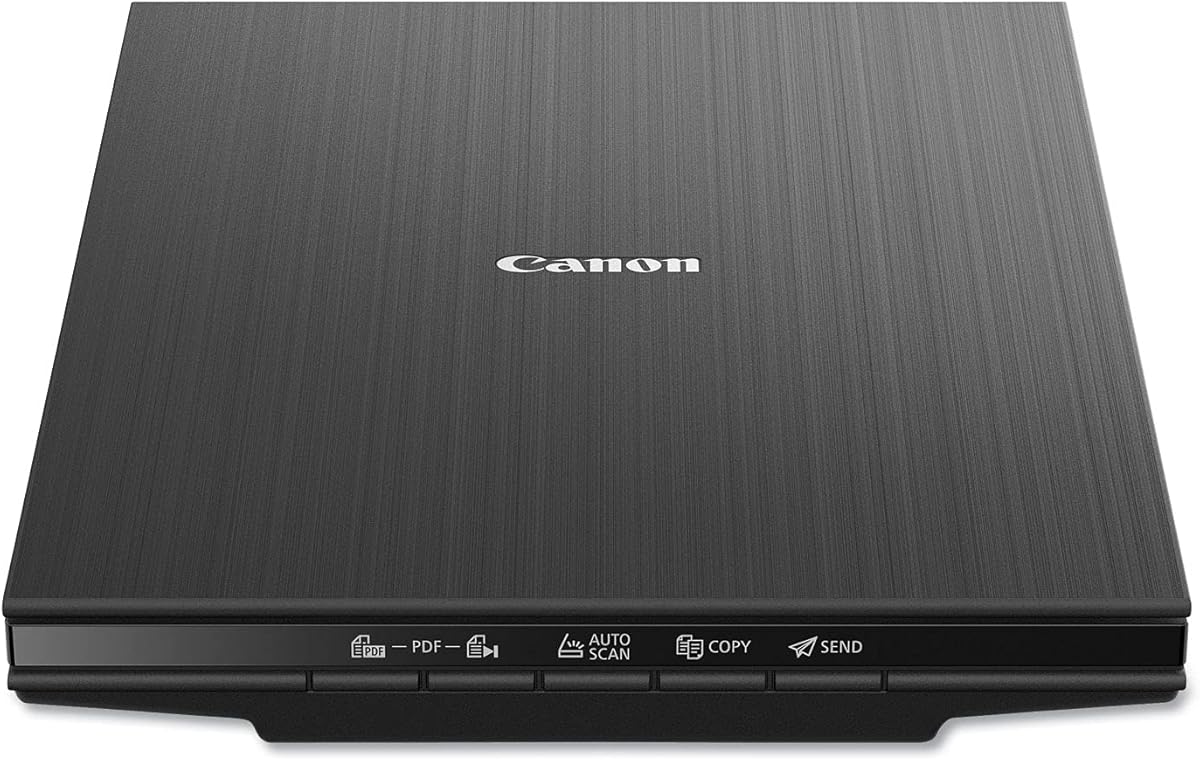
The Canon CanoScan LiDE 400 carries a 4.1 rating and is a compact, traditional flatbed scanner that supports both photographs and documents. Its 4800 x 4800 dpi specification offers ample nominal detail for enlarging a 4×6 print, while the listed scan time of as fast as eight seconds suits modest home collections.
We may earn a commission when you buy through this link, at no additional cost to you.
The scanner includes image enhancements such as color restore and dust removal. Those tools are valuable for faded prints and scans affected by visible debris. Its EZ Buttons and automatic scan mode are designed to reduce setup: the unit detects what is being scanned and provides direct buttons for scanning and creating editable, searchable multi-page PDFs.
A single USB Type-C cable handles both data and power, keeping the desk setup uncluttered. The dimensions of 7.7 by 14.5 by 0.4 inches make it unusually slim, and its listed paper size supports common letter and A4 formats. It can also scan artwork, images, and standard documents.
The CanoScan LiDE 400 is a sensible choice for a home office that occasionally handles 4×6 photos and does not need automated feeding. Its principal limitation is manual placement, so digitizing hundreds of prints would require more effort than with a dedicated photo feeder.
A 4800 x 4800 dpi sensor specification and low-profile body combine useful photo detail with space-saving design. It is appropriate for a home desk, dorm room, or occasional travel use.
Color restore and dust removal help older scans look cleaner. These one-click-style enhancements are most useful for prints that have faded through age or prolonged light exposure.
We may earn a commission when you buy through this link, at no additional cost to you.
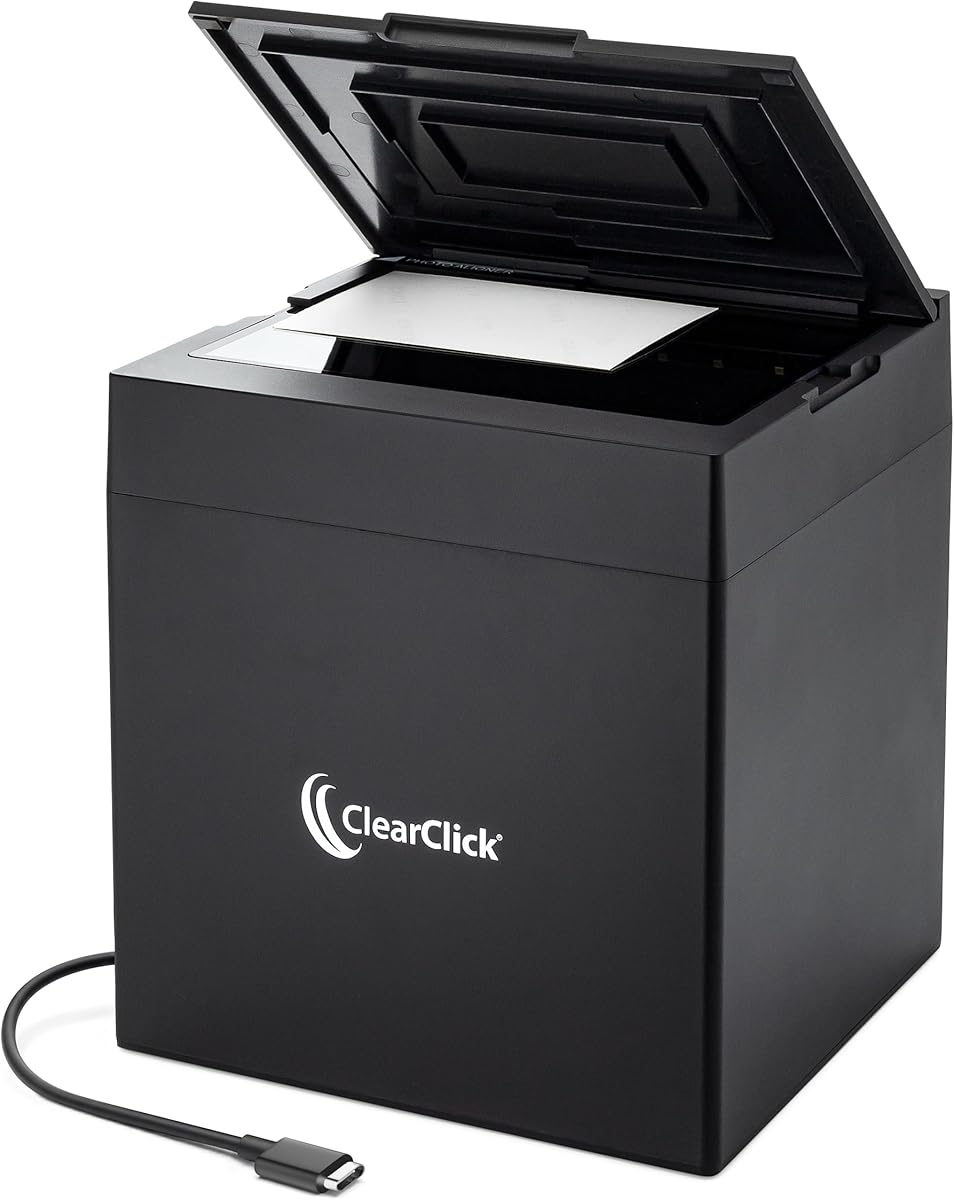
The ClearClick InstaScan has a 3.6 rating and focuses narrowly on the basic task of turning common printed photos into digital files. It supports 4×6 and 5×7 prints as well as smaller photographs and small documents. The scanner does not handle 8×10 photographs or letter-size documents, so buyers with broader media needs should choose a general-purpose flatbed instead.
We may earn a commission when you buy through this link, at no additional cost to you.
Its internal 4K camera and integrated lighting are optimized for photo capture at a listed 300 dpi scanning quality. The supplied information notes that cropped output is approximately 2500 by 1800 pixels, which is ample for a 4×6 print when viewed on a typical screen and useful for prints that will not be enlarged aggressively.
Setup is one of its strongest selling points. The InstaScan installs automatically without separate drivers on supported Windows 10, 11, or 12 systems and Mac OS X 11.0 or later. A USB-A adapter is included for compatibility, while software provides photo cropping, image adjustment, and an easy scanning workflow.
This is a practical choice for someone who owns a modest stack of standard prints and wants quick results without learning elaborate controls. The rating is lower than those of the leading models, and its size limitations are meaningful, but its narrow design, automatic setup, and two-year warranty make it approachable.
Automatic software installation removes a frequent source of setup friction. Users can concentrate on cleaning and positioning photos rather than installing device drivers and troubleshooting compatibility.
The scanner is optimized for 4×6 and 5×7 photographs, the most common printed sizes in many family collections. Its 300 dpi mode offers a balanced starting point for everyday digital sharing.
We may earn a commission when you buy through this link, at no additional cost to you.
The AMBIR Photo Scanner with PICTURESTUDIO software receives a 3.4 rating, but its supplied features make it worth attention for buyers who value post-processing and library organization. It scans a 4×6 color photo in approximately three seconds at 300 dpi, according to the product information, and supports 300 or 600 dpi output.
We may earn a commission when you buy through this link, at no additional cost to you.
Its size range extends from 1×1 inches through 8×10, with panoramic photos up to 12 inches. The software can import images from Apple Photos, Google Photos, digital cameras, and memory drives, allowing existing digital files and newly scanned prints to coexist in one library. Custom tags and notes help users search through a growing archive.
PICTURESTUDIO provides one-touch auto-enhancement, color restoration, filters, borders, and AI-assisted colorization for grayscale images. Detailed controls allow adjustment of brightness, contrast, exposure, sharpness, and gamma. A protective carrier sheet and microfiber cloth are included for handling delicate prints, while USB power simplifies the connection.
The main caveat is that its 3.4 rating is the lowest among the listed products, which may reflect practical concerns that are not described in the specifications. Still, for someone who wants extensive editing, AI colorization, and digital-library organization in one package, the software is unusually capable. It is best considered alongside the other AMBIR model and whichever workflow fits your editing habits.
Importing from cloud photo services, cameras, and drives makes it possible to build a single collection. This is useful when a family already has both digital photographs and newly scanned prints.
The software's AI colorization analyzes tones in a grayscale image and applies color. While results should be reviewed before preservation, the feature offers a creative way to revisit black-and-white family portraits.
We may earn a commission when you buy through this link, at no additional cost to you.
The Epson Perfection V19 II earns a 3.9 rating and is a lightweight flatbed built for both documents and traditional photo scanning. Its 4800 dpi optical resolution is intended for detailed captures and photo enlargements, while the removable high-rise lid makes it possible to scan books, open albums, and thicker material.
We may earn a commission when you buy through this link, at no additional cost to you.
One-touch buttons reduce the number of steps required for routine work. Epson ScanSmart handles photos, artwork, illustrations, books, and documents, while Easy Photo Fix can restore color to faded images. For paperwork, OCR can create searchable PDFs and editable Microsoft Word, Excel, and PowerPoint files.
The scanner weighs 3.1 pounds and is USB powered, making it easy to move or store. A built-in kickstand supports vertical placement when the scanner is not in use. Letter-sized documents can be scanned in as fast as 10 seconds according to the supplied specifications.
The V19 II is best for someone who wants a versatile flatbed rather than a dedicated high-volume photo feeder. Its 3.9 rating and lack of automatic batch photo handling mean it is less convenient for large albums, but its portability, resolution, and document tools create a well-rounded package for mixed scanning tasks.
The high-rise removable lid reduces pressure on bound pages and open album spreads. It is a useful feature for scanning photographs alongside captions or preserving pages from larger albums.
OCR, searchable PDF creation, and editable office documents complement the photo restoration tools. This versatility makes the scanner suitable for a mixed home or office workflow.
We may earn a commission when you buy through this link, at no additional cost to you.
The HP Small USB Scanner, model HPPS100, has a 4.2 rating and offers a portable sheet-fed alternative for users who also scan receipts, business cards, reports, and other documents. It is not designed specifically around photo albums, but its listed minimum size of 2 by 2.9 inches accommodates a standard 4×6 photograph.
We may earn a commission when you buy through this link, at no additional cost to you.
The scanner uses simplex, one-sided technology and reaches a listed speed of 15 pages per minute, or approximately four seconds per page. Its 1200 dpi resolution is more than sufficient for a 4×6 image intended for screen viewing, standard sharing, or moderate enlargement. USB 2.0 provides both power and data through the included cable.
HP WorkScan adds auto-scan and size detection, preview and zoom, cropping, image optimization, and background, edge, and hole cleanup. Output can be saved in PDF, JPG, and other formats. Compatibility with PC and Mac systems makes the software useful across common personal and small-business environments.
The HPPS100 is a better fit for portable productivity than a dedicated photo workflow. Feeding fragile prints through rollers can require caution, and one-sided operation prevents simultaneous capture of a photo and its handwritten back. It is most attractive for people who want one lightweight device for mixed paper and standard photo scanning.
The slim sheet-fed format suits receipts, business cards, brochures, bills, and photographs. Its portability is valuable for people who scan away from a permanent desk.
HP WorkScan detects document size and provides preview, crop, optimization, and background cleanup functions. These tools reduce manual adjustment when scanning batches of mixed material.
We may earn a commission when you buy through this link, at no additional cost to you.
The ScanSnap iX2500 Photo Edition has a 4.5 rating and is the premium option for users who expect to digitize a substantial collection without spending time on manual setup. Its listed throughput reaches 100 photos per minute, and the automatic document feeder holds as many as 100 documents or 36 photos.
We may earn a commission when you buy through this link, at no additional cost to you.
Three photo carrier sheets are included for delicate prints and for creating dedicated photo profiles. A large touchscreen makes profile selection and review straightforward. Users can choose personalized scanning settings, automatically optimize, name, and sort files, and send the results to a PC, Mac, mobile device, or cloud service.
Connectivity is a major differentiator. Built-in Wi-Fi 6 allows the scanner to work with smart devices or cloud services without a computer, while USB-C supports a direct connection to a computer. QUICK MENU integration can move scanned images into favorite applications through a scan-and-drag workflow.
This model is best for families, professional organizers, and institutions that value speed and automation over a smaller footprint or simple manual process. Its premium positioning means it may be unnecessary for only a few prints, but for thousands of photos it can substantially reduce repetitive handling and post-processing.
The 36-photo feeder capacity, 100-photo-per-minute claim, automatic optimization, and automatic naming reduce the time required to prepare a large archive. This is the scanner's strongest advantage over manual flatbeds.
Wi-Fi 6 and cloud service support allow scans to reach mobile devices and online destinations directly. USB-C remains available when a wired workflow or local computer connection is preferred.
We may earn a commission when you buy through this link, at no additional cost to you.
The Epson Perfection V39 II receives a 3.7 rating and is a versatile flatbed aimed at users who want high nominal resolution alongside convenient photo restoration. Its 4800 dpi optical resolution provides detailed capture for 4×6 prints, artwork, illustrations, books, documents, and other flat media.
We may earn a commission when you buy through this link, at no additional cost to you.
One-touch buttons simplify the start of a scan, and the supplied specifications list letter-sized document scanning in as quickly as 10 seconds. Easy Photo Fix restores color to faded photographs with one click, offering a convenient starting point for older prints that need visual enhancement.
Epson ScanSmart can stitch oversized images together and send scans to cloud storage services. These capabilities extend the scanner beyond ordinary single-page capture and make it useful for larger artwork, multi-page layouts, and consolidated digital storage.
The removable high-rise lid helps scan books and albums without flattening them, while USB power keeps the setup uncomplicated. Its 3.7 rating and lack of a sheet feeder mean it is less ideal for large batches than the FastFoto or ScanSnap models. It remains a capable choice for moderate photo volumes and mixed creative projects.
Easy Photo Fix provides a straightforward way to improve the appearance of aged prints. It is especially helpful when a basic restoration pass is needed before sharing or archiving.
ScanSmart's oversized-image stitching can combine separate captures into a larger digital image. This extends the flatbed's usefulness beyond standard 4×6 photographs and document pages.
We may earn a commission when you buy through this link, at no additional cost to you.
The right scanner depends on how many prints you own, whether they are fragile, how you plan to organize the results, and whether speed, wireless access, or editing tools matter most. Evaluate media handling and workflow before comparing headline resolution alone.
A manual flatbed can produce excellent results for a small group of photographs, but every print requires placement, scanning, and retrieval. A sheet-fed or automatic document feeder is more efficient when an album contains dozens, hundreds, or thousands of images. The Epson FastFoto batches as many as 36 photos and lists one photo per second, while the ScanSnap iX2500 supports 36 photos in its feeder and claims up to 100 photos per minute. These automation features can save considerable time, but they are most valuable when you have enough media to justify them.
For occasional users, choose based on usability and space rather than maximum throughput. For a large archive, prioritize feeder capacity, automatic cropping, and dependable batch handling.
A standard 4×6 print measured at 300 dpi produces approximately 1800 by 1200 pixels, which is sufficient for normal screen viewing and common sharing uses. A 600 dpi setting captures more detail and can help when a print may be enlarged or examined closely. Flatbed models such as the Canon CanoScan LiDE 400 and Epson Perfection V19 II list 4800 dpi optical resolution, while dedicated photo scanners emphasize practical output resolutions of 300 or 600 dpi. Higher nominal resolution does not automatically guarantee a better final photo because lens quality, lighting, color processing, and software also influence results.
Choose 300 dpi for everyday digitizing and 600 dpi for detailed preservation work. Pay attention to the final pixel dimensions and file format, not just the scanner's maximum sensor specification.
Old photographs can have fragile emulsions, uneven surfaces, curls, and embedded dirt. A flat or gentle scanning approach reduces the chance of tearing or abrasion. The Flip-Pal uses a flatbed viewing window rather than pulling originals through rollers, while the AMBIR models include protective carrier sheets and microfiber cloths. The ScanSnap package supplies three photo carrier sheets for delicate prints. A blower and soft brush in the AMBIR bundle can also remove loose debris before scanning. Always inspect a photograph and test a less important copy or duplicate when its condition is uncertain.
Handle prints by their edges, keep the scanning glass clean, and use a carrier whenever the scanner's documentation recommends it.
Automatic crop, deskew, rotation, and red-eye correction save time by correcting common placement problems. Color restoration can improve faded scans, while advanced brightness, contrast, exposure, sharpness, and gamma controls provide greater creative control. The AMBIR PictureStudio software adds filters, borders, grayscale colorization, tags, notes, and album organization. Epson FastFoto focuses on photo enhancement, voice and text overlays, slideshows, and cloud backup. ScanSnap emphasizes automatic optimization, naming, sorting, and cloud delivery. The best software is the one whose tools match your workflow rather than simply having the longest list of buttons.
Prioritize automatic correction for large collections and manual controls for a small number of special prints. Preview your results and retain untouched originals when possible.
Confirm the operating system, connection type, and software requirements before buying. Some scanners support Windows and macOS directly, while others require a computer for editing or organization. The ClearClick InstaScan supports Windows 10, 11, and 12 plus Mac OS X 11.0 and later, but not smartphones, tablets, or Chromebooks. The ScanSnap iX2500 can send files to PCs, Macs, mobile devices, and cloud services through Wi-Fi or USB-C. USB-only models are simple and dependable but generally require a nearby computer for file management.
Check whether your preferred photo library and backup service integrate with the scanner's software. Also verify that the included cable and adapters fit your available ports.
USB is universal across the list and generally provides a stable direct connection. Wireless operation adds flexibility by allowing scans to travel directly to a computer, mobile device, or cloud service without a USB cable. The Epson FastFoto supports USB and Wi-Fi, while the ScanSnap iX2500 adds Wi-Fi 6 and USB-C. The Flip-Pal takes a different approach: it is battery powered and stores scans on an included 4GB SD card, so it can work without a computer. That design is useful for portability, although the card will need to be transferred and backed up afterward.
Choose wireless or removable storage when mobility is important. Choose USB when simplicity, reliability, and direct computer control are your primary needs.
Digitizing photos creates files that still need to be named, stored, and backed up. A scanner that automatically optimizes, names, and sorts images can prevent a disorganized digital collection. The ScanSnap iX2500 is especially focused on automated file handling, while AMBIR PictureStudio uses custom albums, tags, favorites, and notes. Epson FastFoto can upload scans to Dropbox and Google Drive. Regardless of the scanner, use at least two copies of important files, including one stored in a separate location from your computer. Confirm that the output format and metadata suit your archive before processing a whole album.
Choose software that makes searches and collection organization easy. Then establish a repeatable backup routine before treating digital files as the only copies.
Begin by preparing the workspace and photographs. Clean the scanner glass with the recommended soft cloth, inspect prints for loose dust or fragile areas, and connect the scanner to the specified power source and computer. Install the supplied software, confirm that 4×6 or the appropriate photo profile is selected, and run a test scan before processing an entire batch.
Place each photograph image-side down on the glass or load it into the feeder in the indicated orientation. Use a carrier sheet for delicate prints when required. For flatbed models, leave enough room around the image for automatic crop and deskew to identify its boundaries. Review the preview, correct rotation and crop as needed, and choose 300 dpi for routine sharing or 600 dpi for higher-detail archival output.
After scanning, verify that the image is sharp, correctly colored, fully visible, and free of dust. Rename and organize the files, then copy them to at least two separate storage locations. Store originals and software-generated working files until the final versions have been checked. Periodically clean the glass, use dry compressed air or an approved brush for the feed path, and follow the manufacturer's guidance for adhesive residue, humidity, and long-term storage.
Yes, for most viewing and sharing purposes, 300 DPI is a practical choice for a 4×6 print. It produces an image of roughly 1800 by 1200 pixels, which displays clearly on common screens and supports normal-size prints. Use 600 DPI when you expect substantial enlargement, want more visible texture, or are creating an archival master. Always retain the best-resolution scan rather than repeatedly saving compressed copies.
An automatic document feeder with dedicated photo support is usually the most efficient choice for a large album. The Epson FastFoto FF-680W and ScanSnap iX2500 Photo Edition both support multi-photo batches, while automatic cropping and deskew reduce manual correction. For extremely fragile albums, a flat-style scanner that does not pull prints through rollers may be safer despite requiring more individual placement.
Yes. A flatbed is generally large enough to place a standard 4×6 print on the glass, and models such as the Canon CanoScan LiDE 400 and Epson Perfection V series are designed for photographs. Align the print carefully so the scanner can detect its edges, and use the software's crop and deskew controls before saving.
Choose 300 DPI for quick everyday scans and 600 DPI for rare, detailed, or potentially enlarged images. Older prints often benefit more from careful handling and clean optics than from maximum resolution. Scan a representative photograph at both settings, compare the results, and consider the file size and storage requirements before applying the choice to the full album.
Wireless scanning is convenient but not essential. USB is often simpler and can provide a stable direct connection to a computer, while wireless makes it easier to send files to a phone, cloud service, or another computer. The Flip-Pal uses removable SD card storage as an alternative for computer-free capture. Consider your storage and organization routine before paying extra for wireless convenience.
Clean the prints gently before scanning and keep the scanner glass free of particles. The AMBIR bundle includes a blower, microfiber cloth, and anti-static brush, while several scanners include protective carrier sheets. Place fragile prints in a carrier and never use household cleaners that could damage the emulsion or scanner surface.
It depends on the model. USB-based photo scanners usually send images directly to a connected computer for cropping, enhancement, and storage. The ScanSnap iX2500 can work over Wi-Fi with compatible devices or cloud services, while the Flip-Pal saves files to an SD card and does not require a computer during capture. Check whether you want to handle organization on a computer, phone, or cloud platform.
A lossless format such as TIFF is often preferable for a preservation master because it avoids additional generation loss. JPEG is more convenient for sharing and can work well for a preservation copy when it is created carefully. The Epson FastFoto supports TIFF at 600 dpi, while many other models export standard image formats. Keep the highest-quality source and avoid repeatedly editing and resaving it.
The Epson FastFoto FF-680W is the strongest all-around recommendation because it combines rapid batch scanning, multiple resolutions, wireless connectivity, duplex capture, and automatic enhancement. The AMBIR bundle stands out as a budget-conscious package with cleaning supplies and useful editing options, while the ScanSnap iX2500 Photo Edition is the premium choice for massive collections and nearly hands-off organization.
For a small number of standard prints, the ClearClick InstaScan or a compact flatbed may be enough. The Flip-Pal is preferable when fragility, portability, or computer-free operation matters, and the Epson Perfection models remain useful for users who also need documents, books, artwork, or searchable files. Prioritize correct 4×6 handling, gentle treatment, software that matches your organizational habits, and enough automation for the collection you actually own.
Finally, check the current product listing, system requirements, included accessories, and retail price before ordering. Prices and availability can change, and computer compatibility can affect the experience. Once purchased, test the scanner with a few photographs, establish a backup routine immediately, and use the highest appropriate resolution for the prints you intend to preserve.