
GuliKit Hall Effect Type A&B
4.5Editor score
Works with Type A&B
Contactless Hall effect sensing
No soldering required
Includes installation caps
Replacement Joystick for Steam Deck options compared for compatibility, installation, drift resistance, touch sensing, calibration, and gaming feel.
A worn or drifting Steam Deck joystick can make movement, aiming, and menu navigation feel unreliable, but choosing a suitable replacement requires checking more than basic model compatibility. A useful module should fit the correct console revision, preserve important functions such as capacitive touch, and provide a practical path to calibration and installation.
This guide compares ten replacement joysticks, thumbstick modules, caps, and related repair options for the Steam Deck LCD and OLED. The evaluation focuses on stated compatibility, Hall effect or analog sensing technology, soldering requirements, installation method, calibration process, touch-function support, dead-zone behavior, included tools, and the specific needs addressed by each product.
Each entry highlights who the option best suits, from owners replacing a failed stock stick to gamers seeking a more tactile cap or an OLED-specific module. Ratings reflect the supplied customer feedback, while product availability and prices can change at any time, so readers should confirm the current listing and console revision before purchasing.
4.5Editor score

4.5Editor score

4.5Editor score
The table below compares all ten products by console compatibility, sensing approach, installation demands, and notable functions. It includes complete replacement modules, OLED-specific upgrades, a cap extender, and a broad button set so readers can distinguish a direct repair from an accessory or partial repair kit.


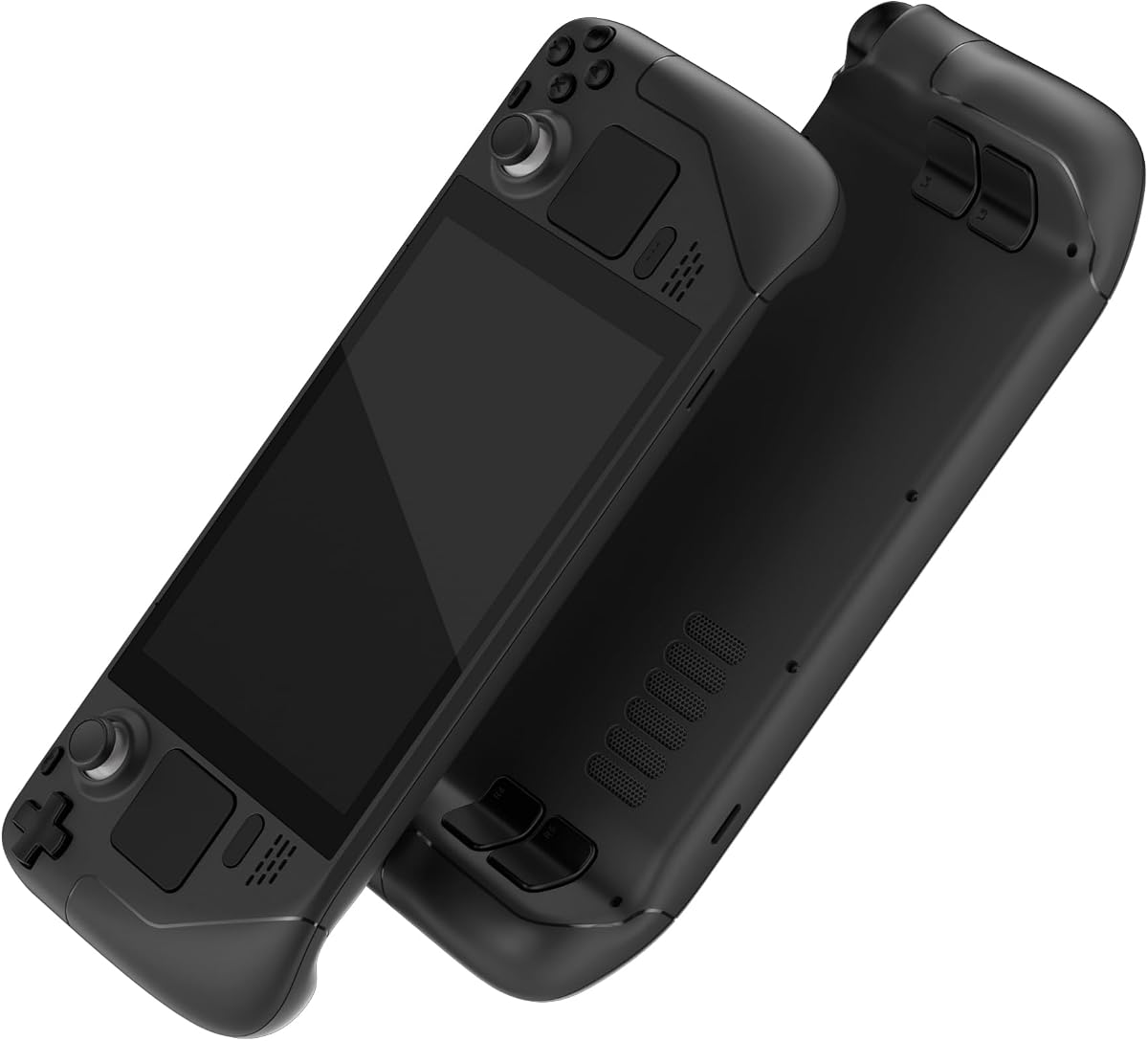


This GuliKit replacement module combines Hall effect sensing, broad Type A and Type B compatibility, and a straightforward installation process. Its supplied rating is 4.5 out of 5, and its standout qualities include matching the original joystick dimensions, avoiding solder work, retaining touch sensing with the included cap, and offering a small calibration control on the board.
We may earn a commission when you buy through this link, at no additional cost to you.
The module is designed for the Steam Deck LCD rather than the OLED model. Users can confirm their controller ID through Settings, then System, then Steam Deck Controller ID: MEDA indicates Type A, while MHDA indicates Type B. A switch on the back of the module lets the installer select the matching configuration. The stated design also permits fine-tuning of the Steam Deck dead zone, potentially reducing it to zero for users who want more immediate analog response.
The primary limitation is model exclusion: this is not an OLED replacement. The product information also notes that the joystick may not return exactly to center every time when no-dead-zone mode is enabled, and a cap loosened in shipping can make the stick appear stuck. Both are installation considerations rather than evidence that the module is defective, but users should follow the provided calibration steps carefully.
This is a strong general choice for an LCD owner who wants to replace a worn stick without soldering. It suits gamers bothered by drift, creeping, dead zones, or an unresponsive original module and values straightforward calibration more than the specialized resistance offered by the OLED-specific premium option.
The contactless Hall effect approach is intended to reduce common analog-stick problems such as drift, creeping, stuttering, and an off-center resting position. It is especially relevant when the original module has become unreliable through extended use.
Because the module maintains the dimensions and interface of the original part, installation centers on aligning and tightening the screws. The supplied cap is designed to preserve the original touch-sense function.
We may earn a commission when you buy through this link, at no additional cost to you.
This GuliKit Hall effect module is a practical alternative for owners of an LCD Steam Deck whose original joystick drifts or fails to center correctly. It carries a 4.5-out-of-5 supplied rating, supports both Type A and Type B controller configurations, and is designed to address a broad collection of analog-stick symptoms without requiring soldering.
We may earn a commission when you buy through this link, at no additional cost to you.
Its 3D Hall effect sensor is promoted as a contactless solution for creeping, stuttering, blind spots, dead zones, missing clicks, poor centering, broken sticks, and loose sticks. The included caps preserve the Deck's original touch function, while the installation process is designed to be less demanding than replacing a conventional soldered analog assembly.
Compatibility remains specific to the LCD console. Owners must check the Steam Deck Controller ID and choose Type A or Type B using the control on the board. The calibration sequence requires turning on the console, using the module's small switch, avoiding contact during the process, and confirming that the stick returns to the 0,0 center position in the Steam Deck calibration interface.
This module is a solid choice for a common LCD repair where the main goals are dependable Hall effect sensing, broad controller compatibility, and avoiding hot-air or soldering work. Buyers who own an OLED should instead choose a module explicitly designed for that model.
The rear selection switch allows the same module family to be configured for Type A or Type B. This is useful when the listing offers a simple repair path without requiring the buyer to infer compatibility from the product name alone.
The product pairs a physical board switch with the Steam Deck's joystick calibration screen. Correct centering can improve the feel of menus and movement, although the stick may not return identically under a zero-dead-zone setting.
We may earn a commission when you buy through this link, at no additional cost to you.
This AKNES listing provides a pair-oriented GuliKit replacement solution for the Steam Deck LCD, using the SD02 electromagnetic module and supporting both Type A and Type B controller IDs. Its 4.5-out-of-5 supplied rating reflects a generally favorable customer response, while the key appeal is the combination of broad compatibility and no-solder installation.
We may earn a commission when you buy through this link, at no additional cost to you.
The modules are intended to resolve drift, creeping, stuttering, blind spots, off-center movement, broken controls, and looseness. Installation caps are included to preserve the original capacitive touch functionality. A converter on the joystick board simplifies the Type A or Type B selection, and the listing directs users to confirm the controller ID before installation.
This package is not compatible with the OLED version. The product information also warns that a stick may feel stuck when the preinstalled cap shifts during shipping; pressing the cap vertically into its central position restores normal operation. As with the other Hall effect options, proper calibration after installation is essential because their behavior differs slightly from the stock stick.
The listing is most suitable for LCD owners replacing both sticks or seeking matching left and right modules. It is less appropriate for a single failed stick, although the modules and their shared features make this a straightforward option for a comprehensive analog-control refresh.
Providing left and right thumbstick components gives owners a consistent option when one or both original controls have worn. The shared design also simplifies the choice of repair parts for a Deck whose stick behavior has become inconsistent.
The included converter makes it easier to switch the SD02 module between Type A and Type B. Buyers should still verify the controller ID in Steam Deck settings before installation to avoid an incorrect configuration.
We may earn a commission when you buy through this link, at no additional cost to you.
This AKNES and GuliKit set is explicitly designed for the Steam Deck OLED, making it a more suitable option than LCD modules for owners of the newer console. Its supplied rating is 4.3 out of 5, and its defining features are electromagnetic Hall effect sensing, retained capacitive touch, and installation without soldering.
We may earn a commission when you buy through this link, at no additional cost to you.
The modules are intended to help reduce drift, an off-center resting position, stuttering, and dead-zone behavior. They arrive preassembled with caps, and the product listing says most users can install them without special tools. A small calibration switch on each board offers a convenient way to correct the center point when needed.
Compatibility is the decisive trade-off. The set is made exclusively for the OLED and will not fit the original LCD version, so owners must verify their console before ordering. Its rating is also slightly lower than the leading LCD-oriented options in this roundup, although the available feedback still indicates a broadly satisfactory product.
Choose this set when preserving OLED touch sensing is a priority and the stock sticks have become imprecise or unreliable. It offers a focused repair path for the correct console without exposing users to soldering or requiring a separate touch-capable aftermarket cap.
The product is designed around the original OLED module rather than adapted from an LCD part. That focus supports a cleaner installation and helps ensure that the replacement aligns with the console's control layout.
The included caps are intended to maintain the Deck OLED's capacitive touch input. Since they arrive attached, users do not need to source a separate compatible cap to preserve this function.
We may earn a commission when you buy through this link, at no additional cost to you.
This tighter Hall effect joystick pair is tailored to Steam Deck OLED owners who want more resistance during aiming. The supplied rating is 4.5 out of 5, and the most distinctive specification is a 30 percent increase in rotational resistance, reaching up to 190gf compared with the original-style feel described by the listing.
We may earn a commission when you buy through this link, at no additional cost to you.
The modules use contactless Hall technology to avoid the drifting behavior associated with the stock OLED joystick. They arrive pre-soldered with caps that preserve capacitive touch, so the promised installation is quick and does not require the buyer to perform soldering. A custom calibration IC and dual calibration keys are claimed to reduce the calibration process by 30 percent compared with competing designs.
The increased resistance is a feature for first-person shooter players seeking steadier aim, but it may not suit every control preference. The modules are also incompatible with the LCD version, and the advertised true zero dead zone removes the need for manual dead-zone adjustment but can make a slight resting offset more noticeable. The matte cap is another thoughtful change, offering more friction and being less prone to visible scratches than a glossy surface.
This is the premium choice for an OLED gamer who values deliberate, controlled aiming and wants hall effect sensing, retained touch, and a ready-to-install pair. It is less suitable for users who prefer loose movement or need a module for the LCD console.
The up-to-190gf rotational resistance gives each movement more tactile feedback than a standard stick. That can help players avoid accidental motion while making small corrections in competitive first-person shooters.
Dual calibration controls are designed to streamline setup. Users still need to follow the product's procedure carefully, but the shorter stated process reduces the number of steps between installation and returning to play.
We may earn a commission when you buy through this link, at no additional cost to you.
This eXtremeRate set is not a thumbstick module, but it is relevant to Steam Deck owners seeking a comprehensive control refresh. It replaces the ABXY, D-pad, trackpad, bumper, trigger, and other buttons on the 2022 LCD console and has a supplied rating of 4.4 out of 5.
We may earn a commission when you buy through this link, at no additional cost to you.
The buttons are made from ABS and intended to restore a console with broken or sticky inputs while giving it a uniform black appearance. The package includes a screwdriver, an opening tool, spare screws, and springs. It does not include electronic parts, the console itself, or the original thumbsticks, so it should be considered a complementary repair or cosmetic kit rather than a joystick replacement.
Installation is the main drawback. The listing says the process requires moderate electronic installation experience and directs users to a YouTube guide for the full set. Some rear-button parts are compatible only with eXtremeRate back shells, not the official backplate or other third-party cases. The set also does not fit the OLED console.
This is best for an LCD owner whose sticks still function but whose buttons have become sticky, cracked, or cosmetically worn and who wants to open the device confidently. It is not the right purchase for someone searching only for a drift-resistant analog module or for an OLED owner.
The set addresses worn or sticky ABXY, D-pad, trackpad, bumper, and trigger components in one package. It is useful for a broader cosmetic and functional overhaul of an LCD Deck.
A screwdriver, opening tool, spare screws, and springs support the repair. Users still need appropriate electronics knowledge and should review the linked installation guide before beginning.
We may earn a commission when you buy through this link, at no additional cost to you.
This extender set improves the physical grip of Steam Deck thumbsticks without replacing the underlying analog modules. It has a supplied rating of 3.0 out of 5, which is the lowest among the listed products, and its benefits are primarily ergonomic rather than electronic.
We may earn a commission when you buy through this link, at no additional cost to you.
The caps are offered in heightened and mid-rise profiles with a concave-convex, non-slip surface. A four-legged buckle is designed to hold each cap securely on the joystick stem, while the cap can rotate through 360 degrees. The listing also states compatibility with PS Portal, and the combination of hard plastic and a soft cover is intended to improve comfort and finger friction.
This accessory cannot correct drift, dead zones, failed potentiometers, or an unresponsive module. The relatively low customer rating also suggests that buyers should pay particular attention to fit, material preferences, and cap height. It offers a simple change rather than a comprehensive repair.
Choose it when the console's electronics work correctly but the original caps feel too short, slippery, or uncomfortable. It is a reversible, low-complexity way to alter the gaming feel, but owners with movement problems should choose a proper Hall effect or analog replacement instead.
High-rise and mid-rise options let users adjust how far their thumbs extend beyond the original stick. Taller caps can improve leverage, while a lower profile may preserve a more familiar feel.
The buckle design is intended to keep each cap stable during movement. Its removable construction also makes it easy to return to the original caps or compare different profiles.
We may earn a commission when you buy through this link, at no additional cost to you.
This GuliKit SD02 module offers the key benefits associated with a Hall effect replacement at one of the lower points among the complete modules in the comparison. It has a 4.5-out-of-5 supplied rating, supports both Type A and Type B LCD controllers, and avoids soldering.
We may earn a commission when you buy through this link, at no additional cost to you.
The contactless sensor is designed to address drift, creeping, stuttering, blind spots, poor centering, broken operation, and looseness. Installation caps are included to preserve the Deck's original touch functionality, and the converter makes it straightforward to select the appropriate controller type. Calibration combines the Steam Deck interface with a tiny switch on the module board.
The product does not fit the OLED model, which is the most important limitation for modern Deck owners. The right configuration must also be selected before calibration; using the wrong Type A or Type B setting can produce confusing behavior. As with other GuliKit modules, precise centering should be confirmed after installation.
This is the best budget pick for an LCD owner who wants Hall effect sensing, broad compatibility, and a solder-free repair. It gives up the OLED-specific features and specialized resistance of the premium selection, but retains the core qualities that matter for replacing an unreliable stick.
The contactless sensing system targets the same common failures as higher-cost modules. It is a practical choice when the main goal is dependable movement without changing the console's internal design.
A converter handles the Type A and Type B choice, while the included installation cap supports the original touch function. These details make the module approachable for owners without soldering experience.
We may earn a commission when you buy through this link, at no additional cost to you.
This two-pack provides left and right GuliKit Hall effect modules for an LCD Steam Deck. Its supplied rating is 3.9 out of 5, slightly below the leading group, but the product remains relevant for owners who want to replace both analog sticks at the same time.
We may earn a commission when you buy through this link, at no additional cost to you.
Each module supports Type A and Type B, with a rear switch for selecting the correct configuration. The Hall effect system is advertised as a remedy for drift, blind spots, dead zones, missing clicks, poor centering, broken sticks, and loose sticks. Installation does not require welding, and the included cap is intended to maintain the original touch function.
The main caveat is that the product is restricted to the LCD console. The instruction to avoid touching the joystick during calibration is important because a disturbed calibration can leave the stick off-center. A cover loosened during transport may also make the stick feel stuck; pressing it down vertically resolves the described issue.
This two-stick kit is most useful when both original controls are worn, or when an owner prefers matching replacements. For a single failed stick, another GuliKit option may be a more focused purchase, while OLED owners must select a compatible OLED-specific product.
Using matching left and right modules can give the console a uniform feel. It also prevents a newer replacement from behaving differently from a heavily worn original stick.
The module uses the original footprint and includes a touch-function cap. Owners can therefore focus on careful alignment, fastening, and calibration rather than electrical rework.
We may earn a commission when you buy through this link, at no additional cost to you.
The ElecGear kit is the most hands-on repair in this roundup because it includes direct-replacement analog PCB assemblies and expects users to perform soldering work. It has a supplied rating of 5.0 out of 5 and supports the MEDA and MHDA controller identifiers used with Steam Deck LCD models.
We may earn a commission when you buy through this link, at no additional cost to you.
The modules use new ALPS joystick units, include variable resistors intended to reduce hardware-level drift, and add ESD diodes for static protection. Four spare 10K ALPS potentiometers are included because these wear-prone components can eventually cause blind spots, dead areas, dead zones, creeping, or stuttering after extended use.
Unlike the GuliKit choices, this product does not provide a no-soldering path. The instructions call for powering off the console, removing the problematic modules, desoldering a sensitive-cap wire, soldering the replacement connection, installing the new stick, reconnecting the flex cable, and calibrating in desktop mode. The kit includes a PH0 screwdriver, tweezers, and plastic opening tools, but soldering tools and materials are not included.
This is a compelling choice for a confident repairer who wants the ability to service the module further with spare potentiometers. It is a better fit for experienced users than for someone seeking a simple, no-solder LCD upgrade, and it is not presented as an OLED replacement.
Spare potentiometers make it possible to address a common source of analog-stick wear if needed. That serviceability is valuable for technically experienced owners who may perform the additional soldering work later.
Variable resistors and ESD diodes are included to address drift and static-electricity concerns at the hardware level. These measures do not eliminate the need for correct installation and calibration.
We may earn a commission when you buy through this link, at no additional cost to you.
Choosing a replacement joystick starts with identifying the console revision and the nature of the failure. From there, compare sensor technology, installation requirements, touch compatibility, calibration, and the tactile features that matter to your preferred games.
The LCD and Steam Deck OLED use different joystick configurations, so model compatibility is the first filter. Most GuliKit Type A and Type B modules in this guide are explicitly for the LCD model, while the AKNES OLED set and the tighter Hall effect pair are made for the OLED. Buying a module only because its listing uses the Steam Deck name can lead to an incompatible part and a more complicated repair.
Compatible LCD modules still need the correct controller configuration. The supplied instructions direct owners to Settings, then System, then Steam Deck Controller ID. MEDA identifies Type A, while MHDA identifies Type B. A selector switch or converter on the module should be set accordingly before calibration, because an incorrect selection can lead to inaccurate movement or centering.
Hall effect modules use contactless electromagnetic sensing and are designed to reduce drift, creeping, and other problems associated with conventional analog potentiometers. The ElecGear option retains analog potentiometer hardware but adds resistors and spare parts for servicing. Hall effect is the more approachable choice for most owners because it usually arrives ready for installation without solder work.
The GuliKit and OLED-specific modules are presented as no-soldering or pre-soldered options, but users still need to open the Deck, align the module, reconnect the flex cable, tighten screws, and attach the back cover. The ElecGear product explicitly requires moderate soldering skill and careful handling of a sensitive-cap wire. A no-solder product is less technically demanding, not necessarily effortless.
The Steam Deck's thumbstick cap has a touch-sensing role in addition to providing grip. GuliKit's listed modules include compatible caps, and the OLED-specific products use pre-soldered or preassembled caps intended to retain capacitive touch. A generic cap extender can change grip and height, but it does not replace the electronics or restore a failed touch-sensitive module.
A new module usually needs a center calibration after installation. Most Hall effect products offer a small physical calibration control, while the ElecGear analog kit relies on the Deck's desktop calibration interface. Some listings mention that a stick may not return perfectly to center under a zero-dead-zone setting, so users should distinguish normal recentering behavior from a module that is mechanically loose or stuck.
The tighter OLED pair offers up to 190gf of rotational resistance, 30 percent more than the listing's original-style baseline. Greater resistance can make small aiming corrections more deliberate and reduce accidental movement, but it may feel heavy to players who use large sweeping motions. Standard Hall effect modules prioritize smoothness and drift resistance instead of a pronounced increase in force.
The scope of the package matters. A one-module listing is enough for a single failure, while a pair makes sense when both sticks need replacement. The ElecGear package adds spare potentiometers and tools, and the eXtremeRate set includes opening equipment and small hardware. Several listings also describe direct customer support, which can be helpful if a module appears stuck, centers incorrectly, or arrives with a loose cap.
Before opening the console, power it off completely and confirm whether it is the LCD or OLED model. Check the Steam Deck Controller ID to determine Type A or Type B, then select that mode on the replacement module. Review the module's installation instructions and make sure every part is present before separating the back shell.
Remove the back cover carefully, disconnect the relevant flex cable, and lift out the failed joystick without forcing it. Compare the replacement and original modules to confirm that their interfaces and mounting points align. Seat the new module, reconnect the cable, tighten the screws evenly, and ensure the cap is seated vertically so it does not feel stuck.
Turn on the Deck and use the supplied calibration control and the on-screen joystick calibration interface. Center the stick, do not touch it during the process, and confirm that it returns to the 0,0 position. If it remains off-center, repeat the procedure and check the controller mode. Begin with a conservative dead-zone setting, adjust it gradually, and keep the caps clean and free from debris to maintain consistent movement.
No. Most Type A and Type B GuliKit modules listed here fit the original Steam Deck LCD, while the AKNES OLED set and tighter Hall effect pair are designed specifically for the OLED. Check the model named in the listing and the console itself before ordering. A physically similar-looking stick can still use a different interface or mounting arrangement.
Open Settings, select System, and look for Steam Deck Controller ID. The supplied guidance says MEDA means Type A and MHDA means Type B. Record the result before opening the console, then move the replacement module's selector to the corresponding setting. This check is particularly important for universal LCD modules.
The GuliKit and OLED-specific Hall effect products in this guide are described as requiring no soldering, and the tighter OLED pair is pre-soldered. Installation still involves opening the Deck, replacing the module, reconnecting the flex cable, and reassembling the shell. The ElecGear analog kit is different because it explicitly calls for soldering skills and tools.
A Hall effect module is designed to address drift, creeping, stuttering, dead zones, and off-center resting, while an analog module can help when its potentiometers have worn. Correct calibration and dead-zone configuration are also important. If a stick remains stuck, check whether the cap became loose during shipping and press it vertically into place as directed.
No, but some listings are sold as a pair, while others focus on a single module. Replace only the failed side if the other stick still centers and moves correctly. Replacing both at the same time can provide a more uniform feel, especially when the original controls have developed different levels of wear.
The LCD modules in this comparison are explicitly not compatible with the OLED model. Likewise, the OLED-specific products are not presented as LCD replacements. Use the product's stated console compatibility rather than assuming that all Steam Deck thumbsticks are interchangeable.
Confirm that the controller is set to the correct Type A or Type B mode, ensure the joystick is not obstructed, and verify that the cap is properly seated. Then repeat the board-button and on-screen calibration process without touching the stick. If it remains off-center, check the module's connection and follow the seller's installation guidance.
No. Cap extenders change height, texture, and grip but do not replace the sensor, potentiometer, or internal electronics. They are appropriate when the original module still functions correctly. A drifting, loose, unresponsive, or poorly centering control needs a compatible replacement module instead.
The GuliKit Analog Type A&B is the most balanced overall recommendation for an LCD owner because it combines Hall effect sensing, no-solder installation, touch-cap support, calibration, and dead-zone control. The GuliKit Hall Effect Type A&B is the best budget option, while the tighter Hall effect OLED pair stands out for FPS-focused resistance, pre-soldered touch support, and dual calibration keys.
Prioritize console compatibility before any other feature. LCD owners should verify Type A or Type B, OLED owners should choose a dedicated OLED module, and anyone concerned with touch input should confirm that the replacement includes a compatible cap. Beyond compatibility, decide whether a solder-free repair, serviceable analog hardware, a full button refresh, or simply a better grip best matches the problem.
Product listings, ratings, availability, and prices can change, so review the current Amazon page before making a final decision. Check the console model, included components, installation requirements, and calibration instructions closely, and compare the current cost with the extent of the repair needed.