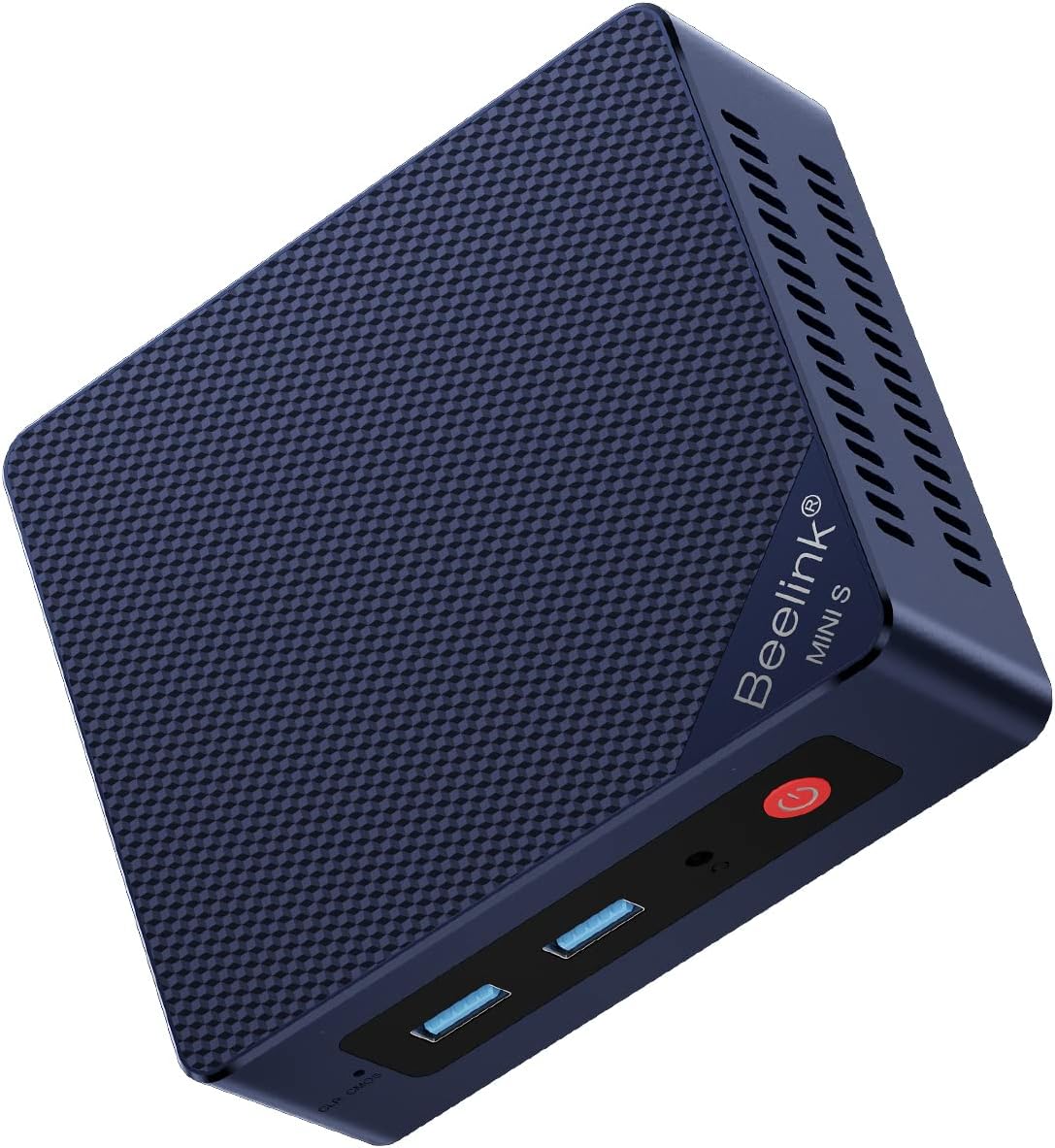
Beelink Mini PC MINI S13 Intel Twin Lake N150
4.4Editor score
Quad-core N150 processor
Dual 2.5G Ethernet
WiFi 6 and Bluetooth 5.2
Four times 4K display support
VESA wall-mount included
Explore the best N150 Mini PC options in this expert guide, comparing performance, memory, storage, displays, networking, cooling, and everyday use today.
The N150 Mini PC category combines an efficient Intel Twin Lake processor with a remarkably compact enclosure, making these systems practical for offices, media rooms, classrooms, digital signage, and lightweight home computing. A good model should balance responsive performance, dependable cooling, useful connectivity, and enough memory and storage for daily work rather than relying on processor speed alone.
This guide compares ten supplied mini PCs using the specifications and product information available for each system. We examine processor configuration, memory, storage expansion, display support, wired and wireless networking, port selection, physical size, cooling design, operating-system details, and suitability for specialized network applications.
The list reveals how much these similarly compact computers can differ. Some prioritize abundant USB and dual-network connectivity, while others emphasize fanless operation, triple-display support, storage expansion, or a preinstalled Windows edition. Product configurations and prices can change, so readers should confirm the current listing and exact hardware before purchasing.
4.4Editor score

4.5Editor score

4.7Editor score
The comparison below places processor capabilities, memory, storage, display options, and networking side by side. It also highlights where the systems diverge, including dual-screen and triple-screen support, fanless versus actively cooled designs, and specialized multi-gigabit networking.


The Beelink MINI S13 N150 has a 4.4 rating and offers an unusually broad set of connections for a compact Intel N150 system. Its four-core processor reaches up to 3.4GHz, making it a practical fit for office applications, web browsing, video meetings, media playback, and light creative work. The included VESA bracket makes it especially easy to reclaim desk space.
We may earn a commission when you buy through this link, at no additional cost to you.
Networking is a major strength. This model includes two 2.5G RJ45 Ethernet ports, allowing a direct connection to a high-speed network or separation of wired traffic without buying an additional adapter. Three USB 3.2 Gen2 ports, one USB 2.0 port, HDMI 2.0, an audio jack, and a DC input provide ample room for peripherals. Its storage configuration of 16GB DDR4 and a 500GB M.2 SSD is appropriate for general productivity, while a second M.2 slot supports additional storage.
The primary limitation is the processor class. The N150 is designed for efficient routine tasks rather than intensive rendering, high-end gaming, or sustained professional workloads. Likewise, buyers planning to use both 2.5G ports at full advertised speed need compatible networking equipment. The four-display claim also depends on the included outputs, compatible adapters, and operating-system support.
This is an easy recommendation for a user who wants one compact computer for office productivity, communications, browsing, and 4K media. Its strong networking, useful ports, included mounting hardware, and generous memory make it a more complete general-purpose option than a basic N150 unit. For heavier compute tasks, consider a more powerful processor class instead.
Two 2.5G Ethernet ports, three high-speed USB ports, and modern wireless connectivity give this MINI S13 flexibility for both offices and home networks. The dual wired connections can support advanced routing, segmented networks, or straightforward high-speed file access.
The 16GB of DDR4 memory helps when moving between office applications, browser tabs, and communication software. Its active cooling system and 500GB solid-state drive further improve the experience for daily desktop use.
We may earn a commission when you buy through this link, at no additional cost to you.
This Beelink MINI S13 carries a 4.3 rating and targets straightforward home and office computing. Its Intel N150 processor has four cores and four threads with a maximum listed speed of 3.6GHz, while 16GB of DDR4 memory and a 500GB M.2 SATA3 SSD provide a capable foundation for browsing, document work, streaming, and online meetings.
We may earn a commission when you buy through this link, at no additional cost to you.
Windows 11 Home is preinstalled, reducing the setup required for a buyer who wants a ready-to-use general-purpose machine. The 500GB drive offers practical room for applications and active files, and an additional M.2 PCIe 3.0 x1 slot allows NVMe expansion. Connectivity includes 2.5G Ethernet, WiFi 6, and Bluetooth 5.2, with support for peripherals such as a mouse, keyboard, headset, or stereo.
The system's integrated Intel Graphics supports 4K 60Hz playback through HDMI, which is well suited to a single high-resolution monitor or television. It is not the strongest selection in the group for multiple independent displays, and its N150 processor should not be expected to handle demanding 3D rendering, large video projects, or advanced gaming. The active cooling approach is practical for sustained routine workloads.
Choose this model when the priority is a straightforward Windows mini PC with sensible memory, solid-state storage, and easy network connectivity. It is particularly useful for a reception desk, home office, classroom, or media hub where a single screen is sufficient. Buyers wanting more display flexibility should compare the dual-screen Beelink configurations.
With Windows 11 Home already installed, this system can move quickly from unboxing to familiar desktop work. The processor and 16GB memory configuration are well matched to productivity software, browsing, messaging, and 4K media.
The included 500GB M.2 SATA3 SSD supports quick boot and file access. A second M.2 PCIe slot provides a straightforward path to add NVMe storage without replacing the original drive.
We may earn a commission when you buy through this link, at no additional cost to you.
The Beelink MINI S13 2025 is built around the 13th-generation Intel Twin Lake N150, a four-core, four-thread processor reaching up to 3.6GHz with a listed maximum power consumption of 25W. It includes 16GB of DDR4 memory and a 500GB PCIe 3.0 SSD, creating a well-rounded platform for office work, browsing, media use, and a home theater PC.
We may earn a commission when you buy through this link, at no additional cost to you.
Dual independent 4K 60Hz output is one of the model's defining features. Two HDMI ports make it a natural fit for a productivity user who wants reference information on one screen and primary applications on another. Four USB 3.2 Gen2 ports, a Gigabit Ethernet port, an audio jack, and DC input cover standard accessories, while WiFi 6 and Bluetooth 5.2 handle wireless peripherals.
Storage expansion is generous. The system supports up to two M.2 2280 NVMe or SATA3 drives, allowing a second drive to be added for additional files or improved separation of operating-system and application storage. A larger CPU fan, copper heat sink, and dedicated SSD cooling shield support the claimed 40% improvement in heat dissipation. Wake on LAN, PXE boot, RTC wake, and automatic power-on are useful for unattended operation.
This model makes the most sense for users who value a two-screen workspace and extensive high-speed USB connectivity more than multi-gigabit Ethernet. Its N150 chip remains best suited to routine rather than intensive workloads, and no current customer rating is listed in the supplied data. Even so, the display arrangement, storage design, and mounting support make it a strong office and HTPC candidate.
Separate tasks across two 4K displays without adding a full-size desktop. This arrangement can streamline research, spreadsheet work, communications, media monitoring, and other workflows that benefit from more visible screen area.
The enlarged fan, copper heat sink, and SSD cooling shield address sustained routine use. Dual M.2 slots make it easy to add storage while keeping the primary drive in place.
We may earn a commission when you buy through this link, at no additional cost to you.
The ACEMAGIC V1 has a 4.4 rating and combines a 3.9-by-3.9-by-1.3-inch enclosure with an Intel N150 processor, 16GB of DDR4 memory, and a 512GB SSD. Its exceptionally small footprint and full aluminum chassis distinguish it from larger plastic mini PCs, while its active axial fan is designed to remain quiet during extended operation.
We may earn a commission when you buy through this link, at no additional cost to you.
Display support includes HDMI 2.0 and USB-C, with two 4K 60Hz outputs. That makes the system well suited to a compact two-monitor desk, although one of the outputs may depend on the USB-C port's display capabilities. WiFi 6, Bluetooth 5.2, and Gigabit Ethernet cover the main connectivity options, and the included 75-by-75-millimeter VESA mount allows installation behind a compatible display.
The product information contains an inconsistency: the title identifies a 512GB SSD, while the descriptive text refers to 256GB and separately states that expansion is supported up to 2TB. Buyers should confirm the actual drive capacity and available expansion hardware. The aluminum construction is also important because it is a differentiator from many competing enclosures, although buyers who prefer absolute silence may find the MeLE Cyber X1 more appropriate.
The ACEMAGIC V1 is a compelling choice for space-conscious users who want a small, metal-bodied daily computer with a quiet cooling system. It handles productivity applications, many browser-based tasks, communication software, and 4K media well. Confirm storage and display-adapter details before purchase, then choose it over larger alternatives if footprint and enclosure material are priorities.
The CNC aluminum enclosure gives this model a refined appearance and assists heat transfer. At only 3.9 inches square, it can fit behind a monitor, on a small shelf, or in a crowded workstation.
A large axial fan and aluminum body are designed to manage sustained workloads with low noise. That balance is useful in offices, bedrooms, and living spaces where a traditional tower would be intrusive.
We may earn a commission when you buy through this link, at no additional cost to you.
The Beelink MINI S13 2.5G has a 4.5 rating, making it one of the strongest-rated N150 systems in the supplied group. It combines an Intel N150 processor reaching up to 3.6GHz with 16GB of DDR4 memory, a 500GB M.2 SSD, WiFi 6, Bluetooth 5.2, and an unusually useful pair of 2.5G Ethernet connections.
We may earn a commission when you buy through this link, at no additional cost to you.
Its interface layout includes three USB 3.2 Gen2 ports, one USB 2.0 port, two 2.5G LAN ports, a 3.5mm audio jack, HDMI with 4K 60Hz support, and a DC input. The dual wired connections are especially valuable for a small server, a segmented office network, or a user who wants a fast wired link while retaining a second port available. Storage can be expanded with an M.2 2280 SATA3 or PCIe SSD up to 2TB.
The main limitation is display flexibility. With one listed HDMI connection, it is less compelling for users wanting two or three independent displays. It also retains the inherent limits of the N150, which is better aligned with document work, browsing, communications, digital signage, and media playback than with advanced gaming or professional rendering. A large quiet fan helps maintain performance during routine workloads.
This is the most balanced recommendation for a buyer who wants good memory, modern wireless connectivity, fast wired networking, and a single 4K display. Its compact size, strong rating, three-year warranty, and lifetime technical support also add confidence. It is the best overall N150 Mini PC for most general-purpose users in this list.
Two 2.5G Ethernet ports provide a rare level of flexibility in a general-purpose mini PC. They can suit a dual-network arrangement, high-speed storage access, or an inexpensive software-router experiment when paired with compatible equipment.
The 16GB DDR4 configuration is comfortable for typical office multitasking, while the 500GB SSD provides a practical starting point. An additional M.2 expansion path prevents storage from becoming a permanent limitation.
We may earn a commission when you buy through this link, at no additional cost to you.
The BMAX B4 Turbo has a 4.4 rating and stands out for its support for triple 4K UHD display output. Its Intel N150 processor offers four cores and four threads with a maximum listed frequency of 3.6GHz, supported by 16GB of DDR4 3200MHz memory and a 512GB solid-state drive for general office and study use.
We may earn a commission when you buy through this link, at no additional cost to you.
The port selection includes two HDMI ports, one USB-C connection, one RJ45 port, a 3.5mm audio jack, two USB 3.0 ports, and two USB 2.0 ports. This is a practical collection for a compact workstation with several peripherals. A smart fan, dedicated memory and SSD cooling, and a 2.5-inch drive expansion slot add flexibility, although the expansion drive is not included.
Wireless connectivity is the model's clearest compromise. It uses dual-band WiFi 5 and Bluetooth 5.0 rather than the WiFi 6 and Bluetooth 5.2 found on several competing N150 systems. For users with current WiFi 6 routers or newer Bluetooth accessories, that may matter. On the other hand, triple-monitor support is an unusually strong feature for financial dashboards, media monitoring, classrooms, and office multitasking.
The B4 Turbo supports Windows 11 Pro and Ubuntu, includes a VESA mount, and offers wake on LAN, PXE boot, automatic power-on, and one-key recovery. It is a strong recommendation for a display-intensive setup that still needs a modest processor. For a single-screen office, the more advanced wireless features of the Beelink models may be preferable.
Three independent 4K outputs can divide a desktop across multiple panels. That makes the B4 Turbo useful for stock monitoring, data comparison, digital signage, and productivity workflows where separate views improve efficiency.
The system combines 16GB of memory, a 512GB SSD, and a 2.5-inch drive bay. One-key recovery also provides a convenient route back to a clean system state if software problems develop.
We may earn a commission when you buy through this link, at no additional cost to you.
This N150 Firewall Mini PC has a 4.3 rating and is built for specialized network use rather than conventional office computing. Its Intel N150 has four cores, four threads, a 6MB cache, a maximum listed speed of 3.6GHz, and a listed 6-watt TDP. That efficient processor pairs well with router, firewall, and lightweight server software.
We may earn a commission when you buy through this link, at no additional cost to you.
The defining feature is six Intel i226V 2.5G Ethernet interfaces. They provide an unusually broad set of connections for an OPNsense, OpenWrt, or Linux network appliance. The system also includes one DDR5 SO-DIMM slot, two M.2 2280 NVMe positions, and one SATA 3.0 connection for a 2.5-inch drive, making it easier to add storage for logs, packages, or virtual environments.
A fanless aluminum enclosure keeps the appliance quiet, although the package includes a cable for an optional 80-by-10-millimeter fan. Two HDMI connections and one USB-C port provide three 4K 60Hz display outputs for administration. The remaining interface set includes one USB 3.2 port, four USB 2.0 ports, and a TF card slot that supports data storage and system boot.
This model is an excellent fit for a technically inclined user building a compact firewall, router, lab appliance, or segmented network. It is not the strongest choice for a general desktop because only 8GB of memory and 128GB of storage are included. A buyer should also budget for the appropriate operating system and confirm that all required software supports the hardware.
Six 2.5G interfaces allow the appliance to serve as the central connection point for several wired networks. That is far more useful for routing and firewall work than the standard single Ethernet port found on a typical office mini PC.
The fanless metal chassis is well suited to an office, media shelf, or network cabinet. Two NVMe slots and a SATA connection provide room for a more capable system disk, data drive, or appliance-specific storage.
We may earn a commission when you buy through this link, at no additional cost to you.
The GMKtec G11 Plus is the exception in this roundup because it uses an AMD Ryzen 5 3500U rather than an Intel N150. The supplied title identifies the mini PC without a processor suffix, and the descriptive material discusses a 12-nanometer Ryzen processor with four cores, eight threads, a 2.1GHz base speed, and a 3.7GHz boost frequency.
We may earn a commission when you buy through this link, at no additional cost to you.
For buyers searching specifically for an N150 Mini PC, this model does not qualify. It remains worth discussing because its Radeon Vega 8 graphics and dual-channel 16GB DDR4 memory are presented as substantially stronger than the N150's integrated graphics and single-channel memory. It also supports three independent 4K displays through two HDMI 2.0 ports and a USB-C connection with DisplayPort alternate mode.
Networking is also strong, with dual 2.5GbE Ethernet, WiFi 6E, Bluetooth 5.2, and a mix of USB 3.2 and USB 3.2 Gen2 ports. The product information suggests uses such as a firewall, router, NAS, virtual-machine host, VPN endpoint, or digital-signage station. Its Performance Mode is intended to raise sustained workloads, though users should consider cooling and acoustics when enabling it.
The absence of a current customer rating and the processor mismatch make this a useful alternative rather than a direct N150 recommendation. It is most attractive to someone who wants more graphics performance, multithreaded capability, and high-speed networking than a typical N150 can provide. If the N150 is essential, the other nine products are the relevant choices.
Radeon Vega 8 graphics and dual-channel memory make this alternative better aligned with visual applications, CAD viewing, data visualization, and media workloads. It is not a gaming powerhouse, but it offers more graphics headroom than the N150 platform.
The Ryzen 5 3500U provides four cores and eight threads with a boost clock of 3.7GHz. That changes the system's performance profile, but shoppers who require an Intel N150 should not treat it as a direct substitute.
We may earn a commission when you buy through this link, at no additional cost to you.
The Beelink MINI S13 NVMe has a 4.2 rating and provides a straightforward Windows 11 Home configuration for home browsing, office documents, media playback, and communications. Its Intel N150 processor uses four cores and four threads with a maximum listed speed of 3.6GHz, while 16GB of DDR4 memory and a 500GB M.2 SATA3 drive supply a practical everyday foundation.
We may earn a commission when you buy through this link, at no additional cost to you.
A second independent M.2 PCIe 3.0 x1 NVMe slot allows the installed drive to remain in place while a faster or larger NVMe drive is added. Dual 2.5G LAN ports are unusually capable for this class of compact computer, and WiFi 6 with Bluetooth 5.2 covers ordinary wireless networking and peripheral connections. Integrated Intel graphics with 24 execution units at 1000MHz support 4K video playback.
Compared with the stronger-rated MINI S13 options, this listing offers fewer details about the port layout and display count. Its single listed HDMI output may be insufficient for a two-monitor workflow. The processor also remains limited for intensive editing, advanced software, and gaming, so matching the purchase to routine computing needs is essential.
This model is a sensible choice for a home office, study area, or living-room media computer where Windows is desired out of the box. It stands out most clearly for dual high-speed Ethernet and two M.2 positions. Buyers prioritizing stronger customer ratings, broader port information, or multiple displays should compare the other Beelink MINI S13 variants.
Windows 11 Home is preinstalled, and 16GB of DDR4 provides enough memory for common household and office applications. The secondary NVMe slot makes later expansion straightforward.
Two 2.5G Ethernet ports offer flexibility for advanced home networks and file transfers. WiFi 6 and Bluetooth 5.2 provide modern alternatives for general connectivity and wireless accessories.
We may earn a commission when you buy through this link, at no additional cost to you.
The MeLE Cyber X1 has a 4.7 rating, the highest listed rating among the supplied N150 products. It combines the four-core, four-thread Intel N150 processor at up to 3.6GHz with 16GB of DDR4 memory, a 512GB solid-state drive, and Windows 11 Pro. The result is a polished general-purpose system with more storage and a higher-tier operating-system edition than many competitors.
We may earn a commission when you buy through this link, at no additional cost to you.
Its defining benefit is true fanless operation. A copper heat sink, thermally conductive plastic housing, and a patterned exterior surface increase the available heat-dissipation area. That design makes the Cyber X1 particularly suitable for offices, libraries, bedrooms, recording spaces, home theaters, and industrial environments where moving air would be undesirable.
The system supports three independent 4K displays through two HDMI 2.0 ports and one USB-C output. An empty M.2 2280 NVMe slot and a microSD card slot add storage flexibility, while the unlocked BIOS reportedly supports automatic power-on. Connectivity includes dual-band WiFi 5, Bluetooth 5.1, and Gigabit Ethernet. It also has a broad port selection intended for sensors, projectors, scanners, controllers, and other business peripherals.
The compromises are modest but real. WiFi 6 would offer a stronger foundation for newer wireless networks, and Gigabit Ethernet is slower than the dual 2.5G options offered by several Beelink models. Even so, the silent chassis, triple-display capability, Windows 11 Pro, and highest customer rating make this the premium choice for buyers who want a polished, quiet N150 system.
The Cyber X1 removes the fan entirely, allowing truly quiet operation in sensitive spaces. Its surface pattern and copper heat sink are designed to dissipate heat without relying on forced airflow.
Independent 4K outputs support financial monitoring, development, content workflows, and control-room displays. Windows 11 Pro adds useful capability for business and institutional deployments.
We may earn a commission when you buy through this link, at no additional cost to you.
Choosing the best N150 Mini PC requires matching the processor's practical strengths to your workload, then checking the ports, displays, storage, and networking that support it. The most important distinction is whether you need a quiet general-purpose desktop, a multi-screen workstation, or a specialized network appliance.
Prioritize an N150 system when low power use, compact size, and silent operation matter more than maximum processing speed. For demanding applications, the GMKtec Ryzen alternative may be more appropriate, although it is not itself an N150 product.
Choose 16GB for ordinary office and home use, and pay close attention to the memory type if you plan to add or replace modules. The firewall appliance is an exception, as it includes 8GB of DDR5 for a more specialized role.
Look for a secondary M.2 slot if you expect large files or want to separate an operating-system drive from data storage. A 2.5-inch bay is useful when larger-capacity SATA media matters, while a microSD slot provides convenient removable storage for lighter workloads.
Match the output count to your actual workspace. More displays are valuable for research, monitoring, trading dashboards, editing timelines, and control systems, but they add power requirements, cable clutter, and pressure on a processor that is not intended for intensive graphics work.
Choose multi-gigabit Ethernet when transferring large files or operating advanced segmented networks. For an ordinary browser-focused desktop, WiFi 6 may matter more than having two wired ports. Ensure the chosen standard matches your router and peripherals.
Choose fanless operation for recording spaces, bedrooms, libraries, and quiet media rooms. An actively cooled model offers more flexibility under sustained load and is generally the safer all-round choice for office productivity and long operating periods.
List the peripherals you already own before choosing. More than one USB-A port, an audio jack, and a mounting bracket can improve daily convenience more than a small processor-clock difference. Always check the exact count and version of each connector in the current listing.
Choose the edition that matches your software and administration needs. Specialized appliance users should plan the operating system and configuration separately, while general home and office users benefit most from a system that arrives ready for familiar desktop tasks.
Begin by confirming the processor, memory, storage, operating system, and port configuration in the current product listing. Connect the included power adapter, attach a compatible display, and use Ethernet or the stated wireless standard for network access. If the computer includes a VESA bracket, install it only with a compatible display and secure the unit according to the mounting instructions. Keep ventilation openings unobstructed, especially on actively cooled and fanless models.
For storage, move important files to a properly configured backup location rather than relying on the included SSD as the only copy. Use the available M.2, SATA, 2.5-inch, or microSD expansion according to the model's instructions, and confirm boot behavior if adding a drive. Update the operating system and network software after setup, use trusted accounts and strong access credentials, and avoid installing unnecessary services on an internet-facing system.
To maintain performance, provide clearance around vents and keep the unit away from enclosed cavities during demanding work. Clean dust from external openings with power disconnected and avoid compressed air that could force debris inside. For a fanless model, monitor thermals and sustained workload behavior; for an active model, listen for unusual fan noise that may signal blocked airflow. Back up important data, use a clean shutdown or restart schedule, and keep the firmware and operating system current.
Yes, the N150 is well suited to word processing, spreadsheets, web browsing, email, video calls, document management, and routine multimedia playback. A system with 16GB of RAM will generally provide a more comfortable multitasking experience than one with less memory. The processor is not intended for advanced rendering, high-end editing, or demanding games, so those tasks require a more powerful mini PC.
It depends on the model. The BMAX B4 Turbo and MeLE Cyber X1 support three independent 4K displays, while several Beelink and ACEMAGIC configurations support two. Some models have only one listed HDMI output. Confirm display resolution, refresh rate, adapter requirements, and operating-system support before buying multiple monitors.
A fanless model can be preferable in a bedroom, living room, or recording studio because it produces no fan noise. The MeLE Cyber X1 is designed around passive cooling and multiple display outputs. It is important to leave its surface and vents unobstructed, particularly during extended processing or media playback.
Gigabit Ethernet has a theoretical maximum of one gigabit per second, while 2.5G Ethernet offers a theoretical maximum of 2.5 gigabits per second. The faster connection is valuable for large file transfers, high-speed NAS devices, and advanced networks, but the entire path must support 2.5G for the benefit to be realized. Otherwise, a 2.5G port will negotiate a lower shared speed.
Most models in this guide offer an expansion path, but the format differs. Some accept a second M.2 2280 SATA3 or PCIe drive, the BMAX B4 Turbo has a 2.5-inch bay, and the MeLE Cyber X1 includes an open NVMe slot and microSD reader. Check interface compatibility, supported capacity, slot format, and whether the added drive should be used for data or boot.
It can be suitable for light network services, file sharing, media tasks, or a small lab appliance when the hardware has the required interfaces. The six-port 2.5G firewall model is specifically oriented toward OPNsense, OpenWrt, and Linux network use. For a general-purpose server, storage capacity, memory, cooling, operating-system support, and backup strategy matter more than processor clock speed alone.
Yes, the integrated Intel graphics in the listed systems support HDMI 4K playback at up to 60Hz. Actual quality also depends on the selected display, application, video format, browser or media player, and available system resources. For smooth 4K operation, pair the mini PC with adequate memory and avoid giving demanding graphics tasks to an already overloaded desktop.
Home is suitable for typical personal computing, web-based work, and many home-office applications. Pro adds business-oriented management, security, and networking capabilities and is included with the MeLE Cyber X1 and supported by the BMAX B4 Turbo. Choose based on the software and administration features you actually need rather than assuming the Pro edition is necessary for every user.
The Beelink MINI S13 2.5G is the strongest all-around recommendation because it combines a 4.5 rating, 16GB of memory, modern wireless connectivity, and two 2.5G Ethernet ports. The Beelink MINI S13 N150 offers similarly broad functionality and stands out for extensive port selection, while the MeLE Cyber X1 is the premium quiet option with a fanless chassis, Windows 11 Pro, and three-display support.
Prioritize the feature your setup cannot easily add later. Choose two or three independent outputs for a multi-screen desk, 2.5G networking for fast wired transfers, a second storage slot for future capacity, or a fanless design for a quiet room. The N150 is most effective when used for productive everyday tasks rather than treated as a replacement for a high-performance workstation.
Finally, check the current listing carefully before ordering. Configurations, included components, ratings, and prices can change, and a few supplied descriptions contain differing storage details. Confirm the processor, memory, storage type, display outputs, network speed, operating system, mounting hardware, and warranty against your exact requirements before making a final N150 Mini PC purchase.