
BOSGAME E5 Mini pc
4.6Editor score
Ryzen 3 5300U processor
Two SODIMM memory slots
Additional M.2 NVMe slot
Dual 2.5GbE networking
Compare the best Mini PC with SSD Slot options for home, office, networking, and creative work, with expert guidance on expansion, displays, and performance.
A Mini PC with SSD Slot combines a space-saving desktop enclosure with storage that can be upgraded as files, applications, and projects accumulate. The best models pair useful everyday performance with accessible M.2 expansion, flexible memory, quiet cooling, and enough ports for a practical modern workspace.
We compared the featured mini PCs by processor capability, installed memory, storage configuration, upgrade paths, network options, display support, cooling, and intended workload. The guide covers affordable office systems, business deployments, gaming-oriented models, AI workstations, and network-focused mini PCs, while noting the compromises associated with each category.
Each selection reveals what its hardware configuration makes practical, from basic browsing and document work to multi-monitor productivity, storage expansion, local AI, and server use. Product configurations and available offers can change, so readers should verify the current listing details and compatibility before purchasing.
4.6Editor score
4.5Editor score

4.4Editor score
The table below compares all ten mini PCs by processor, memory, storage, and expansion support, making it easier to identify the right model for productivity, networking, media, or higher-performance workloads.


The BOSGAME E5 combines an AMD Ryzen 3 5300U processor with 8GB of DDR4 memory and a 256GB M.2 SATA SSD. Its 4.6 rating reflects a favorable balance of everyday responsiveness, networking capabilities, and unusually strong expansion potential for a compact office computer. The processor provides four cores and eight threads with speeds up to 3.8GHz, making it well suited to business applications, spreadsheets, online classes, browsing, and light server duties.
We may earn a commission when you buy through this link, at no additional cost to you.
Its most important feature for buyers seeking an SSD slot is the extra empty M.2 2280 NVMe PCIe 3.0 position. That means the included SATA drive can remain installed while a second, faster NVMe drive is added later. Two SODIMM sockets also allow the existing memory to be replaced or expanded up to 64GB. This flexibility makes the E5 unusually adaptable for a system that begins as a basic productivity PC and can later support a much larger dataset or more demanding applications.
Networking is another strength. The system has two Realtek RTL8125 2.5GbE RJ45 ports, allowing it to serve as a strong foundation for a home server, pfSense or OPNsense firewall, high-speed NAS, or virtual machine environment. It also provides Wi-Fi 5, HDMI 2.0, DisplayPort, and a front full-function USB-C port with data, display, and PD 3.0 functionality. Three independent 4K 60Hz displays can be connected simultaneously.
The compromises are understandable. Eight gigabytes of memory is modest for heavy multitasking, and the supplied 256GB SATA SSD provides less capacity and potentially slower performance than a modern NVMe drive. The Ryzen 3 5300U is also not intended for professional 3D rendering or demanding 3A games. Even so, those limitations are acceptable for a value-focused office or network appliance, especially when the additional SSD and memory options make long-term upgrades straightforward.
The vacant M.2 2280 NVMe slot lets the original SATA drive and a later high-speed drive operate together. That makes the E5 suitable for projects where system files, media libraries, and backups need separate storage locations.
Dual 2.5GbE ports provide options that many ordinary office mini PCs lack. They are useful for direct connections, virtual machines, NAS use, and firewall projects where wired throughput matters.
We may earn a commission when you buy through this link, at no additional cost to you.
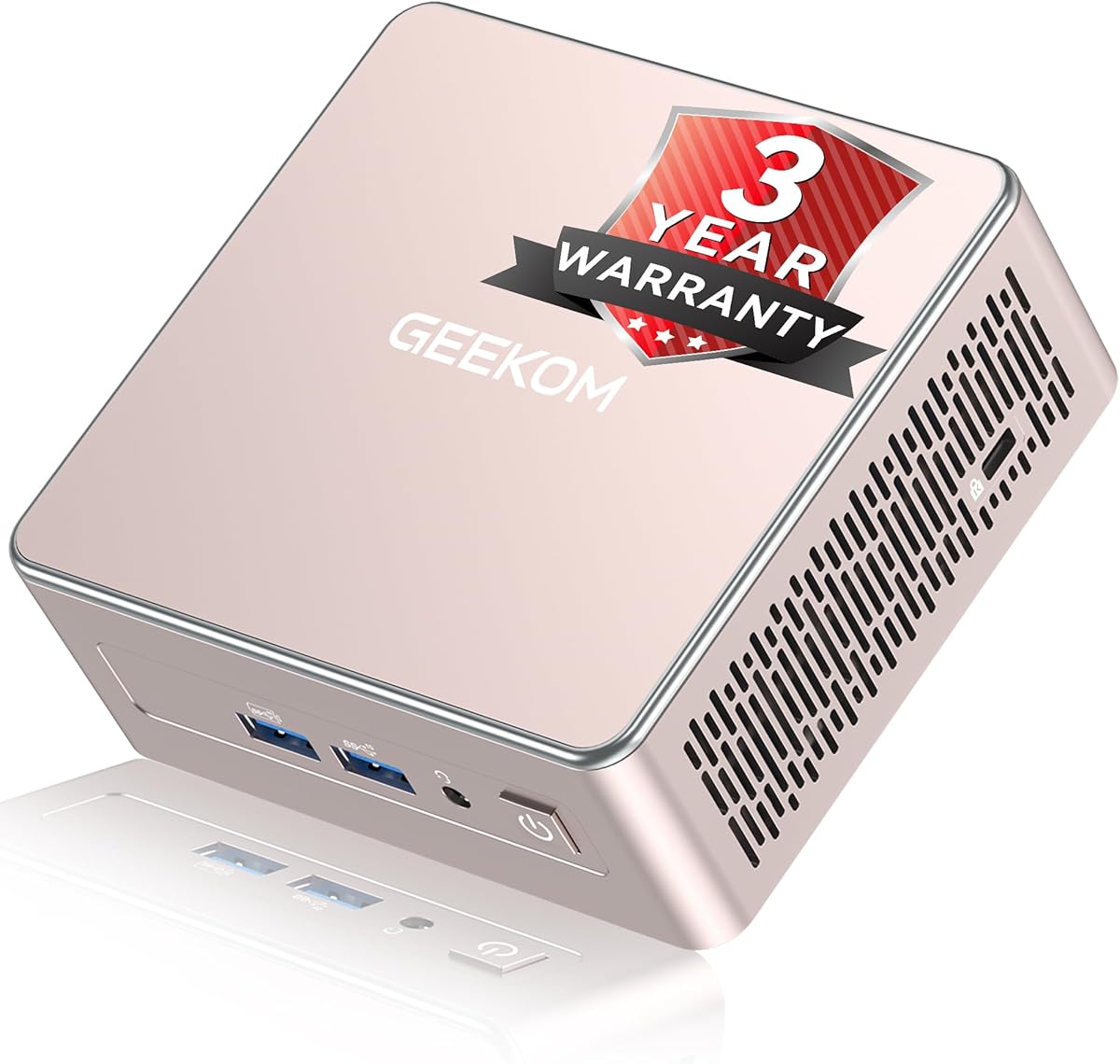
The GEEKOM Air12 is a compact Pentium Gold 7505 mini PC aimed at students, home offices, small businesses, online sellers, and users who primarily work with cloud-based AI tools. It has a 4.3 rating and measures only 4.6 by 4.4 by 1.35 inches. The installed 8GB DDR4 module and 256GB SSD support quick startup and routine application loading, while the preinstalled operating system reduces initial setup work.
We may earn a commission when you buy through this link, at no additional cost to you.
Intel UHD Graphics with 48 execution units gives the Air12 more graphics capability than common 16-EU N95 and N5095 systems. That advantage is relevant for 4K streaming, digital signage, dashboards, and other visual tasks, while AV1 hardware decoding can improve media playback efficiency. HDMI 2.0, Mini DisplayPort 1.4, and USB-C allow the system to operate three 4K displays, a useful arrangement for document comparison, spreadsheet analysis, or monitoring applications.
The Air12 is also designed for 24/7 operation. Its IceBlast 3.0 cooling system uses dual copper heat pipes, a quiet fan, and optimized airflow to maintain stability during extended sessions. It also supports Wi-Fi 6, Bluetooth, Ethernet, five USB ports, and a full-size SD card reader. For business fleets, GEEKOM includes a three-year limited warranty, technical support, and a return policy, with additional options for bulk deployments.
Its limits are straightforward. Eight gigabytes of RAM is enough for cloud applications, browsing, meetings, and light office work, but heavy browser loads or local AI models may require an upgrade. The 256GB SSD is also modest for users with substantial media collections. Fortunately, the two SODIMM slots support memory expansion up to 64GB, making this a practical choice when expandability matters more than maximum local performance.
The Air12 is optimized for document summaries, email drafting, content refinement, automation, meetings, and other cloud-assisted workflows. It does not require users to set up a local large language model, making it approachable for everyday productivity.
Separate HDMI, Mini DisplayPort, and USB-C outputs provide a flexible multi-monitor setup. The system can be useful for research, financial dashboards, classroom material, and side-by-side office applications.
We may earn a commission when you buy through this link, at no additional cost to you.
The GMKtec G3 Ultra combines a Pentium Gold 7505 processor with 16GB of LPDDR4 memory and a 512GB M.2 SSD. A numerical customer rating is not currently available in the supplied product data, but the core configuration is well suited to office work, web browsing, multiple browser tabs, media consumption, and general small-business use. The 48-EU integrated graphics are intended to handle 4K streaming and light photo editing.
We may earn a commission when you buy through this link, at no additional cost to you.
Storage flexibility is a central strength. The primary storage position uses M.2 2280 PCIe, while a secondary M.2 2280 SATA position allows another drive to be installed. This makes the system a good fit for users who want a fast operating drive and a separate drive for larger files without replacing the included storage. The 512GB starting capacity also offers more room for applications and documents than smaller basic configurations.
Connectivity includes three USB 3.2 Gen2 ports, one USB 2.0 port, two HDMI 2.0 connections, a 3.5mm audio jack, Wi-Fi 6, Bluetooth 5.2, and Gigabit Ethernet. It can drive two 4K 60Hz displays, which makes it useful for a compact dual-screen office. Wake-on-LAN, PXE boot, RTC wake, and automatic power-on functions add appeal for server and fleet deployments.
The main limitation is its soldered 16GB LPDDR4 memory. While that is ample for many productivity tasks, it cannot be replaced with standard SO-DIMM modules later. Buyers who expect memory-intensive work, large virtual machines, or local AI software should prioritize a model with user-upgradable memory. For typical office and home use, however, the G3 Ultra provides a balanced combination of capacity, connectivity, and storage expansion.
The combination of 16GB memory and a 512GB SSD gives the G3 Ultra more breathing room for document work, communication apps, and several browser tabs. It is a more practical baseline than a small memory and storage configuration.
A primary PCIe position and secondary SATA position support different storage strategies. Buyers can use NVMe for responsiveness and SATA for bulk storage, depending on their upgrade plans.
We may earn a commission when you buy through this link, at no additional cost to you.
The GMKtec K15 is built around the Intel Core Ultra 5 125U processor, with 12 cores, 16 threads, and a maximum turbo frequency of 4.3GHz. It carries a 4.2 rating and is a considerably more advanced mini PC than basic office systems. An Intel AI Boost NPU provides up to 13 TOPS of INT8 calculation, while Intel Arc 140T graphics with eight Xe cores support modern graphics APIs, video acceleration, and AV1 encoding and decoding.
We may earn a commission when you buy through this link, at no additional cost to you.
Storage is a major attraction for this guide because the system includes 32GB of dual 16GB DDR5 memory, a 1TB PCIe 4.0 SSD, and three M.2 2280 expansion positions. Each storage slot is stated to support drives up to 8TB, creating unusually generous long-term capacity. This makes the K15 suitable for large project libraries, virtualized environments, creative work, and users who prefer to install multiple specialized drives rather than continually replacing one.
Display and expansion capabilities are also extensive. HDMI 2.1, DisplayPort 1.4, and USB Type-C can support four screens with high resolutions, including 8K output over HDMI. An Oculink port provides PCIe x4 bandwidth for compatible external graphics solutions, potentially benefiting creators who need more graphics power than the integrated GPU can provide. A 2.5GbE port, Wi-Fi 6, and Bluetooth 5.2 cover conventional networking needs.
The K15's cooling system includes two CPU fans, a dedicated memory and SSD fan, three heat pipes, and RGB lighting. Although the quiet mode is stated at 35dB, a system with this level of hardware may generate more sound under sustained heavy loads than a basic office mini PC. That is the principal tradeoff for buyers who want a compact workstation with serious expansion, AI acceleration, and eGPU potential.
Few compact PCs provide as many readily accessible M.2 positions. Multiple drives can separate an operating system, working projects, and archives while avoiding the need for external storage during routine use.
The dedicated NPU and Arc 140T graphics create a stronger basis for local AI acceleration and media processing than basic mini PCs. AV1 support and Quick Sync also improve the appeal for editing and streaming workflows.
We may earn a commission when you buy through this link, at no additional cost to you.
The GEEKOM A5 2027 Edition is the most balanced selection in this guide, combining an AMD Ryzen 7 7730U processor, 16GB of upgradeable DDR4 memory, a 256GB PCIe NVMe SSD, and unusually broad storage expansion. Its 4.5 rating reflects a configuration that suits office productivity, learning, cloud-based AI workflows, spreadsheet-heavy work, and multi-monitor setups without approaching the scale of a high-end workstation.
We may earn a commission when you buy through this link, at no additional cost to you.
The Ryzen 7 7730U provides eight cores and 16 threads, giving it more multitasking headroom than the quad-core alternatives in this list. It is particularly appropriate for Microsoft Office workloads, numerous browser tabs, remote learning, and cloud-native automation. The preinstalled operating system and support for Wake-on-LAN, scheduled power-on, and Group Policy make deployment straightforward for home offices, reception areas, and small business environments.
Storage is where the A5 is especially persuasive. It has dual-slot DDR4 memory upgradeability up to 64GB, support for an M.2 SSD up to 4TB, an additional M.2 2242 position, and a 2.5-inch hard drive bay. Those options can accommodate a fast system drive, a secondary high-capacity drive, and conventional bulk storage. Unlike systems limited to soldered memory and one drive, the A5 can evolve as workload and storage requirements change.
Its 0.6-liter enclosure fits neatly behind a monitor, and the multi-display configuration supports up to four screens through dual HDMI and dual USB-C connections, including 8K output over USB-C. Wi-Fi 6, Bluetooth 5.4, 2.5GbE, an SD card reader, and multiple USB ports complete the practical feature set. The initial 256GB SSD is the main limitation, but the available expansion makes this an easy issue to address.
The A5 supports a conventional M.2 SSD, a smaller M.2 2242 drive, and a 2.5-inch hard drive. This unusual range lets users balance speed, capacity, and cost rather than relying on a single upgrade format.
Dual HDMI and dual USB-C outputs create a flexible four-display workstation. That makes the A5 practical for financial monitoring, research, editing, control rooms, and other environments where information must remain visible across multiple panels.
We may earn a commission when you buy through this link, at no additional cost to you.
The GMKtec M6 Ultra uses an AMD Ryzen 5 7640HS processor with six Zen 4 cores, 12 threads, a 4.3GHz base clock, and boost speeds up to 5GHz. It has a 4.2 rating and pairs that processor with 32GB of dual-channel DDR5 RAM and a 1TB M.2 PCIe SSD. The result is a capable compact PC for gaming, productivity, and network applications that need more processing power than a basic office system.
We may earn a commission when you buy through this link, at no additional cost to you.
Radeon 760M integrated graphics with eight compute units and 512 shaders provide the main gaming advantage. The system can handle moderate gaming at steady frame rates and supports hardware encoding and decoding for AV1, HEVC, and AVC. This makes it useful not only for games but also for media creation and playback. It is still an integrated GPU, so demanding modern AAA titles may require reduced settings, while a dedicated external GPU would offer more headroom.
The 32GB DDR5 installation is generous and can be expanded to 128GB. Storage starts at 1TB, and the second M.2 position supports PCIe 4.0 drives up to 8TB according to the supplied information. This broad storage path is valuable for a game library, creative projects, or a compact system used for backups. A 2.5GbE connection is also included, and the product information references two 2.5G RJ45 interfaces for network-heavy applications.
Display support includes USB4 with 8K 60Hz output, HDMI 2.0 with 4K 60Hz, and DisplayPort with 4K 60Hz. Wi-Fi 6, Bluetooth 5.2, three USB 3.2 Gen2 ports, and USB 4 round out a modern interface. The M6 Ultra is best viewed as a capable mini gaming PC rather than a replacement for a high-end gaming desktop, but its memory, storage, and networking make it unusually versatile.
The Zen 4 processor and Radeon 760M graphics provide stronger integrated performance than the lower-tier systems in this comparison. That advantage is most visible in games, light content creation, and multitasking.
A 1TB starting drive and secondary high-capacity M.2 position give gamers room to separate applications from downloadable content. Users should confirm the interface supported by the slot they plan to populate.
We may earn a commission when you buy through this link, at no additional cost to you.
The GMKtec G10 combines a Ryzen 5 3500U processor, 16GB of DDR4 SO-DIMM memory, and a 1TB SSD in a compact desktop enclosure. Its 4.2 rating reflects a practical configuration for office work, browsing, media playback, and light gaming. The quad-core Zen+ processor operates at 2.1GHz and boosts to 3.7GHz, with Radeon Vega 8 graphics running up to 1.2GHz.
We may earn a commission when you buy through this link, at no additional cost to you.
The installed capacity is one of the system's strongest points. A 1TB SSD provides ample room for applications, work files, and media, while two M.2 2280 PCIe 3.0 positions permit substantial additional storage, with the supplied information listing combined support up to 16TB. Memory can also be expanded to 64GB. This is a more future-oriented foundation than a basic mini PC limited to small soldered storage and fixed memory.
The G10 can operate three displays through HDMI 2.1, DisplayPort 1.4, and full-function USB-C. Its 2.5GbE Ethernet connection is useful for network services, while Wi-Fi 5 and Bluetooth 5.0 cover wireless peripherals. A configurable power range from 12 to 35 watts gives administrators a way to balance performance and energy use, and the cooling system is designed to keep the compact enclosure stable under normal workloads.
Its processor is less advanced than newer Ryzen 5, Core Ultra, and Ryzen 7 alternatives elsewhere in this guide. Creative applications and serious games may benefit from a more recent platform. Wi-Fi 5 also trails newer connectivity standards. Even with those limitations, the G10 remains a strong fit for users who prioritize a large SSD, two upgradeable M.2 positions, generous memory, and multi-screen office capability over maximum processing speed.
The 1TB starting SSD and dual M.2 positions make the G10 appealing for users who want local storage without immediately adding another drive. A second drive can later hold projects, backups, or media.
HDMI, DisplayPort, and USB-C provide three separate display connections. The arrangement supports split workspaces, shared dashboards, and simultaneous reference material for office or light creative use.
We may earn a commission when you buy through this link, at no additional cost to you.
The Bmax B1 Plus is an entry-level mini PC designed around an Intel Celeron J3355 processor, 6GB of LPDDR3 memory, and 128GB of onboard eMMC storage. It has a 4.2 rating and comes with Windows 11 Home preinstalled, making it accessible to users seeking a small, ready-to-use computer for browsing, document editing, video communication, and routine office tasks. Linux and Ubuntu are also supported.
We may earn a commission when you buy through this link, at no additional cost to you.
Its storage design is more flexible than the small onboard capacity might initially suggest. Two M.2 SSD positions are provided: one SATA and one NVMe. This lets a buyer install both a fast NVMe drive and a SATA drive, with the supplied information describing expansion capability up to 2TB. Because the 128GB eMMC is separate, users can also add substantial storage without immediately replacing every factory component.
The B1 Plus measures only 4.2 by 4.1 by 1.4 inches and weighs 0.49 pounds. An included VESA bracket allows it to be mounted behind a monitor, creating a clean workspace in a reception area, home office, or study space. Intel HD Graphics 500 supports two 4K 60Hz displays through dual HDMI, which can be useful for side-by-side productivity. Dual-band Wi-Fi, Bluetooth 5.0, Gigabit Ethernet, and a smart cooling system round out the practical features.
The main limitation is the 6GB of soldered LPDDR3 memory, which cannot be upgraded and may constrain heavy browser use or multitasking. The Celeron processor also offers limited headroom for demanding applications. A one-click restore function accessed through the F9 key helps with system recovery, while a 12-month warranty and lifetime technical support provide some reassurance. For basic use, these limitations are reasonable.
The combination of SATA and NVMe positions gives buyers a useful choice between cost-conscious capacity and faster operation. It is a clear advantage over mini PCs that offer only one small internal drive.
The tiny enclosure and included VESA bracket make it easy to mount the B1 Plus behind a display. That saves desk space and suits temporary workstations, digital signage, and dedicated browsing stations.
We may earn a commission when you buy through this link, at no additional cost to you.
This 16GB version of the BOSGAME E5 upgrades the standard productivity configuration with more memory and a faster, larger NVMe drive. It retains the Ryzen 3 5300U processor, four cores and eight threads, and boost speed up to 3.8GHz. Its 4.6 rating is among the strongest shown in the guide, reflecting a favorable combination of everyday capability, networking, and expansion.
We may earn a commission when you buy through this link, at no additional cost to you.
With 16GB of DDR4 memory and a 512GB M.2 2280 NVMe PCIe 3.0 SSD, the system is better equipped for multiple applications, large spreadsheets, online classes, business software, and sustained network-server duties than the 8GB version. Fast application loading and quicker file transfers are also advantages of NVMe over the SATA storage used in the lower configuration.
Expansion remains a major strength. Two SODIMM slots support memory upgrades up to 64GB, while an additional empty M.2 2280 NVMe PCIe 3.0 position allows a second drive to be installed without removing the original system drive. Two Realtek RTL8125 2.5GbE ports are particularly useful for pfSense or OPNsense, NAS, virtual machines, and home server projects. Wi-Fi 5 provides convenient wireless access.
The E5 can drive three independent 4K 60Hz monitors using HDMI 2.0, DisplayPort, and full-function USB-C. That same USB-C port supports data transfer, display output, and PD 3.0, while an optimized fan and copper heat pipes support quiet operation. The processor remains unsuitable for intensive 3D rendering or demanding 3A gaming, but those are not the target workloads. For office, education, and network use, this version is especially well balanced.
Sixteen gigabytes provides more room for simultaneous browser tabs, office applications, calls, and background tasks. The dual SODIMM design also means the memory can be increased without replacing the computer.
The 512GB NVMe drive improves responsiveness compared with a SATA configuration, and the second M.2 position protects long-term flexibility. Separate drives can organize system files, large documents, and backups more effectively.
We may earn a commission when you buy through this link, at no additional cost to you.
The GEEKOM IT15 is the premium choice in this guide, built around the Intel Core Ultra 9 285H processor and 99 TOPS of combined AI performance. Its 4.4 rating reflects a high-end configuration for IT professionals, video creators, designers, programmers, and users who want meaningful local AI capability in a compact workstation. The total AI figure combines 13 TOPS from the NPU, 77 TOPS from the Arc GPU, and 9 TOPS from the CPU.
We may earn a commission when you buy through this link, at no additional cost to you.
With 32GB of DDR5 memory, a 1TB Gen 4 NVMe SSD, and support for memory expansion up to 128GB, the IT15 can sustain demanding applications and multiple simultaneous workflows. The supplied information identifies support for Adobe software, Blender, Unreal Engine, and a large plugin ecosystem. It is positioned for 4K and 8K video editing, code compilation, local models, concept generation, and privacy-conscious workloads that benefit from processing data without relying entirely on cloud services.
The display and peripheral options are impressive. Dual HDMI and two USB4 Type-C ports support four displays, with the listed configuration accommodating two 8K and two 4K outputs. USB4 provides 40Gbps bandwidth and power delivery, making the system suitable for high-speed drives, docks, and compatible external graphics solutions. Wi-Fi 7, Bluetooth 5.4, and 2.5Gbps Ethernet provide high-speed wired and wireless connectivity for remote editing, collaboration, and data handling.
As a premium system, it demands more from its cooling system and consumes more energy under load than entry-level alternatives. Its Arc 140T integrated graphics can run popular titles and many mid-tier games, but this is not a substitute for a dedicated high-end gaming desktop. The construction, however, includes a metal-reinforced frame, advanced cooling stated to remain below 35dB, multi-certification, and a three-year warranty. Those qualities justify considering it where portable AI and professional performance are the main priorities.
The combination of NPU, integrated GPU, and CPU acceleration gives the IT15 a much stronger local AI foundation. This can improve responsiveness and keep sensitive files closer to the workstation for suitable applications.
Four high-resolution outputs and USB4 expansion support command-center arrangements. The system is well suited to video timelines, large dashboards, and professional editing environments with multiple references.
We may earn a commission when you buy through this link, at no additional cost to you.
The most important buying factors are the intended workload, available storage interfaces, memory upgradeability, display requirements, and network needs. Reviewing these details before purchase prevents an attractive specification sheet from obscuring a practical incompatibility.
Processor choice determines how comfortably the mini PC handles browser tabs, business applications, virtual machines, media editing, games, and AI software. The Ryzen 7 7730U in the GEEKOM A5 offers eight cores and 16 threads for general productivity, while the Core Ultra 5 125U and Core Ultra 9 285H provide newer platforms with dedicated AI acceleration. The Pentium Gold 7505 systems are best matched to office and cloud-oriented tasks, and the Celeron J3355 B1 Plus should be reserved for basic computing.
An SSD slot is useful only when its interface, physical size, and protocol match the drive you intend to install. M.2 2280 is the most common full-length form factor, while M.2 2242 is shorter and may require a supported drive or carrier. SATA SSDs are broadly compatible but generally slower than NVMe PCIe drives. Check whether a second position exists, whether the supplied drive can remain installed, and whether the system supports the maximum drive size stated in its documentation.
Memory affects multitasking more directly than many buyers expect. Eight gigabytes can handle focused office work, but 16GB is more comfortable with numerous browser tabs, communication tools, and large documents. SO-DIMM systems allow memory to be replaced or increased, while LPDDR configurations are usually soldered. The BOSGAME E5, GEEKOM A5, Air12, and several GMKtec models offer conventional memory expansion, whereas the Bmax B1 Plus has a fixed 6GB allocation.
Mini PC buyers often want to connect several monitors. HDMI, DisplayPort, and USB-C can each provide display output, but maximum resolution, refresh rate, and the number of simultaneous screens depend on the processor and port version. The Air12, A5, K15, M6 Ultra, and G10 support three or more displays. High-end models add 8K output, AV1 support, or USB4 external graphics expansion, which can be valuable for media and creative work.
A single Gigabit Ethernet port is sufficient for many homes, while 2.5GbE offers a faster path for large transfers, NAS systems, virtual machines, and local network applications. The BOSGAME E5 stands out with two 2.5GbE RJ45 interfaces, making it especially relevant for firewall and server projects. Wi-Fi 6 is common among newer systems, the G10 uses Wi-Fi 5, and the IT15 adds Wi-Fi 7. Bluetooth versions range from 5.0 to 5.4.
Compact systems need enough cooling to sustain their advertised processor performance. Basic office mini PCs use modest cooling and suit intermittent workloads, whereas the K15 and IT15 employ more elaborate systems to handle sustained high-power components. Quiet-mode figures and fan design can help with offices and media rooms, but full-load performance may produce additional sound. Also consider configurable power limits on systems such as the G10 when energy efficiency is important.
A preinstalled operating system can shorten setup time, while compatibility with Linux and Ubuntu expands options for technical users. Business models add Wake-on-LAN, scheduled power-on, PXE boot, Group Policy, and other remote-management features. The GEEKOM Air12, A5, and IT15 emphasize business deployment and support, while the G10 and G3 Ultra provide several automated startup functions useful in server or kiosk environments.
Mini PCs range from extremely compact office units to larger enthusiast systems with multiple cooling fans. The B1 Plus and Air12 are particularly small, while the K15's elaborate cooling and M6 Ultra's gaming focus require more internal volume. If desk space is limited, dimensions may matter as much as processing power. The B1 Plus includes a VESA bracket, and several other systems can be positioned behind a monitor to maintain a clean workspace.
Begin by placing the mini PC in a ventilated area and connecting the display, keyboard, mouse, and network. If a second SSD will be installed, shut the system down completely, disconnect its power cable, open the case according to the manufacturer’s instructions, and confirm that the drive matches the supported M.2 size and interface. Secure the module with the appropriate retaining screw or latch before reassembling the enclosure.
After adding or replacing storage, use the operating system’s disk management tools to initialize, format, and assign a drive letter to the new volume. If the system supports a boot drive selection menu, choose the intended drive before transferring files or reinstalling the operating system. Back up important documents before upgrades, and use the manufacturer’s compatibility list when adding memory, NVMe devices, or SATA storage.
For routine care, keep vents and fan openings free from dust and avoid placing the computer in a tightly enclosed cabinet. Use a stable connection for the power adapter and avoid sudden shutdowns while files are being written. Periodic operating-system updates, disk-health checks, and external backups help preserve long-term reliability. If the device runs a server or display continuously, schedule non-disruptive maintenance and verify that temperatures remain within the manufacturer’s recommended range.
An SSD slot is an internal position where a compatible solid-state drive can be installed or upgraded. Mini PCs may use M.2 SATA, M.2 NVMe, or both, so the interface and physical length must be checked. Some models also include a 2.5-inch bay or a second M.2 position, allowing a fast system drive and a larger secondary drive to coexist.
Not automatically. The drive must match the slot’s supported protocol, physical size, and maximum capacity. Some systems accept both SATA and NVMe, while others support only one type. Consult the manufacturer’s specifications or service guide before buying, particularly for shorter M.2 2242 drives and high-capacity NVMe models.
NVMe generally offers faster transfer speeds and shorter response times than SATA because it connects through PCIe lanes. The practical benefit is most noticeable during system startup, application loading, and transferring large files. SATA can still be sufficient for document storage, and a mixed SATA-plus-NVMe arrangement is useful when fast scratch storage and high capacity are both desired.
Most mini PCs are sold as compact barebone-style computers and require separate peripherals. The product listings here focus on the computer itself, so buyers should confirm what is included. Displays can usually be connected through HDMI, DisplayPort, or USB-C, while USB ports support common keyboards, mice, storage devices, and peripherals.
The GEEKOM A5 is the strongest all-around option in this guide because it combines eight-core processing, upgradeable memory, several storage paths, and four-display support. The BOSGAME E5 with 16GB and 512GB is a strong alternative for basic offices and network use. The Bmax B1 Plus may suit users who need only basic browsing and document work.
Yes, provided its networking, storage, memory, and operating-system support match the intended service. The BOSGAME E5 is particularly suitable for network experimentation because it has two 2.5GbE ports and a second M.2 position. Other systems can handle light server, virtual machine, media, and automated tasks, but reliability requirements should determine how many services and users they support.
RAM generally has the greater effect on multitasking, while SSD capacity determines how many applications and files can be stored locally. A sensible configuration for many users is 16GB of memory with at least 512GB of storage. The mini PCs in this guide offer several paths to reach that combination without replacing the entire system.
Many can, but the exact number depends on the processor, operating system, and output configuration. Several models support three displays, while the GEEKOM A5, K15, and IT15 support four-screen arrangements. Buyers should also verify resolution and refresh-rate limits for each port and ensure that the graphics capabilities suit the intended desktop workload.
The GEEKOM A5 2027 Edition stands out as the most complete general-purpose selection in this guide. It combines a capable Ryzen 7 7730U processor, 16GB of upgradeable DDR4 memory, flexible M.2 and 2.5-inch storage expansion, business deployment features, and support for four displays. The BOSGAME E5 16GB version is an attractive alternative when networking and simple future upgrades matter, while the GEEKOM IT15 is the clear premium choice for local AI, professional media, and demanding creative work.
Prioritize the upgrade path that matches your plans. Check M.2 length and protocol, memory soldered versus replaceable status, display outputs, network ports, and cooling requirements before purchasing. The GEEKOM Air12 and G10 are sensible for productivity-oriented workspaces, the GMKtec G3 Ultra offers a balanced office configuration, and the Bmax B1 Plus fits the most basic requirements without giving up internal SSD expansion.
Finally, verify the current listing, component specifications, warranty terms, and offer details before buying. Product configurations and prices can change, and the availability of compatible memory or SSDs may vary. Confirming the exact hardware and expansion requirements helps ensure that the selected mini PC remains useful well beyond its initial purchase.