SANDISK Ultra
4.7Editor score
256GB usable capacity
Up to 150MB/s reads
Adapter included for transfers
Our guide compares the best large micro SD cards for Nintendo Switch, covering capacity, speed, compatibility, durability, and value for everyday gaming users.
Large microSD cards give Nintendo Switch owners room for more downloaded games, save files, screenshots, videos, and updates without constantly replacing or reformatting storage. A useful card should offer dependable capacity, compatible speed ratings, and a clear designation for the original Switch rather than the newer Switch 2.
We compared ten 256GB, 512GB, and 1TB cards using the supplied specifications, including capacity, read and write speeds, UHS-I performance classes, A1 or A2 ratings, included adapters, durability claims, warranties, and explicit Nintendo Switch compatibility. The guide includes licensed, general-purpose, budget, and high-capacity options.
Each review explains who the card is best suited for, where it offers a clear advantage, and which compromises or compatibility details deserve attention. Ratings reflect the information supplied for each listing, while technical performance can vary by device and reader. Prices and promotions can change, so compare current listings before purchasing.
4.7Editor score

4.8Editor score

4.6Editor score
The comparison below places all ten cards side by side, focusing on the factors that matter most for Nintendo Switch storage: usable capacity, speed, performance classes, and supported console generation.


The SANDISK 256GB microSD Card in the Super Mario Super Star Edition carries a 4.8 rating and stands out because it is officially licensed for the original Nintendo Switch family. Its listing explicitly supports the standard Switch, Nintendo Switch OLED, and Nintendo Switch Lite, giving buyers unusually clear compatibility information before they buy.
We may earn a commission when you buy through this link, at no additional cost to you.
Specified read speeds reach up to 100MB/s and write speeds reach up to 90MB/s. That write figure is particularly relevant when installing substantial game files, while the 256GB capacity offers enough room for a larger digital library without requiring the jump to 512GB or 1TB. The card can also hold downloaded games, screenshots, and captured video in one location.
The main limitation is intentional and clearly stated: it is not designed for Nintendo Switch 2. It also offers less total capacity than the 512GB and 1TB alternatives in this guide, so users with extensive libraries may eventually need to move or archive data. Actual performance can also depend on the console, card reader, workload, and file sizes.
This is the most straightforward choice for a Switch owner who values official licensing, clear platform support, and a balanced 256GB capacity. It is particularly attractive for Nintendo Switch Lite, OLED, or standard-system owners who want extra storage for downloaded games and media without moving to a much larger and more expensive capacity tier.
The strongest feature is its explicit licensing for the original Switch, OLED model, and Switch Lite. That is more useful than a vague statement that a card may work, particularly for buyers who want confidence that the card is intended for console storage rather than merely compatible in practice.
The stated 90MB/s write speed makes this a practical card for moving downloaded titles onto the console, while the 100MB/s read speed suits general storage use. Peak figures are not guaranteed in every environment, but the specifications are well matched to normal Switch workflows.
We may earn a commission when you buy through this link, at no additional cost to you.
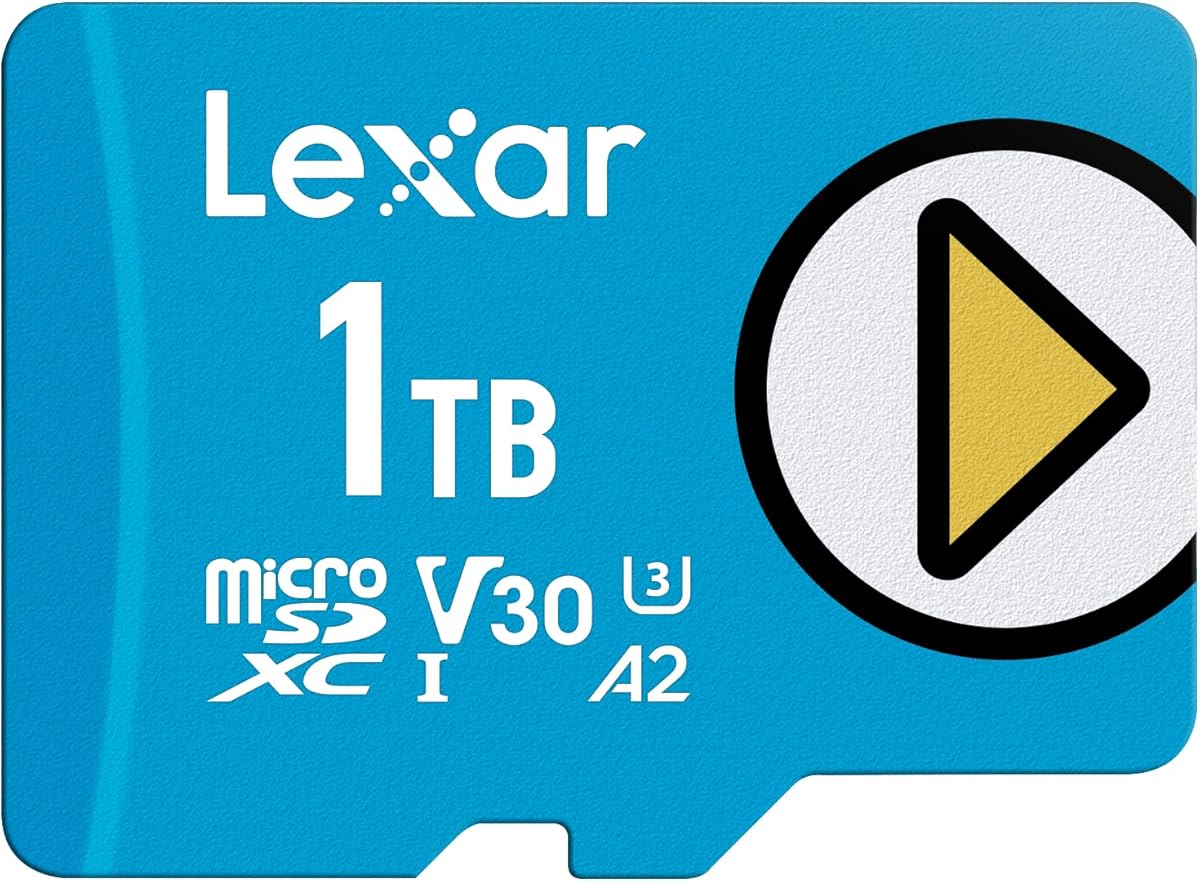
The Lexar 1TB Play Blue Micro SD Card has a 4.5 rating and is aimed at users who want to stop managing storage in small increments. One terabyte offers a practical answer to the original Switch's comparatively limited internal storage, particularly for owners with many digital titles, updates, or captured videos.
We may earn a commission when you buy through this link, at no additional cost to you.
Its listed read speed reaches up to 160MB/s, and the card combines UHS-I, V30, and A2 classifications. The V30 rating is designed for sustained video workloads, while A2 is intended to improve random-access and app-loading performance on compatible devices. The supplied information also highlights temperature resistance, waterproofing, and X-ray protection for regular portability.
This card is explicitly for Nintendo Switch 1 rather than Nintendo Switch 2, so buyers should verify their console before purchasing. Its supplied 4.5 rating is slightly lower than those of several alternatives, and the headline speed figure is a maximum rather than a promise of identical performance in every console or reader.
Choose the Play Blue when capacity is the leading priority and you want a card with modern speed classes and broad device compatibility. It is a logical selection for a large digital collection, portable console users, and buyers who would rather make a larger capacity purchase once than upgrade to 256GB and later 512GB.
A 1TB card provides room for a broad mixture of downloaded games and media. That extra headroom can reduce the need for frequent backups, transfers, and deletions, particularly for users who travel regularly and cannot easily move files between devices.
The combination of UHS-I, V30, and A2 makes this card useful beyond the Switch. It can serve as general storage for compatible smartphones, tablets, cameras, and other UHS-I devices, provided their capacity and format requirements are satisfied.
We may earn a commission when you buy through this link, at no additional cost to you.
GIGASTONE's 256GB Gaming Plus earns a 4.8 rating and is designed specifically with gaming consoles and other high-capacity devices in mind. Its full title makes the important limitation easy to see: it supports Nintendo Switch 1 and is not compatible for gaming with Nintendo Switch 2.
We may earn a commission when you buy through this link, at no additional cost to you.
The card offers read and write speeds up to 100MB/s and 60MB/s, respectively. A1, U3, V30, and C10 classifications cover a broad range of storage tasks, while the included adapter makes it easier to move files between the microSD card and a computer. The listed features also cover Ultra HD video recording and use with Steam Deck.
Its 256GB capacity is less generous than the 512GB and 1TB choices, and the 60MB/s write figure is lower than the strongest alternatives. Nevertheless, the card's gaming orientation, protective specifications, and five-year limited warranty make it more focused than a basic general-purpose card.
This is a strong option for a standard Nintendo Switch, Switch Lite, or Switch OLED owner who wants 256GB of storage and a card explicitly marketed toward gaming. It also suits buyers who need a single card for console, camera, tablet, laptop, and other UHS-I devices without carrying a separate adapter.
The Gaming Plus is not limited to console use. Its compatibility list includes laptops, tablets, PCs, phones, cameras, and e-readers, while the adapter provides a convenient route for transferring files on devices with a full-size SD slot.
Waterproof, shockproof, temperature-proof, and X-ray-proof claims make the card a sensible travel companion. As with any memory card, avoiding impacts, moisture, and extreme conditions remains the most reliable way to protect stored data.
We may earn a commission when you buy through this link, at no additional cost to you.
The Lexar 1TB Blue combines a 4.7 rating with extensive durability features and a long warranty. Its one-terabyte capacity makes it a strong candidate for users who want a single high-capacity card for games, photographs, and 4K video rather than several smaller storage devices.
We may earn a commission when you buy through this link, at no additional cost to you.
The card uses UHS-I and provides read speeds topping 160MB/s, along with V30 and A2 ratings. Lexar notes that its peak read performance requires a select Lexar USB 3.1 reader, which is an important reminder that maximum card specifications do not guarantee maximum results in every device.
Its protection claims include resistance to temperature, water, X-rays, vibration, magnetism, shock, drops up to 1.5 meters, and wear. It is also backed by a 10-year limited warranty, with lifetime access to the Lexar Recovery Tool for accidentally deleted or formatted files. Those are valuable additions, though recovery success is not guaranteed in every situation.
The listing does not explicitly identify Nintendo Switch 2 compatibility, so the safest interpretation is to use it with the original Switch and verify current platform guidance. For owners of the Switch, Switch Lite, and Switch OLED who need abundant space, the capacity, speed classes, and protective design form a compelling package.
Beyond gaming, the V30 rating and large capacity suit Full-HD and 4K UHD recording. That versatility can be useful for action cameras, drones, and other devices that accept compatible UHS-I microSD cards.
Testing across multiple environmental risks is reassuring for a portable card, and the recovery utility provides an additional path after accidental deletion. A ten-year limited warranty also strengthens the appeal for buyers who plan to keep the card in service for a long time.
We may earn a commission when you buy through this link, at no additional cost to you.
Samsung's EVO Plus 512GB model with up to 160MB/s read speed offers a balanced middle ground between capacity and performance. It has a 4.6 rating and is explicitly listed as reliable across devices including the original Nintendo Switch, cameras, PCs, and other gaming systems.
We may earn a commission when you buy through this link, at no additional cost to you.
The card carries U3, Class 10, A2, V30, and UHS-I classifications, allowing it to address fast transfers, 4K UHD recording, and responsive application access. The supplied full-size SD adapter adds convenience for cameras, laptops, desktop computers, tablets, and handheld consoles that use a standard SD slot.
Only the read speed is stated at up to 160MB/s, so buyers who require a specific write-speed figure should look elsewhere or consult the manufacturer's current documentation. The listing also explicitly emphasizes the original Switch rather than Switch 2, making console-generation verification important.
For a Nintendo Switch owner who wants more room than 256GB but does not need a full terabyte, this is a flexible and well-rounded option. It also makes sense for buyers who want one high-performance card for the console and a camera, drone, or computer, provided those devices support the relevant capacity and performance standards.
At 512GB, the card can hold a substantial collection of Switch software while remaining more compact in cost and physical footprint than a 1TB alternative. The same capacity is also meaningful for 4K video workflows and camera storage.
The included adapter simplifies file movement without requiring a separate purchase. It is particularly handy when downloading files on a computer, transferring photographs from a camera, or preparing content for the Switch.
We may earn a commission when you buy through this link, at no additional cost to you.
This 512GB Samsung EVO Plus model carries a 4.8 rating and focuses on proven specifications rather than an aggressive headline speed. Its UHS-I interface provides up to 100MB/s transfer speed, with performance varying by capacity, making it an established option for compatible Nintendo Switch storage.
We may earn a commission when you buy through this link, at no additional cost to you.
The card supports Full HD and 4K UHD applications and includes a full-size adapter for cameras, laptops, and desktop computers. Its protection claims cover water, temperature, X-rays, and magnets, and a 10-year limited warranty provides a meaningful ownership benefit.
Compared with the 160MB/s EVO Plus version in this guide, this card has a lower maximum read figure. For typical Switch use, however, the difference may matter less than capacity, compatibility, and reliability, particularly when a console manages files in a way that does not consistently exploit a reader's peak speed.
Choose this model if you want 512GB, a strong supplied rating, and a long warranty without chasing the highest available transfer figure. It is also a sensible shared card for compatible phones, tablets, cameras, and computers, as long as those devices support the capacity and card format.
A 100MB/s maximum read speed is generally a sensible target for large media files. Because actual console workloads and reader configurations differ, the steadier specifications and generous capacity can be more meaningful than a small headline-speed difference.
The 10-year limited warranty and four-proof protection make this a sensible card for regular travel and long-term storage. Users should still back up irreplaceable files, since physical protection and warranty do not guarantee that stored data will never be lost.
We may earn a commission when you buy through this link, at no additional cost to you.
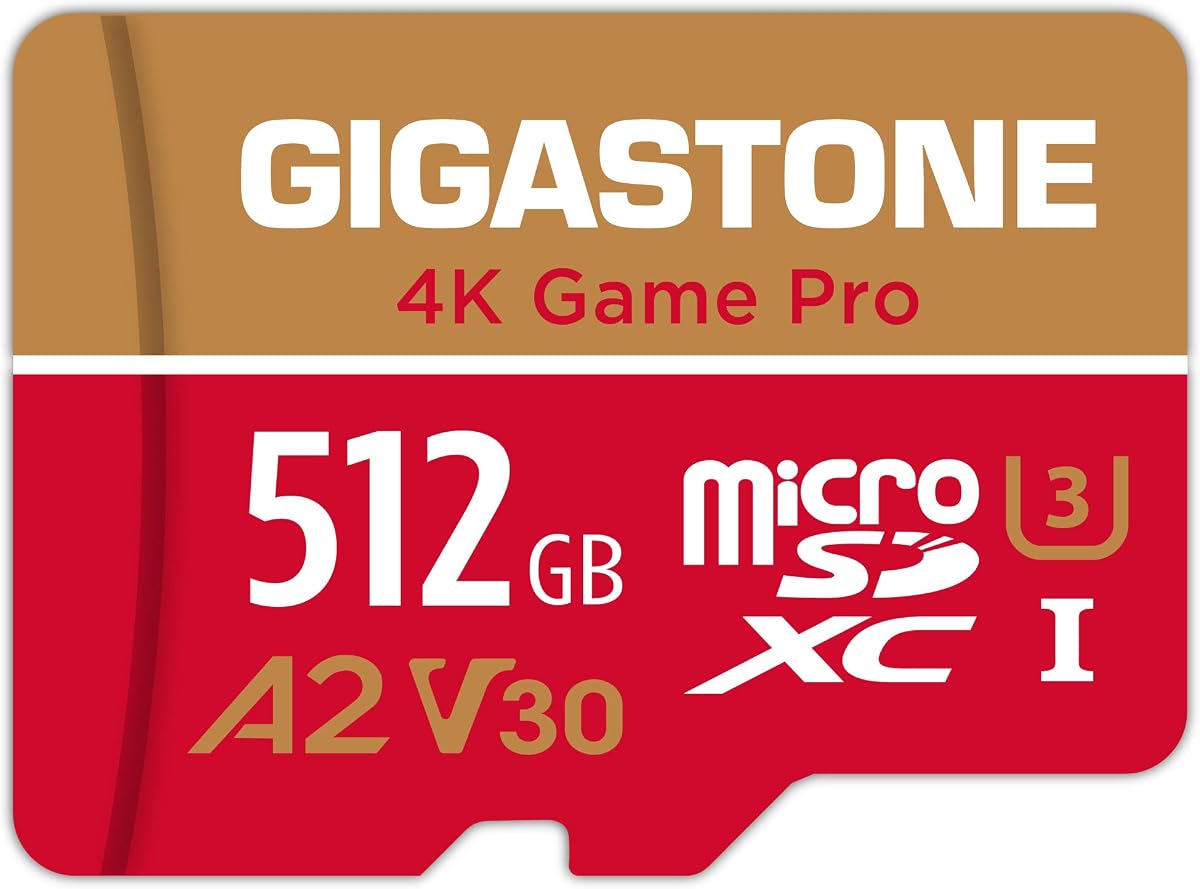
GIGASTONE's 512GB 4K Game Pro has a 4.7 rating and targets gamers who want more than basic capacity. Its listed read and write speeds reach 150MB/s and 120MB/s, respectively, while V30 and A2 ratings support demanding media and application workloads.
We may earn a commission when you buy through this link, at no additional cost to you.
The product is explicitly compatible with Nintendo Switch 1 and not with Nintendo Switch 2. It also supports storage in laptops, tablets, PCs, phones, cameras, drones, dash cams, and other compatible devices, making it a broad option for buyers who want one card to serve several roles.
Its durability claims include waterproof, shockproof, temperature-proof, and X-ray-proof protection. The warranty covers five years and includes free data recovery, though users should retain separate backups of critical files. Unlike the smaller Gaming Plus, this listing does not mention an included adapter.
This is a compelling middle-to-high capacity option for original Switch owners who regularly install large games or also record 4K video. The 512GB capacity reduces the need for frequent cleanup, and the stated write speed is useful for heavy transfers without requiring the 1TB format.
The 150MB/s read and 120MB/s write figures give this card a stronger performance profile than most 256GB options. Those figures are useful for moving sizable game files, photographs, and 4K recordings between compatible devices.
Five years of free data recovery adds a useful layer beyond the physical durability claims. It cannot prevent every form of data loss, but it may help users recover files that were accidentally deleted or formatted.
We may earn a commission when you buy through this link, at no additional cost to you.
The GIGASTONE 1TB 4K Game Pro MAX is the premium selection in this guide, combining the largest capacity with the highest stated read speed. Its 4.6 rating reflects a strong overall option for original Switch owners who want room to grow and prefer higher performance specifications.
We may earn a commission when you buy through this link, at no additional cost to you.
Read speeds reach up to 170MB/s and write speeds up to 140MB/s. The card combines UHS-I, U3, A2, V30, and C10 ratings, supporting large game transfers, fast application access, and 4K UHD recording. It is also designed for a broad range of devices, including cameras, drones, PCs, tablets, phones, and compatible gaming systems.
The product is explicitly limited to Nintendo Switch 1 for gaming, not Nintendo Switch 2. It also comes with a five-year limited warranty including data recovery and carries physical protection claims for water, shock, temperature, and X-ray exposure. Peak speed still depends on the host device and reader.
This is the pick for users with very large game libraries, extensive 4K footage, or a need to consolidate several compatible devices onto one card. It may be unnecessary for a modest collection, but for maximum capacity in this group it offers the most ambitious specification set.
The combination of 1TB capacity and 170MB/s reads gives users both abundant room and fast transfer potential. That makes the card particularly suitable for large digital libraries, camera footage, and mixed media workflows.
Beyond the Switch, the broad compatibility list makes the card useful for drones, action cameras, laptops, and other systems that support the required format and capacity. One card can therefore cover several storage needs if the device specifications align.
We may earn a commission when you buy through this link, at no additional cost to you.
The SANDISK Ultra 256GB is the value-focused choice, pairing a widely useful capacity with a 4.7 rating. It is explicitly compatible with the original Nintendo Switch, but not Nintendo Switch 2, and it also supports common Android phones, tablets, Chromebooks, and Windows laptops.
We may earn a commission when you buy through this link, at no additional cost to you.
The stated read speed reaches up to 150MB/s when paired with the specified SanDisk MobileMate USB 3.0 microSD card reader. The card carries an A1 rating for app performance, and the listing includes access to the SanDisk Memory Zone app for viewing, accessing, and backing up files.
A full-size adapter is included, which simplifies transfers to computers and other SD-compatible devices. The principal missing specification is a write-speed figure, which makes this card less transparent for buyers focused exclusively on heavy sustained writes. The listing also notes a 10-year limited warranty.
This is a sensible budget expansion for a Switch owner who wants a dependable 256GB card without moving into premium storage. It is particularly attractive if the same card will also serve a phone, tablet, Chromebook, or laptop and an adapter is useful for file management.
The 256GB format balances meaningful game storage with a more accessible capacity tier. It is a practical choice for players who do not need 512GB or 1TB but want more room than the console's built-in storage provides.
The Memory Zone app can help organize compatible files, while the included adapter makes transfers more convenient. Buyers should still maintain separate backups for important data and avoid relying on one card as their only archive.
We may earn a commission when you buy through this link, at no additional cost to you.
The Amazon Basics 256GB microSDXC card is a straightforward option for expanding an original Nintendo Switch. It has a 4.7 rating and offers the essential combination of UHS-I, U3, V30, and A2 performance classes in a widely understood package.
We may earn a commission when you buy through this link, at no additional cost to you.
The listing provides a clear usable-capacity breakdown, noting approximately 232GB usable for the 256GB version because of formatting and binary-versus-decimal calculation differences. This transparency helps buyers compare storage more accurately. The card supports up to 100MB/s read speed in lab testing and is optimized for high-bitrate video, burst photography, RAW files, time-lapse sequences, and 4K playback.
Its physical specifications include shock resistance, IPX6 water resistance, operation from -10°C to +80°C, and resistance to X-rays and magnetic fields. It is not designed for Nintendo Switch 2, and the listing appropriately advises checking a device's maximum supported capacity before use.
This card suits buyers who prefer a conventional 256GB microSD with an included adapter and broad device support. It is less compelling for large media workflows than the 512GB and 1TB choices, but it remains a practical way to add storage to an original Switch.
The stated minimum usable capacity is especially helpful for buyers comparing cards. Manufacturers label storage using decimal units, while systems may report binary units and reserve some space, so a 256GB card naturally appears smaller after formatting.
U3, V30, and A2 ratings cover fast transfer, sustained video, and application access needs. The 100MB/s read rating also makes the card suitable for burst photography and 4K media on compatible devices.
We may earn a commission when you buy through this link, at no additional cost to you.
The right large microSD card balances usable capacity, compatible performance classes, console generation, durability, and the way you plan to manage files. These factors are more useful than a headline speed number alone.
Every card in this guide is relevant to the original Nintendo Switch, but most are explicitly excluded from Nintendo Switch 2 gaming use. The original Switch, Switch Lite, and Switch OLED use microSD storage, while the newer console generation has different requirements. Check the product title and listing before ordering, especially if you own more than one console or plan to upgrade.
A 256GB card is a sensible starting point for a modest game collection, while 512GB provides more breathing room for large titles, updates, and media. A 1TB card makes the most sense for extensive libraries or users who also store 4K video. Remember that the labeled and reported usable capacities differ, and internal Switch storage must still retain adequate free space.
Read speed affects loading stored content, while write speed matters when copying game files, photographs, or video onto the card. The cards here range from 100MB/s to 170MB/s in stated read performance, and some also list write figures. Peak numbers are laboratory or maximum values; host hardware, file sizes, fragmentation, and card reader quality can affect real-world results.
UHS-I is the bus interface used by the cards in this guide. U3 and V30 are valuable for sustained workflows, while C10 is another commonly seen speed designation. These labels help identify cards intended for high-bitrate recording and larger transfers. For normal Switch storage, they provide useful headroom even when the console itself does not expose the card's full potential.
A1 and A2 ratings indicate minimum random-access and application-performance characteristics. They are especially relevant when using the same card in phones, tablets, or other devices that launch applications directly from storage. On the Switch, the most visible benefit is indirect: a card with stronger performance classes can also handle mixed media and transfers more comfortably.
Portable cards encounter drops, moisture, temperature changes, and constant handling. Look for clear water, shock, temperature, X-ray, and magnet resistance claims, plus warranty and data-recovery terms. These protections reduce risk but cannot prevent every failure, so keep separate backups of irreplaceable files and avoid using a card as the only copy of important media.
A full-size SD adapter is useful for moving files through a computer, laptop, or compatible camera. Some cards include one, while others do not mention an adapter in the supplied information. If your routine involves downloading games on a desktop or transferring camera footage, an adapter or compatible USB card reader can save extra setup work. Confirm the accessory before buying rather than assuming it is included.
The largest, fastest cards are not automatically the most suitable for every player. A 256GB option may comfortably serve a smaller library, while 512GB or 1TB becomes more valuable as the collection grows. Compare current promotions, consider how often you move files, and avoid paying for capacity you will not use. Long-term warranty and recovery terms can also influence overall value.
Before inserting a new card, confirm that it is intended for your exact Nintendo Switch model and that the console has been updated. Open the appropriate storage-management area, format the card when prompted, and allow the console to complete the process. Avoid interrupting formatting because an incomplete operation can make the card unavailable or cause stored data to be lost.
Transfer games through the console's normal storage interface whenever possible. If you move large files from a computer, use a compatible USB reader or the included full-size SD adapter, copy rather than drag the files, and wait for the transfer to finish before removing the card. For a high-capacity card, using a suitable reader and a modern connection can make the initial transfer substantially more convenient.
Handle the card by its edges, keep it away from moisture, extreme heat, and strong impacts, and do not use it in devices that require a different card standard. Occasionally inspect the console's storage screen, keep a separate backup of important captures, and replace the card if it produces repeated errors. Properly ejecting it and avoiding removal during writes helps reduce the risk of corruption.
The original Nintendo Switch, Switch OLED, and Switch Lite support compatible microSD cards, but a card explicitly marketed for the console gives extra reassurance about format and capacity support. The supplied products in this guide are intended for the original Switch family, and most explicitly do not support Nintendo Switch 2 gaming. Check the exact listing and console model before purchasing.
A 1TB card is better when you have a large game library, frequently install large downloads, or want to keep screenshots and captured videos on the console. It is not necessarily better for a small collection, because a 256GB or 512GB card may meet your needs at a more accessible cost. Capacity should be matched to how actively you use the console.
UHS-I with U3 and V30 is a strong target for a card that may also store 4K media, while A1 or A2 can improve performance in devices that launch applications directly from the card. The Nintendo Switch's own workload may not consistently expose the card's maximum speed. Capacity, reliability, and correct console compatibility are often more important than chasing the highest headline figure.
Most of the listed products explicitly state that they are not compatible for gaming with Nintendo Switch 2, while the SANDISK Super Mario edition identifies a separate microSD Express model for that console. Ordinary microSD cards that work with the original Switch should not be assumed to meet Nintendo Switch 2 requirements. Verify the newer console's supported card format before buying.
Card manufacturers label capacity in decimal units, while operating systems may report storage in binary units and reserve a small amount for formatting and system functions. The Amazon Basics listing notes about 232GB usable from its 256GB card, while the SANDISK listing explains that actual user storage is lower. This difference is normal and does not by itself indicate a defective card.
An adapter is not always necessary because the Switch can manage downloads directly, but it is convenient for transferring files from a computer, laptop, or camera. Several products in this guide include a full-size SD adapter, while others do not mention one in the supplied information. Check the package contents before ordering if your workflow depends on direct computer transfers.
Yes, provided the camera or recording device supports the card's capacity, format, and speed class. Cards with U3, V30, and A1 or A2 ratings are better aligned with demanding media tasks. Avoid using the Switch to format a card that also contains important camera files unless you intend to erase or reorganize them.
Use the console's normal storage-management functions, let transfers and formatting finish before removing the card, and avoid using the card in devices with incompatible requirements. Keep separate backups of irreplaceable screenshots, videos, and important files. If the console repeatedly reports errors, back up accessible content and replace the card rather than repeatedly forcing writes to questionable media.
The SANDISK Super Mario Super Star Edition is the strongest all-around recommendation because it combines official licensing, explicit support for the original Switch family, a 4.8 rating, and useful speed specifications. The SANDISK Ultra stands out for value-focused 256GB storage, while the GIGASTONE 4K Game Pro MAX delivers the most premium combination of 1TB capacity and stated performance.
Prioritize correct console compatibility, enough capacity for your library, a supported UHS-I performance profile, and a warranty or durability package that suits how you travel. The fastest headline number is only one part of the decision, and a 512GB card can often be a more balanced selection than an oversized model when the extra room is unnecessary.
Before ordering, check the current listing details, included accessories, and current promotion, because prices and bundle contents can change. Confirm that the product supports your specific Nintendo Switch model, then keep a separate backup of valuable data even when using a card with strong protection and recovery features.