
1920P HD Oral Endoscope
Integrated USB-C-Micro connector
Six adjustable LED lights
IP67 water-resistant construction
Android OTG and Windows support
A dental camera turns detailed views of teeth, gums, and other oral structures into images that can support examinations, treatment discussions, documentation, and patient education. The right model depends on image clarity, illumination, lens reach, software integration, workflow, and the environment in which it will be used.
This guide compares ten dental cameras across resolution, lighting, focus, connectivity, capture controls, compatibility, and ease of use. It covers USB models intended for computers, a wireless option with a charging base, and a 3-in-1 inspection camera for compatible phones and PCs.
Each review highlights the product's strongest attributes and practical limitations based on the supplied specifications. Ratings are included where available, while prices and configurations can change, so shoppers should confirm current details, software requirements, and accessories before purchasing.

4.5Editor score

4.4Editor score
As an Amazon Associate we earn from qualifying purchases.
The comparison below places all ten dental cameras side by side, emphasizing the differences that matter most: imaging claims, probe design, lighting, connectivity, focus behavior, and dental software compatibility.


The DY-50 Intraoral Camera receives a 4.5 rating and stands out for its broad integration support, compact 34-gram handset, and practical USB workflow. It is designed to capture 1600×1200 still images directly from a compatible computer, with a supplied capture-button driver for an extensive list of North American dental imaging programs.
We may earn a commission when you buy through this link, at no additional cost to you.
Its most valuable feature is the explicit compatibility coverage, which includes Eaglesoft, DEXIS, Apteryx, Adstra, Carestream, Dentrix Ascend, Sopro, Sidexis, and many other platforms. The camera also includes the software needed for capture, while the anti-fog, non-spherical lens and integrated illumination are intended to support consistent clinical viewing. A two-meter cable and automatic power-off function add everyday convenience.
The limitations are meaningful but manageable. Its 640×480 video format and 1600×1200 still-image resolution may be less desirable for practices that prioritize high-definition video, and the capture button depends on the included driver working with the user's exact program. The manufacturer also advises buyers not to purchase if their imaging software is absent from the list unless they are willing to use the camera's own software.
This is a strong choice for a clinic that already uses one of the named dental imaging systems and values predictable integration over cutting-edge video. The included sheaths, lightweight shape, and direct USB connection make it a versatile pick, but verifying the software name and version before ordering is essential.
The long list of supported imaging platforms is the DY-50's defining advantage. Confirm that your exact program appears in the supplied list, then install the included capture-button driver before expecting the on-camera button to work as intended.
At 34 grams, the handset is designed to remain comfortable during repeated examinations. Its front-and-rear capture control, anti-fog lens, and disposable sheaths support a practical clinical routine.
We may earn a commission when you buy through this link, at no additional cost to you.
This intraoral camera carries a 4.4 rating and emphasizes speed, simplicity, and patient communication. Its 31-gram ergonomic handset uses one-button capture to save images directly to a patient's chart without requiring the clinician to move to a mouse or keyboard, making it a strong fit for high-volume consultations.
We may earn a commission when you buy through this link, at no additional cost to you.
The fixed 4mm-45mm focal distance is a thoughtful workflow feature because it removes the delay associated with autofocus hunting. The proprietary capture software supports more than 50 integrations, including Eaglesoft, DEXIS, Schick, and Apteryx. Clear setup instructions and complimentary lifetime support by phone, live chat, and email can simplify both installation and ongoing troubleshooting.
The fixed focus is also a constraint. It is optimized for a defined working distance rather than providing continuous refocusing across every possible subject. The product description does not state a numerical still-image or video resolution, so buyers who need a particular output specification should verify that detail before purchase. It also has a narrower one-button control layout than dual-button alternatives.
Clinicians who want a fast, uncomplicated capture process should give this model serious consideration, especially if their imaging suite is supported. The combination of low weight, fixed focus, direct chart saving, and broad integration makes it particularly attractive for routine examinations and treatment-presentation conversations.
The one-button workflow can shorten the path from examination to chart documentation. Because images are described as being saved immediately, clinicians can spend more time explaining findings and less time navigating software menus.
A fixed 4mm-45mm focal range provides consistency when the working distance is familiar. It avoids autofocus hunting, although it is not as adaptable as a camera offering a broader focusing range.
We may earn a commission when you buy through this link, at no additional cost to you.
The DARYOU DY-60 receives a 4.3 rating and is distinguished by 720P HD output and four-times zoom. Zoom can be particularly useful when a clinician wants to examine a small area more closely or frame a specific tooth without moving the camera as far into the mouth.
We may earn a commission when you buy through this link, at no additional cost to you.
Its capture-button driver is designed to make the on-camera control function with numerous dental platforms, including DEXIS, Apteryx, Schick, Carestream, Suni, Dentrix Ascend, OneView, VixWin, and others. The description also notes that no foot pedal is required, helping keep the clinical setup relatively simple while still supporting direct image capture.
As with the DY-50, the compatibility warning is important. Buyers should check the supplied list carefully, especially if they use a less common program or a specific version not named in the description. The product's summarized specifications provide less detail about the lens, sensor, lighting, and physical dimensions, which may make close comparison more difficult.
The DY-60 makes the most sense for users who value zoom and 720P video more than the highest stated still-image resolution. It is a versatile USB dental camera for supported clinics, offering a balance between focused inspection, recognizable dental-software support, and single-button operation.
The four-times zoom feature gives clinicians an additional way to isolate small oral details. It may be useful for demonstrations where a broader view needs to be narrowed without sacrificing the entire image context.
The included capture driver covers many common North American platforms. Checking your program against the published list helps prevent the common disappointment of a capture button that does not function in the intended workflow.
We may earn a commission when you buy through this link, at no additional cost to you.
The Wireless 13MP Intraoral Camera is built around freedom from a tethered handpiece. It uses wireless transmission and includes a charging base, giving dental teams a different workflow from the many direct-USB models in this comparison. A 1/2.8-inch CMOS sensor and smart autofocus are presented as tools for detailed observation of teeth and gums.
We may earn a commission when you buy through this link, at no additional cost to you.
Eight integrated LED beads supply even illumination, while an anti-fog lens coating and dustproof structure target the moist clinical environment. The included USB receiver provides a path to a computer, and the product is described as compatible with most dental management software. Its cordless design can also reduce cable management around the treatment area.
No customer rating is available in the supplied information, so there is no numerical evidence here to place its real-world performance against rated models. The broader claims about smooth Wi-Fi and wide software compatibility should be verified against the user's specific environment, particularly the computer, network configuration, and dental program.
This camera is worth considering when wireless operation and a dedicated charging base outweigh the certainty of a wired, widely documented compatibility list. It offers a modern feature set for practices seeking flexibility, but teams should confirm software integration and connection stability before committing.
Eliminating the handpiece cable can improve movement around the chair and simplify positioning. The included charging base also creates a consistent place to store and recharge the device between appointments.
Eight integrated LEDs aim to reduce dark corners, and smart autofocus is intended to maintain detail as the camera changes distance. Together, these features are particularly relevant in a clinical inspection workflow.
We may earn a commission when you buy through this link, at no additional cost to you.
The ProDENT HD PD760 has a 4.0 rating and is built around compatibility with a broad range of Windows installations. It supports Windows 7, 8, 10, and 11 in both 32-bit and 64-bit versions, a detail that can be useful for clinics operating mixed or legacy software environments.
We may earn a commission when you buy through this link, at no additional cost to you.
Its ProDENT CAPTURE app is designed to make the capture button work with programs including DEXIS, Eaglesoft, Carestream, CurveHero, Open Dental, Dentrix, TigerView, and Apteryx. The quick-connect USB 2.0 cable simplifies attachment, while automatic shutoff when the camera is returned to its holder helps manage power use during a busy day.
The product description supplies fewer optical specifications than several alternatives, and its 4.0 rating is the lowest numerical customer rating listed among the rated products. That does not eliminate its value, but it suggests buyers should pay particularly close attention to fit, integration, and support before purchasing.
The PD760 is a practical option for a practice that values operating-system breadth, named software support, and a straightforward USB connection. It is especially compelling where the existing computer setup includes multiple Windows versions or dental applications with different capture requirements.
Support for Windows 7 through Windows 11, including 32-bit and 64-bit environments, gives the camera a wider potential audience. Confirm the architecture and current configuration of the target computer before installation.
The quick-connect USB design reduces the number of setup steps, and holder-based automatic shutdown helps conserve power. The included capture app provides the central bridge between the camera and supported dental software.
We may earn a commission when you buy through this link, at no additional cost to you.
The 6mm Dual-Button Camera is a compact USB model centered on a 13-megapixel CMOS sensor, a six-millimeter lens tip, and a 105-degree field of view. Its stated design goals include reaching back molars and interdental areas while remaining comfortable during extended use.
We may earn a commission when you buy through this link, at no additional cost to you.
Six adjustable LED lights are intended to illuminate oral details, while front and rear capture buttons allow flexible one-click photo capture. The camera draws power from the computer through USB 2.0, and its magnetic holder automatically turns off the lights when the device is placed on it. The product is also presented as useful for education and personal oral monitoring.
No numerical customer rating is supplied, and the description's plug-and-play statement should be understood in the context of imaging-software compatibility. A camera can connect to a computer without separate power while still requiring proper software configuration for capture and storage. Buyers should confirm the behavior of their chosen dental application.
This model is a good fit for users who prioritize a thin probe, easy-to-reach controls, and simple USB operation. It is less obviously suited to practices that require a long published integration list or a handpiece with a more sophisticated clinical design.
The six-millimeter tip is intended to improve access around posterior teeth and between teeth. A slim profile may also make camera introduction more comfortable for patients with limited mouth opening.
Dual-side buttons let the clinician capture an image without changing hand position. The magnetic holder's automatic light-off behavior is a small but useful way to reduce unnecessary illumination when the camera is not in use.
We may earn a commission when you buy through this link, at no additional cost to you.
The 13MP USB Dental Camera uses a one-quarter-inch CMOS sensor to produce 13.0-megapixel images with a stated 105-degree wide angle. Its 10-40mm focus range and six high-brightness white LEDs position it as a general-purpose oral documentation tool for clinical checks and visual communication.
We may earn a commission when you buy through this link, at no additional cost to you.
The camera receives power directly from a USB 2.0 port, making it suitable for clinics, mobile dental setups, and other situations where a dedicated supply may be inconvenient. Front and back buttons support flexible capture, and the standard magnetic mount switches off the LEDs when the camera is stored. The listing states compatibility with all dental software on the market.
That broad compatibility statement is unusually sweeping, and the absence of a numerical customer rating means there is no listed review score to provide context. It would be prudent to confirm whether the camera's capture function is recognized automatically or requires a specific interface, driver, or configuration.
This camera is a sensible option for buyers who want a wide field of view, a generous stated focus range, and simple USB power in one package. It is particularly attractive for portable use, provided the intended software can be tested with the camera before a full workflow is established.
The 105-degree field of view can capture more of the oral scene in a single frame, while the stated 10-40mm focus range covers multiple common working distances. These specifications favor quick documentation and patient-facing views.
Drawing power from USB 2.0 removes the need for a separate power brick. That makes the camera easier to pack for mobile dental work, although software support on the destination computer still needs verification.
We may earn a commission when you buy through this link, at no additional cost to you.
The 5mm Ultra-Thin Camera has a 4.4 rating and is the most feature-forward clinical model in this roundup. Its five-millimeter probe is designed to access oral areas with minimal intrusion, while the 5mm-50mm depth of field helps maintain useful focus across a broader range of examination distances.
We may earn a commission when you buy through this link, at no additional cost to you.
Built-in capture software supports more than 50 integrations, including Eaglesoft, DEXIS, Schick, and Apteryx. The product also includes built-in oral diagnostic software that is described as capable of analyzing captured images, potentially marking oral conditions and generating diagnostic reports. Steady lighting, lagless transmission, anti-shake operation, and simple tutorials round out a package aimed at dental clinics.
The diagnostic claims deserve careful interpretation. The description uses qualified language, stating that the software may identify and mark conditions and that some functions may generate reports. Such tools should support professional assessment rather than replace clinical judgment, and a practice should validate output quality and regulatory fit for its intended use.
This is an excellent choice for a clinic seeking a slim probe, broad focus range, and deeply integrated software workflow. The premium feature set is most compelling when the practice can use the included capture and diagnostic tools and when its dental imaging suite appears among the supported integrations.
The five-millimeter ultra-thin probe is designed for access with a modest mouth opening and may improve comfort during examinations. Its narrow profile also makes it practical for showing localized findings in tight posterior areas.
More than 50 capture integrations and built-in diagnostic features distinguish this model from basic USB cameras. Because the software is central to the product, setup guidance, integration support, and the practice's existing software remain essential parts of the purchase decision.
We may earn a commission when you buy through this link, at no additional cost to you.
The 4.8mm Ultra-Thin Camera is built around a narrow probe, 13-megapixel CMOS imaging, and eight high-brightness LEDs. Its slim tip is intended to work with a slight mouth opening, which may help with patient comfort while reaching areas such as posterior teeth and interdental spaces.
We may earn a commission when you buy through this link, at no additional cost to you.
The camera supports clear still images and real-time video, giving clinicians both a documentation view and a live examination view. Front and back snapshot buttons allow one-click capture from different hand positions, and the standard magnetic bracket turns the LEDs off when the camera is placed on it.
The USB 2.0 controller connects to a computer or compatible device without complex settings according to the description. Compatibility with most dental imaging software is still an important caveat because a physical USB connection does not guarantee that every program will recognize the capture controls. No numerical customer rating is available for this listing.
This is a strong option for buyers who place a high priority on probe slimness and illumination. It is especially relevant to clinicians who need close access in confined oral areas, though software should be tested before adopting it as a practice-wide standard.
At 4.8 millimeters, the probe is the narrowest tip described in this comparison. That slim profile can support comfortable access when full mouth opening is difficult.
Eight high-brightness LEDs are designed to maintain a clear field in low-light oral areas. The magnetic holder's automatic light-off function helps prevent the illumination from remaining on when the camera is stored.
We may earn a commission when you buy through this link, at no additional cost to you.
The 1920P 3-in-1 Oral Endoscope is designed for magnified visual inspection through a phone or computer rather than full integration with dental chart systems. Its integrated connector supports USB, USB Type-C, and Micro USB, reducing the need to carry several adapters when working with different compatible devices.
We may earn a commission when you buy through this link, at no additional cost to you.
A high-resolution 1920P video feed, six adjustable high-intensity LEDs, and shadow-free illumination are intended to make internal or hard-to-reach surfaces easier to inspect. The IP67 water-resistant rating permits surface rinsing after use, while its durable construction is designed to withstand repeated handling.
Device compatibility is the central limitation. The camera is designed for Android systems with OTG and Windows environments, but it is explicitly not compatible with iPhone or iPad. It also lacks the named dental imaging integrations, chart-saving functions, and capture-button software found in several clinical models, so it is better suited to personal oral inspection, education, or general visual inspection.
For a shopper seeking an affordable, flexible inspection tool, this endoscope offers an unusual combination of connector versatility and lighting. It is not the leading choice for a dental practice that needs images to flow directly into Eaglesoft, DEXIS, or another patient-record platform.
The integrated three-in-one connector works with USB, Type-C, and Micro USB ports. This makes the camera practical for users who switch among compatible Android devices and Windows computers without managing a collection of adapters.
Six adjustable LEDs illuminate confined areas, while the 1920P feed provides a magnified real-time view. The IP67 rating adds convenience for routine surface rinsing, though the device remains incompatible with iOS.
We may earn a commission when you buy through this link, at no additional cost to you.
The best dental camera is the one that produces usable images, fits the intended workflow, and integrates with the equipment already in use. Resolution, lens reach, lighting, focus, connectivity, software support, hygiene, and patient comfort should be evaluated together.
Software compatibility is often the most consequential factor for a clinical purchase. A camera can have a USB connection, capture button, and excellent optics yet still fail to save images correctly if the practice's imaging suite cannot recognize its driver or interface. Compare the manufacturer's named list with the exact program used in the office, including the software version if possible. Products such as the DY-50, DY-60, ProDENT PD760, and 5mm Ultra-Thin Camera explicitly list multiple dental platforms, while the 1920P endoscope is designed for phone and computer inspection rather than dental chart integration.
Resolution determines how much fine detail is available for documentation and patient communication, but it is only one part of image quality. The models in this guide range from the DY-50's 1600×1200 still images and 640×480 video to the DY-60's 720P video and the endoscope's 1920P feed. Several newer cameras claim 13-megapixel still images, though sensor size, lens quality, lighting, and software processing can affect the final result. Buyers should prioritize usable clarity over a headline number and consider whether the practice needs live video, still photography, or both.
Lens diameter and length affect access to posterior teeth, interdental spaces, and other confined areas. The 4.8mm and 5mm ultra-thin models prioritize a narrow profile and reduced mouth opening, while the 6mm model is also designed to reach back molars. A slimmer probe may improve comfort, but the complete imaging system must still deliver sufficient brightness and focus at the working distance. Consider patient comfort alongside the camera's physical dimensions rather than choosing a tip size in isolation.
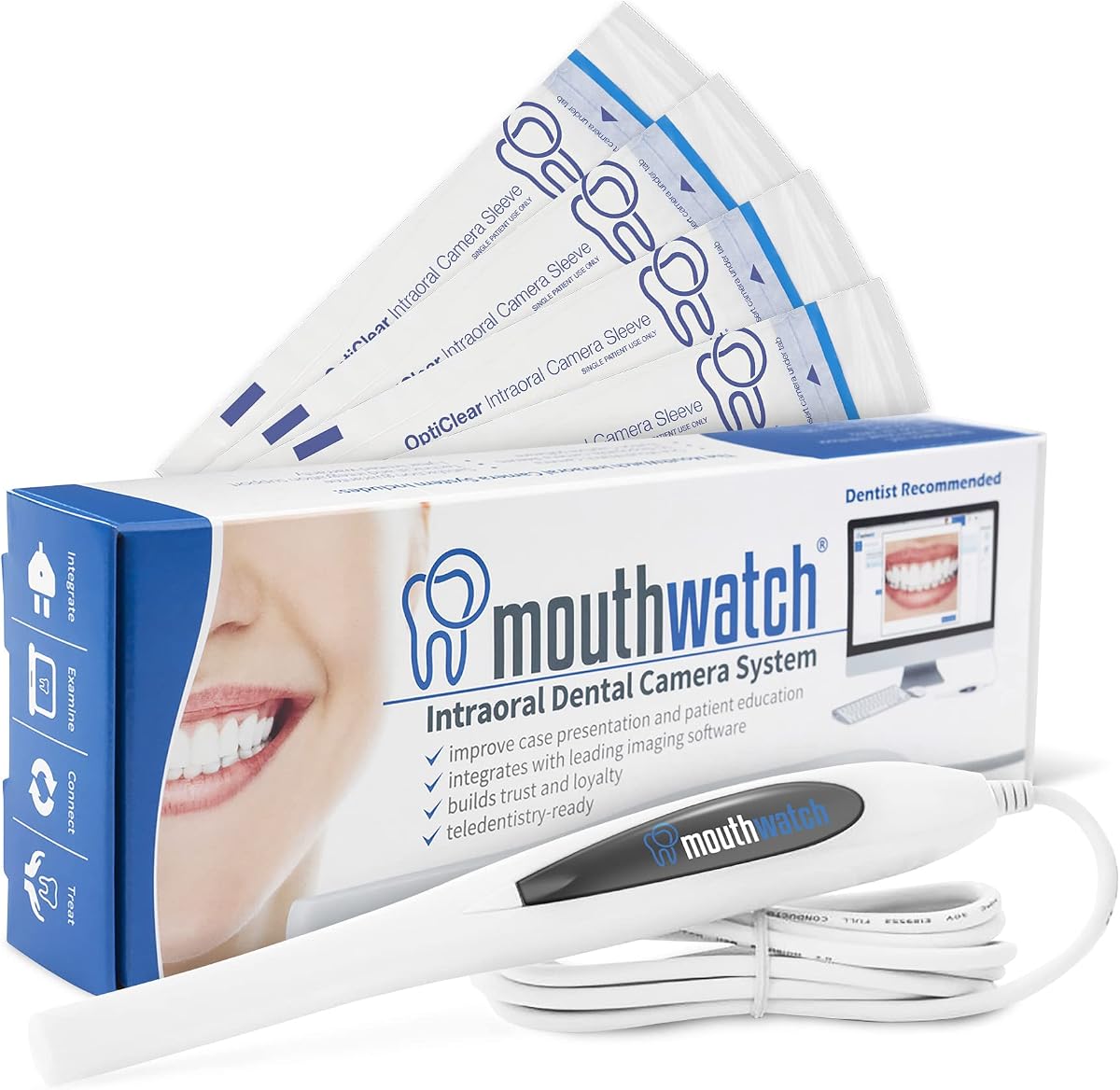
Consistent illumination is essential because oral surfaces are difficult to light evenly. Six to eight integrated LEDs are common among the listed cameras, with adjustable brightness and a shadow-free design appearing in the 3-in-1 endoscope. Focus is equally important: the MouthWatch-style camera and 5mm Ultra-Thin Camera use fixed ranges, while the wireless model offers smart autofocus. Fixed focus can be efficient and predictable, but autofocus may be more flexible when subjects are at varying distances.
Most clinical models in the roundup connect through USB, simplifying power and data transfer while avoiding separate external power. The 1920P endoscope uses an integrated USB, Type-C, and Micro USB connector for compatible Android OTG devices and Windows computers. The wireless 13MP camera takes a different approach with wireless transmission, a USB receiver, and a charging base. Wired setups can be straightforward in a fixed operatory, while wireless or multi-connector designs offer greater mobility but may require more attention to batteries, wireless stability, and device compatibility.
Single-button, dual-button, and software-driven capture methods influence how quickly an image moves into the patient record. Single-button operation can minimize mouse and keyboard use, while dual-sided buttons offer flexibility for different hand positions. Included capture software and drivers are especially important when integrating with dental imaging suites. For a busy practice, the ideal workflow should allow the clinician to identify a finding, capture it, and save it without unnecessary steps or repeated reconnection.
A dental camera enters the mouth and should be handled with an infection-control plan appropriate to the clinical setting. The DY-50 includes 50 disposable sheaths, while other models emphasize anti-fog coatings, dustproof construction, or water resistance. The 1920P endoscope has an IP67 rating that permits surface rinsing, but it is intended for personal inspection and does not replace professional clinical protocols. Confirm how a camera should be disinfected, whether its lens is autoclavable, and whether disposable barriers are available for the exact model.
Support can be decisive when a practice is integrating unfamiliar capture software. The MouthWatch-style camera offers lifetime customer support by phone, live chat, and email, while the ProDENT model provides email and phone support. The DY-50 includes a capture-button driver and an extensive compatibility list, and the 5mm Ultra-Thin Camera includes tutorials and multi-channel support. Evaluate not only whether help is offered, but also whether the instructions cover the user's operating system, dental software, and network or permission requirements.
Begin by confirming the camera's electrical and software requirements. For a USB clinical model, connect the included cable to the intended computer, install any specified capture driver or application, and test the device with the practice's dental imaging program before using it with patients. The 3-in-1 endoscope should instead be connected to a compatible Android OTG device or Windows computer, while the wireless model requires its receiver and charging base to be set up correctly.
Before each examination, clean and disinfect the handpiece according to the manufacturer's instructions and the clinical facility's infection-control policy. Use disposable barriers or sheaths where appropriate, confirm that the lens is clear and dry, and check the LEDs for proper operation. Position the camera comfortably, maintain a working distance suited to its focus range, and capture a test image before moving on to the clinical workflow.
After use, disconnect the camera according to its connection method, remove any disposable sheath, and clean or disinfect the unit with approved materials. Avoid immersing models that are not designed for immersion, and do not use the camera while its lens is hot or while charging the wireless model. Store the handpiece in its holder or designated case, inspect the cable and connector for wear, and return the camera to its charging base when applicable.
Yes, but only when the camera is supported by the dental program or includes a compatible capture driver. Several models in this guide explicitly list platforms such as Eaglesoft, DEXIS, Schick, Apteryx, Dentrix, and Carestream. Check the exact software and version before purchase, because a USB connection alone does not guarantee that the capture button or automatic saving will function.
The required resolution depends on whether the images are for general examination, patient education, detailed documentation, or live video. A 13-megapixel claim may be useful for still-image detail, while 720P or 1920P video serves different purposes. Lens quality, lighting, focus, and software processing can influence the result as much as the stated resolution.
A thinner tip can improve access and comfort, especially around posterior teeth, narrow spaces, or patients who cannot open their mouth widely. The 4.8mm and 5mm models in this guide emphasize that approach. However, the probe must still provide adequate illumination and focus at the intended working distance, so tip size should not be the only consideration.
It depends on the camera and the device. The 1920P 3-in-1 Oral Endoscope supports compatible Android devices with OTG and Windows computers through its integrated USB, Type-C, and Micro USB connector. It is explicitly not compatible with iPhone or iPad. Clinical cameras designed around dental imaging software usually require a compatible computer and installed capture application.
A USB camera draws power and transfers data through a wired connection, which can make setup and workflow more predictable. A wireless camera offers greater freedom from a tether and may include a charging base, but it depends on stable wireless transmission and correct receiver setup. The best choice depends on operatory layout, computer configuration, and the importance of mobility.
Start with a clean, properly illuminated lens and use the camera within its specified focus range. Integrated LEDs help reduce darkness, while a fixed or smart autofocus system should be used as intended. If images remain inconsistent, confirm the camera-to-software connection, review lighting and focus settings, and test a new capture before repeating the clinical workflow.
Follow the manufacturer and dental facility's infection-control procedures, using compatible disinfectants rather than assuming every surface can tolerate the same chemical or temperature. Disposable sheaths or barriers may be appropriate for some models, including the DY-50. After cleaning, disconnect the camera, dry it carefully, inspect the cable and lens, and store it in its holder or a protective case.
Not universally. The DY-60 is specifically described as not requiring a foot pedal, and multiple other models offer on-handle capture buttons. A practice may still prefer a pedal for its own workflow, but it is not an essential accessory for every camera in this roundup. Confirm the included components and available controls before ordering.
The DY-50 Intraoral Camera is the strongest all-around choice for clinics that need broad, explicitly listed dental software compatibility and a lightweight wired handset. The 5mm Ultra-Thin Camera stands out for its advanced software package, anti-shake design, broad depth of field, and integrated diagnostic tools, while the 1920P 3-in-1 Oral Endoscope offers the most accessible option for personal inspection across compatible Android and Windows devices.
Before choosing, prioritize the workflow you actually have. Verify your dental software, operating system, capture-button support, and connection method first; then assess lighting, focus, probe size, and image format. A highly specified camera adds little value if it cannot save images where the practice needs them, and a basic camera can still be effective when compatibility and ease of use are excellent.
Finally, check current prices, included accessories, warranty terms, software requirements, and device compatibility at the time of purchase. Product configurations and availability can change, and the value of a dental camera depends on the complete setup rather than its specification sheet alone.