
Creality Space Pi X4
4.6Editor score
Four standard spool capacity
Dual 200W heating chambers
Maximum 85°C temperature
Illuminated viewing window
Our 3D Printer Filament Dryer Box guide compares capacity, heating, humidity control, sealing, and filament compatibility to help you choose with confidence.
A 3D printer filament dryer box protects moisture-sensitive filament from humidity, helping prevent stringing, bubbling, poor layer adhesion, clogs, and other problems caused by wet material. The right appliance also stores filament between prints, so users can choose between compact single-spool units and larger multi-spool systems.
The products in this guide were compared using their stated capacity, heating method, temperature range, timer, humidity monitoring, sealing design, filament compatibility, and practical features. The list covers passive and active dryers, single and multi-spool chambers, and systems designed to feed filament directly into a printer while drying.
Each review explains who the product suits, what stands out, and where its compromises may matter. Ratings and specifications reflect the supplied product information, while availability and current prices can change, so readers should confirm the latest listing details before making a purchase.
4.6Editor score

4.7Editor score

4.7Editor score
This side-by-side comparison highlights the major differences in spool capacity, heating capability, environmental monitoring, and supported filament formats, making it easier to match a dryer to a single printer, multiple machines, or a high-volume workshop.
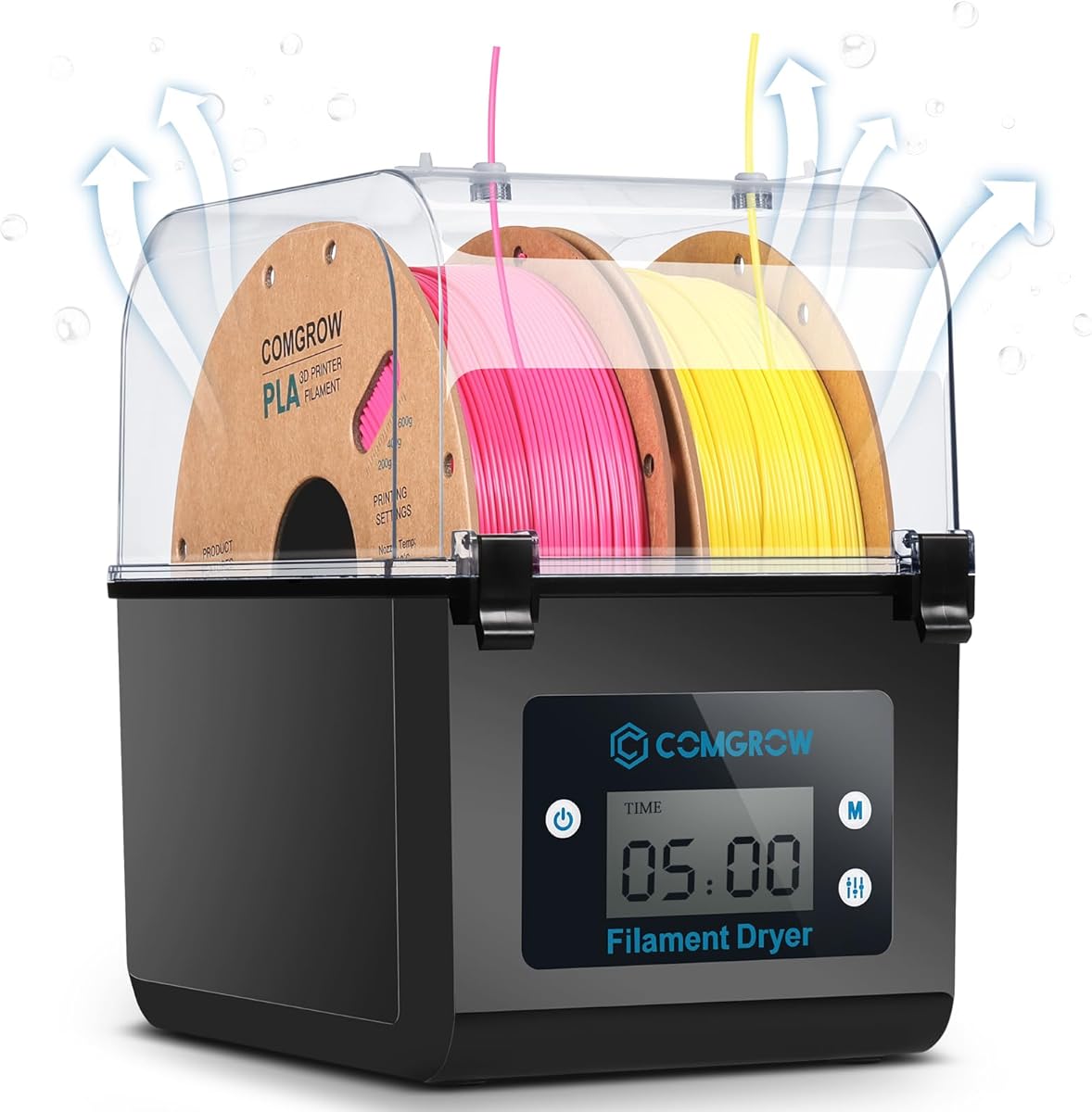



The Comgrow Filament Dryer Box is a two-spool active dryer rated 4.4 out of 5. It is designed to remove moisture from PLA, ABS, and SILK filament while also providing a protected storage environment. Its most appealing combination is a useful internal capacity, touch controls, real-time monitoring, and a direct-feed outlet in a relatively straightforward format.
We may earn a commission when you buy through this link, at no additional cost to you.
The chamber measures 9.29 by 6.49 by 9.13 inches and accommodates two rolls of 1kg filament. It supports both 1.75mm and 2.85mm diameters, while the heating system offers an adjustable 40–50°C range. A two-inch LCD screen and touch buttons provide access to temperature, drying duration, and humidity readings. The outlet uses a smooth silicone cable sheath and Teflon tube, allowing a spool to remain inside during printing.
There are some constraints for buyers with demanding drying requirements. The 50°C ceiling is relatively conservative, and the two available drying durations—six and 12 hours—offer less scheduling flexibility than models with continuous hour-by-hour controls. The outlet also must be opened while the unit is operating to allow moisture to drain, then closed during storage to help maintain a dry environment.
This is a good fit for makers using common PLA or ABS who want to dry and print from one or two spools without a large countertop system. It is especially appealing when a display, visible humidity reading, and print-through access are priorities. Buyers needing higher temperatures, extensive presets, or larger-scale capacity should consider one of the more advanced multi-spool models.
The Comgrow can manage two rolls at once, giving users a practical way to prepare different colors or materials without dedicating separate storage containers to each spool.
The touch interface, LCD, and visible humidity information make operating conditions easier to understand than on a dryer that offers only a power switch and a small indicator.
We may earn a commission when you buy through this link, at no additional cost to you.
The Creality Space Pi X4 is a premium four-spool dryer rated 4.6 out of 5. It is built for users who want broad material support, high adjustable temperatures, and enough capacity for several colors or machines. Its dual 200W heating chambers distinguish it from compact dryers that rely on a single heated chamber and one circulation fan.
We may earn a commission when you buy through this link, at no additional cost to you.
The enclosure holds four standard 1kg spools or two 2kg spools and supports 1.75mm and 2.85mm filament. It reaches a maximum of 85°C, with common PLA, PETG, and TSU processing presented around 50–60°C and advanced materials such as ABS, PET, PC, ASA, PA, and PAHT supported at higher settings. The illuminated window allows users to monitor spools without interrupting the sealed environment.
Its size is the main tradeoff. A four-spool system with two heating chambers will require substantially more counter space than a single-spool dryer, and the maximum temperature should not be treated as a one-size-fits-all recommendation. Different polymers respond differently to heat, so users should still select an appropriate material profile rather than automatically choosing the highest setting.
The Space Pi X4 is best for serious makers, small studios, or multi-printer setups that regularly rotate through several filament types. It suits users who need more heat range and larger capacity than a basic enclosure offers. For a single hobbyist printing mostly PLA, the extra capability may be unnecessary, but for advanced materials and continuous production it provides a much more versatile platform.
Two independent 200W chambers are intended to distribute heat more evenly and support faster drying than a conventional single-chamber arrangement.
Holding four 1kg spools or two 2kg spools makes this dryer relevant to multi-color projects and users who prefer to keep several materials ready.
We may earn a commission when you buy through this link, at no additional cost to you.
The Creality Space Pi SE is a single-spool dryer rated 4.4 out of 5. It focuses on an approachable format with fast PTC heating, a circulation fan, insulation, a display-and-knob interface, and real-time humidity tracking. It is a logical choice for users who want active drying without moving to a large multi-spool appliance.
We may earn a commission when you buy through this link, at no additional cost to you.
The SE can reach 65°C within 15 minutes, according to its stated specifications. A built-in fan circulates hot air through the chamber, while thermal insulation helps retain warmth and reduce the chance of the outer wall becoming uncomfortably hot. Users can set temperatures from 45–65°C and drying times from zero to 24 hours, with humidity and remaining drying time shown on the screen.
Its compact capacity is the central limitation. The product is intended for most 1kg spools of 1.75mm or 2.85mm filament and supports PLA, PLA+, PETG, TPU, ABS, ASA, PP, PC, and nylon. Because the listed design does not emphasize a filament feed-through, users needing to keep printing during drying may prefer a model with rollers and a dedicated outlet.
The Space Pi SE is best for a single-printer setup where reliable drying, precise timing, and humidity visibility matter more than drying several spools simultaneously. It also suits users who want a straightforward upgrade from storing filament openly. Those using multiple materials across several printers should examine the larger Space Pi X4 or SUNLU S4 instead.
The combination of a PTC heater, internal fan, and insulated walls is designed to raise the chamber quickly while circulating heated air around the spool.
A wide 20-degree temperature adjustment range and a 24-hour timer give users room to create distinct drying profiles for different filament types and ambient conditions.
We may earn a commission when you buy through this link, at no additional cost to you.
The Creality Space Pi Filament Dryer is rated 4.4 out of 5 and emphasizes convenient material selection. Its 3.7-inch touchscreen, one-key settings for up to 12 filament types, and switchable Celsius and Fahrenheit display make it approachable for users who do not want to memorize temperature and time combinations.
We may earn a commission when you buy through this link, at no additional cost to you.
A 110W PTC heater and built-in fan provide 360-degree hot-air circulation. Users can adjust the temperature from 45–70°C and set a timer from zero to 48 hours. The stated preset list includes common materials such as PLA, PETG, TPU, and ABS as well as composites including PLA-CF, PA-CF, and ASA. Both 1.75mm and 2.85mm filament formats are supported.
Power-off memory is a useful quality-of-life feature because the unit can restart with the previous material and temperature selections after an interruption. On the other hand, the 70°C ceiling does not reach the 85°C maximum offered by the Space Pi X4. Buyers with advanced high-temperature needs should compare that more capable model, while those who only dry common materials may find the preset approach more than sufficient.
This dryer is a good match for users who print a mix of standard and composite filaments and want quick access to suitable profiles. The large touchscreen also makes it easier to monitor longer drying sessions. It is particularly appealing to buyers who value convenience and memory features more than a large multi-spool enclosure.
One-key profiles reduce the need to research every material's drying schedule, while manual adjustment remains available for unusual conditions.
Retaining the previous material and temperature choices after a power interruption helps preserve an established workflow rather than requiring repeated configuration.
We may earn a commission when you buy through this link, at no additional cost to you.
The SUNLU S1 Plus Black is a compact dryer rated 4.3 out of 5. It emphasizes straightforward controls, visible environmental readings, and broad compatibility with common filament formats. It is designed for makers who regularly use a single material and want a practical way to reduce moisture-related printing issues.
We may earn a commission when you buy through this link, at no additional cost to you.
A fan helps move excess water from the filament, while the 2-inch LCD displays temperature, time, and humidity. The temperature can be adjusted from 35–55°C, and the drying duration can be changed through the front buttons. The internal maximum capacity of 210 by 89 millimeters accommodates one spool, while 1.75mm, 2.85mm, and 3.00mm filament diameters are supported.
The stated material list includes PLA, PETG, ABS, TPU, nylon, and PA. That breadth is useful, although users should still choose temperatures according to the specific filament and manufacturer guidance. The 55°C ceiling may be less suitable for advanced polymers that need a hotter environment, and the single-spool format will not suit users who regularly alternate among many colors.
The S1 Plus is best for a single-printer hobby setup using common filament types. It offers a stronger feature set than a simple passive storage box while remaining less complex than a large heated system. Buyers should choose it when easy humidity monitoring and broad diameter support matter more than multi-spool capacity or very high drying temperatures.
The built-in screen gives users access to temperature, time, and humidity readings, which helps make drying schedules less dependent on guesswork.
Support for 1.75mm, 2.85mm, and 3.00mm filament makes the dryer useful for a wider selection of spools than many compact alternatives.
We may earn a commission when you buy through this link, at no additional cost to you.
The Polymaker PolyDryer is a passive filament storage box rated 4.4 out of 5. It takes a different approach from heated dryers: rather than raising the spool temperature, it combines a sealed enclosure, desiccant support, and a visible hygrometer to reduce exposure to humid air during storage and printing.
We may earn a commission when you buy through this link, at no additional cost to you.
The box accommodates one spool up to 1kg and supports 1.75mm, 2.85mm, and 3.00mm filament. Its compatible materials include PLA, PETG, ABS, ASA, TPU, PVB, and PA or nylon. The feed-through design allows printing without breaking the sealed setup, which is particularly helpful during pauses, overnight jobs, and extended storage.
A passive box cannot recreate the active moisture-removal performance of a heated dryer. It also does not provide the benefit of a dedicated heated environment for filament that needs an elevated drying temperature. The package includes the storage box only, and the desiccant strategy requires the user to maintain the protective drying components appropriately.
The PolyDryer is best for users whose main concern is keeping dry filament protected during storage and feeding it to a printer without opening the container. It is a low-complexity alternative to an active dryer and may suit a dry indoor workspace with common filament. Users with severely damp filament or advanced materials should choose a model with active heating.
The sealed enclosure and desiccant support provide a simple moisture-control strategy for users who want reliable storage without active heat.
Because filament can feed while the spool remains inside, users can protect material during long pauses without transferring it to an open holder.
We may earn a commission when you buy through this link, at no additional cost to you.
The SUNLU FilaDryer SP2 is a high-capacity drying and storage system rated 4.4 out of 5. It stands out for supporting spools up to 3kg, a detachable upper dryer and lower storage section, and numerous routing options. This makes it particularly interesting to users who work with large-format filament or need flexible access to several feed paths.
We may earn a commission when you buy through this link, at no additional cost to you.
Its 250W PTC heater can reach 70°C in 15 minutes, and surrounding airflow is intended to heat the spool evenly. The chamber includes six silicone holes and two PTFE tubes, while rollers and a bar holder accommodate large spools as well as 250g, 500g, and paper spools. The lower storage base can be separated after drying, allowing material to be stored or fed directly to a printer.
The detachable design and added routing hardware increase complexity compared with a basic single-spool dryer. A unit that accommodates large spools will also need more space, and buyers should confirm that their printer and filament path can accommodate the selected setup. Nevertheless, the flexibility is meaningful for users who regularly switch printers or materials.
The SP2 is best for large-spool owners, multi-material users, and makers who want drying and sealed storage in one system. It is less compelling for someone with a single small spool and limited counter space. The included real-time humidity display, desiccant containers, and multiple feed arrangements make it a particularly complete workstation-oriented option.
Support for spools up to 3kg addresses a limitation shared by most compact dryers and makes the SP2 relevant to users buying filament in larger quantities.
The detachable upper and lower sections let users dry a spool and then retain it in a sealed storage base without leaving the heating assembly in operation.
We may earn a commission when you buy through this link, at no additional cost to you.
The Sovol SH02 is a dual-spool dryer rated 4.3 out of 5. It builds on the earlier SH01 with a faster 150W PTC heater, improved sealing materials, and repositioned filament ports. Its two feed-through holes and capacity for two 1kg rolls make it a practical middle ground between compact and high-capacity systems.
We may earn a commission when you buy through this link, at no additional cost to you.
The dryer can reach 50°C within seven minutes and 70°C within 25 minutes, according to the stated specifications. Users can select temperatures from 40–70°C, while a built-in fan circulates heated air around the chamber. Nine one-key profiles cover PLA, TPU, PETG, ABS, ASA, PVA, PC, PA, and PP, simplifying the initial setup for common materials.
Its safety system cuts heater power if the PTC temperature exceeds 130°C and restores heating below 90°C. An audible alarm warns users if the fan stops, helping reduce the risk of continued operation with failed circulation. The stronger seals also protect filament from moisture and dirt while the unit is unpowered, although the desiccants referenced for additional drying are not included.
The SH02 is a good fit for users who need two spools and a wider heating range than a basic compact dryer. Its redesigned port positions may also suit varied printer layouts. Buyers should ensure they have room for the enclosure and should not interpret the safety thresholds as normal operating temperatures; the usable range remains 40–70°C.
The upgraded PTC system reaches its maximum stated temperature faster than the earlier model, reducing the waiting period before a drying cycle.
A fan-stop alarm and automatic heater cutoff provide useful layers of protection when air circulation or temperature control does not behave as expected.
We may earn a commission when you buy through this link, at no additional cost to you.
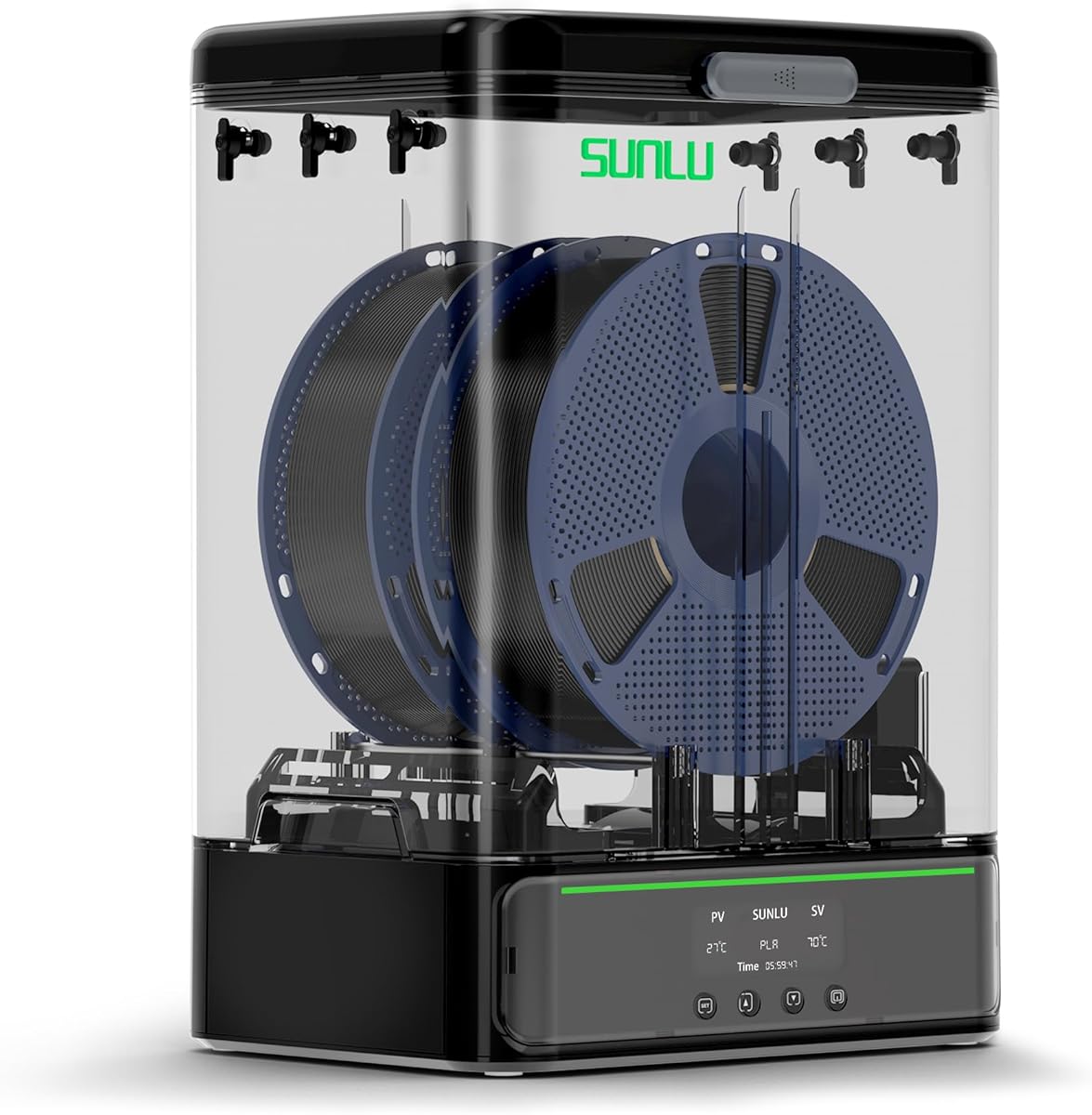
The SUNLU S4 Filament Dryer Boxer is a four-spool dryer rated 4.7 out of 5. It is the most complete option in this guide for users who want automatic humidity control, high capacity, and the ability to serve several printers. Its combination of a 350W PTC heater, three fans, and software-controlled drying gives it a distinctly advanced feature set.
We may earn a commission when you buy through this link, at no additional cost to you.
The S4 can hold four 1kg spools simultaneously and connect to as many as four printers. It heats from 25–50°C in 30 minutes, according to the product information. Two side fans and one bottom fan are intended to keep the internal temperature balanced within approximately three degrees, helping reduce uneven drying around different sections of a spool.
Its standout capability is automatic humidity control. In one operating mode, users can select a target range of 30–50%, after which the unit begins drying when humidity reaches the selected threshold. It stops when humidity falls below 25%, helping avoid excessive drying. A triple protection system combines the PTC system, a temperature switch, and software monitoring.
The S4 is best for multi-printer makers, small studios, and users who want the system to respond automatically rather than relying entirely on a fixed timer. It also handles four colors or materials at once. The tradeoff is a substantial enclosure and a 350W heater, so users should consider both electrical requirements and available workspace before choosing this model.
Humidity-triggered drying makes the S4 more adaptive than a timer-only system, which is useful in changing seasons or rooms with variable ambient moisture.
Four spool positions and connections for four printers make this dryer suitable for multi-color projects and users who do not want to move filament between machines.
We may earn a commission when you buy through this link, at no additional cost to you.
The SUNLU S1 Plus White is a compact single-spool dryer rated 4.7 out of 5. It combines a quiet operating design with print-while-drying rollers, adjustable temperature, and a long timer. For a maker using one spool at a time, it offers the essential controls without the bulk of a four-spool system.
We may earn a commission when you buy through this link, at no additional cost to you.
The temperature range is 35–55°C, and the drying time can be set from one to 99 hours. The default continuous drying period is six hours, while the product information notes that common filament often needs around three to six hours under normal circumstances. Two internal rollers support direct filament feeding, and the two-inch LCD clearly displays temperature and time.
Its stated operating noise is below 10dB, making it a potentially attractive option for a bedroom office, shared studio, or other space where a louder fan would be inconvenient. The maximum spool dimensions are 210 by 85 millimeters, and 1.75mm, 2.85mm, and 3.00mm filament diameters are supported. Unlike the SUNLU S1 Plus Black, the supplied information does not list a humidity display.
This is the best fit for entry-level users who print primarily with one material and want a quiet dryer that can remain connected during a job. The 55°C maximum is modest for demanding polymers, and users working across many colors may prefer multi-spool capacity. Within the single-spool category, however, the quiet operation and flexible timer make it especially approachable.
The stated noise level below 10dB helps the dryer fit into home offices and living areas where continuous fan noise would otherwise be disruptive.
Long timer settings and internal feed rollers make it easy to prepare a single spool over a selected period and continue feeding it during printing.
We may earn a commission when you buy through this link, at no additional cost to you.
Choosing a filament dryer means balancing capacity, heat, airflow, moisture control, sealing, and the way you print. The most useful unit is the one that protects the materials you actually use and fits your printer workflow without unnecessary complexity.
Capacity should reflect both the number of spools you normally keep open and the physical size of the filament you buy. Compact single-spool units are convenient for one material and limited counter space, while dual-spool systems can separate colors or prepare two materials at once. Larger models may hold four standard 1kg spools, two 2kg spools, or even a spool as large as 3kg. Check the stated internal dimensions as well as the headline quantity because a nominal capacity does not guarantee that every spool brand will fit.
Different polymers tolerate different drying temperatures, so the maximum setting is only half the decision. Look for a range that covers your usual PLA, PETG, ABS, ASA, TPU, PA, or other materials without forcing one setting to fit every filament. A 35–55°C range is suitable for many common hobby applications, while models reaching 70–85°C provide more flexibility for advanced and high-temperature materials. Always follow the filament manufacturer's recommended temperature when one is available.
Heated air needs to move around the spool to dry it evenly. PTC systems are common in active dryers, while fans circulate heat through the chamber. Models with one, two, or three fans may distribute heat differently, and some manufacturers publish temperature-balance or heat-up claims. A fan that surrounds or circulates through the chamber is generally more useful for active drying than a simple heating pad, particularly when a spool sits near a wall or door.
A visible humidity reading is more informative than a countdown alone because it shows whether the chamber is actually maintaining a dry environment. The most advanced models can automatically begin drying when humidity reaches a selected level and stop below a lower threshold. Others simply report humidity while running a programmed cycle. Automatic control is convenient in changing environments, but a clear display remains important for confirming the process manually.
A dryer must prevent new moisture from entering as effectively as it removes existing moisture. Look for a close-fitting lid, effective gaskets, and a sealed feed-through arrangement. Passive storage boxes depend mainly on desiccant support and a tight enclosure, whereas heated dryers also need reliable seals around ports and doors. Check whether any desiccants are included, because some manufacturers recommend them as a supplementary measure without including them in the package.
Some dryers permit filament to feed directly from the chamber through a tube and guide fitting. This is valuable during long prints, but it can be inconvenient when preparing a spool before a job. Models with internal rollers make the print-through workflow simpler, while others require an external guide. Ensure that the outlet and tubing arrangement will not kink filament and that your printer has enough clearance for the chamber and its connections.
A useful dryer should support the materials and spool sizes already in your workflow. Common FDM filament diameters are 1.75mm and 2.85mm, while some systems also support 3.00mm. Material support is equally important because PLA, PETG, TPU, ABS, ASA, nylon, polycarbonate, and composites can require different drying profiles. Confirm both the listed material types and whether the unit offers presets or manual controls suitable for your preferred formulation.
A large touchscreen is helpful but not essential; a clear display, simple buttons, and a straightforward knob can be equally effective. Longer timers, retained settings, quiet fans, and visible displays simplify routine use. Safety features also matter, particularly heater cutoff, temperature monitoring, fan-failure alerts, and protection against overheating. Choose a unit whose controls and alerts you can conveniently check without interrupting a print or taking up too much space.
Begin by confirming that the spool, filament diameter, and material are compatible with the dryer. Place the spool on the rollers or in the designated cradle, then route the filament through the chamber outlet and guide tube if you intend to print while drying. A tight or crossed filament path can cause feeding problems, so verify that the strand moves freely before closing the lid.
Select a drying temperature and duration appropriate for the filament, ambient humidity, and the condition of the material. Manufacturers commonly suggest shorter sessions for mildly damp filament and longer sessions for severely wet material, but the product's own instructions and the filament supplier's guidance take priority. For automatic models, set the humidity range as well as any baseline heating schedule, and allow enough time for the chamber to heat before judging the results.
For storage, dry the material thoroughly, let it cool if appropriate, and close the enclosure and any unused feed ports. Keep desiccant packages dry and replace them when they no longer provide useful moisture control. Wipe the interior gently, inspect rollers and seals for debris, and avoid blocking vents or fans. Periodic care helps preserve airflow, protects the sealing surfaces, and keeps the drying environment consistent.
PLA is not usually as moisture-sensitive as nylon or other hygroscopic materials, but a dryer can still help when filament has been exposed to humid air or stored for a long period. Signs such as bubbling, rough surfaces, weak layer adhesion, or stringing may indicate moisture. For sealed, recently opened filament in a dry room, a sealed storage box may be sufficient.
The correct setting depends on the exact filament formulation and the manufacturer's guidance. The products in this guide support ranges that overlap common drying requirements for PLA, PETG, and ABS, but each material generally benefits from its own profile. Start with the supplier's recommended setting and adjust only when filament condition or local humidity shows a reason to do so.
Yes, if the dryer has a compatible feed-through outlet, guide tube, and internal rollers. The filament can leave the spool while the chamber remains closed, helping protect it during a print or pause. Confirm that the tube has a smooth, untwisted path and that the printer's filament path will not create excess drag.
An active dryer uses controlled heat and often airflow to remove moisture from filament. A passive box relies on sealing and desiccant protection to limit moisture exposure without raising the temperature. Active drying is generally more capable when material is already damp, while passive storage can be simpler and sufficient for dry environments and short-term protection.
The ideal duration depends on the polymer, starting moisture level, dryer temperature, and ambient conditions. The SUNLU S1 Plus information notes that many common filaments may benefit from roughly three to six hours under normal circumstances, but severely damp or highly hygroscopic material may need longer. Reassess based on surface quality, extrusion behavior, and whether popping or bubbling has stopped.
Desiccant can provide additional moisture control, especially when a seal is not perfect or the chamber remains unpowered for extended periods. It is not a replacement for an effective enclosure, heated circulation, or suitable drying profile. Some products include desiccant containers, while others recommend them without including them, so check the package contents.
It can be worthwhile if you alternate among several colors, run multiple machines, or keep materials in active use. A single-spool dryer may be more appropriate if you mostly print with one material and value a smaller footprint. Multi-spool models are also more likely to be used as shared workshop equipment.
Look for smoother extrusion, consistent diameter, and fewer signs of moisture such as bubbles, popping, excessive stringing, or poor layer bonding. A dryer's humidity display can help track the environment, but print quality remains the best final test. If problems persist after a suitable drying cycle, check filament-path contamination, nozzle condition, and printer calibration as well.
The SUNLU S4 stands out as the most capable all-around system, with four spool positions, three fans, automatic humidity control, and connections for multiple printers. The Creality Space Pi X4 is the strongest premium alternative for advanced materials and broad temperature range, while the SUNLU S1 Plus White offers an approachable, quiet option for a single spool.
Prioritize the features that match your actual workflow rather than selecting solely on capacity. A single-spool user may need little more than adjustable temperature, a clear timer, and good sealing, while multi-printer makers should look at automatic humidity control, multiple feed paths, and enough capacity to avoid constant spool changes. Advanced materials also justify a wider temperature range and stronger circulation.
Ratings, specifications, product availability, and current prices can change, so check the latest Amazon listing and filament manufacturer's guidance before ordering. Confirm the supported spool dimensions, heating range, outlet arrangement, and included accessories, and then choose the dryer that offers the cleanest fit for your materials and printing schedule.