
CORSAIR HX1200i (2025)
4.4Editor score
ATX 3.1 certified
Fully modular cable system
iCUE monitoring controls
Our 1200W power supplies guide compares efficiency, modularity, connectors, fan behavior, protections, and build compatibility.
A 1200W power supply gives demanding gaming PCs and workstations ample headroom for high-end processors, graphics cards, storage, cooling, and future upgrades. A worthwhile unit should not merely deliver sufficient wattage; it should also meet current standards, regulate power cleanly, run quietly, and provide the cables your components actually require.
We compared all ten models by examining their stated wattage, efficiency certifications, ATX and PCIe support, modular cabling, fan design, capacitor specifications, protection features, physical dimensions, and included accessories. The list covers current ATX 3.1 models, renewed equipment, and an older platform that remains relevant for certain NVIDIA SLI and CrossFire builds.
Each review identifies the feature that gives a particular power supply its place on the list while also noting practical trade-offs. The results show whether a model is best suited to a compact gaming system, a quiet workstation, a premium build, or a value-conscious upgrade, and current listing details should be confirmed before purchase.
4.4Editor score
5.0Editor score
5.0Editor score
The comparison highlights the most important differences across efficiency level, current-platform support, connector arrangement, cooling, modularity, dimensions, and warranty coverage.




The CORSAIR HX1200i (2025) combines 1200W of continuous capacity with an ATX 3.1 certification that directly addresses the demands of modern PCIe graphics hardware. Its 4.4 rating reflects a generally strong proposition rather than perfection, but the important fundamentals are all present: fully modular wiring, Platinum efficiency, PCIe 5.1 readiness, transient-spike resistance, and a 140mm fluid dynamic bearing fan.
We may earn a commission when you buy through this link, at no additional cost to you.
Its standout advantage is iCUE software, which lets users create custom fan curves, monitor power settings, and switch between single-rail and multi-rail overcurrent protection modes. The Zero RPM design also allows the fan to stop at low and medium loads, making the unit especially attractive for workstation use, background processing, or a gaming PC that spends much of its time idle.
The trade-offs are relatively minor. The software ecosystem is unnecessary for users who only want dependable power, and the HX naming and fan description distinguish this model from the older digital HXi platform. Nevertheless, its stated certification, modularity, and monitoring tools create a more versatile package than many competing designs.
This is our leading recommendation for a new 1200W build because it balances contemporary standards, quiet behavior, and useful control software. It is particularly suitable for a high-end gaming system using a power-hungry graphics card, although buyers should verify that the case has enough clearance for the unit and its cable bends.
ATX 3.1 certification and PCIe 5.1 readiness make this a forward-looking choice for current graphics cards and CPUs. The standard is designed to accommodate higher transient loads and the evolving demands of high-power PCIe equipment.
The 140mm fluid dynamic bearing fan is designed for durability, while Zero RPM mode removes fan noise during suitable low-load periods. iCUE adds finer control when a user wants to tune the acoustic behavior.
We may earn a commission when you buy through this link, at no additional cost to you.
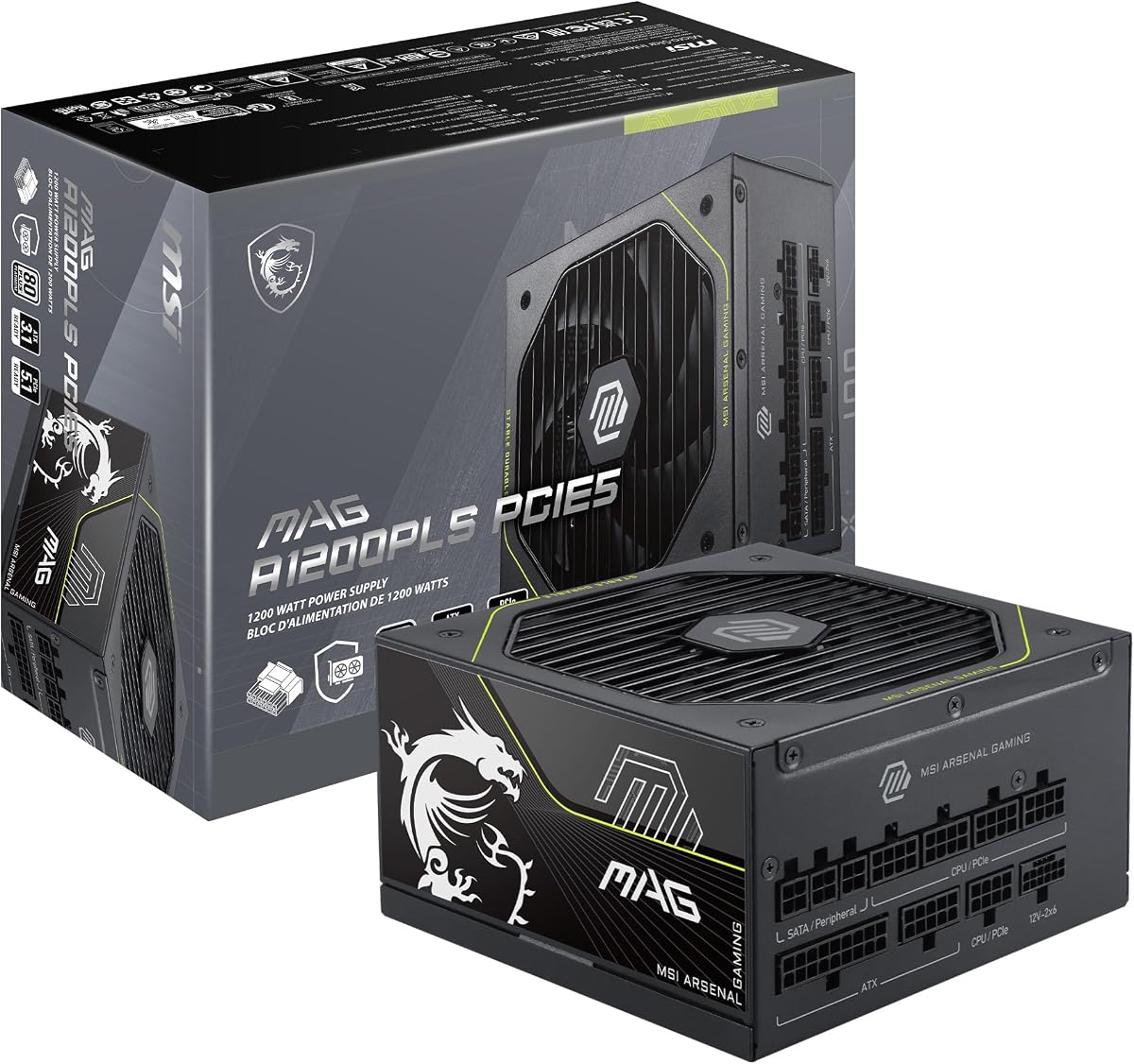
The MSI MAG A1200PLS PCIE5 earns a 5.0 rating and stands out as a remarkably complete high-wattage option. It combines a compact 150mm-by-150mm ATX enclosure with Platinum efficiency, fully modular wiring, ATX 3.1 and PCIe 5.1 readiness, and a native 12V-2×6 connection capable of delivering up to 600W.
We may earn a commission when you buy through this link, at no additional cost to you.
GPU Safeguard is the most distinctive feature. Rather than waiting for a problem to become apparent, the system can provide an early alert when it detects abnormal current behavior on the 12V-2×6 connection. That makes it especially relevant to owners of high-end graphics cards that can briefly demand substantial power.
The main limitation is that the listed cable inventory contains one native 12V-2×6 cable rather than the two supplied with the Thermaltake Toughpower PT. A second compatible cable may be required for certain dual-connector graphics-card configurations, so cable requirements should be checked before ordering.
Overall, the MSI is an excellent choice for builders seeking a small, modern, well-equipped unit without giving up Platinum efficiency. It suits compact cases particularly well and is a strong match for a modern gaming PC with a power-hungry graphics card.
GPU Safeguard monitors current behavior associated with the native 12V-2×6 connection and can issue an early warning. This makes the protection feature a practical part of daily operation rather than merely a specification-sheet promise.
At 150mm long and 150mm wide, the power supply leaves more room for airflow and cable routing than many long ATX units. The compact enclosure is particularly helpful in cases designed for maximum motherboard and graphics-card clearance.
We may earn a commission when you buy through this link, at no additional cost to you.
The ASUS TUF Gaming 1200W Gold offers a balanced mix of modern compatibility, durability, and everyday value. Its 4.6 rating is among the stronger results in this guide, and its core specification includes 1200W, full modularity, ATX 3.1 compatibility, Gold efficiency, a dual-ball-bearing fan, and a bundled 16-pin PCIe cable.
We may earn a commission when you buy through this link, at no additional cost to you.
Its internal construction is designed for longevity. ASUS says the capacitors and chokes passed demanding tests for military-grade certification, while the fan's dual ball bearings can reportedly last up to twice as long as sleeve-bearing designs. A protective PCB coating adds resistance to moisture, dust, and temperature extremes.
The main disadvantage is efficiency. Gold remains a credible efficiency tier and can produce lower heat and noise than less efficient alternatives, but several Platinum competitors make it less compelling for builders seeking the strongest possible conversion of input power into usable output.
Choose the TUF when you want a dependable, recognizable gaming component with a high-quality fan and modern graphics-card support. It is a particularly sensible option when the system does not require the extra software controls or extra native 12V-2×6 cable found elsewhere in this list.
Military-grade component testing and a dual-ball-bearing fan indicate a design oriented toward long service. The coated PCB also provides an additional layer of protection against contaminants and difficult thermal conditions inside a densely packed case.
The included 16-pin PCIe cable can provide up to 600W to compatible PCIe Gen 5 graphics cards. ATX 3.1 compatibility also positions the unit for current transient-power requirements.
We may earn a commission when you buy through this link, at no additional cost to you.
The Thermaltake Toughpower PT 1200W differentiates itself primarily through connectivity. It includes two native PCIe 5.1 12V-2×6 cables, each rated to deliver up to 600W, making it one of the most flexible options for graphics cards that use more than one high-power connection.
We may earn a commission when you buy through this link, at no additional cost to you.
The flat etched modular cables are intended to improve flexibility and make routing easier in crowded cases. Matcha H++ dual-color connectors provide a visible indication that the connector is fully seated, which can reduce the risk of an incomplete connection during installation.
Its 3.6 rating is the lowest among the products reviewed here and is the most significant reservation. The specification sheet is impressive, with Japanese capacitors, Platinum efficiency, ATX 3.1 support, and protection against overcurrent, overvoltage, undervoltage, overpower, overtemperature, and short circuits, but customer feedback should receive more weight for this model.
The Toughpower PT is most logical for a builder who specifically needs two native 12V-2×6 leads and values visual routing cues. For a single-graphics-card system, a model with a stronger customer rating may offer more reassurance.
Two native 12V-2×6 cables simplify the needs of graphics cards requiring multiple high-power connections. Native cables also reduce reliance on adapters, although the exact connector count needed must match the card's design.
Flat etched cables are easier to bend and organize than bulky round leads. Matcha H++ connectors change color when properly seated, providing a straightforward visual check during installation.
We may earn a commission when you buy through this link, at no additional cost to you.
The MONTECH Century II 1200W is a focused, modern ATX 3.1 power supply with a 4.3 rating. It combines full modularity, 80 Plus Gold efficiency, a 12V-2×6 cable, Japanese capacitors, and a 135mm fluid dynamic bearing fan with Zero RPM operation.
We may earn a commission when you buy through this link, at no additional cost to you.
It avoids unnecessary complexity. There is no mention of monitoring software or elaborate external controls, which can make it appealing to builders who want modern electrical standards and tidy cabling without learning a dedicated utility. The silver metallic enclosure also gives it a distinctive appearance compared with the many all-black alternatives.
Compared with the MSI, Redragon, and Thermaltake, fewer details are provided about the fan curve and exact protection implementation. The listed protections are extensive, covering overcurrent, overvoltage, undervoltage, short circuit, overtemperature, and overpower conditions, but the absence of two native high-power cables limits its flexibility with multi-connector graphics cards.
This model makes sense for a straightforward high-power gaming build that needs one native 12V-2×6 connection and appreciates a compact list of important features. Its ten-year warranty and Japanese capacitors support the emphasis on long-term reliability.
The Century II focuses on the core features most builders need: current ATX guidance, PCIe 5.1 readiness, Gold efficiency, modular cables, and accessible electrical protections. Its lack of software makes setup and ongoing management simpler.
The 135mm fluid dynamic bearing fan and Zero RPM mode are intended to minimize noise when cooling demand is low. This is especially useful for office-oriented systems and gaming PCs that spend substantial time idle.
We may earn a commission when you buy through this link, at no additional cost to you.
The renewed Corsair HX1200i combines an established HXi digital platform with 1200W capacity, Platinum efficiency, full modularity, and a 4.6 rating. Its Japanese 105°C-rated electrolytic capacitors and Modern Standby support demonstrate that this is a refined platform rather than a bare-bones power supply.
We may earn a commission when you buy through this link, at no additional cost to you.
The product description emphasizes low-noise fluid dynamic bearing fan performance, Zero RPM operation at low and medium loads, and iCUE-based monitoring and adjustment. These features make it particularly appealing for users who value a polished software experience and a quiet desktop during routine work.
Renewed equipment introduces a different kind of consideration from a new model. Buyers should examine the condition, included accessories, seller information, and warranty details carefully. In addition, the stated ATX 3.0 and PCIe 5.0 platform predates the newest ATX 3.1 models elsewhere in this guide.
This is a compelling choice for a builder who understands the HXi platform and can find a renewed example in good condition. The proven digital controls, strong rating, Platinum efficiency, and established feature set are excellent, but buyers unable to inspect the condition should favor a current new model.
The HXi platform uses CORSAIR iCUE software for fan curves, power monitoring, and adjustment. This makes the unit attractive for builders who want visibility into system behavior and fine-grained control.
Japanese 105°C-rated electrolytic capacitors are designed to support long service and reliable electrical performance. Modern Standby can also improve wake-from-sleep behavior and low-load efficiency.
We may earn a commission when you buy through this link, at no additional cost to you.
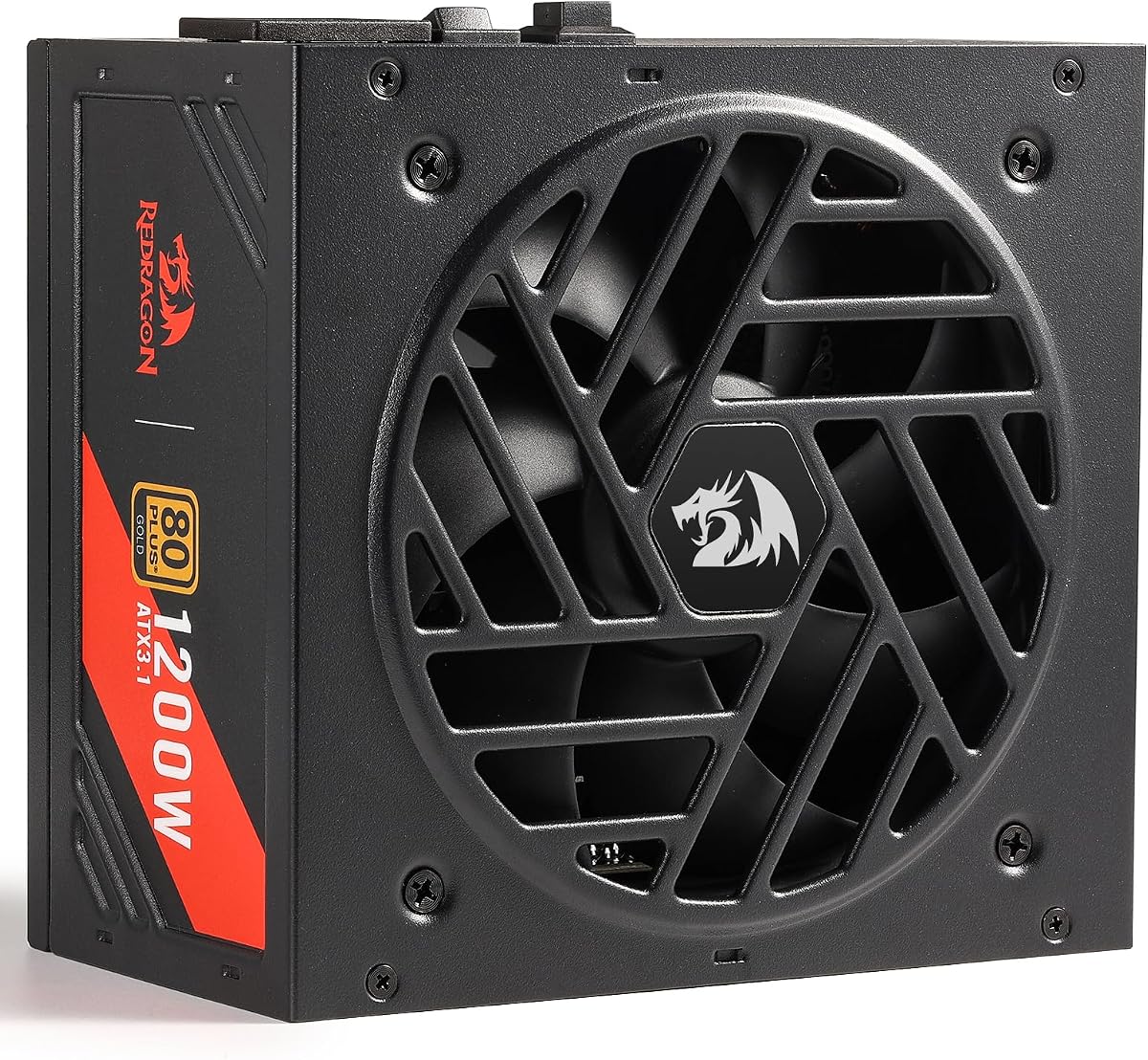
The Redragon RGMS-1200W PRO earns a 5.0 rating and is our Best Value selection. It brings together 1200W of capacity, 80 Plus Gold efficiency, ATX 3.1 and PCIe 5.1 readiness, full modularity, Japanese capacitors, and a compact 150mm housing without relying on obscure features.
We may earn a commission when you buy through this link, at no additional cost to you.
The mainstream LLC resonant and DC-DC design supports CPU and GPU power delivery, while dual CPU P8 support covers compatible server motherboards. Its protection list includes overvoltage, overcurrent, overpower, overtemperature, undervoltage, and short-circuit protection, providing a reassuringly complete electrical safety framework.
Its 2000 RPM fluid dynamic bearing fan is stated to average 36dB, and the smart ECO mode allows the fan to remain stopped until the temperature reaches 60°C. The Gold certification does not match the Platinum models in terms of maximum efficiency, but it remains a strong tier for a high-wattage unit.
For builders who want modern standards, compact dimensions, tidy flat cables, and strong customer feedback without moving to a premium model, this is a particularly effective choice. It is well suited to a modern gaming PC with a single high-power graphics card.
The 150mm chassis improves case and airflow compatibility, while flat fully modular cables reduce visual clutter. Users only install the leads their components require, which can also make the interior easier to service.
ATX 3.1 readiness and PCIe 5.1 support help the unit address current high-end graphics-card demands. The included 12VHPWR cable and stated excursion capabilities are useful for compatible high-performance systems.
We may earn a commission when you buy through this link, at no additional cost to you.
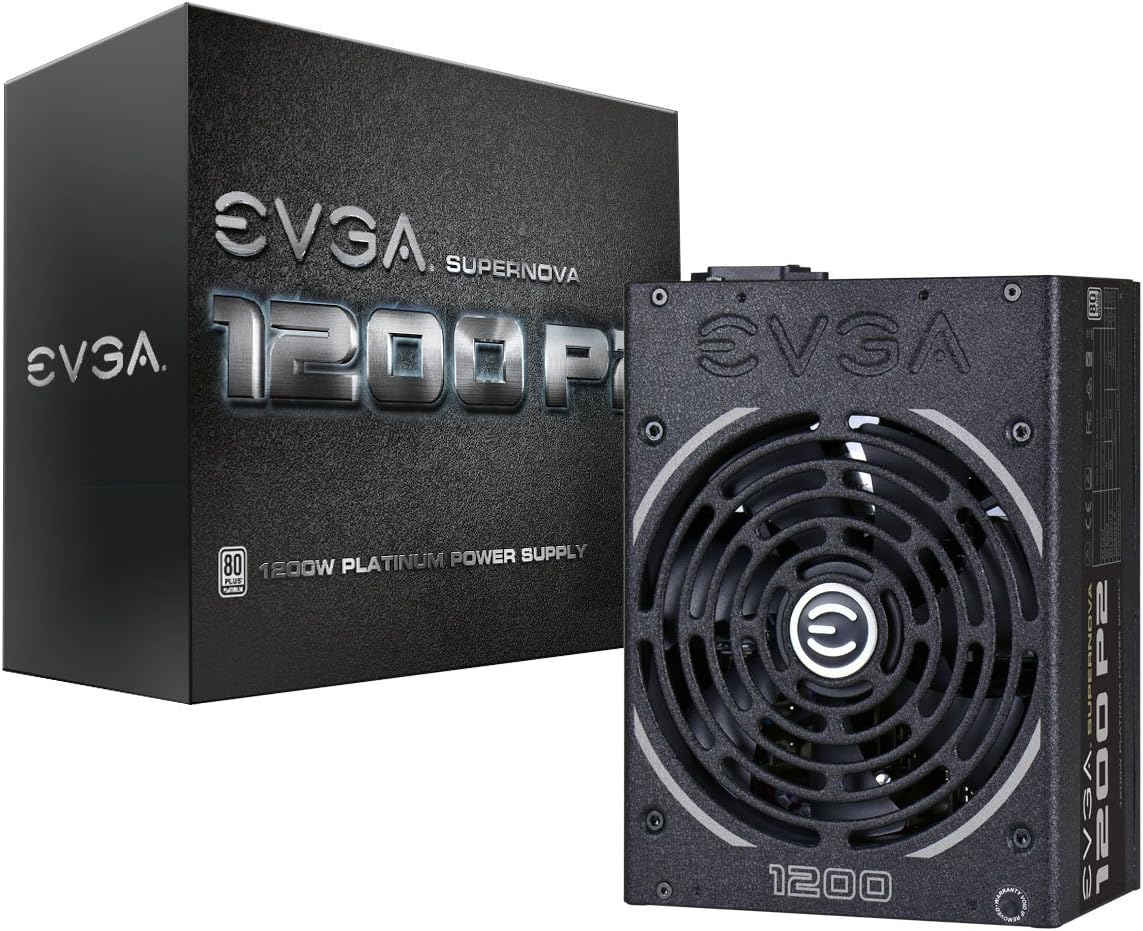
The EVGA Supernova 1200 P2 remains a capable high-end power supply, particularly for systems built around NVIDIA SLI or CrossFire configurations. Its 4.6 rating and Platinum efficiency indicate a well-regarded unit, while the 1200W capacity and full modular design suit demanding multi-component builds.
We may earn a commission when you buy through this link, at no additional cost to you.
Efficiency is stated at 92% with 115-volt input or 94% with 220-to-240-volt input under typical loads. The fully modular cable system reduces clutter, and the 140mm double-ball-bearing fan is built around a durable bearing design that suits long-term use.
Its primary weakness is platform age. It does not offer the ATX 3.1 designation or native PCIe 5.1 12V-2×6 connection emphasized by many newer competitors. While it remains appropriate for supported older platforms, a new system centered on the latest graphics card will usually be better served by a current standard.
The Supernova 1200 P2 is best for an existing legacy multi-GPU system or a builder seeking a well-reviewed Platinum unit without modern ATX requirements. For a new high-end platform, choose one of the ATX 3.1 alternatives in this guide.
Explicit SLI and CrossFire readiness makes this model relevant to older dual-graphics-card platforms. Such configurations are uncommon in new builds, but the compatibility focus distinguishes it from newer ATX 3.1 units.
Platinum efficiency can reduce heat and fan activity, while full modularity keeps only necessary cables in the system. The result is cleaner airflow and a tidier finished build.
We may earn a commission when you buy through this link, at no additional cost to you.
The CORSAIR RM1200e (2025) is a straightforward modern alternative to the feature-heavy HX1200i. It offers 1200W, ATX 3.1 compliance, PCIe 5.1 readiness, a native 12V-2×6 cable, Cybenetics Platinum efficiency, full modularity, and 105°C-rated Japanese electrolytic capacitors.
We may earn a commission when you buy through this link, at no additional cost to you.
Its cooling system centers on a 140mm rifle bearing fan with a calculated fan curve intended to limit noise even at full load. Modern Standby support is designed to provide faster wake-from-sleep behavior and improved low-load efficiency, making the unit suitable for both work and entertainment systems.
The product information does not emphasize the extensive digital monitoring and configuration tools associated with CORSAIR's HXi family. Its 4.1 rating is also lower than those of the top-ranked models, which may make buyers cautious when comparing long-term customer feedback.
The RM1200e is still a strong fit for a builder who wants a modern, quiet, efficient power supply without needing monitoring software. Choose it for clean integration with a current graphics card and prioritize its native cable, modular layout, and low-noise fan design.
The rifle bearing fan is paired with a specifically calculated fan curve to reduce audible operation. This approach is useful in systems that remain under meaningful load for long periods rather than only during short bursts.
Cybenetics Platinum efficiency indicates strong conversion performance, which can reduce waste heat. Modern Standby further targets low-load behavior and quicker return from sleep.
We may earn a commission when you buy through this link, at no additional cost to you.
The ASUS ROG Strix 1200W Platinum is the enthusiast-focused option in this guide. Its 4.5 rating reflects a well-regarded product with 80 Plus Platinum efficiency, ATX 3.1 compliance, full modularity, GaN MOSFETs, GPU-first voltage sensing, substantial ROG heatsinks, and a ten-year warranty.
We may earn a commission when you buy through this link, at no additional cost to you.
Its GaN MOSFET design is claimed to improve power efficiency by up to 30% while creating a more organized internal layout. The GPU-First intelligent voltage stabilizer focuses on the graphics-card supply and is claimed to enhance voltage delivery by up to 45%, supporting smoother operation under demanding graphics workloads.
Large ROG heatsinks cover critical components, and dual ball bearings can reportedly last up to twice as long as sleeve-bearing designs. The product also offers 0dB technology for relative silence during light gaming, although detailed acoustic figures are not provided.
This unit makes the most sense inside a premium ROG-themed system whose owner values graphics-card voltage stability, premium internal components, and polished aesthetics. It is technically strong for other builds too, but buyers who do not value those features may find less reason to favor it over the MSI, Redragon, or CORSAIR alternatives.
The GPU-First system senses and stabilizes the graphics-card voltage path rather than treating every component identically. That focus may be valuable for enthusiasts who demand especially stable power delivery to a high-end card.
GaN MOSFETs support efficient power conversion, while large ROG heatsinks help manage heat around critical internal components. Dual ball bearings and the 0dB mode add durability and quiet low-load operation.
We may earn a commission when you buy through this link, at no additional cost to you.
Choosing a 1200W power supply requires matching electrical standards, connector needs, efficiency, cooling behavior, and physical dimensions to the rest of the computer rather than considering wattage alone.
ATX 3.1 represents the most current platform guidance among these choices, while PCIe 5.1 readiness relates to the high-power 12V-2×6 connection used by some modern graphics cards. A unit with these designations is better prepared for elevated transient demands and the power-delivery behavior of recent high-end GPUs. Native support also lets the builder use the intended high-power cable directly instead of relying on a separate multi-connector adapter.
In short, favor ATX 3.1 and PCIe 5.1 support for a new high-end system.
A 1200W rating does not guarantee that every graphics card will work correctly. Examine the card's power connectors and compare them with the cables supplied with the power supply. The MSI and MONTECH list one native 12V-2×6 cable, while the Thermaltake lists two. The Redragon includes a 12VHPWR cable, and the ASUS TUF includes a 16-pin PCIe cable. Verify connector count, shape, and the card manufacturer's guidance before assembly.
In short, match the included cable configuration exactly to the graphics card.
Efficiency determines how effectively a power supply converts utility power into usable DC power. Platinum models in this guide provide the strongest stated efficiency class, while Gold remains a reputable standard that can reduce waste heat and fan noise. Efficiency matters more when a unit runs near its capacity for long periods. A power supply operating closer to its maximum output will also benefit from improved conversion behavior, particularly in workstations and heavily loaded gaming systems.
In short, prioritize Platinum for maximum efficiency or Gold for proven everyday value.
A fully modular design allows builders to route only the cables that are actually needed. This reduces clutter, improves the appearance of the build, and can make airflow easier to manage. The MSI and Redragon use compact 150mm enclosures, while the Thermaltake lists a 140mm case length. The Corsair HX1200i also emphasizes a 140mm fan, although fan diameter and chassis length are not the same measurement. Confirm the power supply's complete dimensions and the case's clearance before ordering.
In short, match both the chassis dimensions and cable-bending space.
Large fluid dynamic, rifle, or dual ball bearing fans can move substantial air while maintaining durability, but the fan curve matters as much as the bearing type. Zero RPM modes stop the fan during suitable low-load periods, making a unit quieter during browsing, office work, or light gaming. The ROG Strix includes 0dB technology, the Corsair HX1200i uses a Zero RPM design, and the Redragon maintains a smart ECO mode. Detailed sound figures are available for only some models, so subjective expectations should remain realistic.
In short, look for a quiet fan curve and usable zero-RPM behavior.
Capacitors play a central role in a power supply's stability and expected service life. Japanese capacitors are used across many of the selected products, and some specify 105°C ratings. High-temperature-rated capacitors are particularly relevant in compact cases where airflow is limited or internal temperatures can rise. Component quality is also one reason to favor established models and longer warranties, although it should be considered alongside complete protection circuitry and current platform compatibility.
In short, prioritize Japanese capacitors, 105°C ratings, and strong protections.
Protection circuitry helps guard against common electrical faults, including overcurrent, overvoltage, undervoltage, overpower, overtemperature, and short circuits. The MONTECH and Thermaltake explicitly list all six major protection categories, while several other models also describe extensive safeguards. Warranty length provides another useful signal of manufacturer confidence: the MSI, Corsair HX1200i Renewed, ASUS TUF, EVGA, and ROG Strix describe ten-year coverage, and MONTECH also lists a ten-year warranty.
In short, look for comprehensive protections and a long written warranty.
Monitoring software can make a high-end power supply more informative, but it is not essential for reliable operation. CORSAIR's HX1200i and HXi platform provide iCUE monitoring, adjustable fan curves, and overcurrent-protection mode controls. The RM1200e, MSI, Redragon, Thermaltake, and MONTECH emphasize hardware features rather than a dedicated monitoring interface. Decide whether active software control adds value for your build; if not, a simpler design may be easier to operate.
In short, choose software controls for visibility or simplicity for fewer dependencies.
Install the power supply only after shutting down the computer, disconnecting its power cable, and allowing internal components to discharge. Mount it in the designated upper or lower compartment with the correct orientation and use every appropriate case screw. Connect the modular leads only after checking the component and connector labels; never force a plug that does not seat naturally.
Route the main motherboard, processor, graphics-card, storage, and peripheral cables separately where practical. Avoid sharp bends immediately after connectors, especially with the high-power 12V-2×6 connection. Secure the cables away from sharp case edges, fans, and exhaust paths to reduce interference, wear, and restricted airflow.
Keep the intake and exhaust areas unobstructed, and use the manufacturer’s monitoring software if the model includes it. Review fan behavior, efficiency, and fault warnings periodically. Before cleaning, switch off and unplug the system, use a soft dry brush or compressed air directed away from components, and never use liquid cleaners inside the power supply.
Yes, if the components' combined peak demand remains within the unit's capability and the graphics card receives the correct native or approved adapter cable. A 1200W unit provides useful headroom for a powerful CPU and GPU while still operating within a reasonable load range. Check the case dimensions and included connector set before purchasing.
ATX 3.1 is not universally required, but it provides more appropriate support for current transient-power behavior and the latest high-power connection standards. A modern 12V-2×6-equipped graphics card can often operate with an older unit if the cable and adapter arrangement are supported. For a new high-end build, ATX 3.1 offers the cleanest and most future-oriented solution.
Platinum represents a higher efficiency tier than Gold. A more efficient unit wastes less energy as heat, which can reduce internal temperatures and help the fan remain quieter. The practical difference is most visible under sustained heavy load, although both tiers can perform well when paired with a sensible system design.
That is the safest approach for modern 12V-2×6 and 16-pin connections, provided the cable matches the graphics card and is fully seated. Using cables from another power supply can create compatibility, pinout, or safety problems. If additional leads are required, obtain genuine compatible cables from the power supply manufacturer.
It can. Because only required cables are installed, less material obstructs internal airflow, and the remaining wires can be routed more neatly around fans and components. The larger practical benefits are easier maintenance, a cleaner build, and more freedom when arranging the system.
It may be more capacity than a modest system requires, but excess wattage alone does not make the power supply inefficient. Efficiency depends on the operating load and the unit's design. A 1200W model becomes more attractive when adding a high-end graphics card, processor, storage, cooling, and future upgrades.
A renewed unit can be reasonable if it has a strong warranty, trustworthy seller information, and clear return terms. The Corsair HX1200i Renewed in this guide benefits from a mature platform and strong customer rating. Inspect the description carefully for cosmetic condition and confirm which accessories and warranty coverage are included.
Zero-RPM mode stops the power supply's fan while the internal temperature and load remain within the manufacturer's safe operating range. The fan resumes when cooling is needed. This can make a system considerably quieter during idle work or light gaming, though fan behavior varies among the models reviewed here.
The MSI MAG A1200PLS PCIE5 is the strongest all-around option, combining a 5.0 rating, Platinum efficiency, a compact enclosure, full modularity, and a native high-power graphics connection. The CORSAIR HX1200i (2025) leads for buyers who prioritize iCUE monitoring, Zero RPM behavior, and modern ATX 3.1 support, while the Redragon RGMS-1200W PRO represents the best value combination of rating, compact size, and current-platform features.
For the rest of the field, prioritize the standards and connectors required by your actual hardware. The Thermaltake Toughpower PT stands out for two native 12V-2×6 cables, the ASUS TUF and ROG Strix appeal to builders seeking premium component and design choices, and the renewed Corsair HX1200i suits someone comfortable with a proven platform and renewed equipment.
Before finalizing, check the graphics-card connector requirements, case clearance, efficiency certification, fan behavior, protections, included accessories, and warranty terms against the supplied product information. Current listing details can change, so verify the final configuration directly with the retailer before purchasing.