
UGREEN 4-Port USB 3.0 Hub
4.7Editor score
Ultra-slim four-port design
Up to 5Gbps transfers
Broad operating-system support
Portable USB Hub buying guide comparing ten compact options for speed, ports, power delivery, display support, compatibility, and travel.
A portable USB hub turns a single connection into a more versatile workspace, whether you are traveling with a laptop, working from a shared desk, or connecting accessories to a computer with limited ports. A worthwhile model balances a compact body, reliable data transfer, broad device compatibility, and enough power for the peripherals you actually use.
This guide compares ten portable USB hubs based on their stated port layouts, transfer speeds, power features, operating-system support, dimensions, and specialized functions such as HDMI output or pass-through charging. It covers simple USB-A expanders, USB-C travel hubs, rotating designs, and a Type-C-focused option for portable SSDs and creative equipment.
Each review explains the strongest reasons to consider a particular hub, along with its limitations and ideal buyer. The overall recommendations reflect the supplied specifications and customer ratings, not personal testing, and availability, compatibility, and pricing can change, so readers should verify current product details before purchasing.
4.7Editor score
4.8Editor score

4.6Editor score
The comparison below highlights each hub's connector style, port capacity, headline speed, and most important extra feature, making it easier to distinguish a basic expander from a travel dock or specialized Type-C hub.



The Acer USB Hub 4 Ports is a conventional USB-A expansion option rated 4.6 out of 5. Its main appeal is straightforward: one host connection becomes four USB 3.0 ports, with each port capable of handling a peripheral such as a flash drive, mouse, keyboard, or printer. The hub also includes an LED that makes its operating status easy to identify.
We may earn a commission when you buy through this link, at no additional cost to you.
Transfer performance is specified at up to 5Gbps, which is appropriate for moving documents, photographs, and other files between a computer and compatible storage. A built-in GL3510 chip and a housing designed for heat dissipation are intended to support stable operation when several ports are active. For hard drives or other power-hungry devices, the included USB-C input can provide supplementary 5V power.
That auxiliary USB-C port is important to understand. It is strictly a power input for the four USB-A ports and cannot be used for data transfer or to charge another device. Some buyers may also prefer a detachable hub without a permanently attached cable, but the two-foot length gives enough reach to position the hub comfortably at a desk.
This Acer model is a strong fit for users who want a conventional, well-rounded USB-A hub rather than HDMI output or laptop charging. It suits office setups, travel, and computers with too few built-in ports. For anyone comfortable supplying auxiliary power when needed, its four-port layout and broad compatibility make it easier to recommend.
Connecting the USB-C input to an appropriate 5V source can improve stability when hard drives or several high-draw peripherals are active. This makes the hub more adaptable than a simple bus-powered expander, even though the power port has no data-transfer function.
The stated support for Windows, macOS, ChromeOS, and Linux broadens its appeal. It can also serve compatible Acer, XPS, PS4, and Xbox systems, making it useful for more than conventional office computers.
We may earn a commission when you buy through this link, at no additional cost to you.
The UGREEN USB 3.0 Hub is rated 4.7 out of 5 and focuses on compact, uncomplicated expansion. It turns one USB-A port into four, supporting peripherals such as mice, keyboards, flash drives, and other USB accessories. At only 0.4 inches thick and 33 grams, it is designed to disappear into a laptop bag rather than become a desk fixture.
We may earn a commission when you buy through this link, at no additional cost to you.
Its USB 3.0 interface supports a maximum stated transfer speed of 5Gbps, allowing large files to move much faster than they would over a connection limited to the older USB 2.0 standard. Setup requires no additional drivers or software, and the stated compatibility includes Windows, macOS, Linux, and Chrome OS as well as compatible Xbox, PlayStation, and automotive systems.
The short half-foot cable and absence of a separate power input keep the product simple, although both limitations matter in specific situations. A desktop hub may benefit from more cable reach, while several hard drives or other high-power peripherals may require a powered solution. It is primarily a data and peripheral hub rather than a charger.
For a traveler, student, office worker, or casual desktop user who wants four fast USB-A ports in a tiny package, this UGREEN is among the most practical choices. Its high rating, broad compatibility, and minimal footprint make it an easy recommendation for routine expansion without spending attention on display adapters or complex setup.
At 33 grams and just 0.4 inches thick, the UGREEN hub is particularly convenient for travel. Its compact body can be packed beside a laptop without taking up much room, while the short lead is sufficient for close-range use.
The stated 5Gbps ceiling and plug-and-play operation remove two common sources of friction. Users can connect storage, input devices, and other accessories with support across several major operating systems.
We may earn a commission when you buy through this link, at no additional cost to you.
The VIENON 4-Port USB 3.0 Hub has a 4.2 rating and distinguishes itself through a rotating connector that can be positioned at 90 or 180 degrees. That flexibility is especially valuable on crowded desks, in vehicles, and with laptops whose USB-A sockets sit close to the edge of the chassis.
We may earn a commission when you buy through this link, at no additional cost to you.
Its layout includes one USB 3.0 port, two USB 2.0 ports, and a USB-C female port. The USB 3.0 connection supports up to 5Gbps, while the two older USB-A connections support 480Mbps and suit peripherals such as keyboards, mice, and printers. The Type-C port can both supply 5V power to the hub and carry data, although it cannot charge another device.
The rotating form solves a practical problem but does not make the hub a display adapter. The product description explicitly rules out audio and video transfer, so buyers should not select it for speakers, microphones that require audio routing, or video output. The Type-C data function is also a secondary benefit rather than a complete docking solution.
This hub is most suitable for users who value connector placement and want a mix of USB-A and Type-C access. It works well with listed Mac systems, laptops, and compatible vehicles, and its plug-and-play approach supports several Windows and Linux environments. It is a thoughtful travel choice, though not the strongest option for display-intensive work.
Changing the angle of the attached connector can reduce strain on the host port and make the hub easier to reach. This is particularly useful in a car or beside a laptop on a small shared work surface.
The dedicated USB 3.0 port provides the fastest stated pathway for storage, while two USB 2.0 ports handle common low-bandwidth peripherals. The Type-C port adds data and power-input flexibility without pretending to be a display or charging output.
We may earn a commission when you buy through this link, at no additional cost to you.
The Anker 5-in-1 USB-C Hub is rated 4.4 out of 5 and is built for users who need more than simple port expansion. It combines an HDMI output, a 5Gbps USB-C data port, two 5Gbps USB-A data ports, and a USB-C power input. This makes it a practical single-cable option for compatible modern laptops.
We may earn a commission when you buy through this link, at no additional cost to you.
Its HDMI output can stream or mirror content on an external display at up to 4K and 30Hz. The hub also supports up to 85W of pass-through charging, allowing a compatible laptop to remain powered while peripherals and a monitor are connected. A suitable charger is not included, and the 100W-labeled power input is dedicated to charging rather than data.
Compatibility is more specific than that of a basic USB-A hub. It supports USB-C, USB4, and Thunderbolt connections, including selected MacBook models, Windows 10 and 11 systems, ChromeOS, and laptops with DisplayPort Alternate Mode and Power Delivery. Linux is explicitly excluded, and the USB-C data port cannot transmit video.
Anker is a logical choice for a mobile desk that needs a monitor, storage, input devices, and sustained laptop power. It is less suitable for users who only need a passive four-port expander or who work in Linux. For its intended workflow, however, the combination of display, data, and charging functions is unusually useful.
Connecting storage, a mouse, a keyboard, an external display, and power through one hub reduces cable clutter. The result is a cleaner desk and a more repeatable setup when moving between home, office, and temporary workspaces.
Up to 85W of pass-through charging is one of the hub's most important features. Users still need a compatible charger, and the product notes that a 45W wall charger is recommended for full power on an iPad.
We may earn a commission when you buy through this link, at no additional cost to you.
The ANYPLUS 4-Port USB 3.0 Hub has a 4.6 rating and offers a broadly compatible USB-A expansion at a straightforward size. One computer port becomes four, and all four can operate simultaneously. Intended devices include flash drives, mice, keyboards, printers, card readers, cameras, game consoles, hard drives, and other USB peripherals.
We may earn a commission when you buy through this link, at no additional cost to you.
Data speeds reach up to 5Gbps under USB 3.0, with backward support for 480Mbps USB 2.0 and 12Mbps USB 1.1. The stated operating-system coverage includes current and older Windows editions, macOS, Linux, and ChromeOS, while the product description also references compatible Xbox and PS4 systems.
Power is the main limitation. Maximum output is 900mA, so the hub is explicitly not intended for charging devices, and some hard drives that require more current need an external power adapter. Even when it does not charge devices, a hub can draw enough total power that several demanding peripherals may exceed what the host supplies.
This model makes sense for users who connect a varied collection of conventional USB accessories and want broad operating-system support. It is less attractive for charging phones or tablets and less reliable as the only connection for an unpowered high-draw drive. With that caveat understood, it is a capable general-purpose expander.
The range of stated peripherals is unusually broad, covering input devices, storage, readers, cameras, consoles, and printers. That makes the hub useful for mixed office, entertainment, and home-computer setups.
The 900mA ceiling is the key specification to check. It prevents the hub from behaving like a charger and means high-draw hard drives should receive their own suitable power source.
We may earn a commission when you buy through this link, at no additional cost to you.
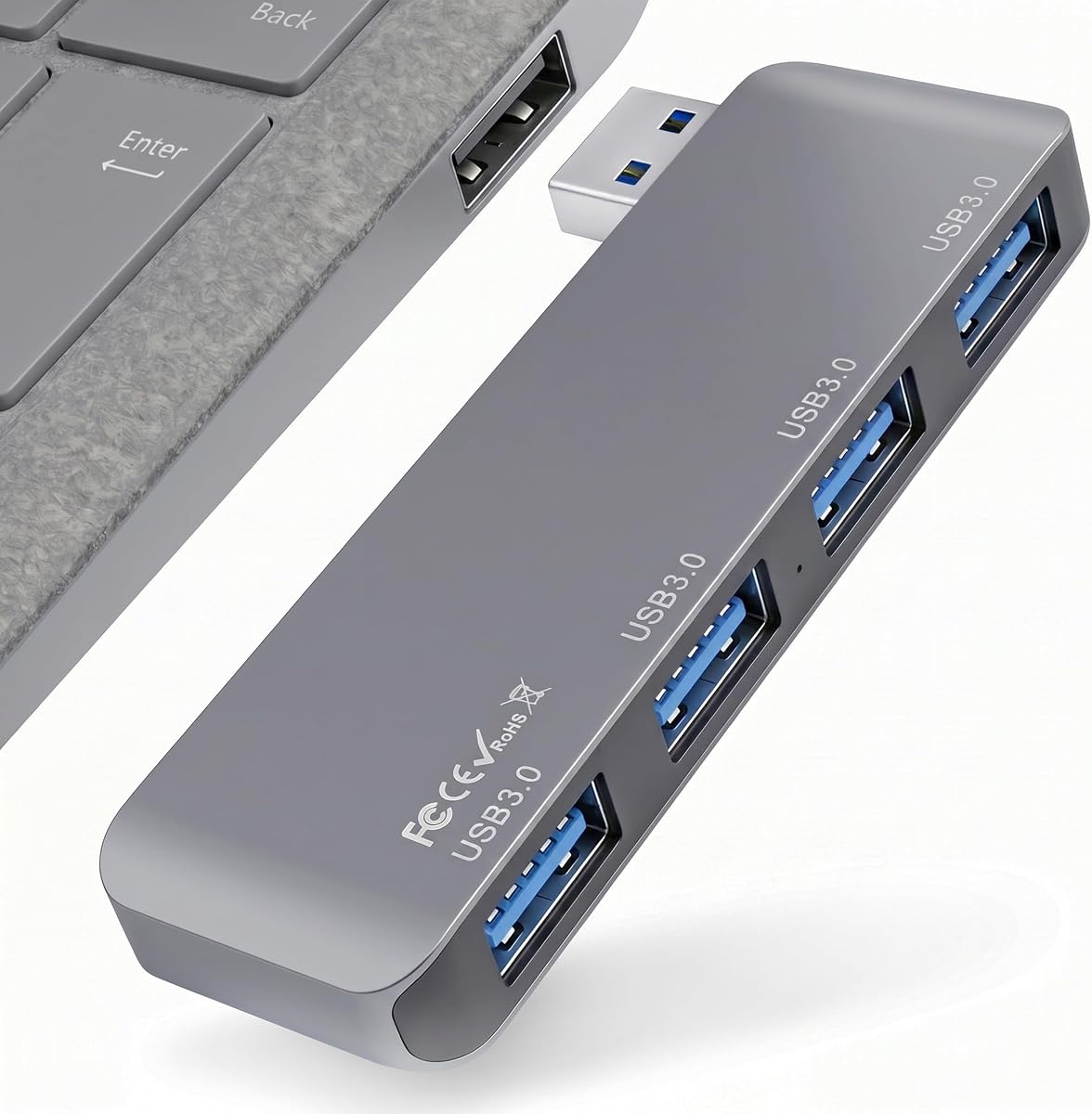
The Portable 4-Port USB 3.0 Hub with Direct Plug-in USB Male Connector Design has the highest rating in the group at 4.8 out of 5. Its defining feature is the direct USB-A plug, which eliminates a loose cable and keeps the body close to the connected computer. The result is cleaner and more stable during travel.
We may earn a commission when you buy through this link, at no additional cost to you.
Four USB 3.0 ports support peripherals including flash drives, external hard drives, mice, keyboards, card readers, and external fans. The theoretical transfer rate is up to 5Gbps, and backward compatibility with USB 2.0 and USB 1.1 allows older accessories to remain usable. Multiple devices can be connected at the same time.
The stated dimensions are 3.35 by 1.06 by 0.4 inches, and the aluminum-alloy shell is described as lightweight, scratch resistant, and effective at dispersing heat. Plug-and-play operation works across Windows, macOS, Linux, and ChromeOS without installing additional drivers. There is no dedicated power input, however, so demanding drive arrangements may still be constrained by available bus power.
This is the strongest general recommendation for a traveler who values low bulk and hates a dangling connector. It is particularly useful when the computer's USB-A port is easy to reach. Users with a permanently crowded port array should check clearance first, but for most laptop and desktop setups, the direct design is tidy, fast, and uncomplicated.
A flush-fitting male plug reduces snagging and avoids the movement associated with a thin attached cable. It also makes the hub easy to operate with one hand when arriving at a temporary desk.
The aluminum shell contributes a durable feel while helping distribute heat. Its low-profile dimensions make the hub easy to slip into a pocket or laptop bag without adding much weight.
We may earn a commission when you buy through this link, at no additional cost to you.
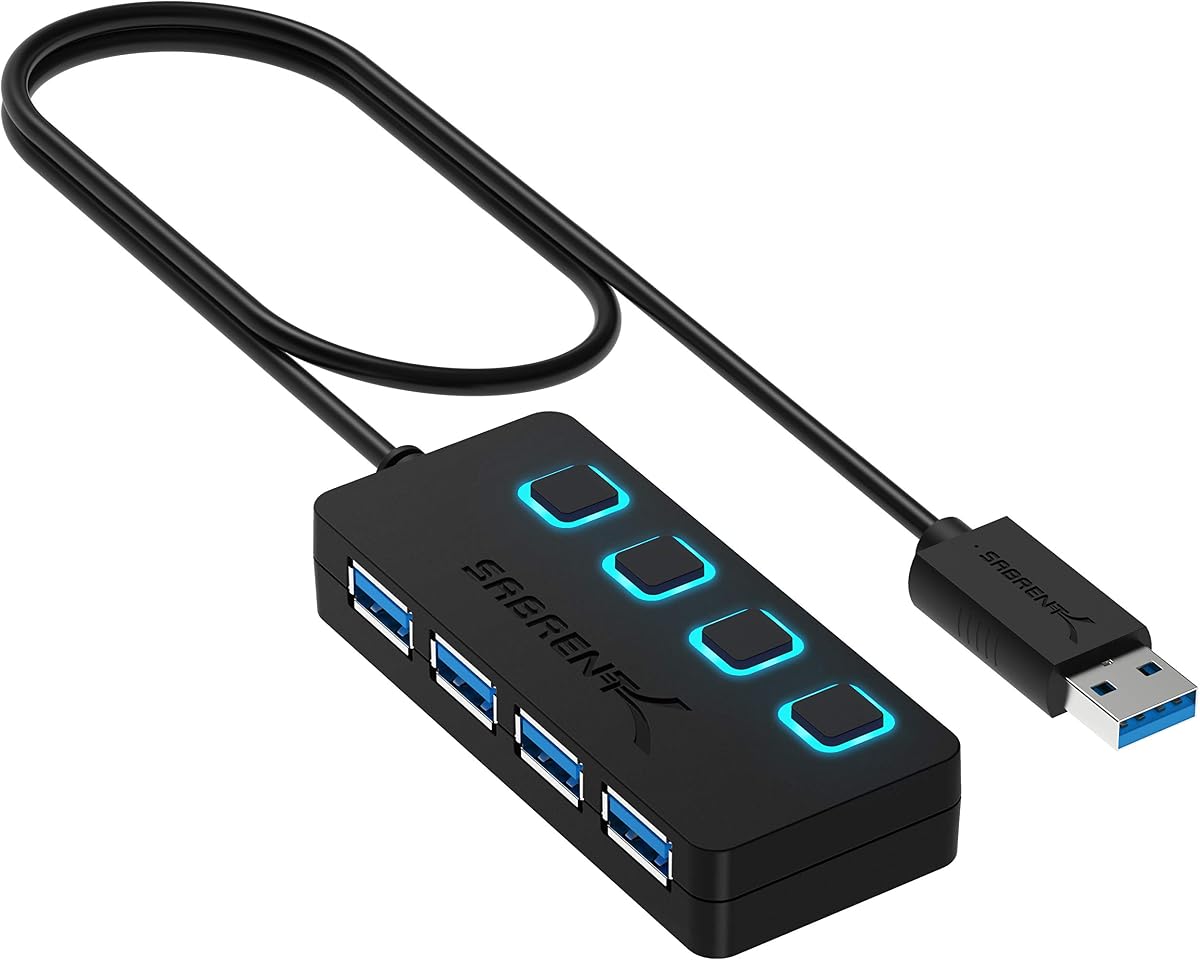
The SABRENT 4-Port USB 3.0 Hub is rated 4.6 out of 5 and centers on control. Each of its four USB 3.0 ports has an individual on/off switch, while an LED indicates the power status of every connection. This lets users disconnect selected accessories without unplugging them physically or cycling the entire hub.
We may earn a commission when you buy through this link, at no additional cost to you.
Data transfer is specified at up to 5Gbps, with compatibility for USB 2.0 at 480Mbps and USB 1.1 at 12Mbps. The hub works with compatible PCs, MacBooks, iMacs, Mac minis, XPS systems, flash drives, and other USB peripherals. Installation requires no drivers, and hot-swapping is supported.
Its two-foot cable provides more positioning freedom than a very short lead, which is helpful on a crowded desk. Conversely, the switches and status lights make the design less minimalist than an ultra-slim travel expander. The product is also not for charging, so buyers looking for phone or tablet power should choose another model.
SABRENT is best for fixed or semi-permanent setups where a mouse, storage device, keyboard, and other equipment need frequent on-demand disconnection. It remains portable enough for occasional use, but the direct-plug design is better for space-conscious travel. Its switch-per-port convenience is the feature that most clearly distinguishes it.
Individual switches make it easy to turn off a drive, light, or other accessory that would otherwise remain logically connected. The LED indicators also make troubleshooting port activity and power state more transparent.
Hot-swappable support means compatible devices can be connected or disconnected while the system is running. Combined with the physical switches, it offers more control over active USB connections.
We may earn a commission when you buy through this link, at no additional cost to you.
The BERLAT 7-in-1 USB C Hub has a 3.9 rating, the lowest among these selections, but it offers a notably dense port layout. It combines one USB 3.0 port, four USB 2.0 ports, and two USB-C 2.0 ports in a compact aluminum housing intended for laptops, tablets, and other compatible devices.
We may earn a commission when you buy through this link, at no additional cost to you.
The USB 3.0 port supports transfers at up to 5Gbps and is the preferred connection for flash drives, portable hard drives, and other storage that benefits from more bandwidth. The USB 2.0 ports operate at 480Mbps, while the two USB-C 2.0 connections add flexibility for modern accessories. The full range is useful when port quantity matters more than having every connection at the fastest speed.
Compatibility is listed for MacBook Pro, MacBook Retina, MacBook Air, Windows 10, macOS X, Android, updated ChromeOS, and Linux systems. The hub also supports a broad collection of peripherals, including mice, keyboards, card readers, printers, cameras, storage, and console accessories. Its rating indicates comparatively less buyer satisfaction than the other options, so expectations should remain measured.
BERLAT is worth considering for users who need both legacy USB-A and modern USB-C connections in a small package. The single high-speed port may be limiting for simultaneous storage transfers, but the total of seven ports compensates for that in accessory-rich mobile setups. It is a specialized choice rather than the broadest recommendation.
Seven ports give the hub an advantage for users who routinely carry several small accessories. Its mix of USB-A and Type-C connectors reduces the need to carry a separate adapter for every device.
For storage or other bandwidth-sensitive tasks, the USB 3.0 connection should be used first. The remaining USB 2.0 ports are better suited to mice, keyboards, and other everyday peripherals.
We may earn a commission when you buy through this link, at no additional cost to you.
The Lexar Go Portable Hub is a premium-focused option rated 4.6 out of 5. It was designed with the Lexar Professional Go Portable SSD in mind and provides four USB Type-C ports using USB 3.2 Gen 2 technology with a stated transfer speed of up to 10Gbps. It is aimed particularly at photographers, filmmakers, and other mobile creators.
We may earn a commission when you buy through this link, at no additional cost to you.
The package includes a male-to-male USB-C adapter and a USB-C cold-shoe adapter cable, reducing the need to assemble a separate adapter kit. Compatible equipment includes smartphones, computers, portable SSDs, lighting, power banks, and microphones. That specialized accessory support gives the hub a more defined purpose than a general-purpose office expander.
All four ports are Type-C, which is convenient for modern portable SSDs but limits use with conventional USB-A accessories. The supplied information does not list HDMI output, pass-through charging, or separate power input. Buyers should therefore treat it as a specialized high-speed data hub rather than a full travel docking station.
This is the premium pick for users who already use Type-C accessories and want the fastest stated data path in the group. It is especially compelling for portable SSD transfers and compact camera workflows. Those who need legacy USB-A, monitor output, or laptop charging should consider a travel dock instead.
The 10Gbps USB 3.2 Gen 2 interface and direct fit with the Lexar Professional Go Portable SSD create a focused high-speed workflow. It is aimed at moving data quickly without carrying a larger desktop adapter.
The included male-to-male and cold-shoe cables make the hub easier to integrate with cameras, phones, computers, and compatible lighting. The accessories are as important to the product's creator-focused value as the four Type-C sockets.
We may earn a commission when you buy through this link, at no additional cost to you.
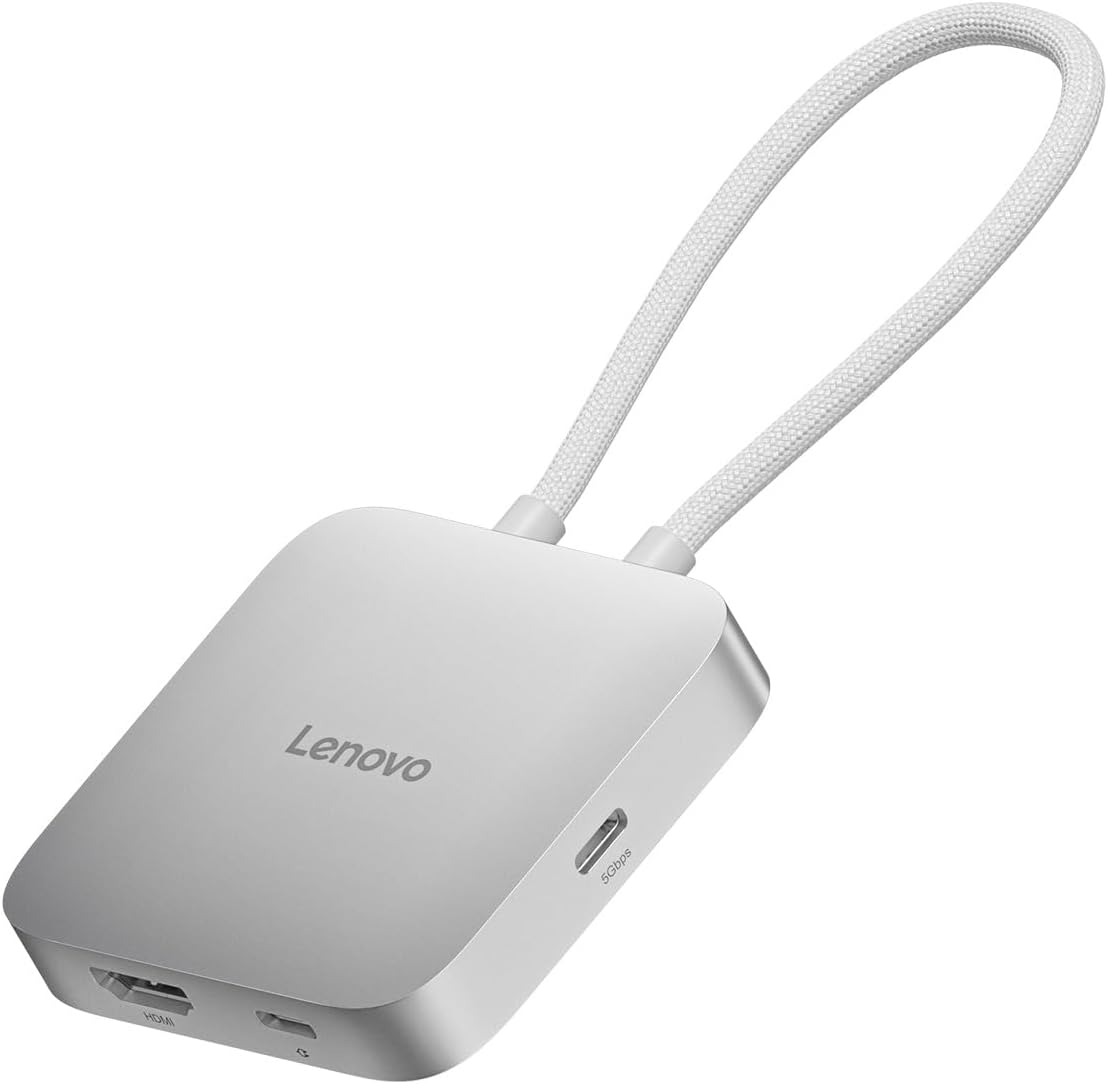
The Lenovo USB-C 5-in-1 Travel Hub is rated 4.5 out of 5 and is designed to create a complete mobile workstation. It combines two USB-C ports, two USB-A ports, and an HDMI output. The display supports resolutions up to 4K at 60Hz, providing a smoother external-screen experience than hubs limited to 4K at 30Hz.
We may earn a commission when you buy through this link, at no additional cost to you.
Power delivery supports up to 90W of pass-through charging, allowing a compatible laptop to remain powered while the hub is in use. The USB-C and USB-A data ports provide room for storage, input devices, and other accessories. Plug-and-play operation means no driver installation is required with a compatible USB-C host.
Its slim silver-gray housing and light weight suit travel, although the product depends on the capabilities of the connected computer. A USB-C port that supports the required data, display, and power protocols is essential for the full feature set. The information does not mention Ethernet, so the hub is not a complete replacement for every full-size dock.
Lenovo is an attractive recommendation for a traveler who wants a sharper display, substantial charging, and a balanced set of data ports in one compact unit. It is less relevant to someone who only needs passive USB-A expansion. For a productive temporary desk involving a monitor and several accessories, however, it offers a particularly well-rounded feature set.
Supporting 4K at 60Hz can make text, motion, and detailed work feel more responsive than a 30Hz connection. The advantage is strongest with compatible displays, source hardware, and content.
The balance of two USB-C and two USB-A ports accommodates both modern and legacy accessories. Adding up to 90W of charging passthrough helps reduce the number of cables needed during a mobile workday.
We may earn a commission when you buy through this link, at no additional cost to you.
The right portable USB hub depends on connector compatibility, required data speed, power demands, physical design, and specialized outputs. Reviewing these factors before buying prevents a hub that looks convenient from becoming an unusable compromise.
Choose the connector your primary computer already uses, then verify any video or charging requirements.
Count current and future accessories, and verify the speed of each individual data port.
Match the fastest interface to your storage needs, while expecting slower results from older devices.
Check both the maximum current and whether a dedicated power input is available.
For display use, compare refresh rate and host protocol support, not just HDMI presence.
Balance pocketability with the connector style and controls needed at your typical destination.
Confirm support for your exact operating system, device model, and intended hub functions.
Favor sturdy construction, adequate cooling, and connectors that remain secure in transit.
Before connecting the hub, confirm that the host port and operating system meet the product's requirements. Install any required host software or display updates before attaching accessories, then connect the hub directly to the computer rather than through an unpowered intermediate hub. Add storage and input devices gradually, especially if the hub has no dedicated power input.
For best performance, connect the fastest available device to the fastest port and use only the cables required for that peripheral. If a hard drive behaves inconsistently, provide suitable external power where the hub supports it. Disconnect storage safely through the operating system before moving it, and avoid repeatedly forcing plugs into the host port.
Keep the hub away from liquids, excessive heat, and cables under strain. When traveling, place it in a small pouch or pocket and ensure the attached cable or direct connector cannot catch on other equipment. Periodically check the connector and housing for looseness, scratches, or heat buildup, especially after extended use with several high-speed devices.
It depends on the hub. Basic four-port models are generally intended for data and low-draw peripherals rather than charging, while some travel docks support pass-through laptop charging. A USB-C power input on a basic hub may only power the hub itself, not charge a connected phone. Check whether the product explicitly states a charging output, identifies the supported voltage and current, and lists the devices with which it is compatible.
The naming and generation level can be confusing, but the important practical question is the maximum stated transfer rate. The common hubs in this guide offer up to 5Gbps, while the Lexar Go hub uses USB 3.2 Gen 2 and states up to 10Gbps. Faster ports are most useful for external SSDs and large file transfers, and actual results still depend on the connected storage device and host controller.
No. A USB-C connector can carry data, power, video, or combinations of those functions, but the host computer and hub must support the required protocols. For HDMI output, the computer generally needs DisplayPort Alternate Mode, while pass-through charging requires Power Delivery. A basic USB-C data hub may work on a computer that cannot drive an external display through it.
For most lightweight productivity setups, four ports are enough for a mouse, keyboard, flash drive, and one additional accessory. Creative work, multiple external drives, wired networking, and a separate display can require more specialized connections. A travel dock with mixed USB-C and USB-A ports may therefore be more versatile than adding a second basic four-port expander.
The hub and hard drive may together request more current than the computer can provide through one port. Some hubs accept a dedicated USB-C power input, and some high-draw drives can be powered by a separate adapter. Try a powered drive, reduce the number of simultaneous devices, or use a hub with auxiliary power. The specification to compare is maximum current, not only data-transfer speed.
Yes. The listed hubs generally support backward compatibility, so older keyboards, mice, flash drives, and other USB 2.0 devices can be connected. They will operate at the older device's maximum capability even when the hub itself supports 5Gbps or 10Gbps. The host and operating system must also recognize the peripheral normally.
A direct-plug hub is compact, reduces snagging, and often sits neatly against a laptop, but it may block adjacent ports and offers little placement adjustment. A cabled hub can be positioned more flexibly and may be easier to reach in tight spaces. The best choice depends on connector clearance, desk layout, and how much you value cable-free travel.
None of the listed products is described as supporting two simultaneous display outputs. The Anker and Lenovo models each provide one HDMI port, while the other hubs focus on data expansion. Users who need dual-display support should verify a dedicated dock's explicit specifications, operating-system support, and the host computer's display capabilities.
The Portable 4-Port USB 3.0 Hub with Direct Plug-in USB Male Connector Design is the strongest overall option, combining a 4.8 rating, compact aluminum body, four 5Gbps ports, and a tidy cable-free connection. The UGREEN 4-Port USB 3.0 Hub is the budget-oriented choice for users who prioritize a tiny profile and simple expansion, while the Lexar Go Portable Hub is the premium selection for modern Type-C workflows and portable SSDs.
Prioritize the functions you will actually use rather than simply choosing the largest port count. Basic users should look for reliable USB-A expansion, sufficient speed, and host compatibility. Mobile professionals may prefer HDMI and charging passthrough, while creators and portable-storage users should focus on Type-C connectors, adapter support, and higher transfer rates.
Finally, check current product details, host compatibility, and pricing before buying, since specifications and availability can change. Confirm the connector type, supported display and charging protocols, power limits, and intended peripherals. With those checks completed, the right portable USB hub can simplify daily connections without adding unnecessary bulk to a mobile setup.