
SATA to 4 Pin Molex Adapter
4.7Editor score
Three seven-inch adapters
SATA male to LP4 female
Simple single-device connection
Our LP4 Molex SATA Power Adapter guide compares options by connector direction, cable length, pack size, compatibility, and installation needs for older PCs.
An LP4 Molex SATA power adapter bridges the connection between modern SATA storage devices and older power supplies that still use four-pin Molex connectors. A worthwhile adapter should provide secure fitment, dependable power delivery, suitable cable length, and compatibility with the drives or peripheral devices you intend to connect.
This guide compares ten adapters according to connector orientation, cable length, number of included cables, application, installation considerations, and customer rating. It covers both straight SATA-to-LP4 adapters and dual-output Molex-to-SATA Y-cables for systems with more demanding storage configurations.
Each review highlights the practical strengths and limitations of its featured product, helping you distinguish simple one-drive solutions from splitters designed for multiple devices. Product listings and prices can change over time, so confirm the current specifications, connector orientation, and retailer information before purchasing.
4.7Editor score

4.8Editor score

4.7Editor score
The table below compares all ten adapters by connector arrangement, length, output capacity, and intended use. It makes the key differences easy to see, especially where a one-to-one power adapter differs from a dual SATA splitter or a longer sleeved cable.

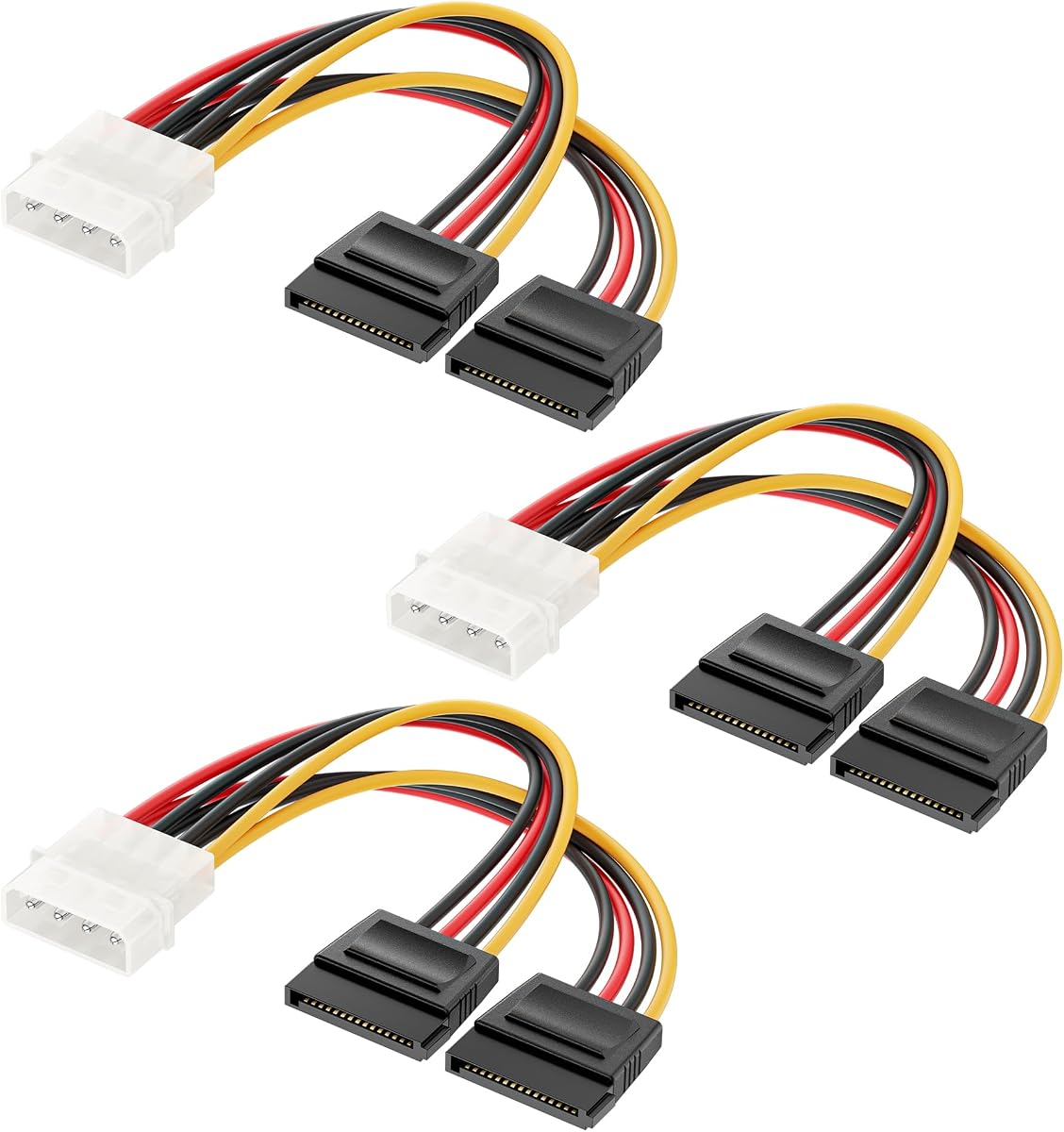




This three-pack is the strongest all-around choice in the guide, combining a 4.8 rating with a practical seven-inch form factor and a locking SATA connector. It is designed to connect a SATA HDD, SSD, CD drive, or DVD drive through a Molex LP4 port, making it especially useful in an older desktop with limited power options.
We may earn a commission when you buy through this link, at no additional cost to you.
The fixed SATA connection is a meaningful advantage over simple passive adapters. A latch helps keep the plug seated, reducing concern about accidental disconnections during routine computer handling. Copper core wire, a compact seven-inch length, and broad support for 5V SATA devices operated from a 12V ATX power supply make this a balanced solution for single-drive installations.
Its main limitation is that each cable provides one SATA output rather than two. It also cannot be used for hot plugging; the system must be powered down whenever the power cord is replaced. Those restrictions are sensible for internal computer work, but buyers should not confuse a secure latch with support for connecting or removing a drive while the system remains running.
This is the recommendation for most readers because it balances connector retention, customer feedback, included quantity, and manageable cable length. Choose it when you need one reliable adapter per SATA device, especially if your legacy power supply has Molex connectors and you prefer a short cable that is easy to route inside the case.
The locking SATA latch helps keep the connector attached to the drive. That makes this a useful choice for desktop systems where internal cables may be moved during maintenance or where a loose connection would be inconvenient.
The three-pack provides enough cables for multiple storage devices or a spare for repairs. Each remains relatively short at seven inches, helping reduce clutter inside compact cases.
We may earn a commission when you buy through this link, at no additional cost to you.
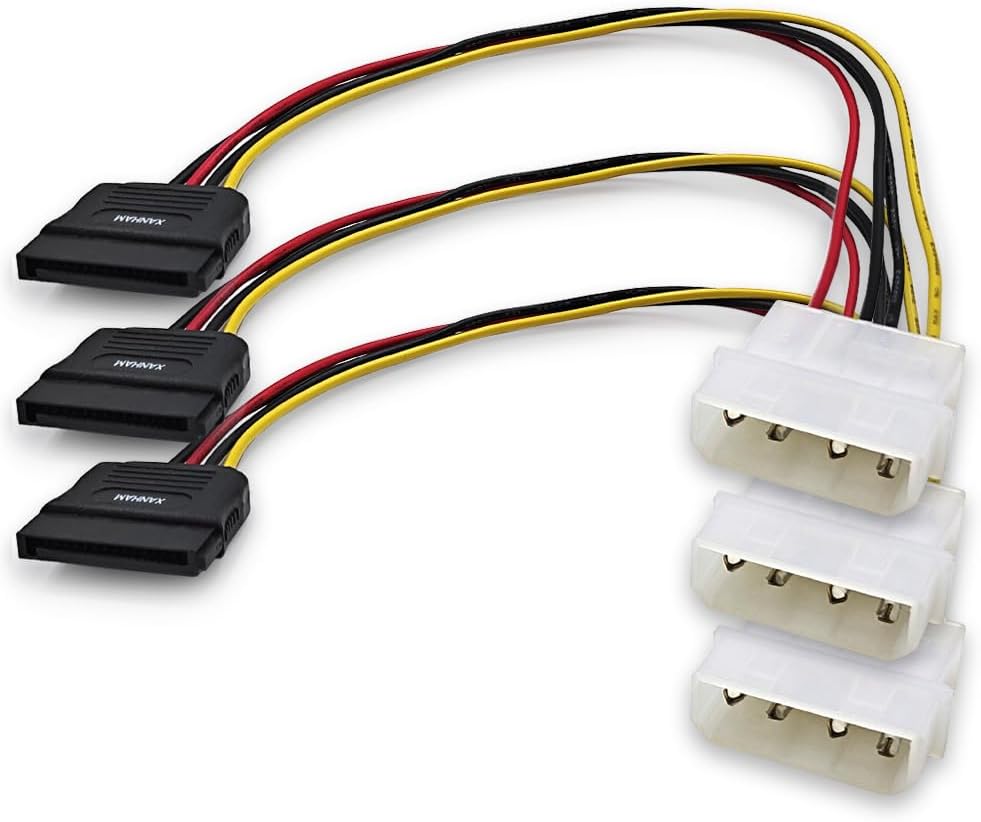
This SATA-to-LP4 adapter earns a place as the budget-oriented pick because it provides three straightforward cables, a 4.7 rating, and a compact seven-inch length. Its connector arrangement runs from a SATA 15-pin male end to a Molex LP4 female end, allowing an older Molex-equipped power supply to feed a SATA device.
We may earn a commission when you buy through this link, at no additional cost to you.
The product is designed for practical SATA power delivery to hard drives and optical devices. Its three-pack format is useful for a multi-drive desktop, a repair technician keeping replacement leads on hand, or a builder who wants spare capacity. Because the cable is short, it can also simplify routing inside a case where longer power leads would bunch around the drive cage.
This adapter is less versatile than a Y-cable because it provides only one SATA connection. It also does not offer the clearly documented locking latch found on the higher-ranked locking model. Nevertheless, its simple one-to-one design avoids the extra branch and potential crowding associated with a dual-output splitter.
It is a strong selection for a straightforward storage upgrade involving one or several SATA drives and a legacy Molex power source. Choose this adapter when you prioritize a useful pack size, short reach, and uncomplicated installation over dual outputs or a locking mechanism.
The female LP4 end connects to a compatible Molex power output, while the male SATA end connects to the storage device. This arrangement makes it convenient for adapting an existing legacy PSU without replacing it.
Three included cables make it possible to serve several single drives or retain a spare. Each adapter follows the same simple one-to-one power path, which can be easier to manage than multiple splitters.
We may earn a commission when you buy through this link, at no additional cost to you.
Cable Matters offers a particularly compact three-pack of six-inch Molex-to-SATA adapters. The 4.7 rating, broad storage-device support, and short routing make this a practical choice for internal upgrades where cable clutter is already a concern.
We may earn a commission when you buy through this link, at no additional cost to you.
Each cable connects a legacy Molex LP4 port to a modern SATA device. The listing specifically mentions compatibility with SATA hard drives, solid-state drives, and optical drives, making the set suitable for systems that need to reuse an older power supply while adding newer storage hardware. Three cables provide a useful amount of redundancy for builders and technicians.
The principal trade-off is the six-inch length. It is ideal when the Molex socket and target drive are close together, but it may be tight in a larger chassis or if the drive is mounted farther from the PSU. Like other one-to-one adapters in this list, it does not split one Molex output into two SATA connections.
This adapter suits technicians, retro-PC builders, and desktop users seeking a short, simple power path for one drive at a time. It is particularly attractive when minimizing internal clutter matters more than reaching a more distant drive bay.
At six inches, these adapters can reduce excess cable around a nearby drive. That makes them useful in compact desktops and tight installations where every loose cable affects airflow or serviceability.
The adapter lets modern SATA devices draw power from a compatible Molex-equipped supply. That can be useful when retaining a functioning legacy system is more practical than replacing its power unit.
We may earn a commission when you buy through this link, at no additional cost to you.
This dual-output Y-cable is the most direct choice when one legacy Molex port must feed two SATA devices. It carries a 4.6 rating and includes three six-inch splitters, giving buyers a practical way to expand storage without using two separate LP4 connections.
We may earn a commission when you buy through this link, at no additional cost to you.
Its defining feature is the branch into two SATA power outputs. That arrangement is especially helpful in systems with limited Molex sockets or when two drives are mounted near the same connector. The listing describes use with HDDs, SSDs, and optical drives and identifies support for 5V SATA devices powered through a 12V ATX system.
Splitting one source across two drives means each cable is a dedicated dual-device path rather than a spare-capable one-to-one adapter. Consider whether your chosen drives' combined startup demand is appropriate for the source and PSU, and confirm that the connector fit is physically possible before installation. The six-inch reach also may not suit every case.
Choose this product for a two-drive storage upgrade where conserving Molex ports is important. It is less suitable when you need independent cables, more than two outputs per Molex connector, or substantially more cable reach.
The Y-shaped branch supplies two SATA connectors from a single LP4 input. This is helpful in older cases where available Molex sockets are limited or already occupied by other peripherals.
A three-pack suits systems adding several storage devices, repair benches, and technicians who regularly work with legacy Molex power configurations. The included cables remain compact for internal routing.
We may earn a commission when you buy through this link, at no additional cost to you.
The StarTech LP4SATA-FM12 is a single, 12-inch adapter that performs one basic job: powering an LP4 Molex device from a SATA power connection on a computer power supply. Its 4.6 rating and clearly defined purpose make it a sensible option when you need exactly one replacement cable.
We may earn a commission when you buy through this link, at no additional cost to you.
A 12-inch length offers more routing flexibility than the six- and seven-inch alternatives in this guide. It can reach between a drive bay and a SATA-equipped PSU where a short cable would be strained. The simple one-cable format also makes it easy to identify in a repair kit and avoids the branching layout of a Y-cable.
Its limitations are equally straightforward. The package contains one adapter rather than a multi-pack, and there is no dual SATA output for connecting two devices from one Molex socket. Buyers seeking several replacement cables or a broader storage upgrade kit should compare the three-packs in this list.
This adapter is best for a single legacy-peripheral connection, an individual drive installation, or a replacement cable with a useful amount of reach. It is also attractive for users who prefer a focused, single-purpose StarTech cable over a bundled adapter set.
The extended reach is useful when the drive or peripheral sits farther from the SATA power source. It offers more placement flexibility than the shorter cables while remaining simple to install.
When only one connection is required, a single adapter avoids unnecessary cable stock. It is also simple to store as a replacement for legacy desktops and test benches.
We may earn a commission when you buy through this link, at no additional cost to you.
The Mbiydeg three-pack combines seven-inch dual SATA splitters with copper conductors and latching SATA interfaces. Its 4.3 rating is lower than those of most competing products here, but the feature set remains relevant for builders who want to power two SATA devices from one Molex port.
We may earn a commission when you buy through this link, at no additional cost to you.
Its product information states that the adapters fit 3.5-inch and 2.5-inch SATA HDDs, SSDs, and SATA optical drives. It also describes high-precision connectors, copper conductors, a PVC jacket, and secure latching interfaces. The three-pack is useful for multiple storage upgrades, repair work, or keeping replacement splitters available.
That said, the rating is the lowest among the ten products, and the listing includes broader performance-oriented claims without providing the same level of specific construction documentation available from some alternatives. As with every dual splitter, the source power path is shared, so users should consider the needs of both connected drives and the capacity of their power supply.
This product is most appropriate for multi-drive legacy systems where two SATA outputs and a moderate seven-inch reach matter most. Buyers who place a premium on independently documented electrical details may prefer the more conservatively specified options elsewhere in this guide.
The two SATA branches make it possible to connect a pair of storage devices through one Molex source. This can simplify storage expansion in desktops, workstations, and repair environments.
The listed copper conductors and latching interfaces address two practical concerns in internal builds: a suitable power path and a connector that is less likely to loosen during routine handling.
We may earn a commission when you buy through this link, at no additional cost to you.
This three-pack stands out for its clearly stated UL listing, AWM 1007 designation, VW-1 fire resistance, and 22 AWG copper conductors. Those construction details make it an appealing choice for buyers who prioritize documented cable specifications rather than simply looking for a short adapter.
We may earn a commission when you buy through this link, at no additional cost to you.
The cable connects a 4-pin Molex male end to a SATA 15-pin female end and is listed at 7.8 inches. It supports hard drives, solid-state drives, CD-ROM drives, HDDs, SSDs, and DVD drives. The seller also states that the cables are tested before packing, which adds reassurance for a simple internal replacement part.
The product does not explicitly advertise a locking latch, so buyers who prioritize retention may prefer a model with that feature. Its 4.4 rating is also below the strongest options. Nevertheless, the certification information gives this set a distinct profile for institutions, repair shops, and technically minded users who want more than a basic compatibility claim.
Choose this adapter when its specified construction and conductor details are important, particularly in a professional maintenance setting. It is a practical three-cable option for SATA devices that need Molex power, provided its connector arrangement matches your system.
UL listing, AWM 1007 construction, VW-1 fire resistance, and 22 AWG copper conductors give buyers concrete specifications to assess. These details can be especially valuable for maintenance professionals.
The stated compatibility covers hard drives, SSDs, and several optical-drive formats. Three included units support multi-device use or provide ready replacements.
We may earn a commission when you buy through this link, at no additional cost to you.
This is the same highly rated, locking-latch three-pack featured as the Editor's Choice, revisited here as the eighth ranked product in the source list. It has a 4.8 rating, a seven-inch length, and copper core wire, making it a leading option for individual SATA connections.
We may earn a commission when you buy through this link, at no additional cost to you.
The locking latch is its most visible practical advantage because it helps hold the SATA plug in place. The product supports hard disk drives, solid-state drives, CD drives, and DVD drives through a Molex LP4 source. Three cables let you equip multiple drives or preserve spare replacements without purchasing separate units.
The design supports one SATA device per cable, and the manufacturer notes that hot plugging is not supported. This means the system should be turned off before connecting or replacing the cord. It is therefore a safer choice for internal installation than for workflows that require live swapping.
For a conventional legacy-desktop upgrade, this remains one of the strongest options because the retention feature, included quantity, and customer rating work together. It is less suitable for users who need a dual-output splitter or must routinely change cables while the system is powered.
The locking latch reduces the chance of a SATA connector being pushed loose during service. That is valuable in a compact desktop where cables may be close to moving components.
Copper core wire provides a simple, documented conductor choice. Combined with seven-inch cables and a three-pack format, it balances construction details with practical storage.
We may earn a commission when you buy through this link, at no additional cost to you.
This eight-inch SATA-to-LP4 three-pack combines a 4.7 rating with a little more routing length than the most compact adapters. It uses 18 AWG copper wire and is intended for computer hard drives, providing three separate cables for internal use.
We may earn a commission when you buy through this link, at no additional cost to you.
Its connector arrangement is SATA 15-pin male to Molex LP4 female. That orientation may be important because not every adapter in the market connects in the same direction. The product information also highlights easy insertion and removal, making it a straightforward option for installation or replacement.
It does not split power for two devices, and the supplied details do not emphasize a locking mechanism. The eight-inch length is the main distinction from the six- and seven-inch alternatives. That extra reach can help in a slightly larger chassis, though it remains short compared with the 12-inch products in the guide.
This set is a good choice when you want a small pack of moderately sized, straightforward cables. Verify that the female LP4 end fits your legacy PSU or device and that the male SATA end suits your drive before ordering.
At eight inches, the cable provides additional distance without becoming cumbersome in a typical desktop. It can make a nearby drive bay easier to reach.
The listing identifies 18 AWG copper wire and clearly names both connector ends. Those concrete details help simplify compatibility checks before purchase.
We may earn a commission when you buy through this link, at no additional cost to you.
The CRJ adapter is the premium-style choice for builders who want a long, neatly finished cable rather than a multi-pack of basic adapters. Its 4.7 rating, 12-inch length, all-black connectors, and high-density black sleeving give it a distinctive appearance suited to visible or carefully organized builds.
We may earn a commission when you buy through this link, at no additional cost to you.
The intended function is broad within the legacy peripheral category: it can power a 4-pin Molex device from a 15-pin SATA connector on an ATX power supply. That makes it useful for SATA storage upgrades and other compatible Molex-powered peripherals when a dedicated legacy output is unavailable.
The listing warns that the low-tolerance nature of the legacy connector makes careful pin alignment important during insertion. The cable includes its connectors in the stated 12-inch measurement, which helps when planning the route between a PSU and the target device. Only one cable is included, limiting bulk value compared with the three-packs.
This is the recommendation for a polished legacy build where cable presentation, reach, and a clean black finish matter. It is also suitable for a single peripheral that needs a SATA-to-Molex power path, provided the pin arrangement matches and the connector is inserted carefully.
Black connectors and high-density black sleeving reduce visual clutter compared with an exposed multicolored lead. That makes this cable well suited to a build where internal presentation matters.
The 12-inch length gives the cable more placement flexibility. It can connect a SATA power source to a compatible four-pin peripheral positioned farther away in the chassis.
We may earn a commission when you buy through this link, at no additional cost to you.
The right LP4 Molex SATA power adapter depends on connector direction, how many devices you need to power, available space, and the kind of legacy equipment you are connecting. These factors help prevent an otherwise simple adapter from becoming an installation or compatibility problem.
Adapter names can describe the same functional conversion in different ways, so inspect both ends before buying. Some products use a female Molex LP4 input and a male SATA output, while others use a male Molex plug and a female SATA socket. The direction matters because a female LP4 may need to receive a male Molex cable, while a male LP4 plugs directly into a female legacy PSU socket.
Match the connector gender to the actual ports on your power supply and target device. SATA drive power sockets are female, whereas many older Molex PSU outputs are male, making a Molex-male-to-SATA-female cable the common one-to-one format. A SATA-male-to-LP4-female adapter is often useful for connecting the opposite side of an existing SATA power lead.
A standard one-to-one adapter serves one SATA device from one Molex source. A Y-cable divides one Molex connection into two SATA outputs, which is convenient for dual-drive builds but leaves fewer Molex sockets available. The multi-drive options in this guide can support two SATA hard drives, solid-state drives, or optical drives through each splitter.
Do not equate the number of included cables with the number of outputs per cable. A three-pack of single adapters gives you three independent power paths, while a three-pack of Y-cables gives you six SATA outputs but only three Molex inputs. Choose the arrangement that matches your drive count, available sockets, and installation space.
Cable length should follow the physical distance between the power source and device. Six- and seven-inch adapters are convenient for nearby drives, while eight- and 12-inch cables provide more room to route around drive cages, fans, and structural brackets. Excessively short leads can create strain or require awkward bends, while unnecessarily long leads can add clutter.
For a compact case, a six-inch cable may be ideal. In a mid-size or full-size desktop, measure the available path and compare it with the advertised length, including connectors where that measurement is stated. Also check whether the cable's path can reach without crossing a hot component or interfering with a removable drive cage.
A locking SATA latch helps keep the plug firmly attached to the drive. This is useful in systems that are opened for maintenance, transported occasionally, or built with very little clearance around storage devices. A standard SATA power connector is designed to fit tightly, but a latch adds an explicit retention mechanism.
Locking does not mean hot-plug support. Several products in this guide state that the system must be powered off before replacing the cable. Treat the latch as a mechanical retention feature, not permission to connect or remove a storage device while the computer is operating.
Confirm that the adapter is intended for the devices in your system. The products here support common SATA HDDs, SSDs, CD-ROM drives, and DVD drives, while the CRJ model is also described as suitable for compatible four-pin peripheral Molex devices. All should be used only where the connector geometry and electrical requirements are appropriate.
Older Molex power paths may come from a legacy supply or through an existing SATA-to-Molex arrangement. The supplied descriptions generally reference 5V SATA devices powered by 12V ATX systems. Review your power supply capacity, especially when using a dual-output splitter with multiple hard drives, and follow the drive manufacturer's startup requirements.
For routine computer use, useful construction details include copper conductors, a durable outer jacket, secure connectors, and a stated wire gauge. The 3-Pack Molex-SATA Cable goes further by listing UL AWM 1007 certification, VW-1 fire resistance, and 22 AWG copper conductors. These details are particularly useful for professional maintenance work.
Construction claims should still be compared with connector direction, length, and intended use. A well-described cable is only appropriate if its ends fit your equipment. Look for concise, verifiable specifications rather than relying on broad statements about durability or universal compatibility.
Three-packs are attractive for multi-drive desktops, repair benches, and technicians who may need several spare adapters. They also provide flexibility if one cable is damaged or if you later add another drive. Single-cable options can be more appropriate for one targeted replacement, especially when the product offers specialized construction or a longer reach.
Storage may matter in a small case. Even when buying a multi-pack, you can keep unused leads outside the chassis and install only the necessary adapters. For a neat build, a single well-routed cable can be preferable to several coiled extras stored inside.
Functional performance is the priority, but cable finish can matter in a carefully assembled system. Black sleeving and black connectors reduce visual distraction, which is why the CRJ adapter is particularly suitable for a polished legacy build. Basic seven-inch leads are easier to hide and may be less noticeable when they sit behind a drive cage.
Appearance should remain secondary to compatibility and electrical fit. Confirm the connector arrangement and length first, then consider whether the cable color and finish complement your case, sleeved cables, and overall presentation.
Before installation, shut down the computer, disconnect the power supply, and allow the system to discharge. Identify the correct connector on the PSU or existing power lead and the SATA power socket on the hard drive, SSD, or optical drive. Confirm that the adapter's two ends match those ports before attempting to connect it.
Route the adapter before plugging it in. Keep it away from sharp case edges, fans, and hot components, and avoid a sharply bent or tightly folded cable. Align every Molex or SATA pin carefully before pressing the connector together; the legacy four-pin Molex format has low tolerance and should never be forced.
Once connected, verify that the SATA plug is fully seated and that any locking latch is engaged. Reconnect the power supply, start the system, and confirm that the target device is recognized. When removing the adapter, shut the system down first, disengage any latch, and pull the connector straight out rather than twisting it. Store unused adapters loosely in an anti-static or clean, dry area.
It is a power cable that lets a SATA device use a legacy four-pin Molex connection or adapts between Molex and SATA power connectors. The adapter does not convert voltage; it provides a compatible physical connection between the power source and the device. Connector orientation must match the two ends of your setup.
Yes, provided the SSD uses a standard SATA power connector and the adapter is compatible with the drive's power requirements. Most of the listed products explicitly support SATA SSDs. The legacy Molex source and the overall power supply must still provide appropriate power for the device.
These adapters are intended to provide SATA device power from compatible legacy connections, and many are explicitly designed for HDDs, SSDs, and optical drives. Choose a product with clearly stated compatibility and appropriate construction. Install the cable carefully and never force the low-tolerance Molex connector.
A conventional adapter creates one SATA power connection from one Molex source. An LP4-to-SATA Y-cable divides one Molex source into two SATA connections, making it useful for two-drive installations. A Y-cable may also require more clearance and should be selected based on the combined needs of both attached devices.
No. Several included product descriptions explicitly state that hot plugging is not supported and that the system must be turned off before changing the power cord. Even when a connector has a locking latch, treat it as a retention mechanism rather than evidence that live connection is safe.
A six- or seven-inch adapter is often ideal for drives mounted close to the Molex power source, while eight- or 12-inch cables offer additional routing flexibility. Measure the actual path and consider whether the cable must bend around a drive cage or fan. Avoid excess slack that can interfere with airflow.
No. The adapter is a passive cable that changes the connector arrangement and uses power from an existing PSU or SATA power lead. It does not regulate voltage, increase total power capacity, or provide independent protection. Your existing power supply must have enough suitable capacity for every connected device.
Look at both ports and identify their gender. Most desktop Molex PSU outputs are male, while SATA device sockets are female, so a Molex-male-to-SATA-female cable is common. If your existing SATA lead already ends in a female LP4, you may instead need a SATA-male-to-LP4-female adapter.
The Locking Molex-SATA Cable is the leading all-around option because it combines a 4.8 rating, a secure SATA latch, copper core wire, a useful seven-inch length, and three included adapters. The SATA to 4 Pin Molex Adapter is a budget-minded alternative with the same general one-to-one format, while the CRJ Black-Sleeved Adapter is the premium-style choice for longer reach and a cleaner appearance.
For two SATA devices, a dual-output Y-cable such as the Cable Matters model can conserve Molex sockets. For documented construction, the UL-listed three-pack offers specific conductor and fire-resistance details. Always prioritize connector direction, cable length, output count, device support, and power requirements before appearance or pack size.
Retailer listings, ratings, and prices can change, so check the current product information before buying. Confirm the connector orientation, physical length, number of outputs, and shutdown requirements, then choose the adapter that best fits your legacy system and storage plan.