
SONOFF SNZB-06P
4.0Editor score
5.8GHz microwave radar sensing
Built-in light detection
Zigbee 3.0 hub required
This Home Assistant Human Presence Sensor guide compares 10 leading radar, Zigbee, Matter, and Wi-Fi options for detection accuracy, connectivity, features
Home Assistant human presence sensors can make automations feel more natural than ordinary motion sensors detect. Unlike a basic PIR device that responds to movement, radar-based presence models can recognize a stationary or seated person, helping lights, fans, climate controls, and security routines respond to occupancy rather than activity alone.
The products in this guide use a mix of Wi-Fi, Zigbee, Thread, and Matter connectivity, with varying radar technologies and supplemental sensors. We compared their supported ecosystems, detection methods, environmental sensing, power options, installation requirements, and Home Assistant integration approach to identify the most practical choices for different homes.
Each pick highlights the sensor’s strongest use case, from simple and inexpensive Zigbee devices to feature-rich multi-sensor models. Ratings and specifications reflect the supplied product information, while market conditions and product availability can change, so readers should confirm current details before purchasing.
4.0Editor score

4.4Editor score

3.6Editor score
This side-by-side comparison covers the ten leading options by connection type, radar technology, environmental sensing, power source, and Home Assistant compatibility, making it easier to identify the model that fits your automation platform and installation plan.




The Akamatis Litos v3 combines a 24GHz millimeter-wave radar, an ambient light sensor, and Home Assistant-focused ESPHome firmware in one compact unit. Its supplied rating is 4.4, and its standout quality is the practical combination of occupancy and brightness data in a single device. That pairing allows a Home Assistant installation to make more context-aware lighting decisions without requiring a separate lux sensor.
We may earn a commission when you buy through this link, at no additional cost to you.
The radar uses the HLK-LD2401 and is specified to detect moving and stationary objects up to 20 feet indoors. An external antenna on the Seeed XIAO ESP32-C3 is intended to improve wireless range and stability, while adjustable sensitivity gives installers a way to tune detection for different room layouts. The light-sensitive front panel allows ambient light to reach the VEML7700 sensor, making the physical design relevant to measurement quality rather than merely decorative.
The primary compromise is platform focus. Litos v3 works exclusively with Home Assistant and expects an existing installation, so it is not a universal option for shoppers who have not yet chosen a home automation platform. It also depends on 2.4GHz Wi-Fi and a powered installation location. These restrictions are reasonable for a dedicated Home Assistant user but reduce its flexibility for mixed-ecosystem households.
This is the strongest overall recommendation for readers who already run Home Assistant and want more than simple motion detection. It is especially attractive when occupancy and daylight conditions must influence the same automation. Buyers should confirm that the sensor’s placement allows unobstructed radar coverage and that their network can reach the device at the intended location.
The integrated VEML7700 sensor is the defining feature for lighting automations. Home Assistant can use brightness alongside presence to avoid switching on a light in a bright room or while a seated occupant remains present.
Ready-to-use ESPHome firmware removes the usual barrier to adopting an ESP32-based sensor. Once the device is connected and added to Home Assistant, automations can reference its presence and light readings.
We may earn a commission when you buy through this link, at no additional cost to you.
The Akamatis Presence Sensor v2.2 is a dedicated Home Assistant radar sensor with a supplied rating of 4.4. It uses the HLK-LD2410B 24GHz radar module and a Seeed C3 controller, allowing it to detect both movement and stationary objects up to 20 feet. It is a focused choice for users who want direct Wi-Fi operation and straightforward ESPHome onboarding.
We may earn a commission when you buy through this link, at no additional cost to you.
Its external Wi-Fi antenna is designed to improve range and connection stability, while USB-C power avoids battery maintenance. The most convenient feature is the pre-flashed ESPHome firmware: the documented setup involves connecting to the device hotspot and supplying network credentials rather than manually flashing firmware. Adjustable sensitivity further helps users match the radar to a specific room, reducing unwanted activation in open-plan spaces.
This unit does not include the ambient light sensor found in the Litos v3, so it is the less complete option for advanced daylight-aware lighting. It also works only with Home Assistant and is sold here as a sensor-only pack. Buyers who need broad ecosystem support or a complete installation bundle may find those limitations more important than the simple USB-C and Wi-Fi arrangement.
The v2.2 is well suited to readers with a mature Home Assistant setup who want a sensor that can maintain a light during reading, desk work, or other quiet periods. It is a strong alternative to the Litos v3 when presence detection is the priority, but adding a separate illuminance sensor may be necessary for complex lighting logic.
The external antenna and ESP32-C3 controller provide a practical Wi-Fi path for rooms where a compact internal antenna might be less dependable. Home Assistant users can keep this model on the same local automation network without adding a Zigbee coordinator.
Unlike a PIR sensor that may clear after movement stops, the LD2410B radar is intended to maintain a presence state for a stationary person. That behavior better supports reading, working, and other calm indoor activities.
We may earn a commission when you buy through this link, at no additional cost to you.
This generic Zigbee human presence sensor uses 24GHz millimeter-wave radar to detect people who are sitting, sleeping, or otherwise remaining still. It carries a supplied rating of 4.0 and distinguishes itself through broad compatibility with Home Assistant, SmartThings, Hubitat, Tuya, and several Echo models that include a Zigbee hub.
We may earn a commission when you buy through this link, at no additional cost to you.
The radar is specified to cover up to 20 feet, and the device uses two AAA batteries. The listed battery life is up to two years in typical use, making it appealing for locations without a nearby outlet. Its ability to remain aware of a motionless occupant directly addresses the common weakness of traditional motion-triggered lighting, where lights switch off while someone is reading or resting.
The need for a Zigbee hub is the main condition attached to that flexibility. Not every Zigbee installation will expose the sensor’s advanced presence entities cleanly, so compatibility with the chosen coordinator and automation stack should be confirmed before installation. Battery operation also requires eventual maintenance, and radar placement can be affected by nearby reflective surfaces or obstructions.
The sensor is a good fit for battery-powered rooms and mixed smart homes where a Zigbee coordinator is already present. It is less suitable for a Home Assistant installation that wants a completely standalone Wi-Fi device or for a user who has no compatible hub. For readers prioritizing simple placement and multi-platform support, it remains a practical option.
Battery power makes the sensor easier to place in an unusual room or at a convenient radar angle. It is particularly practical for retrofit projects where installing a permanent power connection would be inconvenient.
Compatibility with Home Assistant, SmartThings, Hubitat, Tuya, and qualifying Echo devices gives the unit broader reach than a Home Assistant-only model, provided the home already has a compatible Zigbee hub.
We may earn a commission when you buy through this link, at no additional cost to you.
The Aqara Presence Sensor FP300 is the most sensor-dense model in this group, combining 60GHz mmWave radar, PIR, light, temperature, and humidity sensing. Its supplied rating is 3.6, but its feature set broadens its role beyond occupancy detection. A single device can inform lighting, climate, and security automations that would otherwise require several environmental sensors.
We may earn a commission when you buy through this link, at no additional cost to you.
AI-powered presence detection is designed to recognize a still person while adapting to reduce false activation. Its 120-degree field of view and 6-meter range make it suitable for common room layouts, while a multi-axis mount allows wall, ceiling, or corner positioning. Connectivity is flexible: Matter over Thread and Zigbee support opens options for Home Assistant, Apple Home, Alexa, Google Home, SmartThings, and Homey.
Compatibility also brings infrastructure requirements. Third-party Matter use requires an appropriate Thread Border Router and Matter Controller, while Aqara-based setup requires a supported hub with current firmware. The sensor accepts two replaceable CR2450 batteries and can operate for up to three years in Zigbee mode or two years in Thread mode, with optional deactivation of selected sensors to conserve power.
The FP300 is best for Home Assistant users who want one device to cover presence and several environmental conditions. It is less appropriate for someone who wants a completely plug-and-play Wi-Fi device without additional routing or hub hardware. Its measured feature breadth and flexible mounting make it worth considering carefully despite the lower supplied rating.
Combining radar, PIR, light, temperature, and humidity reduces the number of physical sensors needed in a room. This is valuable when automations depend on both occupancy and environmental context.
Zigbee and Matter over Thread support can suit different existing infrastructures. The important detail is that third-party Matter control still depends on suitable border-router and controller hardware.
We may earn a commission when you buy through this link, at no additional cost to you.
The SONOFF SNZB-06P24 is built for users who want more control over how a room is divided into detection areas. It uses 24GHz radar to identify subtle human movement and adds an ambient light sensor with calibration and historical recording. The supplied rating is 3.8, and the model’s defining strength is its combination of zone positioning, self-learning calibration, and lighting context.
We may earn a commission when you buy through this link, at no additional cost to you.
Up to seven configurable zones can be enabled or disabled within a 4-meter range and 110-degree field of view. This makes it practical for directing a sofa, desk, or bed zone while ignoring a corridor or window area. Detection Calibration learns the surroundings and filters repetitive interference from appliances, pipes, and airflow, which can make occupancy behavior more stable in complicated rooms.
The sensor is USB-C powered and works with Home Assistant, SmartThings, and Alexa through compatible Zigbee infrastructure. Third-party configuration can be performed through Bluetooth in the eWeLink app, which helps users fine-tune advanced settings without depending entirely on automations exposed by a particular platform. The need for a hub and the shorter nominal zone range are important limitations compared with the stated 6-meter range of some competitors.
This is a strong choice for a bedroom, office, or living room where specific occupied areas matter. Buyers should avoid mounting it if the full four-meter range is insufficient and should verify advanced setting support in their chosen Zigbee setup. Even so, its zone controls make it one of the more sophisticated options in the guide.
Selective zones can prevent a nearby walkway from activating a light intended only for a sofa or desk. This is more precise than relying on a single room-wide presence trigger.
Self-learning calibration is intended to distinguish persistent environmental interference from actual occupancy. The result can be more stable behavior in rooms with machinery, vents, or reflective fixtures.
We may earn a commission when you buy through this link, at no additional cost to you.
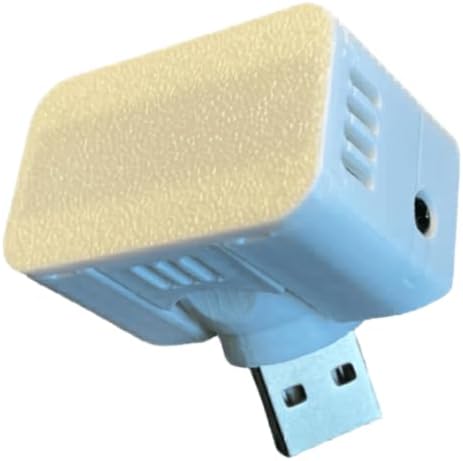
The SONOFF SNZB-06P is a straightforward 5.8GHz microwave presence sensor with a supplied rating of 4.0. It can detect both movement and a stationary person, allowing Home Assistant automations to keep lights active during quiet activities rather than requiring periodic movement to sustain them.
We may earn a commission when you buy through this link, at no additional cost to you.
A built-in light detector adds an immediate lighting benefit: automations can activate only when the room is dark and someone is present. The sensor supports Zigbee 3.0 hubs, including several SONOFF bridge options, and is listed as compatible with Home Assistant, SmartThings, Alexa, Google Home, Alice, and IFTTT. Scene linkage between Zigbee devices can operate locally even without an internet connection, which supports resilient automation.
Its main limitation is hardware dependence: a Zigbee bridge is explicitly required. The 5.8GHz radar also needs a suitable position that gives a clear view across the intended area. Since a basic presence state does not convey detailed spatial information, users should avoid expecting the same zone-level control provided by more specialized sensors.
The SNZB-06P is a value-conscious choice for a reader who already operates Zigbee and wants a simple presence-and-light combination. It is less suitable for a standalone Home Assistant setup because it does not connect directly over Wi-Fi. Within the Zigbee category, however, its broad platform support and local scene capability make it especially versatile.
The two relevant states—occupied and dark—are easy to translate into practical automations. A light can remain on while a seated person is detected without switching on unnecessarily in a sunlit room.
The stated ability to execute Zigbee scene linkage without an internet connection is valuable for local-control users. It helps automations remain functional when the broader network is temporarily unavailable.
We may earn a commission when you buy through this link, at no additional cost to you.
This compact Zigbee presence sensor combines 24GHz radar with temperature, humidity, and illumination measurements. Its supplied rating is 3.9, and its strongest advantage is physical flexibility: the enclosure measures only 40 by 40 by 20 millimeters, allowing it to fit into spaces where a conventional wall sensor would be intrusive.
We may earn a commission when you buy through this link, at no additional cost to you.
Radar is specified to detect breathing and other micro-movements, helping a Home Assistant automation maintain an occupied state while someone sleeps, reads, or works without movement. A magnetic base allows attachment to metal surfaces, and included 3M tape provides a mounting option for glass, tiles, or walls. That makes the device useful in workshops, offices, kitchens, and other areas where a full-size wall unit is inconvenient.
The included CR2450 battery enables wireless placement without a nearby outlet, though battery life is stated in months rather than the multi-year figures claimed by some other options. Home Assistant compatibility depends on Zigbee, and a compatible hub and integration setup are still required. The very small enclosure may also limit the practical radar area, making placement and coverage testing important.
The sensor is a good match for small or awkward spaces where a full-size unit is impractical and environmental context is useful. Home Assistant users should choose it for compact monitoring rather than expecting the broad zone control of specialized commercial-style detectors. Its tiny footprint and three additional readings are the features that set it apart.
The small magnetic enclosure can be moved between locations as monitoring needs change. Adhesive and magnetic mounting make it especially convenient for small offices, utility areas, and temporary monitoring projects.
Temperature, humidity, and light readings can support fan, climate, and lighting routines without requiring separate sensors. This lowers visual and installation clutter in compact spaces.
We may earn a commission when you buy through this link, at no additional cost to you.
The Akamatis Presence Sensor v1.3 has the highest supplied rating in the group at 4.9. It offers a clean, direct path into Home Assistant through 2.4GHz Wi-Fi, with no Zigbee hub required. The HLK-LD2410B radar detects moving and stationary objects up to 20 feet, giving Home Assistant users a practical occupancy signal for detailed automations.
We may earn a commission when you buy through this link, at no additional cost to you.
Its external antenna is intended to improve wireless range and stability, and the ESP32-C3-WROOM controller operates from USB-A power. A two-axis joint helps position the sensor, while adjustable sensitivity lets installers account for room size and nearby movement. As with the newer Akamatis models, ESPHome firmware comes pre-flashed, so setup involves joining the device’s hotspot and entering network credentials rather than manually compiling or flashing software.
The trade-offs are narrow but real. It works only with Home Assistant, and its USB-A power connection may be less convenient than USB-C in modern installations. It also lacks a built-in ambient light sensor, so daylight-aware lighting would require another data source. The dedicated Wi-Fi approach can be a benefit or a limitation depending on how the home is organized.
For a Home Assistant household that prefers direct Wi-Fi sensors and values the highest supplied rating, the v1.3 is an excellent recommendation. It is also a sensible alternative when the primary goal is dependable stationary-person detection without the complexity of Zigbee, Thread, or Matter infrastructure.
Direct 2.4GHz Wi-Fi connectivity keeps the installation path simple for Home Assistant users who do not already maintain a Zigbee or Thread network. The sensor communicates as an ESPHome entity.
A 4.9 supplied rating is notable across this category. While that figure does not replace placement planning, it adds confidence for shoppers comparing the documented feature sets and customer feedback.
We may earn a commission when you buy through this link, at no additional cost to you.
The WenzhiIoT Presence Sensor offers unusually detailed control over radar behavior. It uses 5.8GHz mmWave radar and can distinguish human presence, static occupancy, micro-motion, and ordinary movement states. With a supplied rating of 3.8, it is especially interesting to Home Assistant users who want to tune detection thresholds and reporting behavior instead of relying on one fixed motion trigger.
We may earn a commission when you buy through this link, at no additional cost to you.
Sensitivity can be adjusted from 1 through 9, with a minimum detection range of 0.00 meters and a maximum of 9.5 meters. Separate controls for unmanned and detection delays allow users to decide how long the sensor should wait before changing state. Illumination monitoring in the Tuya Smart Life app can also support lighting scenes, adding useful context beyond occupancy.
A Tuya Zigbee gateway is required, with the Tuya unit specifically recommended for wider compatibility. Home Assistant integration is supported, but a Zigbee2MQTT device that does not immediately recognize the sensor may require a community-provided JavaScript file from GitHub. That dependency is less convenient than a fully native discovery process, although adjustable reporting intervals can help reduce network noise without delaying real-time state changes.
The sensor is a good choice for technically engaged users who want maximum tuning and already operate Tuya or Zigbee2MQTT. It is less appropriate for beginners who want automatic recognition and immediate setup. Its USB-C power, broad maximum range, and detailed delay controls make it a capable option for carefully configured installations.
Independent range and sensitivity settings give installers more control over which part of a room matters. This can prevent distant hallway movement from affecting a desk or bedside automation.
A configurable reporting interval helps limit repetitive Zigbee traffic while preserving immediate updates when presence changes. This is particularly useful for users who care about local network efficiency.
We may earn a commission when you buy through this link, at no additional cost to you.
The meross Presence Sensor MS600 combines radar, PIR, and light sensing in a Matter over Wi-Fi device. Its supplied rating is 3.8, and its main strength is ecosystem breadth. It can work with Home Assistant, HomeKit, Alexa, Google Home, the Meross app, and Matter-compatible smart home platforms, making it a practical option for readers who do not want a vendor-specific presence sensor.
We may earn a commission when you buy through this link, at no additional cost to you.
The radar component is intended to detect occupancy even without movement, while PIR and light measurements add complementary triggers. The adjustable base pivots 180 degrees, rotates 360 degrees, and includes cable management. It is specified to detect motion up to 12 meters and maintain effective presence detection up to 6 meters. A pet-proof shield is included to reduce accidental activation from pets or robot vacuums.
The power and hub requirements deserve attention. Unlike battery-operated alternatives, MS600 requires continuous power through its 1.5-meter cord. It can operate without a hub for HomeKit, Alexa, Google Home, Home Assistant, or the Meross app, but Matter compatibility specifically requires a hub. This distinction matters when selecting the model for a particular integration path.
MS600 is best for mixed ecosystems and users who want Matter plus broad smart-platform support. It also suits households concerned about pet or vacuum triggers because of the included shield. It is less convenient where a nearby outlet is unavailable, but for many finished rooms its flexible mounting and multi-platform approach are more valuable than battery independence.
Matter over Wi-Fi offers a common control path across several popular platforms. That makes MS600 useful when different household members use different phone ecosystems or when a future platform migration is likely.
The pivoting base simplifies wall and corner placement, while integrated cable management keeps the fixed cord tidy. The included shield adds a practical layer of control over nuisance triggers.
We may earn a commission when you buy through this link, at no additional cost to you.
Choosing well means matching radar behavior, connectivity, environmental sensors, power, and installation constraints to your Home Assistant setup. The most important distinction is whether you value direct Wi-Fi simplicity, Zigbee flexibility, or broader Matter support.
A motion sensor reacts when it detects movement and may clear after a short inactivity period. A human presence sensor is designed to maintain an occupied state while a person remains still, which is valuable for reading, sleeping, desk work, and other low-movement activities. Most options in this guide use microwave or millimeter-wave radar for that distinction, while the Aqara FP300 and meross MS600 add PIR as a complementary signal.
Choose true presence detection when lights, fans, or climate controls must remain active for a stationary occupant. Traditional PIR sensing is usually adequate only for hallways and other spaces where movement reliably signals occupancy.
The guide includes 5.8GHz microwave radar, 24GHz radar, and 60GHz mmWave options. 24GHz models are common in presence sensors and can detect moving or stationary people within approximately 6 meters. The 5.8GHz models offer compact radar modules and, in some cases, detailed range tuning. The 60GHz Aqara sensor combines a narrower radar approach with AI, PIR, and environmental sensing for more comprehensive room analysis.
Do not choose solely by frequency. Check whether the documented detection states match your automations, whether stationary occupants are supported, and whether the stated range makes sense for the room geometry.
Direct Wi-Fi models connect to 2.4GHz Wi-Fi and use ESPHome, which can be the simplest route for a single-home Assistant installation. Zigbee sensors require a compatible coordinator, but that infrastructure may already exist and can serve many other devices. Matter over Thread options can be attractive for mixed ecosystems, although a Thread Border Router and Matter Controller are required for third-party control.
Match the sensor to infrastructure you already maintain. A technically simple device is not necessarily the least complex choice if it requires a new hub, custom configuration files, or several coordinated network services.
Every Zigbee option here has a hub or bridge requirement, and the exact coordinator can affect device discovery and exposed entities. Models based on the SONOFF ecosystem explicitly list several compatible bridges and hubs. Tuya-based products may perform best with a Tuya gateway, while the WenzhiIoT model may need a community device file in Zigbee2MQTT if it is not recognized directly.
Check the product’s supported protocol, coordinator models, firmware expectations, and Home Assistant integration path before buying. Compatibility claims are most useful when they name the ecosystem and setup method rather than simply saying Zigbee.
Ambient light, temperature, and humidity readings can make a presence sensor more useful by adding context. Light data enables a rule such as turning on a lamp only when a person is present and the room is dark. Temperature and humidity can support fans, dehumidifiers, and climate scenes. Litos v3, SNZB-06P24, the compact Zigbee sensor, Aqara FP300, WenzhiIoT, and meross MS600 include at least some of these additional measurements.
Prioritize the readings your automations will actually use. A larger sensor bundle is not automatically better if it complicates setup, creates unnecessary entities, or requires more maintenance than your routines need.
Battery-powered sensors can be placed almost anywhere and are helpful in retrofits, but they eventually need battery attention. USB-C models offer continuous operation in a convenient outlet location. The meross MS600 uses a cord and therefore needs an outlet near its intended position. The Akamatis v1.3 uses a USB-A connection and an adjustable joint, while the v2.2 adopts USB-C.
Think about the room, not just the device. A battery model may be the only practical option on a high shelf or in a bathroom, whereas a wired sensor is preferable where reliable continuous readings and no battery upkeep are priorities.
Maximum detection distance is only useful if the sensor can be mounted where a person actually enters or rests. Several models advertise approximately 6 meters of coverage, while the WenzhiIoT sensor supports a maximum range of 9.5 meters. SONOFF SNZB-06P24 adds seven-zone selection, and multiple products provide adjustable sensitivity, minimum distance, or delay controls.
Plan the mounting angle before finalizing a choice. Radar needs a clear field of view, and walls, cabinets, large furniture, reflective surfaces, and people sitting behind other objects can affect the usable area. Sensitivity settings should be tuned after installation rather than treated as a substitute for correct placement.
Presence sensing can remain local when the device and Home Assistant use an appropriate local integration path. Radar detects occupancy without creating a camera image, which may appeal to privacy-conscious users, but the sensor should still be evaluated according to the trust placed in its manufacturer, firmware, and cloud services. Local scene support and direct Wi-Fi operation can reduce dependence on external services.
Look for useful state distinctions, timeout controls, zone exclusion, and local execution. A simple binary occupancy entity may be sufficient for a single light, while complex rooms benefit from calibrated zones, detailed delays, and environmental context.
Begin by identifying the automation goal and measuring the intended room. Decide whether the sensor should cover an entire space or a specific sofa, bed, desk, or entrance, then mount it where the radar field of view is not blocked. For direct Wi-Fi models, connect the device to 2.4GHz Wi-Fi and complete its ESPHome onboarding. For Zigbee products, join the coordinator first, then pair the sensor through Home Assistant, SmartThings, Tuya, or the specified app. Matter devices require the relevant hub or controller services.
After adding the device, create a simple diagnostic automation before building more complex routines. Log presence, motion, light, and other exposed entities, then walk through the room, sit still, and leave for several minutes. Adjust sensitivity, detection distance, zones, or delay settings until the states match real occupancy. Once the behavior is stable, use those verified states in lighting, fan, climate, and security automations with sensible timeouts and fallback conditions.
Care for the device by keeping the sensing area free from dust, condensation, and obstructive objects, and do not paint or cover the light-permeable portions. Check battery-powered models periodically and replace batteries as needed rather than waiting for complete failure. Firmware and calibration settings should be updated through the appropriate platform, while wired sensors should be checked for stable power and clean connections. Periodically verify that automations still behave correctly after furniture or room use changes.
A human presence sensor is preferable when automations must remain active while someone is seated, reading, working, or sleeping. A conventional motion sensor often times out when the person stops moving. For a hallway where people continuously walk, a basic motion sensor may be sufficient, but presence sensing is better for occupied rooms that need thoughtful lighting, climate, or energy controls.
It depends on the connection method. Akamatis models connect directly through 2.4GHz Wi-Fi and pre-flashed ESPHome firmware. Zigbee models require a compatible coordinator or hub, while Matter compatibility for the meross MS600 also requires a hub. The Aqara FP300 can use Zigbee or Matter over Thread, with third-party Matter operation requiring a Thread Border Router and Matter Controller.
Yes, that is the central purpose of the radar models in this guide. Their sensing is designed to distinguish stationary or micro-movement occupancy from an empty space. Detection quality can still vary with mounting, obstacles, radar position, and sensitivity settings, so the sensor should be calibrated in its final location rather than judged from a different part of the room.
The best protocol is the one that fits your existing infrastructure. Direct Wi-Fi is simple for a dedicated ESPHome setup, Zigbee works well when a coordinator is already available, and Matter or Thread can provide broader mixed-ecosystem support with additional infrastructure. The deciding factors should include local-control reliability, device support in your chosen integration, power requirements, and ease of adding the sensor.
Not if your chosen model already includes one and Home Assistant exposes it as a usable entity. Litos v3, SNZB-06P24, SNZB-06P, the compact Zigbee model, Aqara FP300, WenzhiIoT, and meross MS600 all list light or illumination sensing. Models without it, such as Akamatis v1.3 and v2.2, can still control lights, but daylight-aware conditions require another source.
Mount it where it can view the area you want to monitor, away from large obstructions and reflective surfaces that could distort radar behavior. Its height and angle should correspond to the main occupied zone, and it should not be placed behind furniture if a clear field of view is important. After mounting, test the exposed states while entering, sitting still, and leaving.
Battery-powered models offer easier placement and eliminate the need for a nearby outlet, but they require eventual battery replacement. Wired USB-C models provide continuous operation and can be positioned near a power source without regular battery service. The most convenient option depends on the room and whether uninterrupted readings are more important than completely unrestricted placement.
Yes. Once a sensor’s presence and optional environmental entities are available in Home Assistant, they can be reused in many automations, scripts, dashboards, and scenes. Good practice is to test the underlying states first, add conservative timeouts, and avoid creating several overlapping rules that produce confusing behavior. A single reliable occupancy signal can support lighting, fans, climate, and notifications.
The Akamatis Litos v3 is the most balanced overall recommendation because it combines radar presence detection, ambient light sensing, direct Wi-Fi, and pre-flashed ESPHome firmware. The SONOFF SNZB-06P stands out for straightforward Zigbee value, while the Aqara FP300 offers the deepest multi-sensor and ecosystem feature set.
Prioritize the requirements your installation actually has: true stationary-person detection, an appropriate connection method, usable Home Assistant entities, power at the intended location, and a mounting position with a clear radar view. The right sensor is not always the one with the longest specification list, but the one that integrates cleanly and behaves consistently in the room where it will be used.
Before purchasing, confirm the current product listing, hub compatibility, included mounting accessories, and the exact automation entities available in Home Assistant. Specifications, firmware support, and market conditions can change, so checking the latest manufacturer and seller information will help ensure a smooth setup.
