
OHLPRO Universal Tablet Wall Mount
4.6Editor score
Adjustable 360-degree ball head
Fits 5-13-inch devices
Supports cases up to 20 millimeters
An iPad wall mount can turn unused wall space into a hands-free display for recipes, video calls, work dashboards, entertainment, digital signage, or point-of-sale systems. A worthwhile model combines a secure grip, smooth adjustment, dependable construction, and an installation method suited to your wall and viewing location.
We compared the ten featured mounts across device compatibility, mounting style, security, motion, accessible ports, installation requirements, and intended commercial or household use. The list covers adjustable swivel arms, fixed low-profile enclosures, lockable anti-theft kiosks, and universal mounting options for several popular tablet sizes.
Each review explains the stand-out benefits, limitations, and ideal setting for its mount, helping you narrow the field before buying. Ratings and product details reflect the supplied information, while prices and availability can change, so confirm the current listing and exact device fit before ordering.
4.6Editor score

4.5Editor score

4.1Editor score
As an Amazon Associate we earn from qualifying purchases.
The comparison below highlights the major differences in construction, security, device fit, and adjustment across all ten iPad wall mounts.




This universal tablet wall mount combines an aluminum base and arm with an ABS clamp, giving it a practical balance of rigidity and manageable weight. Its 4.5 rating reflects a broadly capable design that supports devices from 4.7 to 13 inches. The metal ballhead is the most prominent feature, providing continuous 360-degree swivel and easy movement between portrait and landscape orientations.
We may earn a commission when you buy through this link, at no additional cost to you.
Adjustment is useful in homes and workplaces because the wall bracket itself can be positioned through 180 degrees while the swivel head handles the remaining viewing angles. The supplied description emphasizes using the included hexagonal screws to lock the three shafts, which helps preserve the chosen position. Installation hardware includes two sets of screws, expansion screws, and a small wrench, although drilling tools still need to be prepared separately.
The main compromise is that this is an exposed holder rather than a lockable enclosure. Anyone nearby can remove or reposition the device, so it is better suited to private rooms, home displays, shared workspaces, or less trafficked locations than unattended retail kiosks. Its advertised universal range is broad, but the device dimensions and case thickness should still be checked before drilling.
This is our overall recommendation because it balances a wide size range, strong materials, smooth viewing-angle changes, and an easy portrait-or-landscape workflow. Choose it when you want flexible positioning without a permanent lock and expect to control access to the mounted tablet yourself.
The 360-degree metal ballhead makes it straightforward to switch between tall portrait layouts and wide landscape layouts. This is particularly helpful for recipes, video calls, dashboards, and media playback where the useful orientation changes throughout the day.
Compatibility extends from 4.7-inch phones through 13-inch tablets, covering iPad, iPad Pro, iPad Air, iPad mini, many Samsung Galaxy models, Surface devices, Kindle Fire tablets, and other mobile hardware. Confirm your exact model and case dimensions before installation.
We may earn a commission when you buy through this link, at no additional cost to you.
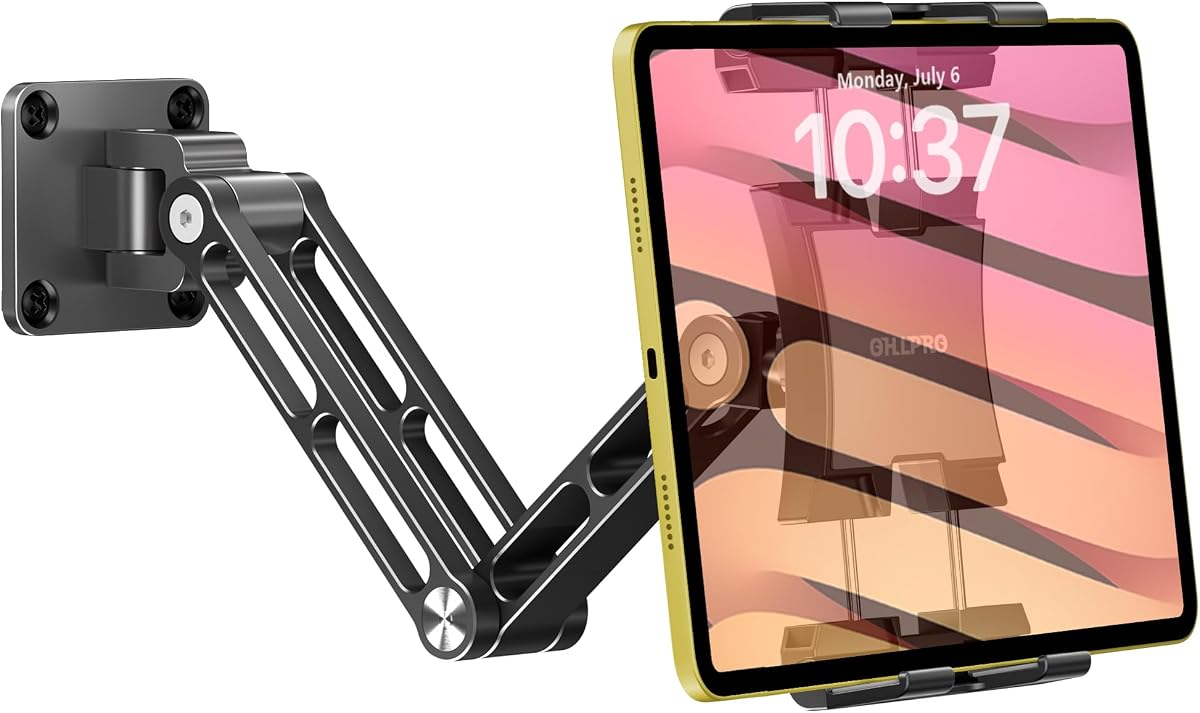
This OHLPRO holder combines a compact universal clamp, an adjustable ballhead, and a 4.6 rating, making it an appealing all-around choice. It supports devices from 5 to 13 inches and includes several explicitly named iPad Pro, iPad Air, iPad standard, iPad mini, Galaxy Tab, Kindle, and iPhone models. The clamp can also accommodate a case up to 20 millimeters thick.
We may earn a commission when you buy through this link, at no additional cost to you.
Its anti-slip rubber pads add both grip and scratch protection, while the 360-degree ballhead lets users choose a comfortable viewing angle. Unlike a locked frame, it can be repositioned as needed. It is also described as suitable for walls, tables, shelves, and cabinets, giving buyers flexibility when a conventional framed kiosk would be too restrictive.
Installation is the main limitation. It uses screws and is intended for vertical surfaces, so you need a drill and the appropriate anchors for your wall. It offers no key, security bolt, or enclosed anti-theft system, making it less appropriate for an unattended point-of-sale station exposed to customers.
Choose this model when you want strong everyday adjustability, broad compatibility, and value without paying for a lockable commercial enclosure. It is a particularly useful kitchen, office, classroom, studio, or home option where the tablet is kept within a controlled area.
The 20-millimeter side clearance allows many tablets to remain in their cases, avoiding the inconvenience and risk of removing a protective cover before mounting. The adjustable grip also gives the mount wider device versatility than a fixed-size cradle.
Suggested applications include classrooms, conference rooms, recording studios, food-ordering areas, medical institutions, virtual offices, and gyms. In each case, the benefit comes from presenting information or an interactive interface in a convenient location rather than from built-in theft deterrence.
We may earn a commission when you buy through this link, at no additional cost to you.
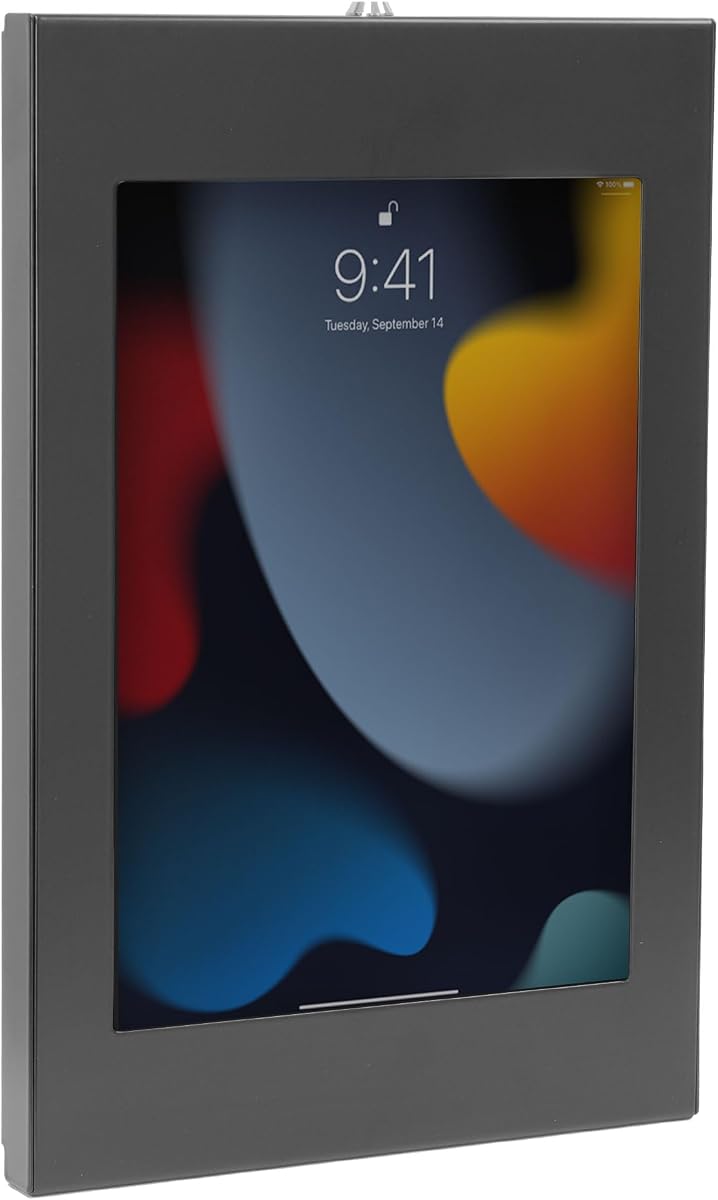
This Mount-It! enclosure is designed as a secure, permanent commercial display rather than a lightweight swivel cradle. It uses painted cold-rolled steel, supports a 15-pound load, and requires a hex wrench to release the tablet from the wall plate. Its 4.1 rating is the lowest among the selections, but the design serves a clearly defined security-focused purpose.
We may earn a commission when you buy through this link, at no additional cost to you.
The adjustable frame supports numerous iPad, Galaxy Tab, Surface Pro, Fire, and Lenovo tablet models. It accommodates rounded corners and allows the front camera, home button, and charging port to remain reachable. A 1.3-inch profile keeps the installation relatively slim, while installation to drywall, concrete, wood studs, or a 75-by-75-millimeter VESA stand broadens deployment options.
Important restrictions apply. The tablet must be bare, as cases are incompatible, and the frame accommodates larger mainstream tablets but not iPad mini. Portrait or landscape orientation must be chosen during installation, and changing it later requires reinstallation. These limitations make careful planning important for displays that will remain mounted for years.
This is the premium pick for retail stores, hospitality counters, healthcare registration, conference rooms, and other public-facing installations where theft resistance and a professional appearance outweigh the flexibility of an exposed clamp. It also includes installation guidance, hardware, a warranty, and US-based technical support.
A hex-wrench security bolt deters casual removal of the enclosure, making the tablet less accessible than it would be in an open cradle. This is valuable in retail, hotel, restaurant, library, office, and public information environments.
The slim painted-steel frame sits close to the wall and presents a cleaner appearance than a visible arm. It can serve as a space-saving alternative to a floor kiosk when the final orientation and wall position are known before installation.
We may earn a commission when you buy through this link, at no additional cost to you.
This black anti-theft enclosure offers a particularly slim and restrained way to mount an iPad permanently. Its 4.4 rating reflects a straightforward secure design, with a key lock, tamper-resistant steel frame, and only 0.87-inch of depth from the wall. It is intended for permanent retail, healthcare, hospitality, library, and check-in installations.
We may earn a commission when you buy through this link, at no additional cost to you.
The included adapters help accommodate several iPad generations while maintaining access to the front camera, charging port, and, where appropriate, Touch ID or the home button. A removable cover can also block the home button entirely. Because the enclosure is fixed, visitors cannot tilt or swivel the device, which helps maintain a consistent experience across a long deployment.
Compatibility is narrower than several universal mounts. It supports select 7th- through 11th-generation standard iPads, iPad Pro 10.5 and 11-inch models, and iPad Air models, but not the 12.9-inch iPad Pro, iPad mini, or devices under 9.7 inches. It also requires a bare tablet and cannot be installed into drywall without structural support.
This mount is a strong choice for a permanent, low-profile kiosk whose iPad model is explicitly supported. Black works particularly well for retail technology, medical registration, office check-in, and digital signage where a subtle presentation is preferable to a conspicuous articulated arm.
Because the enclosure does not tilt or swivel, the display remains at the same angle for every visitor. That consistency is useful for digital signage, loyalty registration, and check-in stations where accidental movement would be undesirable.
The adapter system is designed to preserve key controls and sensors while the enclosure remains locked. This provides a more practical kiosk experience than fully sealing the tablet, although compatibility remains limited to the listed models.
We may earn a commission when you buy through this link, at no additional cost to you.
This white version of the anti-theft iPad enclosure shares the secure, fixed design of the black model while blending more naturally into light-colored offices, clinics, showrooms, hospitality spaces, and contemporary retail interiors. It carries a 4.4 rating and stands 0.87 inches from the wall.
We may earn a commission when you buy through this link, at no additional cost to you.
A supplied key controls the lock, allowing staff to remove the tablet in seconds while keeping the device protected between uses. The steel body and fixed configuration discourage both theft and casual repositioning. Three mounting adapters are supplied for selected iPad models, preserving camera, charging, and selected home-button or Touch ID access.
The trade-offs are substantial and should be checked before purchase. The enclosure does not fit the 12.9-inch iPad Pro, iPad mini, or tablets smaller than 9.7 inches, and it accepts bare tablets rather than devices in cases. Installation must be anchored to a wood stud or concrete or stone surface; drywall-only mounting is not supported.
Choose the white enclosure when you need a permanent secure display with a lighter visual finish. It is especially attractive in modern clinical offices, boutique retail spaces, reception areas, and hospitality environments where a black frame could look visually heavy.
The white coating can blend with pale walls, cabinetry, and reception furniture. That makes this version easier to integrate into a polished commercial interior than a visibly industrial enclosure.
The key-operated release allows authorized staff to open the enclosure and remove the tablet quickly. This is helpful when content must be updated or the device must be charged, while still discouraging ordinary users from taking it.
We may earn a commission when you buy through this link, at no additional cost to you.
This anti-theft tablet mount is a useful middle ground between a fully fixed enclosure and an open swivel holder. It combines lockable steel construction with a full-motion arm, earning a 4.3 rating. The adjustable clamps fit tablets from 7.9 to 11 inches and support popular iPad, Galaxy Tab, and other tablet families.
We may earn a commission when you buy through this link, at no additional cost to you.
Its motion is unusually broad: tilt of plus or minus 15 degrees, swivel of plus or minus 90 degrees, 180-degree rotation, and extension between 3.5 and 16.1 inches. Users can pull the display closer for interaction, push it away to clear a walkway, and change between portrait and landscape orientations while retaining the security of a locked enclosure.
That same full-motion design creates its primary practical compromise. The extended arm needs room and may protrude more than a low-profile frame, which can be undesirable in narrow corridors or busy customer spaces. Installation is intended for a single wood stud or solid concrete or brick wall rather than unsupported drywall.
This model is well suited to hotels, offices, retail areas, trade shows, and smart-home control displays where users need to approach and reposition the screen but should not be able to remove it. Choose it when secure access and flexible positioning are equally important.
Most lockable frames sacrifice movement, but this mount preserves a wide range of angles. It is useful for customer interaction, presentations, and controls that need to be viewed from different positions.
The arm extends up to 16.1 inches and folds or retracts toward the wall when appropriate. This gives installers more freedom to locate the device beside a workstation, counter, or passage without permanently occupying the same depth as the screen.
We may earn a commission when you buy through this link, at no additional cost to you.
This model-specific lock is the highest-rated product in the group, with a 4.8 rating. Rather than attempting to accommodate every tablet, it fits two specific models: the 2025 11-inch iPad A16 and the 2022 10.9-inch 10th-generation iPad. That focused design makes it a strong option for buyers who know exactly which device they own.
We may earn a commission when you buy through this link, at no additional cost to you.
The aluminum kiosk includes predrilled mounting holes, a key lock, a heavy-duty bracket and metal base, and a protective pad around the contact area. Its screen can rotate for horizontal or vertical use, while the minimalist grip is designed to leave ports, cameras, and buttons accessible. Installation hardware is included, and the bracket is described as sturdy and resistant to wobble.
Its largest limitation is compatibility. The listing explicitly says other 10.9-inch and 11-inch iPads cannot be used, even if their screen dimensions appear similar. Buyers should match the model number and verify the physical layout rather than relying only on diagonal screen size. A drill is required for wall installation.
This is a compelling recommendation for an A16 11-inch or 10th-generation 10.9-inch iPad owner who wants a polished metal enclosure, key security, and rotating orientation. It can serve offices, retail counters, hotels, schools, restaurants, churches, kitchens, conferences, and trade shows.
By targeting two named iPad generations, the manufacturer avoids the looser tolerances associated with a very broad universal cradle. Exact model verification is essential, however, because similarly sized iPads are not listed as compatible.
The heavy-duty aluminum bracket and base offer a refined appearance while the included lock helps keep the device in place. A protective pad cushions the contact points between the tablet and mount.
We may earn a commission when you buy through this link, at no additional cost to you.
This OHLPRO mount pairs a high 4.7 rating with a refined aluminum construction and a two-section articulated arm. It is designed to look lighter than a full steel kiosk while still offering the reach and angle adjustment expected from a premium adjustable wall holder. The reinforced base, high-strength screws, and locking shafts aim to minimize wobble, sagging, and loosening.
We may earn a commission when you buy through this link, at no additional cost to you.
A 360-degree swivel base and rotating ballhead support portrait, landscape, and intermediate viewing positions. The arm can extend toward the viewer for detailed work or fold flat against the wall to conserve space. The adjustable clamp supports 4.7- to 13-inch devices, including several iPad, Galaxy Tab, Kindle, and smartphone families.
Installation hardware includes long screws for wall or stud mounting, shorter screws for direct board mounting, and an Allen key for tightening the joints. As with other open holders, the device can be removed by anyone with physical access. The listing also does not specify a key or security enclosure.
This is an excellent choice for kitchens, bedrooms, offices, workshops, gyms, and recreational vehicles where a hands-free display should be easy to reposition. It is especially appealing when you want the extended-arm convenience of a premium holder without a fixed commercial frame.
The two-section arm offers a practical compromise between a fixed cradle and a short swivel plate. It can be drawn closer for touch interaction and folded toward the wall when the display is not needed.
Aerospace-grade aluminum provides a rigid structure without the visual and handling bulk of solid steel. Reinforced shafts and tightened joints help keep the display steady during everyday use.
We may earn a commission when you buy through this link, at no additional cost to you.
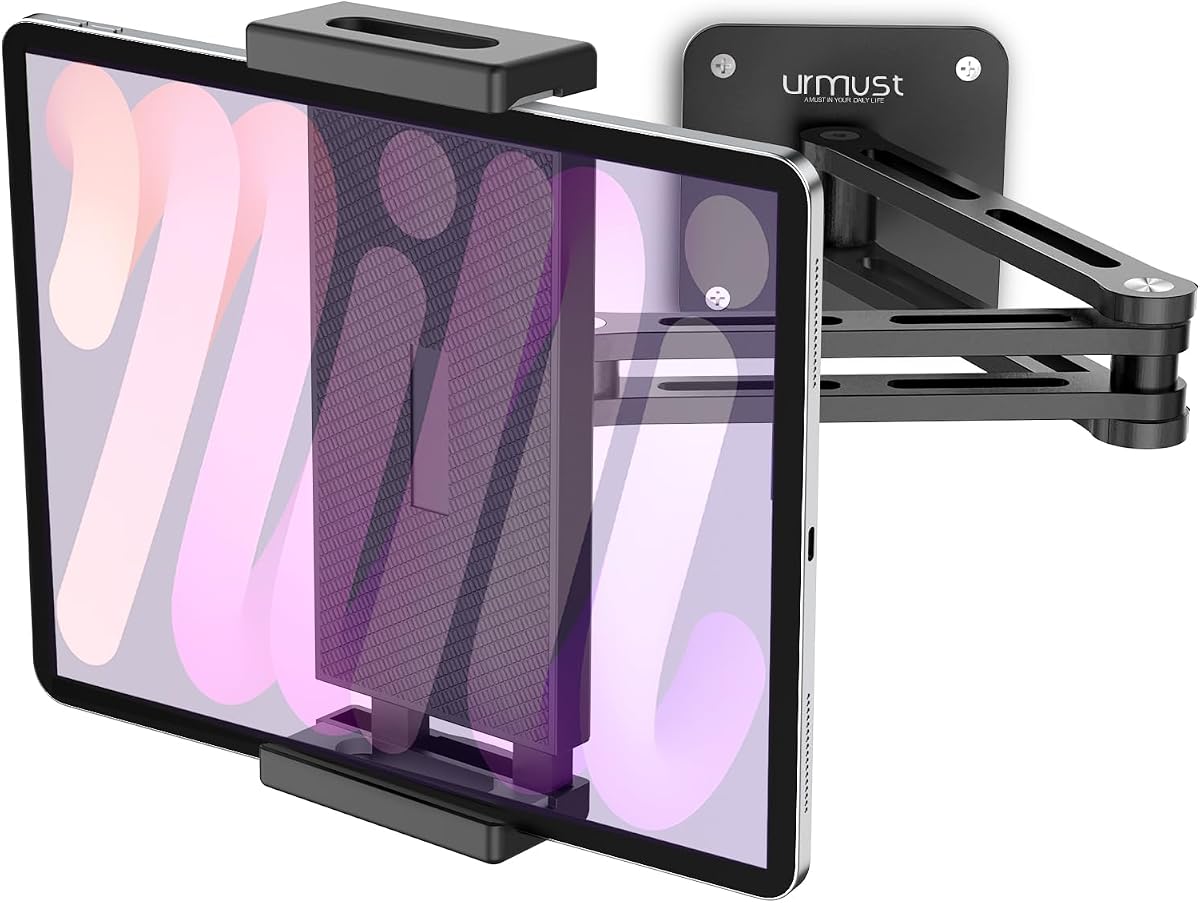
Urmust's long-arm holder stands out for its dual extension arms and ability to pull the display closer when detailed viewing is needed. It has a 4.5 rating, uses heavy-duty aluminum alloy, and supports devices from 4.7 to 13 inches. Its broad range includes iPad Pro, Air, and mini models, Galaxy Tab, Surface, Kindle, and iPhone.
We may earn a commission when you buy through this link, at no additional cost to you.
The full 360-degree swiveling ballhead supports portrait and landscape use, while the two-section arms create more reach than a standard short swivel bracket. When not needed, the arms can fold flat against the wall or cabinet. That makes the mount practical under kitchen cabinets, beside a bed, inside an RV, or in a compact office.
The product is not a lockable anti-theft enclosure, and stability depends on proper installation. The listing specifically advises fully seating the provided anchors when mounting in drywall. You should also verify that the arm has enough clearance to unfold and that nearby cabinetry will not interfere with the viewing angle.
This is a good recommendation for home users who want a durable, reachable, and unobtrusive tablet station. It is particularly useful for following recipes, streaming video, joining calls, presenting information, and keeping frequently used content visible without occupying a stand.
Dual extension arms give the mount a useful reach advantage over compact ballhead holders. The screen can move nearer the user for reading small text or interacting with controls, then retreat when space is needed.
The folding structure is valuable in kitchens, bedrooms, and RVs where an extended arm could interfere with daily activity. Folding it away preserves the wall space while keeping the installed mount ready for later use.
We may earn a commission when you buy through this link, at no additional cost to you.
AboveTEK's enclosure combines the anti-theft protection of a commercial kiosk with more movement than most locked frames. Its 4.2 rating reflects a feature set aimed at retail, lobby, restaurant, school, and showroom displays. The mount supports 9.7- to 13-inch devices with a maximum thickness of 0.47 inches.
We may earn a commission when you buy through this link, at no additional cost to you.
Users can rotate the enclosure through 360 degrees, switch between portrait and landscape, and tilt it from minus 30 to plus 30 degrees. A combination of swivel and tilt can help reduce glare and make the screen easier to use from different positions. The faceplate is aluminum, while the base uses reinforced steel for stability.
Instead of a conventional key, security is provided through a tamper-resistant screw system and included wrench. This adds theft resistance but makes the mount less convenient for frequent staff access than a keyed enclosure. Device thickness should also be checked because thick protective cases may not fit.
This is a strong option for a business point-of-sale display or customer-engagement kiosk that needs secure retention plus adjustable positioning. It is less appropriate for a home user who wants quick access, or for a very thin tablet outside the stated dimensions.
The 360-degree rotation and plus-or-minus 30-degree tilt make the screen easier to approach from different customer positions. These controls are more useful in an interactive commercial setting than they may be for passive home viewing.
The steel base and aluminum faceplate create a rigid enclosure designed for repeated daily use. Protective anti-scratch pads help guard the device while it is held within the frame.
We may earn a commission when you buy through this link, at no additional cost to you.
The right iPad wall mount depends on device fit, mounting security, available space, and the degree of movement required. Review the following factors before choosing an exposed arm, a lockable enclosure, or a model-specific bracket.
Match the iPad model before drilling and expect to use a bare tablet with any enclosed security mount.
Use an open holder in controlled spaces and an enclosed mount for unattended public displays.
Prioritize flexible adjustment for hands-free use and fixed positioning for permanent kiosks.
Plan the wall structure and mounting pattern before purchasing installation hardware.
Select aluminum for adjustable arms and steel for fixed high-traffic enclosures.
Prioritize accessible charging, camera, and controls for interactive or all-day use.
Read the included instructions and prepare the correct tools before installation.
Match the mount's motion, security, and finish to the room where it will be used.
Begin by identifying the wall material, locating a stud or suitable anchor point, and deciding the exact screen height and orientation. Mark the base holes with a pencil, drill only after checking cables and hidden obstacles, and use the fasteners and anchors specified by the manufacturer. Tighten the hardware evenly so the base remains level and does not twist.
After attaching the wall plate, connect the arm or enclosure and tighten every pivot or locking shaft with the supplied tool. Set the tablet in the clamp without forcing it, then adjust the viewing angle gently. For a rotating enclosure, move it through the permitted range while supporting the device rather than forcing it beyond its mechanical limits.
Route the charging cable so it cannot pull against the connector or snag when the arm moves. Periodically inspect screws, anchors, pivots, and the device grip for loosening, especially in high-traffic locations. Clean the mount with a dry or lightly damp cloth, and avoid pushing liquid into joints. Keep cases removed from devices used with fully enclosed security frames.
It depends on the mount and the load. Some models include expansion anchors suitable for drywall, while commercial or anti-theft products may require screws to enter a wood stud or anchors in concrete or stone. Follow the product instructions, and if the wall is hollow, install into a stud or use a properly rated hollow-wall anchor. Secure mounting is especially important for larger tablets and extended arms.
No. Open universal clamps may accommodate many cases, particularly ones with modest thickness, while lockable enclosures often specify bare tablets only. Measure the device and case together, then compare them with the holder's stated width, height, and thickness limits. Also check whether a case blocks the camera, charging port, home button, or controls.
An open holder exposes the device and usually allows easy removal and adjustment. A security enclosure surrounds the tablet with a rigid frame and uses a key or tamper-resistant screw to discourage removal. Enclosures are better for unattended retail, clinic, hotel, and event displays, while open mounts are generally easier for home use and frequent charging.
Ballhead and articulating mounts can usually rotate between portrait and landscape after installation. Fixed enclosures often determine orientation during installation, and changing it may require partially or completely reinstalling the mount. Model-specific rotating frames may offer movement, but they remain limited by the exact device and frame design.
Compatibility depends on the individual product. Several universal mounts support larger tablets, but specific low-profile enclosures exclude the 12.9-inch iPad Pro or iPad mini. Because screen size alone does not guarantee a fit, check the exact model number and the manufacturer's supported dimensions before buying.
Most require at least a drill and screwdriver, and masonry installations may require the appropriate bit. Some products include screws, anchors, hex keys, or small wrenches, but the supplied information does not indicate that every possible drilling tool is included. Review the installation instructions and prepare your own tools before starting.
Stated capacity varies considerably. Some listings provide a specific figure, such as 15 pounds for a commercial steel enclosure, while many adjustable models do not state a load limit in the supplied information. Device weight, arm extension, leverage, and wall strength all affect the real-world load, so follow the stated limit and installation guidance.
Yes, provided the mount supports your device and leaves the front camera accessible. Adjustable ballhead and arm mounts are especially useful because you can position the camera near eye level. Before buying a security enclosure, verify that it includes a camera cutout or compatible adapter, and plan a charging route for longer calls.
The Tablet Wall Mount Holder is the strongest general recommendation because it combines aluminum construction, wide device compatibility, and useful 360-degree positioning. The OHLPRO Universal Wall Mount stands out as the value pick, while the Mount-It! Steel Enclosure is the stronger choice for permanent commercial displays that need theft deterrence and a professional finish.
Before ordering, verify the exact iPad model, case dimensions, wall material, and required ports. Choose an open adjustable mount for private or controlled spaces, a lockable enclosure for public kiosks, and a long folding arm when reach and space conservation matter most. Planning the orientation and charging route before drilling will prevent most installation regrets.
Ratings and specifications can change as products are updated, and prices and availability also fluctuate. Review the current listing, installation instructions, and included hardware before purchasing so that the selected mount matches your device, wall, security requirements, and intended viewing position.