
Uniden R3
4.6Editor score
Long-range radar detection
Built-in GPS memory
Multi-color OLED display
A useful radar detector for a Tesla should combine dependable detection, clear directional information, and an installation method that suits the vehicle’s clean interior. Because Teslas lack a traditional radio faceplate, power routing and screen-mounted accessories are important considerations alongside raw detection performance.
This guide compares ten radar detectors, Tesla-specific mounting solutions, and a hardwire power cord. The evaluation focuses on documented features such as directional arrows, laser and radar coverage, GPS memory, false-alert filtering, voice alerts, display technology, connectivity, and compatibility with common power connections.
Each selection below explains who the product is best suited for, its standout advantages, and any practical trade-offs. Ratings and product details can change over time, as can retail prices, so readers should confirm the latest specifications, fit, and availability before making a purchase.
4.6Editor score

4.3Editor score

4.2Editor score
As an Amazon Associate we earn from qualifying purchases.
The comparison covers full-size radar detectors, more compact alternatives, dedicated Tesla screen mounts, and a hardwire power option. It highlights the features most likely to affect daily usability, installation, and driver awareness.




The Uniden R8W is presented as Uniden’s flagship portable windshield-mount detector, and it brings the most ambitious feature set in this guide to the Tesla. Its 4.3 rating reflects strong buyer interest, while dual antennas, dual Blackfin digital signal processors, and 360-degree awareness distinguish it from simpler one-direction or dual-antenna designs.
We may earn a commission when you buy through this link, at no additional cost to you.
Directional arrows are particularly valuable in a modern vehicle because a driver can identify which side of the road carries the threat without taking attention away from traffic. The detector also announces the direction, band type, and signal strength through configurable voice alerts. Built-in GPS adds route-based auto-mute memory for familiar false alerts, while red-light and speed-camera alerts use a preloaded database supported by free updates.
Wi-Fi and Bluetooth compatibility, together with the R/TACH app, add a connected dimension that many competing detectors lack. That does not mean every driver needs app-based functionality, and the R8W remains a large, premium-style unit rather than a minimalist option. A Tesla owner must also arrange a stable mounting position and a compatible power connection, which can add to the overall installation effort.
This is the strongest recommendation for a Tesla driver who wants maximum detection capability, arrows, GPS memory, and wireless connectivity in one package. It is particularly appropriate for frequent road travelers, commuters crossing multiple jurisdictions, and anyone who values future database and firmware updates. Buyers should verify windshield clearance and the power-cord connector before installation.
The R8W’s dual antennas and arrow system identify threats from four directions. This helps drivers react to a signal behind or beside the vehicle while keeping their focus primarily on the road.
Auto-mute memory can recognize recurring locations associated with false alerts. Over time, this may make a long commute less noisy without requiring the driver to silence every alert manually.
We may earn a commission when you buy through this link, at no additional cost to you.
The Uniden R7 carries a 4.6 rating, the highest among the radar detectors in this roundup, and offers a well-rounded combination of range, filtering, and directional information. It is designed for drivers who want more context than a basic audible alert and more coverage than a compact single-direction detector can provide.
We may earn a commission when you buy through this link, at no additional cost to you.
Dual antennas create 360-degree protection, with arrows indicating the source of a detected signal. The display can also show the relevant band and signal strength, and the large multi-color OLED screen can present up to four signals at once. That amount of simultaneous information is useful when multiple vehicles or systems generate nearby transmissions.
Built-in GPS lets the R7 remember and mute common false alerts along regularly driven routes. Red-light and speed-camera alerts come preloaded, and free database and firmware updates help keep the location information current. The principal limitation is that the supplied product information does not mention Wi-Fi, Bluetooth, or an app comparable to the R8W’s connected feature set.
The R7 is a strong all-around choice for Tesla owners who prioritize detection performance, arrow guidance, an information-rich OLED display, and route learning. It is especially compelling for commuters who want a detector that can remain quiet on familiar routes. Buyers should allow enough space for the larger display and confirm their preferred windshield placement.
The OLED display can show up to four signals at once. This helps separate nearby radar sources while giving the driver a clearer view of changing threat levels.
GPS memory records recurring false-alert locations along regularly driven routes. The system can then reduce repeated interruptions during the commute.
We may earn a commission when you buy through this link, at no additional cost to you.
The Cobra RAD 700i is a premium detector with a 4.2 rating, designed around a new antenna platform and digital signal processing for faster laser-signal recognition. Its central advantage for modern Tesla interiors is connectivity: it supports the Drive Smarter community, shared alerts, and interaction through Apple CarPlay or Android Auto displays.
We may earn a commission when you buy through this link, at no additional cost to you.
Front and rear detection is backed by Cobra’s LaserEye technology, providing broad awareness of radar and laser signals around the vehicle. Built-in GPS and AutoLearn intelligence help the detector recognize recurring false signals over time. The five-color OLED display can be adjusted to coordinate with a Tesla’s ambient interior lighting, a particularly useful detail in a minimalist cabin.
Shared alerts expand awareness beyond what a single detector can perceive. Depending on phone and vehicle integration, drivers can view routes and interact with community alerts on the vehicle’s display. This is a meaningful benefit for road trips, although it also creates a more involved setup than a standalone detector. The product information does not specifically advertise directional arrows, so buyers focused on arrow guidance may prefer a Uniden model.
The RAD 700i is the best fit for a Tesla owner who values a polished display, smartphone integration, shared community alerts, and strong filtering. It also suits drivers who regularly use CarPlay or Android Auto. Before buying, confirm that the desired phone-based features, display integration, mounting arrangement, and power method suit your daily routine.
Drive Smarter enables shared alerts from other drivers around the country. This network can provide earlier awareness of detected speed-measurement activity along a route.
The customizable five-color OLED screen can reflect a Tesla’s interior lighting. The result feels more integrated than a generic dashboard-mounted display.
We may earn a commission when you buy through this link, at no additional cost to you.
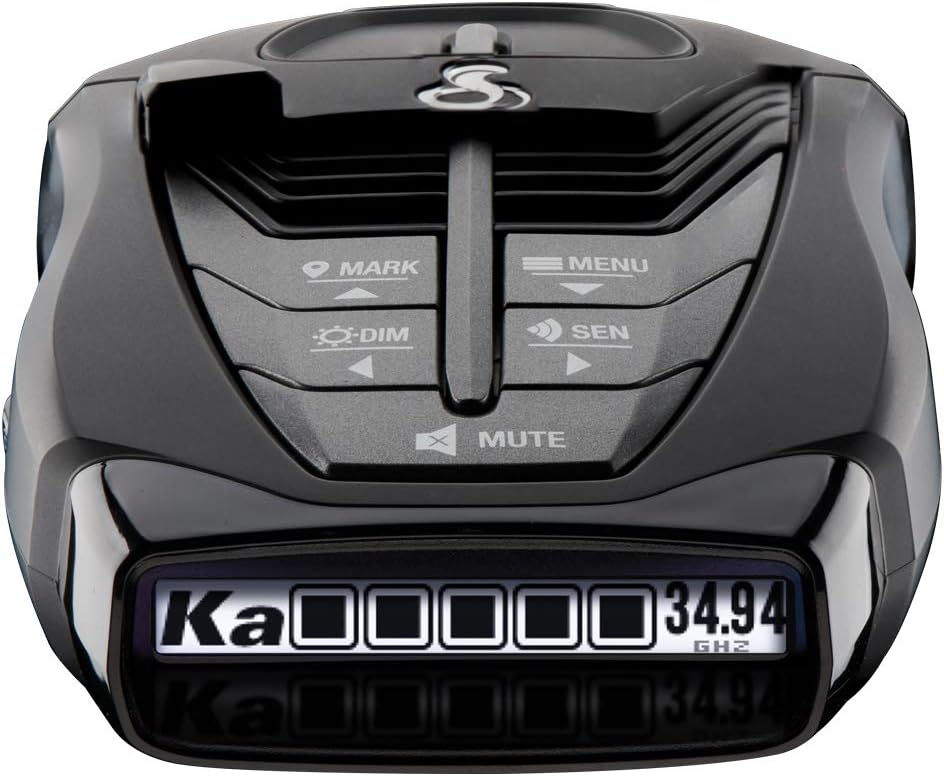
The Uniden R3 offers an accessible entry into long-range radar and laser detection, and its 4.6 rating places it among the strongest-rated units in this guide. It includes the GPS functionality many drivers consider essential for daily use, but it omits some of the more advanced connectivity and directional features found in higher-tier models.
We may earn a commission when you buy through this link, at no additional cost to you.
Its built-in GPS can remember and mute common false alerts along familiar routes, such as signals associated with retail-store automatic doors. The R3 also includes preloaded red-light and speed-camera locations with free database and firmware updates. A multi-color OLED display improves readability, while programmable voice warnings allow the driver to choose how alerts are communicated.
The R3 does not list a dual-antenna arrow system, so it is not the natural selection for drivers who specifically need to identify threat direction. It is also a windshield-oriented detector rather than a dedicated hardwired model. Those limitations do not reduce its core value for a Tesla owner seeking proven detection, route learning, camera alerts, and hands-free operation.
This is the best budget-oriented radar detector recommendation in the roundup for buyers who want more functionality than a basic detector without moving to a fully connected flagship. It is well suited to daily commuters and weekend travelers. Tesla owners should confirm windshield space and plan a clean power-cord route to keep the installation unobtrusive.
The R3’s GPS memory can quietly handle recurring false alerts without requiring a connected smartphone app. This makes its core benefits practical for a straightforward plug-and-use setup.
Preloaded red-light and speed-camera locations can be maintained through free database and firmware updates. This adds preventative awareness beyond live radar detection.
We may earn a commission when you buy through this link, at no additional cost to you.
The Escort 360c Tesla Holder is an installation accessory rather than a radar detector, but it addresses one of the central practical challenges of using a traditional detector in a Tesla. Its 3.8 rating reflects a specialized product with a narrower purpose, and its compatibility covers the Escort Max 360c, 360 MKII, and 360c MKII on the stated V5 platform.
We may earn a commission when you buy through this link, at no additional cost to you.
The holder mounts the detector on the center display, creating a dedicated location without requiring a conventional dashboard clip. A rubber bumper helps prevent movement and allows the assembly to be removed for storage. The adjustable foot permits upward and downward pitch changes, while integrated cable clips help conceal wiring behind the display.
Construction from high-temperature ABS is useful in a dashboard environment that can become quite hot. Four screws make assembly straightforward, and the non-permanent design avoids a more involved fixed installation. However, the product is model-specific, so a Tesla owner must verify the vehicle platform and exact detector compatibility before ordering.
This holder is a good companion for drivers who own a compatible Escort 360-series detector and prefer a centered, removable Tesla installation. It does not supply detection capability, GPS, or alerts, so it should be evaluated as part of a larger setup. The main appeal is a cleaner, more purposeful mounting position with practical angle adjustment and cable management.
Mounting on the center display gives the detector a consistent location that blends more naturally with the Tesla dashboard. It can also reduce the need to search for a suitable spot on the glass.
The rubber bumper and adjustable foot make it easy to change the viewing angle or remove the assembly. Integrated clips keep the power cable organized behind the screen.
We may earn a commission when you buy through this link, at no additional cost to you.
The Xislet 16.5-inch mirror power cord is a hardwire installation accessory for radar detectors with RJ11 power jacks, and its 4.7 rating is the highest among the products in this guide. It is not a detector, but it can make a radar detector setup cleaner inside a Tesla by drawing power from the rearview mirror wiring.
We may earn a commission when you buy through this link, at no additional cost to you.
The kit includes three mirror plug choices so users can select the pin configuration that fits their vehicle. It supports many Escort, Valentine One, Uniden R1, R3, R4, R5, R7, and R8 units, along with Cobra and other compatible devices. The included zip ties help organize the wire and keep the installation tidy.
Compatibility is the critical issue. The cord does not fit radar detectors using Mini USB or 3.5-millimeter DC plugs, and it explicitly excludes the Redline 360c, MAX 3, MAX 360c, MAX 360, and MAX 2. The built-in two-amp fuse adds a layer of electrical protection, while the injected plastic prongs are designed to resist snapping during installation.
This is the best choice for a Tesla owner who wants a less visible power route and owns an RJ11-powered detector on the compatible list. The included diagram and plug-and-play approach can simplify installation, though identifying the correct mirror plug remains essential. It pairs especially well with the Uniden R3, R7, or R8 when those are chosen as the primary detector.
A mirror wire tap can provide a permanent-feeling power route with fewer visible cables around the center console. The 16.5-inch length offers flexibility when reaching the detector.
The three included pin sizes support different mirror plugs, but the detector itself must use an RJ11 power jack. Mini USB and 3.5-millimeter DC connectors are not supported.
We may earn a commission when you buy through this link, at no additional cost to you.
The Uniden R7 Tesla Holder is a dedicated center-screen mount for the Uniden R7, and its 4.6 rating makes it one of the best-reviewed accessories in this guide. It is intended for owners who want the R7’s directional display and alert information positioned directly in the center of a Tesla cabin.
We may earn a commission when you buy through this link, at no additional cost to you.
The unit uses a non-permanent installation and a rubber bumper to reduce movement. Its adjustable foot changes the pitch, allowing the driver to align the R7 display with a comfortable viewing angle. Integrated cable clips guide wiring behind the screen, which helps preserve the uncluttered appearance of the dashboard and center console.
Made from high-temperature ABS, the holder is designed for the conditions around a dashboard display. Assembly requires four screws, and the entire arrangement can be removed for storage. The trade-off is specificity: this accessory is designed for the Uniden R7 and does not by itself solve power routing for a hardwired installation.
This holder is a strong pairing for the R7 because it connects the detector to a consistent center-screen location without relying on a generic suction cup. It is most useful for Tesla owners who appreciate the R7’s multi-color OLED information and want quick access to its arrows and alerts. The detector, power cord, and compatible vehicle platform should all be verified before purchase.
Because the holder is specific to the Uniden R7, it offers a more intentional fit than a universal bracket. The result is a detector that appears purpose-built for the Tesla center screen.
Integrated cable clips route the connection behind the display. The removable rubber-bumper design also makes it simple to take the detector with you when it is not needed.
We may earn a commission when you buy through this link, at no additional cost to you.
The Cobra RAD 480i is a long-range detector with a 4.2 rating, offering a potentially useful middle ground for Tesla drivers who want connectivity and front-to-rear detection without moving to the RAD 700i feature set. It supports the iRadar app and the Drive Smarter community for shared alerts from other drivers.
We may earn a commission when you buy through this link, at no additional cost to you.
Cobra’s LaserEye technology detects signals from both the front and rear of the vehicle, while digital signal processing is intended to identify laser-gun signals quickly. An updateable IVT filter and anti-falsing circuitry help reduce interference from blind-spot monitoring and other vehicle avoidance systems, a meaningful concern in modern traffic.
The RAD 480i supports Apple CarPlay and Android Auto, allowing routes and alerts to be viewed through compatible vehicle displays. It includes a 12-volt power cord, a windshield suction mount, and a hook-and-loop dash fastener, giving the owner several mounting choices. The supplied information does not identify directional arrows, so it is better suited to drivers who prioritize broad detection and connectivity than precise arrow guidance.
This is a compelling option for a Tesla owner who wants a practical connected detector and appreciates the flexibility of suction or dash mounting. It can work especially well when paired with a compatible center-screen holder, though the exact dimensions should be checked first. It is also a sensible alternative for buyers who do not need every capability of the premium RAD 700i.
Bluetooth, the iRadar app, and shared community alerts bring connected awareness to the RAD 480i. Phone integration can be useful without requiring the larger RAD 700i platform.
LaserEye technology monitors both the front and rear of the vehicle. This broader coverage is useful when the Tesla is traveling in dense traffic or approaching enforcement from behind.
We may earn a commission when you buy through this link, at no additional cost to you.
The Escort Redline 360c Tesla Holder is a dedicated mounting accessory with a 4.2 rating. It gives owners of the Redline 360c a defined location on the center screen, replacing the need to improvise with a standard suction cup or search for an unused section of windshield.
We may earn a commission when you buy through this link, at no additional cost to you.
A rubber bumper helps keep the detector secure while allowing it to be removed for storage. The adjustable foot supports upward and downward pitch changes, and integrated cable clips route wiring down the back of the display. These features address both visibility and stability, two practical concerns when placing a substantial detector in a Tesla cabin.
The non-permanent design and six-screw assembly make the holder relatively approachable to install. Like the Uniden R7 holder, it is model-specific, so it should not be expected to accommodate the Escort Max 360c or other detector shapes. It also does not include a power solution, and the separate Redline 360c package uses a SmartCord USB rather than the RJ11-style hardwire connection covered by the Xislet kit.
This holder is best for a Redline 360c owner who prioritizes a clean center-screen layout, adjustable viewing, and organized wiring. It works well as part of a detector-and-mount bundle, but the two components should be considered separately. Tesla platform compatibility and the physical dimensions of the Redline 360c should be confirmed before ordering.
The rubber bumper helps the Redline 360c remain stable while the adjustable foot sets the viewing angle. This creates a more consistent presentation than an unattached dashboard placement.
Integrated clips carry the cable behind the center display. This reduces visual clutter and helps the installation align with the clean, screen-focused design of a Tesla interior.
We may earn a commission when you buy through this link, at no additional cost to you.
The Escort Redline 360c is a premium detection-only radar and laser detector with a 4.5 rating. Its stated extreme range, 360-degree directional awareness, and faster processor position it as a high-end choice for drivers who regard detection capability as the dominant consideration.
We may earn a commission when you buy through this link, at no additional cost to you.
The product data claims twice the range of the earlier Redline EX and a processor operating 25 times faster, although buyers should judge current performance through the product specification rather than marketing comparisons alone. Directional awareness identifies what is ahead, behind, and around the vehicle. GPS Autolearn, an updateable IVT filter, and the Drive Smarter network work together to reduce false alerts.
The detector connects to shared community alerts and supports CarPlay and Android Auto, adding information beyond direct signal detection. A premium travel case, SmartCord USB power system with AutoMute, and EZ Mag suction mount are included. Because the Redline 360c uses its own USB-based power arrangement, it is not compatible with the RJ11 mirror hardwire cord in this guide.
For a Tesla owner who wants a complete premium package and already understands the detector’s larger installation footprint, the Redline 360c is a compelling option. It is especially well suited to the dedicated center-screen holder listed earlier. Buyers should confirm that they want a large, feature-rich detector and verify power routing before installation.
The 360-degree directional system identifies signals ahead, behind, and to either side. That context can help the driver respond more intelligently than with a simple tone-only alert.
GPS Autolearn, the updateable IVT filter, and connected community data all support the goal of reducing false alerts. The combination is especially helpful around modern vehicles equipped with driver-assistance systems.
We may earn a commission when you buy through this link, at no additional cost to you.
The right choice depends on detection priorities, dashboard space, power routing, and whether wireless connectivity is worth the added setup. Reviewing these factors before buying helps prevent an otherwise capable detector from becoming awkward or inconvenient in a Tesla.
Look for a detector explicitly designed to identify both radar and laser signals, since police monitoring systems can use either technology. Coverage around the entire vehicle is also useful in heavy traffic. The R8W and R7 use dual antennas and directional arrows, while the Cobra RAD 700i and RAD 480i specify front and rear detection through LaserEye technology. The Redline 360c also provides 360-degree directional awareness.
Choose the broadest documented coverage that fits your windshield and budget.
Directional arrows help a driver determine where a radar or laser signal originated. This is particularly helpful when several vehicles are nearby, because the arrow provides context that a tone alone cannot. The Uniden R8W and R7 are the clearest choices in this list for drivers who regard arrow guidance as essential.
Prioritize dual-antenna models if knowing threat direction is a primary concern.
A repeatable false alert can quickly make a detector irritating. GPS-based memory records locations along frequently driven routes and can automatically mute recurring false signals. The R8W, R7, and R3 all include this type of route-based memory, while the Cobra models use AutoLearn and filtering features designed to achieve similar reductions.
For daily commuting, prioritize a detector that can learn recurring locations.
A detector’s display should be readable at a glance without encouraging the driver to study it. Multi-color OLED screens on the R7, R3, and RAD 700i can present useful information, while voice alerts help keep eyes on the road. The R8W can display direction, band, and signal strength, and its voice alerts are programmable. Shared alerts on connected Cobra and Escort models can add context as well.
Compare screen information, voice controls, and whether the alerts you need are visual or spoken.
Bluetooth, Wi-Fi, and app integration can bring shared alerts from other drivers and, on supported systems, CarPlay or Android Auto integration. The R8W includes Wi-Fi, Bluetooth, and the R/TACH app, while the RAD 700i and RAD 480i support Drive Smarter community alerts. The Redline 360c also uses the Drive Smarter network. These features require compatible phones, apps, and vehicle integration.
Choose connectivity for road-trip awareness, but verify the required devices and setup.
Tesla interiors have few conventional mounting points, and a detector must not obstruct visibility or interfere with the center screen. The Uniden R7 and Escort Redline 360c holders offer dedicated center-screen solutions with adjustable pitch and cable clips. The broader Escort holder supports several 360-series models. Standard suction mounting remains an option for compatible units, but fit and stability should be checked carefully.
Measure the mounting area and confirm the detector fits before ordering an accessory.
Power is one of the most important Tesla-specific considerations. The Xislet mirror tap can provide a cleaner hardwired route for RJ11-equipped detectors, including listed Uniden models, but it does not support Mini USB, 3.5-millimeter DC, or several Escort models. The Redline 360c uses a SmartCord USB system, and the Cobra detectors use their supplied power arrangements. Connector type should be checked before selecting any hardwire kit.
Match the cord to the detector connector and confirm the installation is comfortable.
Red-light and speed-camera databases add another layer of preventative awareness, but only if the information remains current. The Uniden R8W, R7, and R3 include preloaded locations with free database and firmware updates. This is useful for drivers who travel across multiple jurisdictions. Camera databases do not replace careful driving, but they can provide timely notice when a known enforcement location is ahead.
Confirm that free or regular database updates are included with the chosen model.
Begin by identifying the detector’s power connector, mounting requirements, and permitted installation areas. Compare those details with your Tesla’s layout before assembling any hardwire kit or center-screen holder. Position the unit where it does not block the driver’s view, cover important controls, or interfere with the vehicle’s displays. A clean, stable mounting point is more important than placing the detector in the most prominent location.
Install the power connection in the order recommended by the component instructions, ideally with the vehicle switched off. Route cables away from sharp edges, moving components, and pedestrian airbag areas. A mirror wire tap requires the correct pin size and should be checked for secure engagement, while screen-mounted holders should be tightened evenly and checked for movement. Confirm that alerts remain audible and that the display is readable while seated in the normal driving position.
Before relying on the detector, learn its alert tones, arrow directions, voice prompts, and filter behavior. Allow the GPS system time to learn recurring routes and false-alert locations, and check the display for any required instructions. Keep the lens and mounting area clean, update the detector’s database and firmware when instructed, and inspect the cable and mount occasionally for looseness or heat damage.
Yes, radar detectors can be used in a Tesla, and many are designed for windshield or dashboard placement. The driver should choose a position that does not obstruct visibility or controls.
A center-screen holder may provide a cleaner installation for compatible models. Power routing should also be planned carefully so cables do not interfere with the console.
Radar and laser detector laws vary by state and local jurisdiction. Some locations restrict their use, while others regulate mounting or windshield use in different ways.
Drivers should check the laws for every jurisdiction on their route before operating a detector. Following posted traffic laws remains essential regardless of whether a detector is used.
Directional arrows are valuable when the driver wants to know whether a detected signal is ahead, behind, or to one side. They add useful context in heavy traffic and around multiple vehicles.
The Uniden R8W and R7 are strong choices in this guide because both use dual antennas and arrow displays. Drivers who mainly need basic audible warnings may not require this feature.
These descriptions refer to different physical power connectors used by various radar detectors. The Xislet hardwire kit supports only detectors with an RJ11 power jack.
It does not support Mini USB or 3.5-millimeter DC plugs, and it excludes several Escort models. Buyers should inspect the detector’s power port before purchasing any hardwire cord.
A hardwire kit is optional, but it can reduce visible cable clutter and create a more integrated installation. The available mirror tap kit is appropriate only for listed RJ11-powered detectors.
Other detectors can use their included power cords or a compatible system, such as the SmartCord USB supplied with the Redline 360c. Confirm connector compatibility before deciding.
No. Core detection, GPS memory, voice alerts, and camera-location features can be useful without a phone. Connectivity becomes more valuable when a driver wants shared community alerts or vehicle-display integration.
App-based setups add compatibility requirements and may create a more involved initial configuration. The R3 provides a focused alternative for buyers who prefer fewer connected features.
Begin with a detector that supports GPS memory, AutoLearn, or advanced filtering, and allow it time to learn frequently driven routes. Keeping the detector updated can also improve database accuracy and filtering behavior.
Modern blind-spot and avoidance systems can produce signals, so choosing a model with intelligent false-alert rejection is valuable. A driver should still evaluate the unit’s voice and display settings for a comfortable level of information.
No detector can guarantee that a driver will avoid enforcement or a citation. A radar detector can provide earlier awareness of some radar or laser activity and may help encourage compliant driving.
Drivers should follow posted speed limits, stop safely at red lights, and follow all traffic laws. Detector use is a supplementary awareness tool rather than a substitute for careful driving.
The Uniden R8W leads the guide for owners who want flagship detection, 360-degree arrows, GPS memory, camera alerts, and wireless connectivity. The Uniden R3 is a compelling value-focused choice for drivers who want route learning and a readable OLED display without a full premium feature set, while the Cobra RAD 700i stands out for connected alerts, front and rear detection, and a customizable display.
For Tesla-specific installation, the dedicated Uniden R7 and Escort Redline 360c holders place compatible detectors neatly on the center screen. The Xislet mirror power cord can make a compatible RJ11 setup cleaner, but connector and model exclusions make verification essential. Buyers should prioritize the type of coverage, filtering features, and installation method that best match their routes and vehicle layout.
Retail prices, ratings, software, and product availability can change, so readers should confirm the latest listing before purchasing. Checking the current specification, connector, mounting fit, and included accessories will help ensure that the chosen radar detector, holder, and power solution work together as intended.