
xTool P3 80W
4.5Editor score
80W CO2 laser power
36 by 18 inch workspace
LiDAR autofocus and dual cameras
Smart nesting and batch filling
Our CO2 Laser Cutters guide compares 10 models for power, workspace, automation, safety, software, and production versatility.
CO2 laser cutters combine concentrated laser light with computer-controlled movement to engrave and cut nonmetallic materials such as wood, acrylic, leather, glass, fabric, and paper. A capable machine should balance cutting power, a useful work area, dependable safety systems, precise motion, and software that fits your experience and production needs.
The machines in this guide were compared using the supplied specifications, emphasizing laser output, maximum operating speed, work-bed dimensions, material compatibility, autofocus or camera features, ventilation, pass-through access, and safety controls. The list includes compact desktop models, mid-sized production systems, and large-format machines designed for demanding commercial workflows.
Each review identifies the strongest reason to consider a particular cutter while also explaining its limitations. The xTool P3 stands out for automation, the VEVOR 100W model for its rating and large accessible workspace, and the OMTech K40+ 45W for desktop affordability. Availability, configurations, and prices can change, so confirm current specifications before purchasing.
4.5Editor score

5.0Editor score

4.5Editor score
This side-by-side comparison highlights the most important differences among the 10 featured CO2 laser cutters, including laser power, work area, maximum speed, and notable workflow features.




The xTool P3 80W is the most automation-focused machine in this roundup, combining an 80W CO2 laser with LiDAR ranging, dual HD cameras, an adjustable AutoLift Base, and a large 36 by 18 inch workspace. Its 4.5 rating reflects an ambitious premium design, while the supplied specifications position it as a professional production platform rather than a simple entry-level engraver.
We may earn a commission when you buy through this link, at no additional cost to you.
Its automated setup is the defining advantage. LiDAR autofocus determines focal distance, the SkyView camera supplies a broad positioning view, and a close-range detail camera supports precision alignment. The stated 0.0079-inch alignment accuracy and distortion-free preview can reduce repeated manual setup, particularly when switching between multiple products or materials.
Production tools are another major strength. AI-powered Smart Nesting is listed as achieving 98.7% material utilization, while Variable Batch Fill with spreadsheet import is designed to streamline repetitive orders. These functions do not eliminate the need for sound artwork preparation, but they can make small-batch production more systematic than a conventional manual workflow.
The trade-off is the need to purchase additional production equipment separately. The Intelligent Conveyor Feeder, MagSwap RA3 LiDAR Mapping rotary accessory, 5W infrared laser, and AP2 Max Air Purifier are available as separate accessories unless a bundle includes them. Buyers with a demanding workflow may still regard the P3 as the most complete foundation in the list, but they should budget for the exact accessories their work requires.
LiDAR autofocus and dual cameras make the P3 especially compelling for operators who repeatedly change materials or job sizes. Automated focal positioning and camera-assisted placement can shorten setup sequences and improve repeatability without requiring a fully manual trial-and-error process.
Smart nesting and spreadsheet-based batch filling add value beyond ordinary engraving. They are particularly useful for product personalization, signage, packaging prototypes, and other workflows in which many files share common shapes.
We may earn a commission when you buy through this link, at no additional cost to you.
The OMTech K40+ 45W is a compact desktop cutter aimed at makers, educators, and small businesses that need more capability than a diode engraver without moving into a large industrial enclosure. It earns a 4.4 rating and is among the most approachable machines here, particularly for engraving wood, acrylic, leather, and other common nonmetallic materials.
We may earn a commission when you buy through this link, at no additional cost to you.
The upgraded 45W laser is listed as cutting up to 10mm acrylic and 8mm wood. That is meaningful capability for a desktop model, while the stated increase in cutting speed and depth over earlier versions should make batch work more practical. Engraving speeds reach 300 mm/s according to the supplied information, which is suitable for detailed designs and small production runs.
Several features improve daily operation. The 45-degree integrated air assist automatically adjusts airflow with laser power, helping clear debris, protect optics, reduce wood carbonization, and lower fire risk. LightBurn and LaserGRBL compatibility gives users a choice between a more capable design environment and a simpler control platform.
The 12 by 8 inch bed is the principal limitation. It is large enough for signs, labels, ornaments, stamps, and smaller components, but it will not suit oversized sheets. The optional rotary axis also expands capabilities, though cylindrical engraving requires an additional accessory. For buyers who can work within a compact footprint, the K40+ offers an attractive balance of power, features, and accessibility.
A 45W CO2 laser is substantially more versatile than a conventional diode machine, particularly when cutting clear acrylic or thicker wood. The K40+ therefore makes sense for creators ready to move beyond simple surface engraving.
The automatically adjusted 45-degree air system helps move smoke and loose debris away from the cutting path. It also protects internal optics and can reduce scorching, making it one of the more important everyday features in this compact design.
We may earn a commission when you buy through this link, at no additional cost to you.
The VEVOR 100W CO2 Laser combines a 100W laser with a 24 by 35 inch work area and a listed maximum speed of 19.7 inches per second. It has a 5.0 rating, the highest numerical rating in the supplied data, and its balance of power, workspace, software compatibility, and airflow makes it an especially practical mid-to-large production choice.
We may earn a commission when you buy through this link, at no additional cost to you.
The machine can cut materials up to 0.59 inch thick in one pass according to its specifications, and the compatible material list includes wood, acrylic, cardboard, glass, leather, stone, and more than 1,000 other nonmetallic materials. Front and rear pass-through doors allow longer stock to enter and leave the working area, which improves the usefulness of the already generous bed.
Operation is supported through third-party graphics software including LightBurn, CorelDRAW, and AutoCAD. It works with Windows, Linux, and macOS, and files can be transferred by USB disk, USB cable, or network cable. The intelligent laser head, red-dot pointer, project-framing function, and linear guide rail all support more controlled operation.
Its size is the main compromise. A 24 by 35 inch bed needs adequate room, and buyers without a safe, well-ventilated production area may find a smaller desktop cutter easier to manage. It also lacks an autofocus feature in the supplied specification, so focal height may require more manual attention than on the xTool P3 or OMTech models with autofocus.
The 840-square-inch bed is useful for signage, boards, layered craft projects, and production panels. Pass-through doors further improve access, making oversized material easier to position without awkward lifting.
Compatibility with three major graphics packages and three operating systems is a strong advantage. It reduces dependence on one specific design or control environment, which can be helpful in mixed-device workshops.
We may earn a commission when you buy through this link, at no additional cost to you.
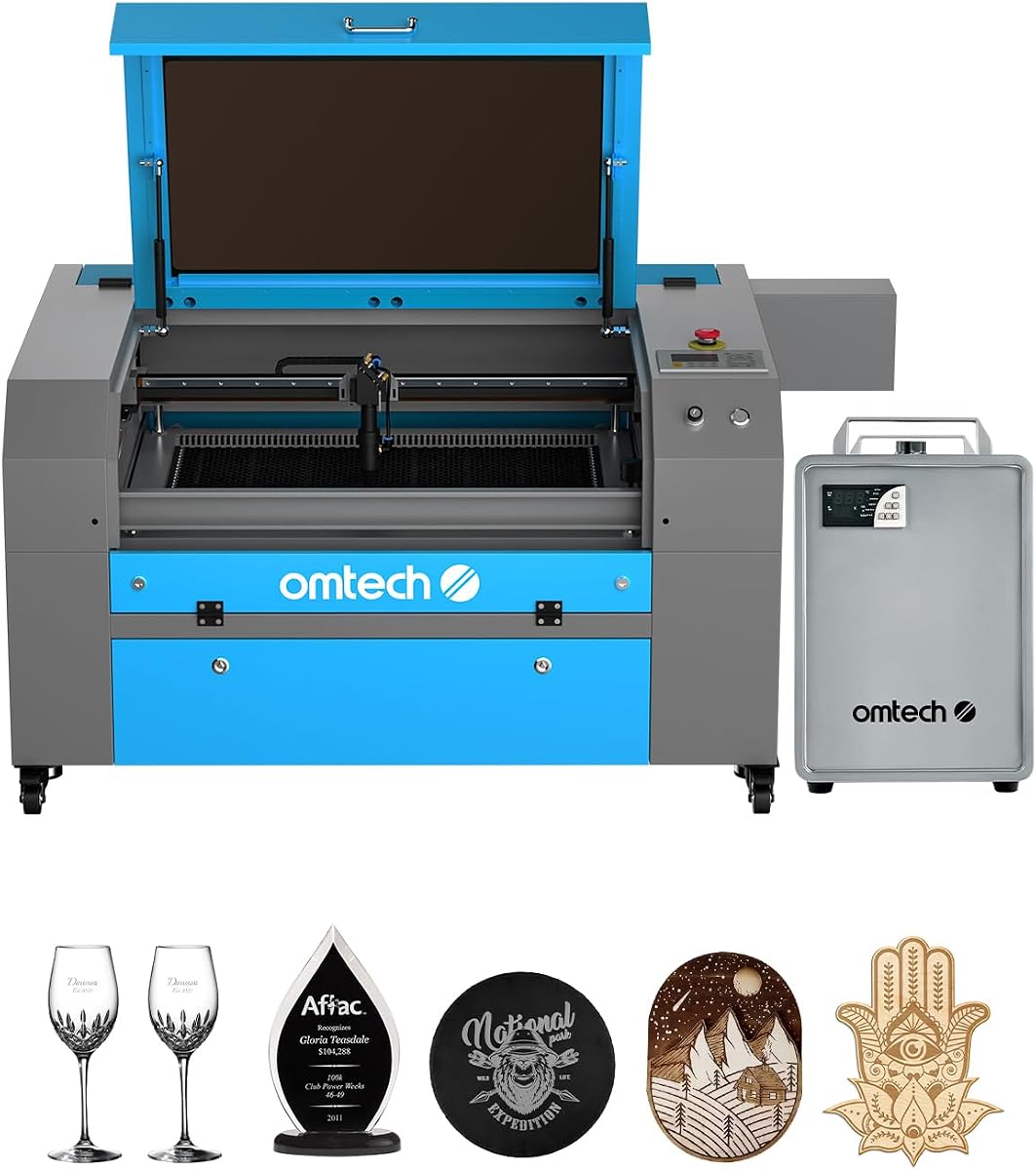
The OMTech Maker 90W is a mid-sized 90W laser system bundled with a water chiller, making it appealing for operators who want extended engraving sessions and consistent cooling without sourcing a separate chiller. The supplied data does not include a numerical customer rating, so the machine's practical specifications are the basis for evaluating it.
We may earn a commission when you buy through this link, at no additional cost to you.
The advertised engraving depth reaches 0.4 inch on materials including wood, glass, acrylic, and leather, while maximum engraving speed is listed as 23.6 inches per second. A honeycomb and aluminum blade bed provide a 20 by 28 inch working area, and four-way pass-through doors simplify the handling of longer materials.
The Yongli H2 laser tube is rated for up to 8,000 hours of use, with the stated expectation that consistent lower settings extend its lifespan. Built-in air assist clears smoke and dust to protect the lens and mirrors, while the widened flame-retardant viewing window supports observation of the work area.
A cover interlock automatically cuts the laser beam if the viewing window is opened, adding an important layer of protection. The main trade-off is that water cooling introduces hoses, fluid maintenance, and additional hardware compared with an air-cooled desktop unit. Despite that complexity, the included chiller makes this package attractive for sustained commercial use.
The included water chiller helps maintain stable operating temperature during extended jobs. That is especially relevant for users who regularly process larger batches and want consistent results between early and later pieces.
Four-way pass-through doors reduce the need to rearrange a crowded table. They are particularly helpful for long boards and repeated production runs where efficient loading can materially affect workflow.
We may earn a commission when you buy through this link, at no additional cost to you.
The OMTech Maker 60W is a well-equipped midrange bundle that includes LightBurn software and a water chiller. Its 4.7 rating is among the strongest in the list, and the combination of automatic focus, a 20 by 28 inch bed, four-way pass-through doors, and integrated cooling makes it appealing to small-business operators seeking a ready-to-use production setup.
We may earn a commission when you buy through this link, at no additional cost to you.
Autofocus is one of the feature's clearest advantages. The motorized workbed can be adjusted with a button, and the preinstalled autofocus system locates the focal distance. This reduces setup time and makes switching between different material thicknesses more consistent than relying exclusively on manual height adjustment.
The honeycomb and aluminum blade beds provide a 20 by 28 inch area, with listed dimensions of 500 by 700 mm. Four-way pass-through doors allow long or bulky stock to move through the machine. Built-in air assist protects optical components by removing smoke and dust, while the widened flame-retardant window improves visibility.
A 60W laser produces less cutting force than the 90W, 100W, and 130W alternatives, and the supplied data does not state a maximum engraving speed. Nevertheless, the included software and chiller reduce the number of separate purchases needed for a workable setup. It is a balanced choice for users who prioritize convenience and automation over maximum power.
Automatic focal adjustment is particularly useful when alternating between thin acrylic, wood, and other materials with different heights. It makes the machine more approachable while improving consistency between jobs.
LightBurn and a water chiller are included according to the product description. That makes this package more turnkey than a bare cutter, particularly for operators who want capable design control and sustained cooling from the outset.
We may earn a commission when you buy through this link, at no additional cost to you.
This OMTech K40+ 45W listing offers the same core desktop platform as the other K40+ variants, with a 4.5 rating and a feature set that remains highly relevant to makers. The 45W laser, compact footprint, 12 by 8 inch bed, and 300 mm/s engraving speed make it suitable for engraving and cutting small to medium pieces.
We may earn a commission when you buy through this link, at no additional cost to you.
Its integrated 45-degree air assist automatically adjusts airflow according to laser power. This helps keep smoke, debris, and carbonized material away from the work zone while protecting the lens. Door and water protection, an emergency stop, a flame-retardant acrylic panel, and an exhaust fan provide a reassuring set of protections for a compact high-power machine.
The detachable base and optional rotary axis expand the system beyond flat sheet work. Cylindrical engraving can be valuable for tumblers, cups, and similar items, although the accessory is not part of the standard configuration. LightBurn and LaserGRBL support gives operators access to both a capable design suite and a streamlined controller environment.
The compact 12 by 8 inch area is the decisive limitation. It cannot accommodate full-size panels or lengthy signs, so buyers with larger material requirements should move to a 20-inch or larger machine. Within that constraint, however, this is a flexible and well-equipped desktop platform with meaningful support and broad software compatibility.
The optional rotary axis and detachable base make the K40+ suitable for cylindrical products. This flexibility is valuable for personalized gifts and small merchandise without requiring a separate engraving system.
Water and door protection, emergency stopping, flame-retardant panels, and effective smoke extraction address common desktop laser concerns. The stated 24/7 global support and two years of service further strengthen the ownership proposition.
We may earn a commission when you buy through this link, at no additional cost to you.
The OMTech Pronto 100W is built for operators who value speed and a generous production area. It combines a 100W tube with a maximum engraving speed of 1000 mm/s, a 40 by 24 inch bed, automatic focusing, and two-way pass-through access. No numerical customer rating is supplied, so the stated performance details are particularly important when assessing it.
We may earn a commission when you buy through this link, at no additional cost to you.
Its 1000 mm/s maximum speed is listed as 37% faster than traditional models. That figure is most relevant to high-volume engraving, where reducing travel time across many repeated paths can improve throughput. A 100W laser also provides a meaningful step up in cutting capability for thicker wood and acrylic.
The honeycomb and aluminum blade bed support a 40 by 24 inch work area, and two-way doors let longer material pass through. The laser tube is advertised for up to 12,000 hours of use. A 4.4 cfm air pump and 318 cfm fan support clean cuts, while autofocus handles the focal plane more consistently than manual setup.
The principal trade-off is physical scale. A 40-inch machine needs more floor space than the compact alternatives, and a 100W laser is more than many hobby users require. Water protection, temperature alarms, cover protection, air assist, and an emergency stop form a comprehensive safety package for a production-oriented system.
The stated 1000 mm/s speed is especially useful for large batches of small or repeated designs. The 40-inch span also reduces the need to split oversized signs or panels into multiple jobs.
Automatic focus improves setup consistency, while the specified pump and fan output help maintain cleaner cutting paths. Together, these features can reduce operator intervention during extended production sessions.
We may earn a commission when you buy through this link, at no additional cost to you.
The OMTech Pronto 130W is one of the most powerful and spacious machines in the guide, offering a 130W CO2 laser, a 51 by 35 inch work area, and speeds up to 1000 mm/s. Its 5.0 rating complements those specifications, making it a compelling choice for established commercial operations handling large panels and demanding cutting work.
We may earn a commission when you buy through this link, at no additional cost to you.
The 130W tube is listed as engraving as deep as 0.4 inch on wood, glass, acrylic, leather, and other nonmetallic materials. The advertised 1300 by 900 mm bed is the largest working area among the featured models, while two-way pass-through doors allow lengthy stock to extend through the machine.
Automatic focus and powered bed adjustment remove much of the guesswork from setup. The tube is rated for up to 12,000 hours, with lower operating settings expected to extend its life. Built-in air assist removes smoke and debris, while water protection, temperature alarms, cover protection, and an emergency stop support safer operation.
This system is clearly aimed at users who can use its scale. The large enclosure, high electrical and cooling requirements, and 130W output are excessive for casual engraving. Buyers should also note that the supplied listing contains inconsistent model information, including a model number that appears to differ from the product name, so the seller's current configuration should be confirmed carefully.
The 51 by 35 inch bed dramatically reduces the need to tile oversized artwork across several jobs. It is well suited to signage, architectural panels, displays, and production runs involving full-size sheets.
A 130W laser offers substantial cutting capability and reaches the stated 0.4-inch engraving depth on common materials. It provides more margin for difficult jobs, though the operator must still select appropriate settings and ventilation.
We may earn a commission when you buy through this link, at no additional cost to you.
This OMTech K40+ 45W listing provides a straightforward entry into desktop CO2 laser cutting. The supplied product name identifies a 45W desktop engraver and cutter, while the available information confirms a Class 2 laser with 0.827 mW output. No numerical customer rating is provided, so buyers should examine the current listing details with care.
We may earn a commission when you buy through this link, at no additional cost to you.
At 45W, the machine has enough nominal power to be a genuine cutting tool rather than a surface-only engraver. That makes it relevant for wood, acrylic, leather, and similar nonmetallic projects, especially for users who want to cut clear acrylic and thicker material than a typical diode machine can handle.
The desktop format is likely its greatest practical benefit. It is easier to position than a 35-inch or 51-inch production system and may be more approachable for home workshops, classrooms, and early-stage businesses. It also leaves room for other essential workshop equipment, including ventilation and material storage.
The limited product data is the main concern in this particular listing. The image may differ from the more detailed K40+ variants, and the supplied description does not confirm the bed size, speed, software support, air assist, or safety package. Buyers should therefore verify the exact configuration rather than assuming it includes every feature found on the better-documented K40+ listings.
A 45W laser gives desktop users a meaningful upgrade from diode-only tools. The extra power creates opportunities for cutouts, layered fabrication, and engraving on clear acrylic.
Because the supplied description contains minimal specifications, the current package should be checked for work-bed size, included accessories, software, cooling, and safety equipment. Matching the listing to the intended workflow avoids paying for a machine that is undersized or under-equipped.
We may earn a commission when you buy through this link, at no additional cost to you.
The OMTech Pro 130W is the most integrated large-format option in the list, combining a 130W laser with a 35 by 55 inch workspace, a built-in CW-5200 water chiller, Wi-Fi control, and four-way pass-through doors. No numerical customer rating is supplied, but the specification package clearly positions it for professional and industrial workflows.
We may earn a commission when you buy through this link, at no additional cost to you.
Its maximum engraving speed of 1200 mm/s is the highest listed among these products. Ball-bearing guide rails and X- and Y-axis servo motors support accurate movement at that speed, which is advantageous for detailed mass-production work. The wide 55-inch bed can accommodate large signs, boards, and panels without extensive repositioning.
Cooling is integrated rather than offered as a separate bundle item. The CW-5200 chiller is listed as maintaining temperature within 0.5 degrees Fahrenheit and delivering 5186 BTU per hour of cooling capacity. A tri-color status-light system, widened tempered glass viewing window, and flame-retardant construction improve visibility and safety awareness around the machine.
Control comes through a Ruida 6445G touchscreen, with Wi-Fi connectivity and four-way pass-through access for larger material. The tradeoff is substantial size and complexity. This is not a casual desktop purchase, and operators must provide appropriate ventilation, electrical service, working space, and material-handling procedures. It is best suited to facilities already equipped for industrial laser work.
The 1200 mm/s maximum speed and 35 by 55 inch area address two common production constraints: cycle time and sheet size. This combination is especially useful for repetitive graphics on full-size panels.
A built-in chiller simplifies system planning compared with a separate cooling unit. Its specified temperature control and cooling capacity are designed to support stable operation during demanding runs.
We may earn a commission when you buy through this link, at no additional cost to you.
Choosing a CO2 laser cutter means balancing cutting power, material size, throughput, safety, cooling, and software against your available space and production needs. The right machine is the one that can complete your materials reliably without unnecessary expense or operational complexity.
Laser power determines how quickly and deeply a machine can cut or engrave common nonmetallic materials. The models here range from 45W compact units to 130W production systems. A 45W laser can handle smaller projects and typical wood or acrylic work, while 60W to 100W machines offer more cutting depth and speed. A 130W system is appropriate when thicker stock, larger batches, or less machine time are priorities.
Choose enough power for your thickest material and a reasonable margin for production speed. More power is not automatically better for every project, so avoid paying for industrial capability when a 45W desktop model comfortably handles your work.
The bed dimensions determine the largest sheet that can be placed flat inside the machine. The K40+ offers a compact 12 by 8 inch area, while larger models reach 24 by 35, 40 by 24, 51 by 35, and 35 by 55 inches. Pass-through doors are equally important because they allow long boards to extend through the enclosure rather than requiring an awkward diagonal placement.
Measure your largest normal workpiece, including the room needed to load and support it. A machine with a slightly larger bed and pass-through access is often more useful than a nominal area advantage without convenient material handling.
Maximum speed is most important when the same design is repeated across many items. Listed maximums range from 300 mm/s on the K40+ to 1200 mm/s on the OMTech Pro 130W, with the VEVOR, OMTech Maker 90W, and Pronto models occupying the middle. Actual completion time also depends on passes, engraving fill density, material, and chosen settings.
For hobby work, moderate speed may be sufficient. For commercial fulfillment, prioritize repeatable acceleration, autofocus, efficient bed layout, and batch design features alongside the headline speed number.
Autofocus reduces the need to estimate focal height when changing materials. The xTool P3 uses LiDAR ranging and dual cameras, while the OMTech Maker 60W and Pronto models use preinstalled autofocus with powered bed adjustment. Machines without listed autofocus can still perform accurately, but they generally demand more operator attention and trial-and-error setup.
Automatic setup is especially valuable for multi-product businesses, beginners, and operators changing material thickness frequently. It is a major workflow advantage rather than merely a convenience feature.
A CO2 laser can produce smoke, sparks, heat, and fire risk, so enclosure access, interlocks, emergency stops, air assist, and extraction deserve careful attention. The xTool P3 has a fully enclosed Class 1 design with lid interlocks and active detection, while several OMTech models include cover protection, water protection, temperature alarms, flame-retardant panels, and emergency stops. Cooling options range from airflow management to included or built-in water chillers.
Look for multiple layers of protection rather than relying on a single switch. Also ensure your workspace has suitable extraction and ventilation, keep combustible materials away, and follow the manufacturer's operating guidance.
The useful design workflow includes artwork preparation, import, placement, toolpaths, and machine control. Several models support LightBurn or LaserGRBL, while the VEVOR also lists CorelDRAW and AutoCAD compatibility and works across Windows, Linux, and macOS. The OMTech Maker 60W includes LightBurn, which is useful for buyers who do not want to configure their own control environment.
Check your existing design habits, operating system, file formats, and need for multi-machine compatibility. A machine should fit your workflow rather than forcing you to rebuild every design around unfamiliar software.
The xTool P3 goes furthest with LiDAR autofocus, dual cameras, Smart Nesting, spreadsheet-based batch filling, and optional conveyor feeding. These tools target repeated production and material efficiency. More conventional systems may still support excellent batch work, but they generally require more manual placement, bed mapping, and job organization.
Automation is most valuable when the same files are personalized or repeated at scale. If every project is unique and small, prioritize bed size, cutting capability, and ease of use rather than sophisticated batch software.
Large lasers are machines, not merely appliances. The OMTech Pro 130W and Pronto 130W require substantial floor space, while included water chillers simplify temperature management but add fluid and hose maintenance. Ventilation, electrical access, noise, material storage, and operator training all affect the real footprint of a production system.
Choose a workspace that can safely accommodate the full enclosure, long stock, and extraction equipment. A slightly smaller machine with room for proper ventilation and storage is usually more productive than a larger system constrained by its surroundings.
Begin by reading the exact manual supplied with your machine, identifying its laser class, approved materials, required ventilation, cooling method, and emergency controls. Place the unit on a stable, level surface with unobstructed access to doors, power, air assist, and extraction. Before cutting, inspect the lens, mirrors, bed, rails, cables, and emergency stop, then confirm that the work area is clear of combustible debris.
Prepare artwork using the machine's supported software, assign appropriate power, speed, passes, and focus settings, and perform a small test on the exact material you plan to use. Material coatings, density, thickness, and composition can change the result, so a test should be treated as part of production rather than an optional step. Confirm focus, align the material, connect air assist and extraction, and keep the lid or cover closed during operation.
For maintenance, clean the protective window and lens according to the manufacturer, empty collection areas, inspect filters and airflow components, and keep cooling fluid or air paths clear. Do not operate the machine if water protection, temperature alarms, door interlocks, or emergency stops appear faulty. For unfamiliar or hazardous materials, confirm compatibility and obtain authoritative material-safety guidance before engraving or cutting.
For beginners, a 45W desktop model is often a sensible balance of capability, control, and physical size. It can engrave and cut common wood, acrylic, and leather while remaining easier to position than a large production system. New users should still learn material settings, focus, ventilation, and safe operating procedures before attempting thick or unfamiliar stock.
Yes, CO2 lasers are particularly effective at cutting acrylic, including clear acrylic that many diode lasers cannot process cleanly. Acrylic should be protected from direct flame and heat, and settings should be developed for the specific sheet. Use appropriate air assist and extraction, and never treat acrylic as though it is safe to ignore like a combustible material.
No. Higher power generally improves cutting depth and speed, but it also brings greater cost, space, cooling, and safety requirements. A smaller machine is often more efficient if your typical materials are thin or medium thickness. Match power to the work rather than assuming the largest available system will be the most economical choice.
Choose a bed that fits your largest common material with room for loading and alignment. A 12 by 8 inch desktop bed suits small components, while 20-inch and larger systems better accommodate signs, panels, and production sheets. Pass-through doors are valuable when material is longer than the bed because they allow the stock to extend straight through the machine.
Yes, proper smoke and gas extraction is essential for a clean working environment and for protecting the machine, nearby objects, and the operator. Use suitable exhaust equipment and follow the manufacturer's requirements for the materials being processed. Some materials can release hazardous fumes, so research each material and avoid processing anything not approved for your setup.
Autofocus automatically establishes the correct focal distance for the material and its height. This reduces setup time and improves repeatability when moving between different thicknesses. It is especially helpful for batch production, but operators should still verify the result with a test and confirm that the sensor can correctly identify the intended material.
Yes, the same machine can engrave surfaces and cut through sheet material by changing power, speed, focus, and pass settings. Engraving may require less power and more passes for depth, while cutting often benefits from different settings and stronger air assist. A test grid on the actual material is the safest way to establish reliable parameters.
Cooling requirements depend on the machine, power, session length, and manufacturer's recommendations. Some of the featured systems include or integrate water cooling, while others rely primarily on air or integrated cooling systems. Follow the specific machine guidance and monitor temperature alarms, especially during extended cutting sessions.
The xTool P3 80W is the strongest premium choice for buyers who value automated setup, camera-assisted alignment, nesting, and production accessories. The VEVOR 100W offers a well-balanced combination of high power, a large work area, broad software support, and a 5.0 rating. For desktop use, the OMTech K40+ 45W delivers capable cutting, automatic air assist, and flexible software support in a compact format.
Prioritize the constraints that affect your daily work: material thickness, largest workpiece, available floor space, ventilation, cooling, safety features, and software compatibility. Faster motion and higher wattage matter most for repeated production, while autofocus and simple controls often create more value for occasional makers. Always verify the exact current configuration because bundles and included accessories can vary.
Finally, compare current prices only after confirming that the selected listing contains the bed size, software, chiller, rotary attachment, or other accessories required for your workflow. Product availability and pricing change over time, so current listings offer the most reliable final information before purchase.
