
VPFET HDMI eARC Audio Extractor
4.1Editor score
Simultaneous optical and coaxial outputs
ARC and eARC television support
24-bit 192kHz audio specification
Our HDMI Arc Adapter for Soundbar guide compares 10 options for ARC and eARC conversion, sound formats, outputs, setup, and soundbar compatibility needs.
An HDMI ARC adapter for a soundbar solves a common home-entertainment compatibility problem: connecting a television that offers only HDMI audio return to a soundbar or amplifier that expects optical or analog stereo input. The right adapter should provide a stable signal, support the audio format your equipment accepts, and avoid unnecessary setup complications.
We compared all 10 products by examining their supported TV connections, audio outputs, sampling capabilities, decoding functions, power requirements, included cables, and compatibility limitations. The list covers dedicated ARC-to-optical extractors, eARC converters, analog-output models, and dual-output designs for older and newer audio systems.
Each review explains the product's strongest use case, setup considerations, and trade-offs so you can match the adapter to your television and soundbar. Ratings and specifications reflect the supplied product information, while prices and availability can change as listings are updated.
4.1Editor score

4.9Editor score
4.2Editor score
This side-by-side comparison highlights each adapter's television input, audio outputs, supported formats, and practical limitations, making it easier to identify the right model for your soundbar setup.


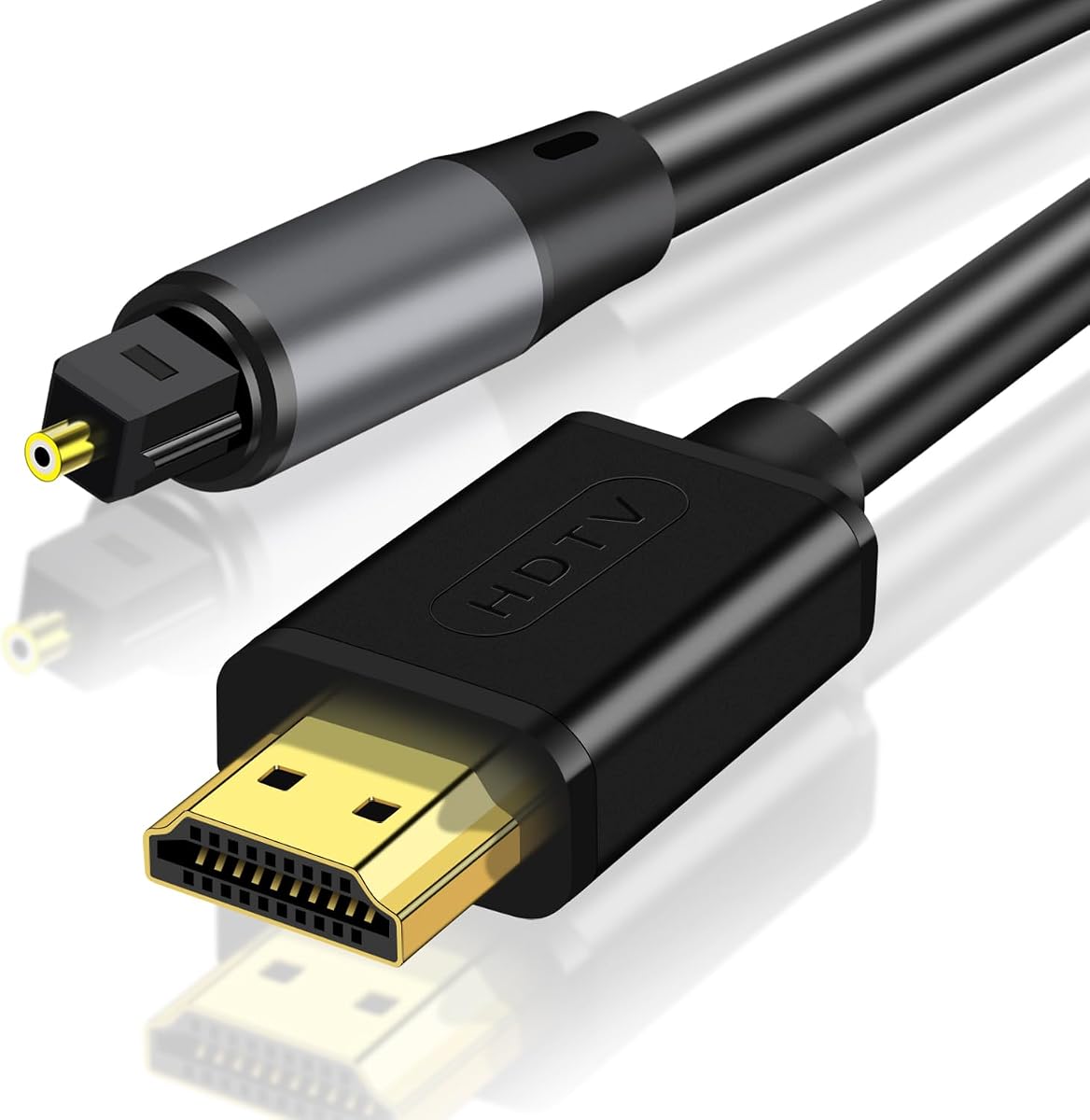
This adapter stands out for users whose soundbar has an optical input but whose television only offers HDMI ARC. Its supplied rating of 4.9 is the highest among the 10 options, and the listing describes decoding for PCM, LPCM, AAC, DSD, Dolby 2.0, 2.1, and 5.1, plus DTS 5.1. That breadth makes it appealing when you are unsure which compressed formats your television sends through ARC.
We may earn a commission when you buy through this link, at no additional cost to you.
The main strength is format flexibility. Rather than requiring every user to settle immediately for PCM 2.0, the product is described as decoding multiple television audio formats while retaining a 24-bit, 192kHz sampling specification. Gold-plated HDMI and optical connectors, status LEDs, and an included 4.9-foot optical cable are also useful for a tidy, dependable installation.
The important limitation is explicit: this is an ARC adapter and is not compatible with HDMI eARC. That distinction matters if you own a newer television and specifically need its eARC return path. The television must also expose an ARC-labeled port, and the appropriate audio settings still have to be enabled on the TV.
Overall, this is a compelling choice for a soundbar with Toslink input when the source television has conventional HDMI ARC. Its wide decoding claims, strong supplied rating, and generous included cable set outweigh the lack of eARC for the intended setup. It is also a good candidate for users who prefer a simple, purpose-built optical connection rather than analog outputs.
The listed support for PCM, AAC, DSD, Dolby, and DTS formats is the product's defining advantage. It can simplify setup when a television, streaming service, or connected source uses different audio formats, although the receiving soundbar must ultimately be capable of reproducing the resulting channel layout.
A dedicated Toslink output avoids analog degradation concerns, while the included 4.9-foot optical cable offers practical placement flexibility. The slim enclosure and status indicators also make it easier to conceal the unit near a television stand.
We may earn a commission when you buy through this link, at no additional cost to you.
The eSynic Professional is a dedicated solution for sending television audio from an ARC or eARC port to an optical soundbar, amplifier, or wireless headphone base. Its supplied rating of 4.3 reflects a generally positive user reception, while the product's appeal lies in a focused design that avoids adding unused analog jacks.
We may earn a commission when you buy through this link, at no additional cost to you.
This converter supports 192kHz audio and is supplied with an optical cable, an HDMI cable, and a USB power cable. Its single optical output keeps the installation uncomplicated: connect the television's labeled ARC or eARC port, provide power, and connect the optical cable to the receiving audio device.
The notable trade-off is the complete lack of CEC volume-control support. You must adjust volume on the soundbar, amplifier, or headphones rather than with the television remote. There is also a meaningful distinction between ARC and eARC behavior: ARC televisions generally require HDMI-CEC to be enabled, whereas the listing describes eARC operation as possible with CEC optional but recommended.
This is a strong recommendation for a user with an optical-only audio system and an ARC-capable or eARC-capable television. It is less suitable if remote-control volume adjustment is essential, but for anyone willing to control volume at the audio endpoint, the single-output design is direct, compact, and easy to understand.
By concentrating on optical output, the adapter reduces the number of ports and cables in the signal path. That makes it particularly suitable for users who want a direct TV-to-soundbar arrangement without coaxial or 3.5mm connections.
A status LED helps confirm that the extractor is powered and receiving a signal. The included power lead can draw from a television USB port or another suitable USB source, reducing the number of separate accessories required for installation.
We may earn a commission when you buy through this link, at no additional cost to you.
This HDMI ARC adapter is aimed at users whose sound system includes conventional stereo L/R speakers or a 3.5mm input. It accepts audio from an ARC-enabled television and provides left, right, and 3.5mm outputs, with the analog outputs available simultaneously according to the product information.
We may earn a commission when you buy through this link, at no additional cost to you.
Its 192kHz capability is useful, but the format requirements deserve close attention. The converter is not an HDMI audio decoder and does not support raw DTS, DSD, 5.1, or 7.1 input. The television should be set to PCM 2.0 for reliable operation, meaning this is primarily a stereo-oriented solution rather than a surround-sound converter.
The aluminum enclosure, digital noise reduction, and plug-and-play operation are practical positives. On the other hand, the lack of CEC means the television remote cannot directly control output volume. The product is also designed for ARC-enabled televisions rather than general-purpose HDMI source devices.
This adapter makes the most sense when your soundbar or speakers use L/R RCA inputs or a 3.5mm connection. Choose it for flexible analog routing, not for a home theater system that expects decoded surround audio. Its simultaneous outputs are especially helpful if you want to feed two analog destinations from the same television source.
Left and right RCA outputs serve powered speakers and stereo amplifiers, while the 3.5mm jack covers headphones and compact desktop systems. Simultaneous output is convenient when more than one analog device needs the same television audio.
The most reliable configuration is PCM 2.0 from the television. Choosing an unsupported raw surround format can prevent expected audio, so reviewing the TV's digital audio menu before connecting is essential.
We may earn a commission when you buy through this link, at no additional cost to you.
This converter offers a balanced combination of useful features for connecting modern televisions to optical audio equipment. Its 4.4 rating is the second-highest supplied rating in the group, and the listing explicitly supports both ARC and eARC television ports alongside a 24-bit, 192kHz sampling capability.
We may earn a commission when you buy through this link, at no additional cost to you.
The installation information is unusually clear: enable CEC, enable eARC when applicable, select the ARC device as the television's audio output, and choose PCM or Dolby/DTS 5.1 as appropriate. The product is described as compatible with major television brands such as Samsung, LG, and Sony, as well as optical-equipped soundbars, amplifiers, and powered speakers.
The unavoidable limitation is that an optical connection cannot carry CEC volume-control commands. You will need to adjust volume directly on the soundbar or amplifier. There is also a format-matching issue: the receiving system must support Dolby or DTS if the television sends those formats, so PCM remains the safer general-purpose setting.
This is a good all-around recommendation for a soundbar with optical input and a television with either ARC or eARC. The included HDMI input connector, optical cable, and USB power cable make the package reasonably complete, while the straightforward setup guidance reduces the chance of overlooking a key TV setting.
Supporting both ARC and eARC broadens compatibility with current and older televisions. The HDMI input connection reaches the TV's labeled return port, while the optical side provides a familiar destination for soundbars and amplifiers.
The supplied HDMI connector, digital optical cable, and USB power lead cover the main installation requirements. Power can be drawn from the television's USB port or a separate power adapter, which offers flexibility in where the converter is placed.
We may earn a commission when you buy through this link, at no additional cost to you.
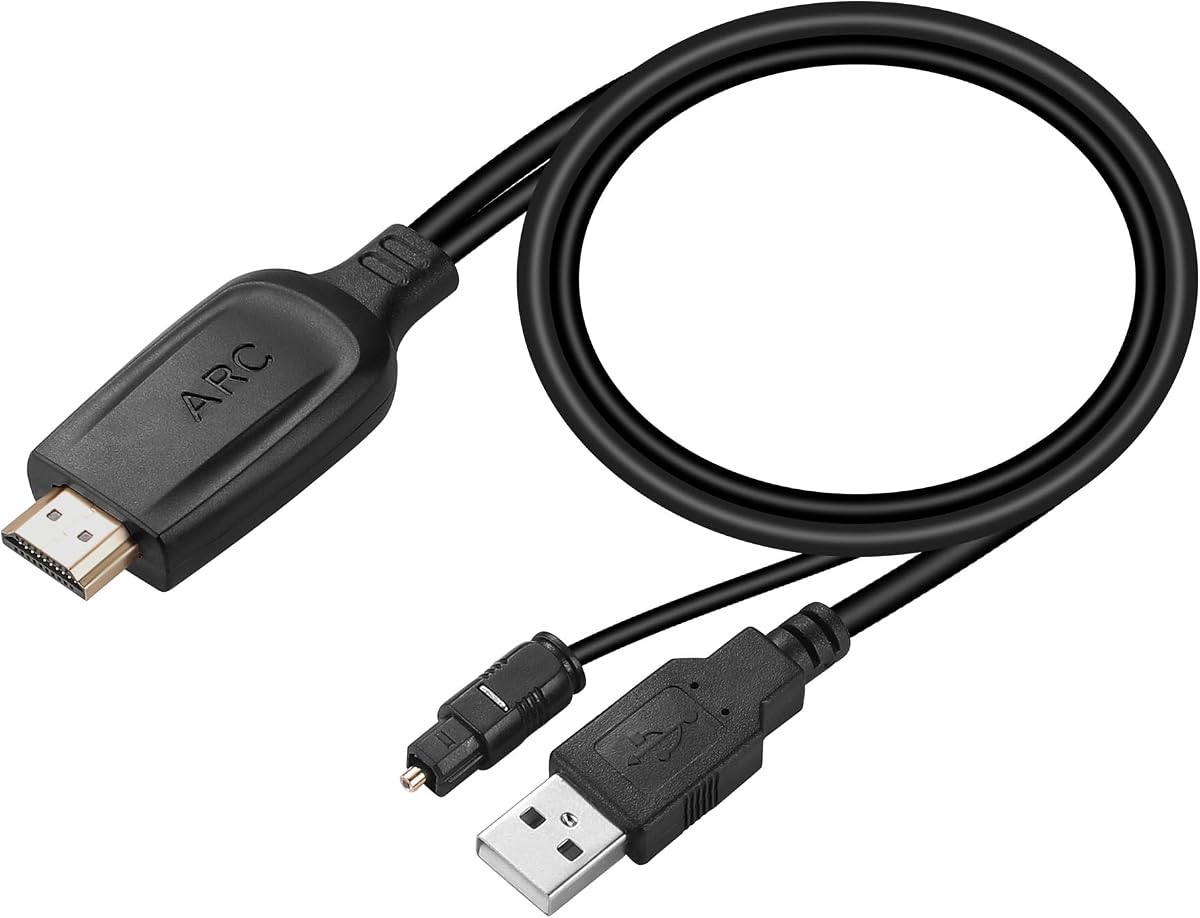
The Unstincer converter is a direct bridge between an ARC-compatible television and an optical sound system. Its supplied rating is 4.2, and the most distinctive physical feature is the integrated 1.05-meter, or 41-inch, optical cable, which can simplify placement around a television stand.
We may earn a commission when you buy through this link, at no additional cost to you.
The listed 24-bit, 192kHz capability is suitable for users who want a digital audio path rather than analog conversion. The product supports PCM, LPCM, Dolby, and DTS settings when the television and receiving sound system are configured appropriately, and an LED indicates when the HDMI interface is connected.
This model is limited to televisions with an ARC interface, so it is not a general-purpose HDMI adapter and should not be selected for a regular HDMI input or an eARC-only requirement. Optical output also cannot transport CEC, meaning the television remote's volume controls will not operate the downstream device.
For an ARC television and optical soundbar placed within reach of the included cable, the Unstincer is a practical, focused choice. Its main strengths are straightforward operation and a tidy integrated-cable arrangement. It is a good budget-oriented pick when no coaxial or analog outputs are needed.
The attached 1.05-meter optical cable means you do not need a separate short Toslink lead for the basic connection. It can reach from a converter beside the television to a nearby soundbar or amplifier without creating excess cable clutter.
Selecting PCM provides the most broadly compatible route, while Dolby and DTS depend on what the connected sound system can decode. Checking both ends of the signal chain avoids selecting a format that the destination equipment cannot handle.
We may earn a commission when you buy through this link, at no additional cost to you.
The VPFET extractor is the most flexible choice in this roundup because it can send the same television audio to optical and coaxial outputs simultaneously. Its 4.1 supplied rating is competitive, and the 24-bit, 192kHz specification gives it the same high-resolution headline capability as several competing models.
We may earn a commission when you buy through this link, at no additional cost to you.
Accepting both conventional ARC and eARC television ports makes it suitable for a wider range of modern displays. Simultaneous Toslink and coaxial output is especially useful when a soundbar uses optical while another amplifier, DAC, or headphone amplifier uses coaxial. The product also includes a Type-C power cable, an HDMI cable, an optical cable, and a manual.
It cannot be treated as a general HDMI converter, since the listing specifically limits operation to a television's ARC or eARC return port. CEC volume control is also absent because neither optical nor coaxial audio carries those control commands. Some televisions may also require eARC or audio-output settings to be adjusted manually.
The VPFET is best for users with more than one digital-audio destination or who want future flexibility between optical and coaxial equipment. It earns the premium distinction through output versatility rather than remote-control functionality, so buyers who need CEC volume adjustment should look elsewhere.
The ability to use optical and coaxial outputs together is the distinguishing feature of this extractor. It gives users a practical path to connect a primary soundbar while keeping a secondary amplifier, DAC, or headphone amplifier available.
The eARC interface and 19+1 HDMI cable are intended for televisions with labeled ARC or eARC return capability. The included status indicator offers a quick visual indication of the adapter's operating mode.
We may earn a commission when you buy through this link, at no additional cost to you.
This adapter is built around a 6.6-foot optical connection, giving a soundbar or speaker more placement freedom than a short fixed lead normally allows. It accepts both ARC and eARC television signals, provides 24-bit, 192kHz output, and carries a 4.2 supplied rating.
We may earn a commission when you buy through this link, at no additional cost to you.
The installation process is straightforward: set the television's output to an ARC device, choose PCM or Dolby/DTS 5.1 as appropriate, and connect the USB power lead. It is compatible with TVs featuring ARC or eARC and with soundbars, amplifiers, and active speakers that have optical interfaces.
Its most consequential limitation is the stated absence of Dolby Atmos, 5.1, and 7.1 PCM multichannel support. This makes it better suited to conventional stereo or compatible 5.1 workflows than to modern object-based surround. The connected system must also support Dolby or DTS when those formats are selected, and CEC volume control is unavailable.
Choose this model when cable reach matters, your source has ARC or eARC, and your audio equipment uses optical input. It offers a good balance of straightforward operation and generous physical reach, but users seeking the broadest surround-format support should examine alternatives that explicitly describe more extensive decoding.
The 6.6-foot optical lead can reach a soundbar positioned farther from the television than a compact adapter with a short attached cable. That flexibility can reduce visible cable strain and make furniture placement easier.
The stated lack of Dolby Atmos and multichannel PCM support is important for home theater buyers. This adapter is a strong option for compatible stereo or supported 5.1 equipment, but it is not a general-purpose surround decoder.
We may earn a commission when you buy through this link, at no additional cost to you.
The LiNKFOR converter combines a strong supplied rating of 4.4 with support for both ARC and eARC television ports. It sends the returned audio to a soundbar or other optical-equipped device through a 24-bit, 192kHz digital path, making it a practical middle ground for modern home theater installations.
We may earn a commission when you buy through this link, at no additional cost to you.
PCM 2.0, Dolby 5.1, and DTS 5.1 are listed as supported formats, with clear channel indicators intended to help identify the active signal. The product description also identifies soundbars, home theater systems, wireless headphones, gaming consoles, and television streaming as suitable applications.
As with other optical extractors, CEC volume control is unavailable because fiber-optic audio does not carry television control commands. The receiving equipment must also be able to decode the format selected on the television. The listing recommends enabling CEC for ARC televisions, whereas eARC operation follows the television's own return-audio configuration.
This is an excellent general recommendation for a soundbar with optical input, particularly if Dolby or DTS 5.1 may be used. It avoids exotic output choices, provides a strong customer rating, and supports both common television return standards. Users who require a coaxial or 3.5mm alternative should choose a dual-output or analog adapter instead.
Support for PCM 2.0, Dolby 5.1, and DTS 5.1 gives installers several options for matching a television to a capable sound system. PCM remains the simplest general setting, while compressed surround formats require compatible decoding at the destination.
Beyond television programs, the product is listed for streaming, game consoles, home theater equipment, and wireless headphone bases. Its optical output offers a convenient way to move television audio into a separate audio system or private listening setup.
We may earn a commission when you buy through this link, at no additional cost to you.
This converter is designed to bridge an ARC television to two common destination types: optical equipment and 3.5mm AUX devices. Its supplied rating of 4.3 indicates solid customer reception, while the 24-bit, 192kHz capability gives it a high-resolution specification on paper.
We may earn a commission when you buy through this link, at no additional cost to you.
The digital output supports PCM 2.0 and 5.1 channel audio, while the product information notes that only the SPDIF or coaxial path carries 5.1 surround. The 3.5mm connection is primarily analog, so the television should be configured for PCM when using that output. This distinction is essential for avoiding incorrect channel downmixing.
The included USB power cable and HDMI 2.0 cable reduce the need to buy additional essentials. However, the television remote's volume buttons will not control the connected playback device, so volume must be adjusted at the soundbar or other endpoint. The device also requires a 5V USB charger or suitable powered USB source.
This is a good choice for users with a soundbar that has optical input and a second legacy device that uses 3.5mm. It provides more destination flexibility than a single-output optical extractor, but users should set the TV to PCM for the analog path and verify that their soundbar can decode the selected digital surround format.
Optical output suits modern soundbars and amplifiers, while 3.5mm AUX can serve headphones or a legacy stereo system. Having both paths makes the converter useful when you are not yet ready to replace every audio component.
The product's 5.1 capability depends on using a suitable digital output. When the 3.5mm analog connection is selected, PCM is the recommended television format because it provides a more predictable stereo path.
We may earn a commission when you buy through this link, at no additional cost to you.
This final adapter provides a straightforward ARC or eARC to optical path for televisions without a built-in Toslink output. Its 4.2 supplied rating, 24-bit, 192kHz specification, and 6.6-foot optical cable make it a practical option for many soundbar arrangements.
We may earn a commission when you buy through this link, at no additional cost to you.
The listing provides a clear setup sequence: select the ARC device in the television's output menu, choose PCM or Dolby/DTS 5.1, connect USB power, and restart the TV and audio devices if sound does not appear initially. Compatibility is described across major television brands and optical-equipped soundbars, amplifiers, and active speakers.
The adapter does not support Dolby Atmos or 5.1/7.1 PCM multichannel formats, so it is better viewed as a straightforward digital audio bridge than a full home theater decoder. As with the other optical models, the television remote cannot control volume because CEC is not carried over the optical output.
This is a worthwhile selection when you need more cable reach than a compact model provides and do not require object-based surround decoding. It is particularly useful for conventional stereo and compatible 5.1 destinations, provided the television's output is configured correctly and the soundbar supports the chosen format.
The 6.6-foot optical cable provides room to place a soundbar or speaker system away from the television without relying on an immediate adjacent connection. This is useful in entertainment centers where the display and audio equipment occupy different sections.
The listed troubleshooting advice recommends restarting both the television and audio equipment when sound is absent after configuration. This simple step can help the source and destination renegotiate their output settings.
We may earn a commission when you buy through this link, at no additional cost to you.
Choosing an HDMI ARC adapter for a soundbar means matching three pieces of equipment: the television's return-audio port, the soundbar's input, and the audio format both devices can handle.
The television must have an HDMI port explicitly labeled ARC or eARC. A regular HDMI port does not automatically send television audio back to an external system, even if it supports high-resolution video. Check the television manual or the port labels before purchasing, and enable the appropriate return-audio and CEC settings after installation.
Choose a converter matching the label on your television. ARC-only models will not serve an eARC requirement, while dual ARC/eARC adapters offer broader compatibility.
Optical Toslink is the most common target for this category because many soundbars still include it even when newer models emphasize HDMI. If your soundbar instead has L/R RCA or 3.5mm input, select an analog-output adapter. Devices with both coaxial and optical inputs benefit from a dual-output extractor.
Check the soundbar's rear panel and manual before buying. The input must match the adapter output exactly, and a physical cable must be available for the connection.
PCM 2.0 is the safest common format for basic stereo playback, but surround content may arrive as Dolby or DTS. Some converters decode these formats themselves, while others only pass a compatible digital stream to a soundbar that can decode it. Analog outputs generally require a stereo PCM setting because they cannot carry a multichannel surround signal directly.
Choose PCM when maximum compatibility matters. Select a decoding model when you expect Dolby or DTS and need the adapter to translate the television's output for older audio equipment.
eARC provides a higher-bandwidth return path than conventional ARC and is relevant to modern surround formats. However, a product that accepts eARC does not necessarily decode every format carried by it. Conversely, an ARC-only adapter can still provide excellent stereo or supported 5.1 audio when that is all your system requires.
Prioritize eARC when your television and content use advanced formats or when you want a future-oriented connection. For a simple soundbar setup using PCM or compatible 5.1, a well-specified ARC converter may be sufficient.
Adapter size is less important than the reach of the attached output cable. Products with 4.9-foot or 6.6-foot optical leads are easier to connect when the soundbar sits away from the television, while shorter leads suit tightly grouped entertainment centers. Check the furniture layout and cable-management openings before choosing.
Choose a lead long enough to reach without strain, but avoid an unnecessarily large loop that takes up space. A neatly routed cable is easier to maintain and less likely to be disconnected.
Optical, coaxial, and analog audio links do not carry HDMI-CEC control commands. If your television remote includes volume up and down buttons for the connected soundbar, those buttons may stop working once the adapter is installed. This applies to nearly every product in this roundup and is a limitation of the output type rather than a defect in the converter.
Treat remote volume control as a preference, not a requirement. Most soundbars and amplifiers have their own volume controls, and a separate remote or app may be available depending on the equipment.
A complete package can make setup faster. Look for an HDMI cable, an optical or analog output cable, and a USB power lead, because most converters require external power even when they are described as plug-and-play. The exact television-side connection may be built into the unit or supplied as a separate cable.
Included accessories do not guarantee that every connector fits your particular television or soundbar. Verify the connector type and cable length, and inspect the included leads for damage before installation.
A 24-bit, 192kHz sampling headline is common in this category, but actual sound quality still depends on the television's source, the selected format, the receiving soundbar, and the physical connection. High sampling specifications do not by themselves add missing channels or create surround sound that the source never provided.
Use sampling rate as one compatibility point rather than the only quality judgment. The most valuable specification is whether the adapter supports the exact format and output your equipment requires.
Begin by identifying the television's ARC or eARC port and the soundbar's input. Connect the adapter's HDMI side to the labeled television return port, then connect its optical, coaxial, L/R, or 3.5mm output to the matching soundbar input. The sequence is simple, but using the correct television port is essential.
Supply power through the included USB cable. Some converters can draw power from the television's USB port, while others require a separate 5V adapter. On the television, enable HDMI-CEC when required, select the ARC or eARC device as the audio output, and choose PCM 2.0 unless your soundbar and adapter clearly support another format.
Test with ordinary television audio before streaming or surround content. If there is no sound, confirm that the television is sending audio to the adapter, check the power indicator, verify the output format, and restart both the television and soundbar. Keep the adapter unobstructed, avoid sharply bending the optical fiber cable, and disconnect it before moving equipment.
Only if the soundbar has an input matching the adapter's output. Most adapters provide optical audio, so confirm that your soundbar includes a Toslink input. If it only has HDMI, analog RCA, or 3.5mm connections, choose an adapter designed for that output instead. The television also needs a dedicated ARC or eARC port.
Not automatically. The adapter transports and may decode the audio format sent by the television, but it cannot create missing surround channels. Your soundbar must also support the selected format. PCM 2.0 is the safest general setting, while Dolby or DTS requires compatible support in the adapter and receiving system.
Optical, coaxial, and analog audio outputs do not carry HDMI-CEC control signals. As a result, the television's volume buttons may not adjust the soundbar after an adapter is introduced. Use the soundbar's own controls, remote, or app instead. This limitation applies to nearly every optical extractor in this roundup.
No. A standard HDMI port generally carries video toward the television and may accept a source signal, but it does not automatically return the television's own audio to an adapter. Use the port explicitly labeled ARC or eARC. If no such label appears, check the television manual because some manufacturers group or mark the function differently.
An ARC adapter works with the conventional HDMI Audio Return Channel, while an eARC adapter also supports the enhanced return channel and greater bandwidth. eARC support can be useful for modern surround workflows, but it does not guarantee that the adapter itself decodes every advanced audio format. Both require a compatible television port and the correct television settings.
The products in this guide are described as requiring no drivers, software, or dedicated apps. Most operate as hardware signal converters and only require the correct TV menu settings, power, and cable connections. Their simplicity does, however, make troubleshooting dependent on checking the television's output mode and supported audio format.
The most common causes are an incorrect television port, disabled ARC or CEC, missing adapter power, an unsupported output format, or a loose cable. Set the TV output to the ARC device, begin with PCM 2.0, confirm that the adapter's status light is active, and restart both devices. Also verify that the soundbar's input selector is set to the correct source.
Optical is preferable for a soundbar or home theater receiver because it carries digital audio and can support compatible surround formats. A 3.5mm output is more convenient for headphones or simple legacy stereo equipment, but it is generally limited to stereo. Match the adapter to the destination you actually own rather than choosing an output you do not plan to use.
The HDMI ARC to Optical Audio Adapter for TV Soundbar is the leading choice for its supplied 4.9 rating and broad documented decoding support, while the VPFET extractor stands out for simultaneous optical and coaxial outputs. The Unstincer converter delivers a focused, economical route for an ARC television and optical soundbar with an integrated cable.
Prioritize compatibility over headline specifications. Confirm the television's ARC or eARC label, inspect the soundbar's input, and choose an audio format both devices can handle. If you need analog audio, select an L/R or 3.5mm model; if you need advanced decoding, investigate the product's format claims and the soundbar's capabilities together.
Remember that CEC volume control is generally unavailable through optical and analog adapters, and treat 24-bit, 192kHz as one feature rather than a guarantee of superior output. Check the latest listing, included cables, and current prices before purchasing so the selected adapter fits both your equipment and your setup.