
Redragon K671 Mechanical Gaming Keyboard
4.3Editor score
Hot-swappable linear red switches
Eleven programmable backlight modes
Full-key anti-ghosting
Double-shot PBT keycaps
Our Loud Mechanical Keyboard guide compares 10 models across switch sound, lighting, layouts, hot-swapping, build quality, comfort, and features for gaming.
A loud mechanical keyboard makes typing and gaming more expressive, tactile, and unmistakable. The best examples pair audible feedback with responsive switches, sturdy construction, useful customization, and enough everyday comfort for extended sessions. Clicky blue switches and other sharply voiced designs lead this roundup.
We compared ten mechanical keyboards using their stated switch types, feedback characteristics, layouts, lighting, anti-ghosting support, programmability, connectivity, and practical extras. The list covers full-size, 96%, and compact designs, ranging from straightforward wired models to hot-swappable boards with wireless connectivity and elaborate acoustic construction.
Each pick demonstrates a different way to deliver noticeable sound and satisfying feedback, from crisp clicky switches to dense layered builds. Product ratings reflect the supplied customer feedback, while recommendations also consider features, compatibility, and potential trade-offs. Prices and availability can change, so check the current listing before buying.
4.3Editor score
4.5Editor score

4.6Editor score
The table below compares all ten keyboards by switch style, layout, lighting, connectivity, and standout features, making it easier to identify the loudest-feeling option for your setup.





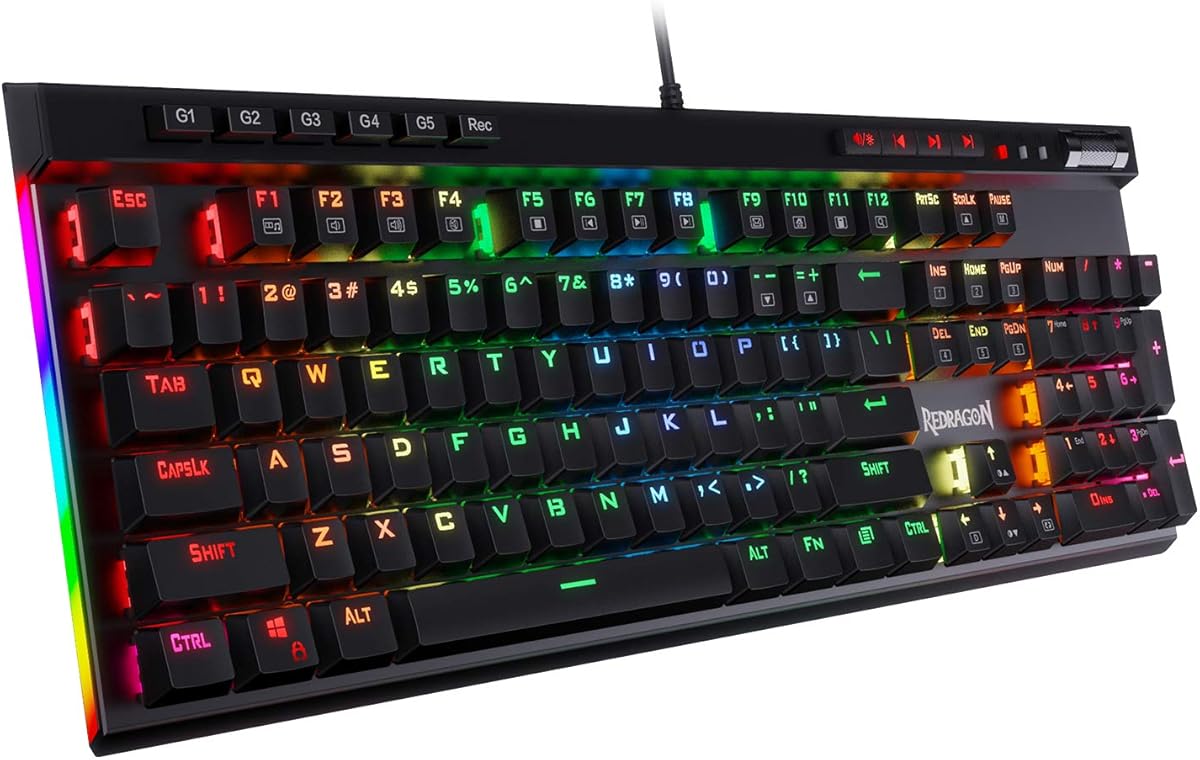
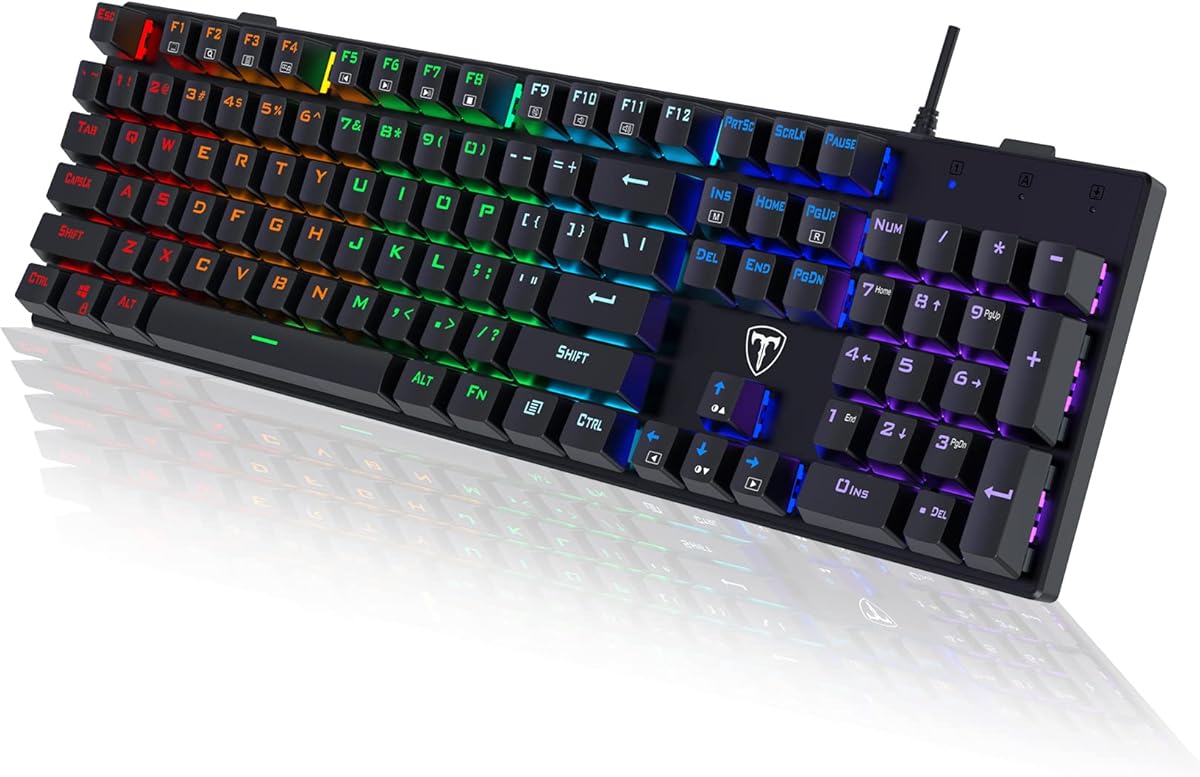
The Redragon K671 offers an unusually broad feature set for a budget-oriented mechanical keyboard, earning a 4.3 rating from customers. Its defining attraction is the hot-swappable red-switch platform, allowing users to change compatible mechanical switches without soldering while retaining a smooth, low-force typing feel.
We may earn a commission when you buy through this link, at no additional cost to you.
The board provides 11 backlight modes, five brightness levels, adjustable light speed, and full-key anti-ghosting. Macro editing is available through the associated software, and 12 multimedia shortcuts cover common calculator, media, volume, and email functions. Double-shot PBT keycaps improve durability, while four spare switches and replacement red keycaps add practical maintenance flexibility.
Its main limitation is the acoustic character of the supplied red switches. Red switches are generally associated with smooth, linear travel rather than the pronounced click of blue mechanical switches, so this model may not be the loudest choice in the roundup. The product information also notes that the backlight color cannot be changed, even though numerous lighting modes are available.
This is a strong pick for gamers and typists who want an audible mechanical platform but prefer customizing switch feel over a fixed clicky configuration. It is particularly appealing when hot-swapping, PBT keycaps, anti-ghosting, and macro support matter more than a specific switch style. For the loudest experience, compatible clicky switches can be considered after checking socket and plate compatibility.
The hot-swappable sockets make the K671 more adaptable than a fixed-switch budget board. Four spare switches are included, so replacement is straightforward and users can begin exploring different tactile or linear characteristics without purchasing a soldering kit.
Eleven lighting modes, adjustable brightness, macro editing, and programmable key functions make the board useful for both work and games. Fixed backlight color limits the visual range, but the core customization options remain unusually strong for this class.
We may earn a commission when you buy through this link, at no additional cost to you.
The RisoPhy Mechanical Gaming Keyboard is one of the clearest matches for the loud-keyboard brief, combining clicky blue switches with a slim 104-key design. Its 4.5 rating reflects a well-received balance of audible feedback, gaming functions, broad compatibility, and practical ergonomic details.
We may earn a commission when you buy through this link, at no additional cost to you.
The blue switches are described as responsive, tactile, and clicky, with deeper travel and more noticeable feedback than light linear switches. Nine backlight patterns, five brightness levels, and adjustable light speed add atmosphere, while double-injection ABS keycaps promote clear illumination. Full anti-ghosting supports simultaneous inputs, and 12 multimedia shortcuts improve everyday access.
Comfort is handled with a stair-up keycap design, foldable rear kickstands, and four nonslip pads. The keyboard also incorporates four hydrophobic holes intended to help water flow away following a spill, and it includes a keycap puller for cleaning. The trade-off is its wired connection and the use of ABS rather than PBT keycaps.
The RisoPhy is a compelling recommendation for someone who explicitly wants a crisp, audible click and does not need wireless connectivity. It suits gaming, general typing, and number-heavy work while avoiding the footprint of many bulky full-size boards. It is our choice for readers who value recognizable mechanical click feedback above sophisticated acoustic tuning.
The combination of clicky blue switches and an ultra-slim chassis gives the RisoPhy a distinctive look while keeping the typing experience unmistakable. Its slimmer profile also makes better use of desk space than many full-size gaming keyboards.
Anti-ghosting, multimedia shortcuts, drainage holes, nonslip feet, and plug-and-play compatibility make this more than a sound-and-light novelty. The result is a keyboard designed for regular gaming and productivity rather than a display model.
We may earn a commission when you buy through this link, at no additional cost to you.
The SteelSeries Apex 5 Hybrid combines tactile blue-switch feedback with a premium gaming feature set, earning a 4.6 rating. It is the most feature-rich board in this guide, with per-key RGB lighting, an OLED smart display, an aluminum frame, and a detachable magnetic wrist rest.
We may earn a commission when you buy through this link, at no additional cost to you.
Its hybrid blue switches combine a tactile click with a smooth membrane layer and are rated for 20 million keypresses. Dynamic per-key RGB effects make each key visually distinct, while the OLED display can present game information, GIFs, Discord messages, and other customizable content. The aircraft-grade aluminum alloy frame supplies rigidity and a substantial desktop presence.
Unlike many enthusiast boards here, the Apex 5 does not offer switch hot-swapping. That means buyers cannot readily exchange the supplied hybrid blue switches for another type. The OLED also depends on compatible software for some of its most engaging functions, adding setup complexity compared with a straightforward plug-and-play keyboard.
The Apex 5 is ideal for a gamer who wants audible mechanical feedback, rich lighting, on-screen information, and premium construction in one coherent package. It is less suitable for a modifier who expects to replace switches or avoid configuration software. Within this roundup, it is the strongest all-around premium expression of a loud mechanical gaming setup.
The OLED smart display can show changing game information, messages, and animated content directly above the keyboard. That makes the Apex 5 feel more interactive than a standard gaming board while preserving useful visual feedback without adding another monitor.
The aluminum frame provides rigidity, while hybrid blue switches deliver the tactile click that this guide seeks. The magnetic wrist rest adds palm support and can be removed when the user wants a cleaner, more compact-looking setup.
We may earn a commission when you buy through this link, at no additional cost to you.
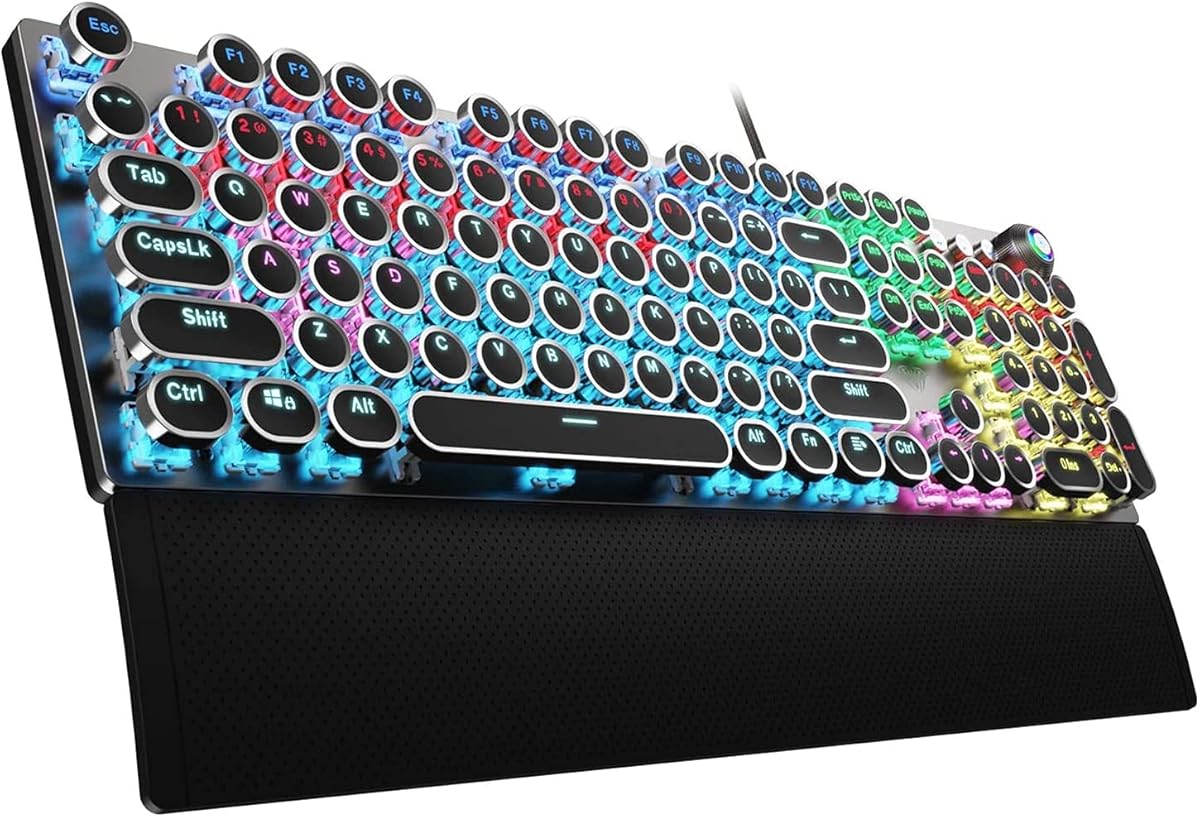
The RK Royal Kludge S108 combines retro round keycaps and clicky blue switches in a substantial 108-key wired keyboard. Its 4.6 rating makes it one of the strongest-rated products here, with the appeal coming from its distinctive appearance, tactile feedback, and full-size practicality.
We may earn a commission when you buy through this link, at no additional cost to you.
The stepped round keycaps resemble an old typewriter and produce a stable, deliberate feel beneath the fingers. Blue switches add the audible click and tactile bump expected from this category. Full anti-ghosting helps register combinations accurately, while a matte aluminum alloy panel and detachable ABS wrist rest support durability and long-session comfort.
Yellow backlighting shines through the keycaps, and the S108 software allows lighting changes, key remapping, and macro creation. That software is supported only on Windows, although the keyboard itself is compatible with PC, Mac, Linux, laptop, and desktop systems. Switches cannot be hot-swapped, so the supplied blue switch experience is fixed.
This keyboard is a natural choice for anyone who wants loud mechanical typing and a typewriter-inspired design rather than a conventional gaming appearance. It works especially well for writers, streamers, and desk-setup enthusiasts who enjoy the retro theme. Buyers seeking a subtler style or future switch changes should consider a more conventional or hot-swappable alternative.
The typewriter styling is not merely decorative: stepped round keycaps support fingertip positioning and create a distinctive typing rhythm. Beneath that theme sit anti-ghosting, backlighting, remapping, and macro tools expected from a modern gaming keyboard.
The clicky blue switches are the center of the S108's appeal, delivering both tactile feedback and audible character. Their fixed installation is the main compromise for enthusiasts, but it also gives the board a consistent, intentional feel.
We may earn a commission when you buy through this link, at no additional cost to you.
The Redragon K668 is a full-size 108-key gaming keyboard built around hot-swappable sockets, 19 RGB lighting modes, and four extra hotkeys. It carries a 4.5 rating and provides a flexible foundation for users who may want louder switches than the supplied linear set.
We may earn a commission when you buy through this link, at no additional cost to you.
The upgraded socket accepts almost any 3-pin or 5-pin mechanical switch, making it relatively straightforward to install compatible clicky, tactile, or linear options. Stock red linear switches offer smooth travel and discreet clicks for shared spaces. Lighting includes adjustable brightness, flow speed, and a music-sync mode, while the software supports custom effects, macros, and hotkey reassignment.
Anti-ghosting helps the main 104-key area register rapid combinations accurately. Two-stage feet adjust the typing angle, and two included sets of mixed-color keycaps make it easy to alter the board's appearance. One important consideration is that the stock red switches do not deliver the pronounced acoustic signature sought by many loud-keyboard buyers.
The K668 is most attractive to buyers who want a future-proof hot-swap platform without giving up full-size navigation and media-like hotkeys. Compatible clicky switches would make it a stronger match for this guide's theme, provided their sound is acceptable in the user's environment. As supplied, it is smooth, customizable, and practical rather than aggressively noisy.
Support for 3-pin and 5-pin switches gives the K668 considerable flexibility, particularly for owners who want to experiment with clicky blue or other louder switch types. The included linear switches provide a quieter baseline while the board is being configured.
Four dedicated hotkeys can handle mute, calculator, screen lock, and desktop functions out of the box, then be reassigned in software. Nineteen lighting presets and a music-responsive mode add visual variety to a conventional full-size gaming layout.
We may earn a commission when you buy through this link, at no additional cost to you.
The RK Royal Kludge R98 Pro is built for people who care about the character and control of keyboard sound. Its 4.5 rating reflects a refined 98-key layout, gasket mounting, five layers of sound-absorbing foam, and hot-swappable pre-lubed linear switches.
We may earn a commission when you buy through this link, at no additional cost to you.
Its 98-key layout preserves the number pad, arrow keys, and most familiar full-size functions while reducing overall footprint. The five-layer damping system is designed to reduce cavity noise and create a solid, creamy acoustic profile. MDA-profile double-shot PBT keycaps offer a matte surface and a shape intended to fit the fingers more closely.
The pre-lubed linear switches provide smooth travel and a creamy sound, but they are not the sharp click associated with a genuinely loud mechanical keyboard. Hot-swap support for 3-pin and 5-pin switches allows compatible clicky switches to be added later. The wired design, detachable aluminum volume knob, and software customization add practicality but limit cable-free flexibility.
This is an excellent choice for a user who wants dense construction, refined sound, and a full-featured keyboard without the footprint of a standard 104-key board. It works well for gaming and productivity because it retains the number pad. For maximum click volume, start with the installed smooth switches and then consider compatible louder replacements if the office permits it.
Five layers of sound-absorbing foam work with the gasket-mounted structure and PCB slotting to reduce unwanted internal resonance. The result is a controlled, full acoustic profile that differs from both thin membrane-like boards and unmodified metal cases.
The R98 Pro keeps a number pad and dedicated arrow cluster while reducing clutter. A detachable CNC aluminum knob controls volume, and indicator lights clarify lock and Mac-mode status without taking up additional keyboard space.
We may earn a commission when you buy through this link, at no additional cost to you.
The Logitech G413 SE is a full-size mechanical gaming keyboard that emphasizes durability, restrained styling, and reliable gaming performance. Its 4.5 rating reflects a mature design that does not overwhelm the desk with excessive lighting or novelty features.
We may earn a commission when you buy through this link, at no additional cost to you.
Tactile mechanical switches provide clear physical feedback, while six-key rollover and anti-ghosting behavior support rapid multi-key input. The black-brushed aluminum-magnesium top case is rigid and designed to minimize flex. Heat- and wear-resistant PBT keycaps improve long-term feel and appearance, while white LED lighting gives the board a clean, professional look.
Twelve function-key shortcuts handle volume, playback, track skipping, mute, lighting control, and Windows lock. The keyboard is wired and does not offer the extensive macro engine, detachable knob, hot-swappable sockets, or per-key RGB found on several competitors here. Its restrained lighting and limited customization may disappoint users seeking a dramatic visual effect.
The G413 SE is an excellent recommendation for a gamer who wants tactile feedback, a robust full-size frame, and a mature appearance that can fit in a work-oriented setup. It is particularly attractive when simplicity is valued over extensive configuration. Those seeking the loudest possible clicks should explore comparable tactile boards, but the G413 remains one of the most balanced premium choices.
The brushed black case and white illumination create a restrained alternative to RGB-heavy gaming keyboards. More importantly, the aluminum-magnesium structure and minimal-flex design provide a stable foundation for deliberate tactile typing.
Media controls and gaming-focused rollover support cover the essentials directly on the keyboard. The limited customization ecosystem is a sensible choice for users who want dependable everyday operation rather than extensive visual or macro experimentation.
We may earn a commission when you buy through this link, at no additional cost to you.
The AULA F2088 is a 104-key typewriter-style mechanical gaming keyboard that emphasizes clicky blue switches, retro round keycaps, and a multifunction control knob. Its 4.4 rating reflects a distinctive design that feels more expressive than a standard gaming board.
We may earn a commission when you buy through this link, at no additional cost to you.
Blue switches deliver a crisp audible click, a springy response, and tactile feedback that aligns closely with the loud-keyboard brief. The stepped, floating round keycaps are double-shot injection molded for illumination clarity and durability. Anti-ghosting allows simultaneous inputs to register correctly, supporting both rapid gaming combinations and ordinary typing.
The dedicated knob switches between media and lighting control, while dedicated buttons cover volume, playback, and lighting effects. Users can select 19 lighting effects, adjust brightness and speed, and create three custom lighting modes. An aluminum alloy top panel adds rigidity, and the included magnetic ABS wrist rest supports the palms.
The F2088 is a good fit for someone who wants a retro visual theme and strong tactile noise without dealing with configuration software. It supports PC, Mac, Linux, laptop, tablet, and desktop use and works through a plug-and-play USB connection. Its fixed switches and wired design are trade-offs, but they simplify setup and preserve a consistent clicky feel.
The stepped floating keycaps guide the fingers into a distinct position while preserving the round, nostalgic appearance. Combined with blue switches, they produce a more deliberate and audible experience than many low-profile gaming keyboards.
Long-pressing the knob switches between media and lighting functions, giving the keyboard useful physical controls without crowding the layout with extra buttons. It adds a premium touch to an otherwise simple plug-and-play mechanical board.
We may earn a commission when you buy through this link, at no additional cost to you.
The AULA F99 is a compact 99-key mechanical keyboard with tri-mode wireless connectivity, hot-swappable switches, RGB lighting, and a sophisticated internal structure. Its 4.5 rating makes it a strong all-round choice for users who want a quiet platform with room to customize.
We may earn a commission when you buy through this link, at no additional cost to you.
Bluetooth 5.0, 2.4GHz wireless, and USB wired modes support different setups, with the ability to connect to five devices and switch between them. The hot-swap PCB accepts 3-pin and 5-pin switches. Pre-lubed linear switches create smooth travel and a pleasant sound, while 16 RGB effects and macro options add visual and functional customization.
A gasket-style structure, integrated silicone pad, PCB single-key slotting, and five layers of filling silencer soften internal noise and create a springier feel. Double-shot PBT keycaps help preserve legends, and the 8000mAh battery supports extended wireless use. The main limitation is that the supplied linear switches are discreet rather than loudly clicky.
The F99 is ideal for a user who switches among a computer, tablet, and other supported devices while valuing wireless freedom and a compact 96-percent layout. Compatible clicky switches could transform its sound profile for louder typing, though the installed set remains smooth and comparatively restrained. Its combination of flexibility, battery capacity, and damping makes it one of the most versatile boards here.
Three connection methods and five-device pairing make the F99 useful across work, gaming, and study. The user can move between wireless and wired operation without changing the keyboard itself, while hot-swappable switches preserve future customization options.
The gasket structure, single-key PCB slotting, silicone pad, and five internal filling layers help manage cavity noise. This produces a fuller, more controlled acoustic feel than a basic membrane-style board and supports long typing sessions.
We may earn a commission when you buy through this link, at no additional cost to you.
The Redragon K580 is a 104-key RGB mechanical gaming keyboard that combines clicky blue switches, five onboard macro keys, and hot-swappable sockets. Its 4.6 rating places it among the strongest products in the guide, with especially strong value for gamers who want fast customization.
We may earn a commission when you buy through this link, at no additional cost to you.
The five G1 through G5 macro keys can record combinations and shortcuts directly on the keyboard without requiring software for everyday use. Dedicated media controls handle playback, while the stock blue switches provide a distinct tactile bump and audible click. The hot-swap sockets accept nearly any switch, allowing the supplied sound to be replaced later.
Full anti-ghosting supports accurate registration of rapid multi-key combinations. The keyboard is rated for 50 million keystrokes, and double-shot keycaps are designed to resist fading over extended use. Companion software is available for more advanced RGB effects and deeper macro profiles, creating an optional rather than mandatory setup requirement.
The K580 is a particularly good recommendation for a gamer who wants immediate macro access and a loud click without navigating a configuration program every time a command changes. It is also a strong base for switch experimentation because the hot-swap design is already installed. Its fixed wired connection and conventional full-size footprint are the main compromises.
Recording complex commands on dedicated G1 through G5 keys makes the K580 convenient for games that require repeated actions. The no-software workflow is approachable for beginners, while companion software remains available for deeper profiles.
The supplied blue switches provide the crisp tactile and audible response this guide favors. Hot-swappable sockets give users the freedom to try other switch types later, making the board a flexible starting point for sound enthusiasts.
We may earn a commission when you buy through this link, at no additional cost to you.
The best loud mechanical keyboard is defined by more than volume alone. Switch feel, internal construction, layout, intended environment, and customization needs should all shape the decision.
Blue mechanical switches are the most straightforward option when audible clicking is the priority. Their tactile bump and distinct upper-registration click make each keystroke easy to hear, although that repeated impact can become tiring in a shared office. Red linear switches deliver smoother travel and less disruptive noise, while brown or tactile alternatives offer feedback without the sharpest click. Hybrid switches combine a mechanical click with a smooth membrane layer for a distinct middle ground.
A loud switch does not automatically guarantee the loudest keyboard because the case, plate, dampeners, keycaps, and internal cavity also influence the result. A thin, lightly constructed board may produce a sharper and more exposed sound, while several layers of foam can make even a linear keyboard sound dense and controlled. Gasket mounting, flexible PCB mounting, and substantial case materials generally help manage unwanted vibration and hollow resonance.
A conspicuous click can be satisfying in a gaming room, but it may disrupt colleagues, family members, online meetings, or shared workspaces. Clicky blue switches and mechanical click leaves are most relevant to a loud keyboard search. Linear red switches are easier to accommodate socially, while dense dampened boards can produce a substantial sound without making every keystroke equally sharp.
Full-size boards include a number pad and dedicated navigation cluster, making them useful for spreadsheets, data entry, and games that use number keys. The 96-percent and 98-key formats in this guide retain most of those controls while reducing desk space. A 99-key layout can still include a number pad, but the compact body changes wrist angle and mouse reach. Users who need arrow keys or a numeric keypad should check the layout before buying.
Hot-swappable keyboards let users remove and replace mechanical switches without soldering. This provides an easy way to change from quiet linear switches to louder clicky options, alter spring weight, or experiment with tactile feel. It also simplifies replacing a faulty switch. Compatibility varies, so buyers should verify supported pin counts and whether the plate, stabilizer, or switch design requires additional work.
A rigid case can improve stability and reinforce a more controlled acoustic profile, while a removable wrist rest may be necessary for comfortable long sessions. Look for secure feet, nonslip pads, an appropriate typing angle, and keycaps that provide a comfortable sculpted profile. Retro round keycaps create a different fingertip experience from conventional rows, so buyers sensitive to unusual shapes may prefer standard keycap geometry.
Wired keyboards provide a dependable connection with simple setup, while wireless boards offer more freedom across a desk or shared environment. Multi-device keyboards can pair with several computers or tablets and switch between them, which is valuable for work and gaming. Compatibility information matters for systems and software: some drivers support only Windows even when the physical keyboard works across PC and Mac operating systems.
RGB lighting, macro keys, remapping software, media controls, and dedicated knobs can improve a keyboard, but they should support rather than distract from the core typing experience. Onboard macro recording is convenient for users who change commands often, while software-based control offers deeper lighting and profile management. The best loud keyboard still needs a sound and layout you genuinely enjoy using every day.
Begin by installing the software recommended for your keyboard, then update it and configure the switch-related options, lighting, media controls, and macro keys. If the board includes onboard macro keys, learn the recording process before your first game so that commands can be created without interrupting play. Keep the original keycap puller and spare switches nearby if the model supports hot-swapping.
Place the keyboard on a stable surface and adjust the rear feet or wrist rest to maintain a natural wrist angle. Type with relaxed hands and avoid forcing keys toward the bottom of their travel. Clicky switches can feel sharper when the fingers are tense, so taking brief breaks and loosening the shoulders helps reduce fatigue during long sessions.
Clean the keyboard with a soft microfiber cloth and remove loose dust with a brush or compressed air held at a safe distance from the switches. Avoid pouring liquid directly onto the board. For deeper cleaning, remove compatible keycaps carefully, wash only where the manufacturer permits, and let every piece dry completely before reassembly. Always disconnect the cable before servicing a wired model.
Blue mechanical switches are generally the most visibly and audibly clicky because they include a tactile bump and an upper click during travel. The exact result depends on the keyboard's case, plate, dampeners, and keycaps, so switch type sets the basic character while construction controls resonance. A thin, lightly damped board may sound sharper than a heavily layered model.
Loudness itself does not reduce gaming performance; input registration, anti-ghosting, and rollover are the more relevant technical considerations. Every keyboard reviewed here includes some form of anti-ghosting support, while several provide multi-key rollover. The practical concern is whether repeated clicking interferes with communication or people sharing the room.
They are not inherently bad, but they can create more finger effort and fatigue for users who prefer a light, smooth action. Some typists adjust their technique after becoming accustomed to pronounced blue-switch feedback. Others use linear or tactile switches to reduce impact noise while retaining mechanical key travel.
Usually, yes, provided the replacement switches are mechanically and electrically compatible with the socket and plate. Installing blue switches in a hot-swappable linear board can introduce a sharper click and tactile bump. Check switch pin configuration, plate mounting, and any manufacturer-specific restrictions before purchasing replacements.
Internal foam is generally used to reduce hollow cavity noise, vibration, and unwanted resonance rather than eliminate the fundamental sound of a switch. It may soften a board's acoustic signature without removing the crisp click of blue switches. Boards with multiple damping layers often sound fuller and more controlled, which some users prefer even if the result is not the sharpest.
A 96-percent layout conserves desk space and keeps the mouse closer to the keyboard, while retaining arrow keys and usually a number pad. A full-size board separates the number pad farther from the core typing area and provides more obvious key spacing. The best choice depends on whether desk space, familiar navigation, or maximum separation matters more to the player.
It depends on the model. Some keyboards provide onboard macro recording and direct controls, while advanced lighting effects, remapping, and stored profiles require companion software. Software compatibility can also be limited by operating system, so check whether the keyboard's stated features work on the computer you own before purchasing.
Most full-size and compact mechanical keyboards in this guide use standard USB connections and are compatible with laptops. Wireless models add switching among paired devices, while wired models provide a consistent connection with no charging concerns. Confirm the operating-system support, particularly when a keyboard's configuration software is limited to Windows.
The RisoPhy Mechanical Gaming Keyboard stands out as the most direct choice for classic, compact blue-switch clicking, while the SteelSeries Apex 5 leads the premium field with per-key RGB, an OLED display, and a rigid aluminum frame. The Redragon K671 offers the best budget combination of hot-swappable switches, PBT keycaps, lighting, and anti-ghosting functionality.
Prioritize switch feel, acoustic construction, and layout in that order. Blue switches and hybrid blue designs provide the sharpest character, while red linear boards offer a smoother path to customization or a more socially comfortable setup. Consider the desk footprint, operating-system support, wrist comfort, and whether onboard controls or software-based customization best suit your routine.
Ratings and customer feedback can change over time, and pricing, promotions, and availability also vary. Before buying, confirm the current specifications and switch type, read recent reviews for recurring concerns, and compare the board with your own sound and space preferences. The right loud mechanical keyboard should feel exciting in normal use, not merely impressive in a product photograph.